
Mabel's Wishlist
-

$29.90
Personal Animal
Bring these intelligent animal companions to your server! They can fight, gather resources, carry supplies, and even be ridden. Choose from various customizable animals: bear, boar, chicken, deer, wolf, crocodile, panther, tiger, cow, bull, calf, sheep, lamb, rabbit, squirrel or frog!
Features:
✔️ Resource Gathering & Looting
• Collect essential resources like wood, stone, and ore.
• Automatically gather resources within 50 meters using auto-pickup.
• Loot crates and boxes for valuable items.
✔️ A True Companion
• Command your animal to attack enemies, structures, or objects.
• Ride your animal for faster travel.
• Store items in the animal’s inventory (configurable up to 36 slots).
• Keep your companion healthy with a nutrition system that restores health.
Total Customization & Control
🎯 Animal Settings
• Select your preferred animal: Bear, Boar, Chicken, Deer, Wolf, Crocodile, Panther, tiger, cow, bull, calf, sheep, lamb, rabbit, squirrel, or frog.
• Configure max health, respawn time, and combat abilities.
• Adjust damage rates, player interactions, and looting permissions.
🛠️ User-Friendly Controls & UI
• Assign commands with a customizable buttons.
• Display 3D arrows over targets for better visibility.
• Fully customize the GUI layout, colors, and refresh rate.
• Blacklist specific items from your animal’s inventory bag.
🍖 Feeding System
• Enable nutrition settings to maintain your animal’s health.
• Configure health restoration values for different food items.
Useful Commands:
✅ /panimal – Spawn or despawn your animal.
✅ /panimal follow – Have your animal follow you.
✅ /panimal health – Check your animal’s current health.
✅ /panimal auto-pickup enable/disable – Turn resource auto-collection on or off.
✅ /panimal where – Locate your animal on the map.
📸 See It in Action! Watch the Video
📃 Configuration:
{ "Controls setup": { "Which button will assign tasks to the animal, attack / collect, etc. (MIDDLE_MOUSE, SECOND_MOUSE, E, RELOAD, SPRINT)": "MIDDLE_MOUSE", "Range of action of the assignment button": 25.0, "Display 3D arrows over a target?": true, "Arrow display duration": 2 }, "GUI setup": { "How many seconds to update the GUI?": 6, "Panel layer (Hud, Overlay, Overall, Hud.Menu, Under)": "Overlay", "Panel position": { "type": "RectTransform", "anchormin": "1 1", "anchormax": "1 1", "offsetmin": "-170 -104", "offsetmax": "-10 -10" }, "Second position of the panel (used if the player has a personal bot)": { "type": "RectTransform", "anchormin": "0.0 0.0", "anchormax": "1.0 1.0", "offsetmin": "0.0 0.0", "offsetmax": "0.0 0.0" }, "1 panel color": "#7f8c8d", "2 panel color": "#bdc3c7", "Health bar color": "#2ecc71", "Shortcut buttons": [] }, "Setting up personal animals by permission": { "personalanimal.wolf": { "The name of the animal to be selected through the command when spawning": "wolf", "Animal type (bear, boar, chicken, stag, wolf, polar-bear)": "wolf", "Maximum health": 200, "Animal spawn cooldown": 10.0, "Addons setup": { "Enable the ability to ride an animal?": true, "Add a bag to an animal to store resources?": true, "Number of available slots in the bag (maximum 36)": 12 }, "Functions setup": { "Can the animal attack objects?": true, "Can an animal loot boxes?": true, "Can the animal pick up resources?": true, "Does the animal have to defend itself?": true, "Should the animal protect the owner?": true, "Can an animal collect resources within a radius of 50 meters? (/panimal auto-collect)": true }, "Damage, interactions and loot setup": { "Animal damage rate": 2.0, "Damage rate receive for an animal": 1.0, "Can the animal damage players?": true, "Can players damage the animal?": true, "Despawn animal corpse after death?": false, "Setting up resource pickup rates": { "stones": 5.0 }, "Black list of items that cannot be put in the bag": [ "rocket.launcher" ] }, "Nutrition setup": { "Turn on the animal feeding system?": true, "Setting health for food eaten": { "corn": 5.0 } } }, "personalanimal.bear": { "The name of the animal to be selected through the command when spawning": "bear", "Animal type (bear, boar, chicken, stag, wolf, polar-bear)": "bear", "Maximum health": 200, "Animal spawn cooldown": 10.0, "Addons setup": { "Enable the ability to ride an animal?": true, "Add a bag to an animal to store resources?": true, "Number of available slots in the bag (maximum 36)": 12 }, "Functions setup": { "Can the animal attack objects?": true, "Can an animal loot boxes?": true, "Can the animal pick up resources?": true, "Does the animal have to defend itself?": true, "Should the animal protect the owner?": true, "Can an animal collect resources within a radius of 50 meters? (/panimal auto-collect)": true }, "Damage, interactions and loot setup": { "Animal damage rate": 2.0, "Damage rate receive for an animal": 1.0, "Can the animal damage players?": true, "Can players damage the animal?": true, "Despawn animal corpse after death?": false, "Setting up resource pickup rates": { "stones": 5.0 }, "Black list of items that cannot be put in the bag": [ "rocket.launcher" ] }, "Nutrition setup": { "Turn on the animal feeding system?": true, "Setting health for food eaten": { "corn": 5.0 } } }, "personalanimal.boar": { "The name of the animal to be selected through the command when spawning": "boar", "Animal type (bear, boar, chicken, stag, wolf, polar-bear)": "boar", "Maximum health": 200, "Animal spawn cooldown": 10.0, "Addons setup": { "Enable the ability to ride an animal?": true, "Add a bag to an animal to store resources?": true, "Number of available slots in the bag (maximum 36)": 12 }, "Functions setup": { "Can the animal attack objects?": true, "Can an animal loot boxes?": true, "Can the animal pick up resources?": true, "Does the animal have to defend itself?": true, "Should the animal protect the owner?": true, "Can an animal collect resources within a radius of 50 meters? (/panimal auto-collect)": true }, "Damage, interactions and loot setup": { "Animal damage rate": 2.0, "Damage rate receive for an animal": 1.0, "Can the animal damage players?": true, "Can players damage the animal?": true, "Despawn animal corpse after death?": false, "Setting up resource pickup rates": { "stones": 5.0 }, "Black list of items that cannot be put in the bag": [ "rocket.launcher" ] }, "Nutrition setup": { "Turn on the animal feeding system?": true, "Setting health for food eaten": { "corn": 5.0 } } }, "personalanimal.chicken": { "The name of the animal to be selected through the command when spawning": "chicken", "Animal type (bear, boar, chicken, stag, wolf, polar-bear)": "chicken", "Maximum health": 200, "Animal spawn cooldown": 10.0, "Addons setup": { "Enable the ability to ride an animal?": true, "Add a bag to an animal to store resources?": true, "Number of available slots in the bag (maximum 36)": 12 }, "Functions setup": { "Can the animal attack objects?": true, "Can an animal loot boxes?": true, "Can the animal pick up resources?": true, "Does the animal have to defend itself?": true, "Should the animal protect the owner?": true, "Can an animal collect resources within a radius of 50 meters? (/panimal auto-collect)": true }, "Damage, interactions and loot setup": { "Animal damage rate": 2.0, "Damage rate receive for an animal": 1.0, "Can the animal damage players?": true, "Can players damage the animal?": true, "Despawn animal corpse after death?": false, "Setting up resource pickup rates": { "stones": 5.0 }, "Black list of items that cannot be put in the bag": [ "rocket.launcher" ] }, "Nutrition setup": { "Turn on the animal feeding system?": true, "Setting health for food eaten": { "corn": 5.0 } } }, "personalanimal.stag": { "The name of the animal to be selected through the command when spawning": "stag", "Animal type (bear, boar, chicken, stag, wolf, polar-bear)": "stag", "Maximum health": 200, "Animal spawn cooldown": 10.0, "Addons setup": { "Enable the ability to ride an animal?": true, "Add a bag to an animal to store resources?": true, "Number of available slots in the bag (maximum 36)": 12 }, "Functions setup": { "Can the animal attack objects?": true, "Can an animal loot boxes?": true, "Can the animal pick up resources?": true, "Does the animal have to defend itself?": true, "Should the animal protect the owner?": true, "Can an animal collect resources within a radius of 50 meters? (/panimal auto-collect)": true }, "Damage, interactions and loot setup": { "Animal damage rate": 2.0, "Damage rate receive for an animal": 1.0, "Can the animal damage players?": true, "Can players damage the animal?": true, "Despawn animal corpse after death?": false, "Setting up resource pickup rates": { "stones": 5.0 }, "Black list of items that cannot be put in the bag": [ "rocket.launcher" ] }, "Nutrition setup": { "Turn on the animal feeding system?": true, "Setting health for food eaten": { "corn": 5.0 } } }, "personalanimal.polarbear": { "The name of the animal to be selected through the command when spawning": "polarbear", "Animal type (bear, boar, chicken, stag, wolf, polar-bear)": "polar-bear", "Maximum health": 400, "Animal spawn cooldown": 10.0, "Addons setup": { "Enable the ability to ride an animal?": true, "Add a bag to an animal to store resources?": true, "Number of available slots in the bag (maximum 36)": 12 }, "Functions setup": { "Can the animal attack objects?": true, "Can an animal loot boxes?": true, "Can the animal pick up resources?": true, "Does the animal have to defend itself?": true, "Should the animal protect the owner?": true, "Can an animal collect resources within a radius of 50 meters? (/panimal auto-collect)": true }, "Damage, interactions and loot setup": { "Animal damage rate": 2.0, "Damage rate receive for an animal": 1.0, "Can the animal damage players?": true, "Can players damage the animal?": true, "Despawn animal corpse after death?": false, "Setting up resource pickup rates": { "stones": 5.0 }, "Black list of items that cannot be put in the bag": [ "rocket.launcher" ] }, "Nutrition setup": { "Turn on the animal feeding system?": true, "Setting health for food eaten": { "corn": 5.0 } } } }, "List of prefabs that the animal can loot (useful if the animal attacks loot instead of looting it)": [ "foodbox", "vehicle_parts" ] }
-

$24.99$19.99Dungeon Bases
The plugin adds a dungeon event to your server. Dungeons are bases with puzzles, NPC defenders, turrets and more. You can create your own dungeons of varying difficulty. Procedurally generated dungeons are also now available (currently only in test mode)
You can build your own bases or modify existing ones:
There are moving NPC guardians in the dungeons:
There are puzzles with protective doors in the dungeons:
In the dungeons there are secret notes with codes in boxes or on NPCs:
Commands:
dungbase_start - force start event
dungbase_start <entrance name> <dungeon name> <X> <Y> <Z> - force an event to start using the specified entrance and dungeon at coordinates X Y Z (you can also specify the name of the entrance or dungeon <random>)
dungbase_start <X> <Y> <Z> - force an event to start using a random entrance and dungeon at X Y Z coordinates.
example:
dungbase_start #dung#entrance1 #dung#dungeon1 122.3 5.2 872 dungbase_start random #dung#dungeon3
dungbase_stop <id|all> - force stop event
dungbase_list - displays a list of current dungeons
dungbase_addblack <radius> - add a zone where dungeon spawning is not allowed
dungbase_start - force start event
Command to launch procedurally generated dungeons:
example:
dungbase_start #dung#entrance1 procedural_hard - an event starts where the entrance is #dung#entrance1, and the dungeon is procedurally generated with the name of the tier hard dungbase_start random procedural_normal - an event starts where the entrance is randomly selected from a list of entrance names, and the dungeon is procedurally generated with the tier name normal dungbase_start random procedural_easy 100 6 84 - an event starts where the entrance is randomly selected from a list of entrance names, and a procedurally generated dungeon named easy is created at coordinates (100, 6, 84)
Hooks:
void DungeonBasesEventStarted() - // called when event starts
void DungeonBasesEventEnded() - // called when event ends
Configuration:
{ "Allow only the event owner (the one who entered the dungeon first) into the dungeon": true, "Allow owner's teammates to enter the dungeon": true, "Time before ownership is lost after leaving the server(in seconds)": 300, "Event marker on the map": true, "Event marker name": "Dungeon Base", "Event marker transparency(0-1)": 0.55, "Event marker radius": 0.5, "Event marker color.R(0-1)": 1.0, "Event marker color.G(0-1)": 0.0, "Event marker color.B(0-1)": 0.0, "Display event owner name on marker": true, "Display the time remaining until the end of the event on the marker": true, "Autostart event(disable if you want to trigger the event only manually)": true, "Calculate the time until the next event only after the previous one has finished": false, "Minimum time to event start(in seconds)": 3600, "Maximum time to event start(in seconds)": 7200, "Minimum event duration(in seconds)": 2000, "Maximum event duration(in seconds)": 3000, "Minimum number of online players to trigger an event": 1, "List of NPC names": [ "Dungeon NPC", "Dungeon Keeper", "Dungeon guard" ], "Dungeons list": [ "#dung#base1", "#dung#base2", "#dung#base3", "#dung#base4" ], "Entrances list": [ "#dung#entrance1", "#dung#entrance2", "#dung#entrance3", "#dung#entrance4" ], "Random order of choosing a dungeon from the list (if false, will be selected in turn)": true, "Random order of choosing the entrance to the dungeon from the list (if false, will be selected in turn)": true, "Change the time of day when entering the dungeon(from 0 to 23, if -1 - do not change the time)": 0.0, "How long before the end of the event does radiation start to affect players inside the dungeon": 180, "How long before the event ends will a warning message be displayed to players": 300, "How long after the event ends should the entrance be destroyed": 60, "Close the entrance and exit to the dungeon when the event time is over": true, "Will autoturrets attack NPCs": false, "Save event data (If true, the event will be saved and will continue even if you restart the server or plugin. Disable this if you get lag when saving)": true, "SteamID for chat message icon": 0 } Note: The plugin is guaranteed to work correctly with bases enabled. NPCs will not behave as standard, as they use different algorithms. Only one dungeon can spawn on the map at a time.
-
$10.99
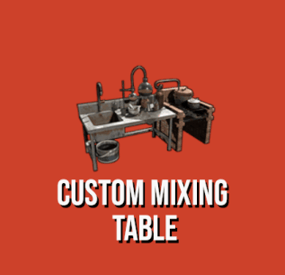
Custom Mixing Table
This plugin is basically custom made mixing table which works pretty much same as "vanilla" Mixing Table. Worth mentioning detail, vanilla mixing table interface is no longer accessible while using this plugin although you can still list "teas" in DrugMixing and make them craft-able this way. By using one of my other plugins called Consumable Effects you can add special buffs to consumable items. These buffs are activated upon consuming the item with custom item name listed in data file. Buffs can modify metabolism values like health, bleeding, hunger, comfort etc. or apply Tea Boost with customized values (time, value, type).
FAQ
Default configuration.
Default config files are included with plugin, you will find there 7 recipes which supports ConsumableEffects plugin.
Alternatively you can look into configuration made by my customers here -> Default Tea Recipes / Complete Drug Config for RP servers
Changing and uploading custom item icons.
You can upload any icon on steam workshop with uploader tool, it is simple as just clicking one button. I can provide you with free one on my discord.
Where can players find custom ingredients for mixing table.
There is few different ways how to do it. Best way is to use any plugin which modifies loot tables and add your special items in there.
Getting custom item when picking up plants.
This is done by using free plugin ExtraGatherBonuses (link here). With this plugin you can set up any gather chance for custom items.
Special effects/buffs when consuming custom items.
To set up any buffs, please check out optional dependency Consumable Effects
If you have any questions prior to purchasing, feel free to message me here, for faster response reach out on my discord.gg/rustplugins/
For more detailed documentation visit this link.
Create Recipe
Additional Options
-
$39.90
Solara Island
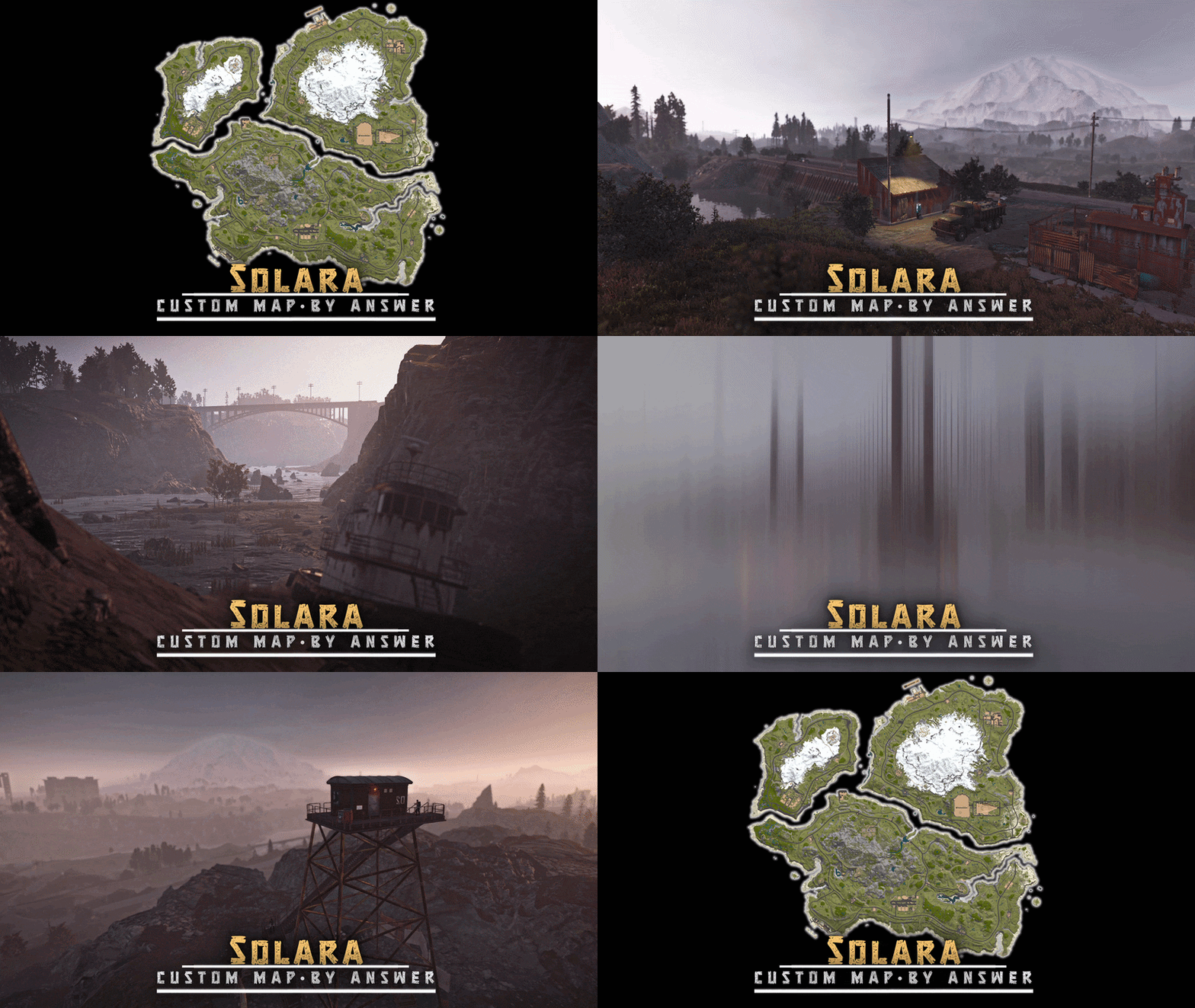
Solara features 3 main isles connected by unique bridges and custom ziplines. Packed with vanilla and custom monuments, plus intriguing points of interest marked by question marks on the minimap, encouraging players to explore.
FEATURES
- Ring road
- Ring rail
- Bridges, rivers, lakes
- BetterNPC config included
- Points of interest marked with "?" on the minimap
- Small caves (build spots)
CUSTOM MONUMENTS
Hostile survivor camp Coaling Tower Abandoned Tire Shop
- Contains loot (including vehicle part crates) and a functional car lift, encouraging players to use the modular cars
Train depot (2)
- These monuments are located right on the railway. Players can find trains, wagons and some loot here.
Radio tower Fire watchtower Medical warehouse Barrage
Road tunnel (located between mining outpost and medical warehouse) Hostile survivor town Hostile survivor warehouse Wind turbines substation Unmarked points of interest
- Can be found along roads and dirt paths
Bandit Fishing Village (safe zone) FACEPUNCH MONUMENTS
- Airfield
- Dome
- Radtown
- Harbor (2/2)
- Lighthouse
- Ferry terminal
- Satellite dish
- Launch site
- Train yard
- Water treatment plant
- Oxum's gas station
- Jungle ziggurat
- Stone quarry
- Supermarket
- Mining outpost
- Missile silo
- Ranch
- Fishing villages
- Oil rigs (2/2)
- Underwater labs
NOTES
– Need help? You can always contact me on my discord server @ discord.gg/TJxwpKT2Ge
– The password for the editor is included with the map
- Map size: 3500
- Prefab count: ∼25k
-
$39.99
CubeBuild
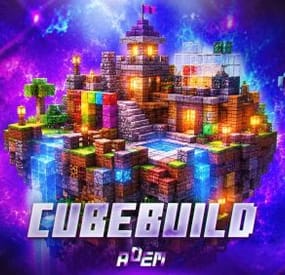
CubeBuild is a plugin that adds Minecraft-style building with cube blocks.
Players receive a special building plan and can create structures from blocks: houses, castles, towers, statues, and many other objects that are difficult or impossible to build with the standard building system.
Cube structures can be used not only as decorations. Players can place regular deployable objects inside these buildings, such as boxes, workbenches, furnaces, planters, lights, sleeping bags, and other items needed for gameplay and progression.
There are currently 7 block categories available: wood, stone, brick, concrete, metal, high quality metal, and glass. Each category includes several skins, allowing players to combine different materials, colors, and textures in one build.
More than 30 block variants are currently available. More blocks may be added in the future based on customer requests.
AI Building Generation
The plugin includes instructions for generating ready-to-use builds with AI.
You can describe the build you want in ChatGPT, for example: a castle, village, tower, statue, or arena. After that, AI will generate a special building file in the CubeBuild format.
Simply add this file to the plugin data folder, and the build can be pasted on the server with one command:
/cubepaste <presetName>
Plugin reload is not required.
This allows you to quickly create new objects without placing every block manually. An administrator can generate a build, upload the file to the server, and instantly place it in the desired location.
The instruction has been tested only with ChatGPT. Compatibility with other AI services is not guaranteed.
Copy and Paste
The built-in copy and paste system allows you to save completed builds and place them later.
You can build an object once, save it as a preset, and reuse it at any time.
At the moment, this feature is intended for administrators only.
Custom Building Privilege
CubeBuild has its own building privilege system, which replaces the standard building privilege for cube structures.
It is designed to protect the house from decay and works as a separate upkeep system. If there are enough resources, the structure will be protected from decay. If the resources run out or are not sufficient, the cube blocks will gradually start to decay.
The building privilege UI also includes a convenient repair feature. A player can repair the entire house inside the privilege zone with one button, without repairing each block manually.
Limitations
CubeBuild uses separate entities for cube blocks, so they should not be placed in unlimited amounts.
The config includes block limits for each player. It is not recommended to disable these limits or set them too high.
I cannot guarantee stable plugin performance if more than 50,000 cube blocks are placed on the server.
Chat Commands
- /givecubeplan - gives a custom building plan. Admin only.
- /killallcubes - deletes all cubes and custom doors created by the plugin. Admin only.
- /cubecopy <radius> <presetName> - copies a cube structure within the specified radius and saves it as a preset.
- /cubepaste <presetName> - pastes a previously saved build.
- /cubedelete <radius> - deletes cubes within the specified radius.
Console Commands
- givecubeplan <userId> [amount] - gives one or more custom building plans to a player.
Permissions
- cubebuild.building - allows players to use the custom building plan.
- cubebuild.copy - allows players to use the copy command.
- cubebuild.paste - allows players to use the paste command.
- cubebuild.delete - allows deleting blocks within a radius.
Plugin Config
en – example of plugin configuration in English
ru – example of plugin configuration in Russian
Check out the rest of my work: Adem's Codefling Library
You can reach out to me in Discord: Adem's Discord Profile
Join the Mad Mappers Discord!
- #minecraft
- #cube
- (and 9 more)