
-
Posts
217 -
Joined
-
Last visited
Content Type
Profiles
Warranty Claims
Downloads
Forums
Store
Services
Downloads Plus Support
DOWNLOADS EXTRA
Everything posted by RustFlash
-

Version 1.0.0
1 download
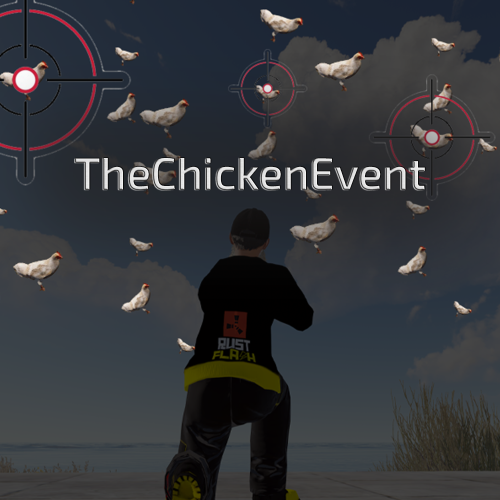
Description Every server has them: players who sit in base all day. They do not want to roam, take risks, or “run into an event, kill everything, loot, repeat”. HostageTaking was built exactly for those players. Instead of a pure gunfight event, this is a brain-driven rescue scenario: a hostage is held with a ticking C4 device players must search the area to uncover the 4-digit defusal code only then can they attempt the defusal via an in-game UI keypad This reliably pulls passive/base players out and gives them a meaningful server event without forcing a full PvE slaughter-fest. Core Gameplay Loop Admin starts the event (chat or console command). A countdown begins (broadcast announcements at milestones). The hostage spawns at a monument location and is equipped like a prisoner, with C4 on the belt + beeping effect. Around the monument, the plugin selects 4 random code spots (from a predefined list). Players must roam and get close to code spots to discover digits (each digit reveals part of the code). Once players believe they have enough info, they interact with the hostage and open the Defusal UI (keypad). Limited attempts: wrong tries reduce attempts careless interaction (closing UI mid-attempt) can also reduce attempts Outcome: Success: bomb defused, hostage rescued, reward crate spawns Failure: hostage dies / attempts run out → C4 explodes and the event ends Features Dynamic hostage rescue event with “C4 defusal” mechanics 4-digit code generated per event Code digits are discoverable via proximity-based “code spot” locations In-game UI warning dialog (encourages searching first) keypad defusal UI attempt counter and correct-digit feedback Max duration auto-stop (prevents never-ending events) Optional cooldown between events Admin visibility option (show the secret code to admins with permission) Debug mode can spawn flares at code spots (for testing) EN + DE messages included Dependency / Requirements This plugin requires the MonumentFinder plugin to locate the configured monument. If MonumentFinder is not loaded, HostageTaking will not run. Commands Chat Commands (admin permission required) /flashhostagetaking — Start the event /stophostagetaking — Stop the event /statushostagetaking — Show current event status + code (admin-only) Console Commands (admin permission required) flashhostagetaking — Start the event stophostagetaking — Stop the event statushostagetaking — Status output Permissions hostagetaking.admin — Required to start/stop/status the event and (optionally) view the generated code. Configuration All config values are validated and clamped to safe ranges on load. Default config options: Event Start Time (seconds): 300 Max Event Duration (minutes): 60 Event Cooldown (minutes): 0 (no cooldown) Max Code Attempts: 3 Show Code To Admins: true (shows “Event code: ####” to admins) Debug Mode (Show Flares At Code Spots): false Notes (important) Code spot offsets are hardcoded (not configurable via config). Rewards On successful defusal, a reward crate is spawned: Hackable Locked Crate (Chinook crate prefab) Practical Server Use (Why this exists) This event is designed to: create roaming incentives without pure PvE “wipe NPC camp” gameplay give “base players” a strong reason to leave safety encourage communication and exploration create PvP tension organically (players moving between code spots and the hostage) In short: less “aim and loot”, more “think, search, risk, and decide”. load, run, enjoy$29.99 -

Version 1.0.0
2 downloads
Description FileWatcher monitors your server’s config and lang JSON files and automatically reloads the affected plugin when changes are detected. This is aimed at faster iteration while developing or tuning plugins — edit JSON, save, and the plugin reloads itself. Features Config + Lang monitoring - Watches oxide/config/*.json - Watches oxide/lang/**.json (including subfolders) Safe reload behavior - Debounce (1s): prevents multiple reloads while a file is still being written - Reload cooldown (20s): prevents reload loops and spam - Ignore list: exclude specific plugins from being reloaded - Always ignores FileWatcher itself Stability - If the watcher throws errors, it auto-restarts itself after 5 seconds Debug mode - Optional debug output for watcher init, file changes, cooldown/debounce decisions, etc. Commands /fwstatus Shows watcher status (Config/Lang on/off) and ignored count. Admin only. Permissions No Oxide permission is used. Access is gated by player.IsAdmin. Config { "Watch config folder": true, "Watch lang folder": true, "Ignored plugins": [ "PermissionManager" // This is an example. ], "Debug mode": false } load, run, enjoy$3.55 -
Version 1.0.2
6 downloads
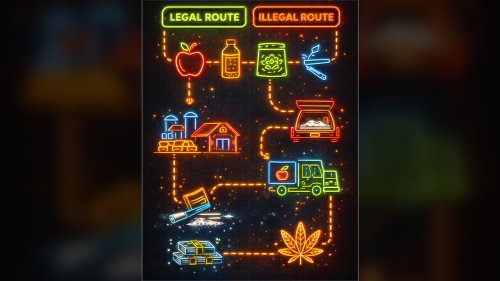
Description FarmRoute is a zone-based farming system for Rust that spawns configurable farmable prefabs inside a defined farming area and guides players through a simple loop: Farm (pick up spawned prefab) → (optional) Convert → Buy Each route is fully configurable and stored as its own JSON file in the Oxide data folder. Features: Route-based zones (Farm / Buyer / optional Converter): Create a route by placing zones in-game. A route becomes active as soon as at least FarmingZone + BuyerZone are set. Prefab spawning inside the farming zone: Spawns `SpawnMax` prefabs using `SpawnPrefab` and keeps the amount stable by respawning when a spawned entity is removed/killed. Controlled farming interaction (blocks default pickup): Spawned route entities can’t be picked up normally; instead an interaction is started (permission + “busy” checks included). Automatic menu UI inside Converter/Buyer zones: If a player stands inside Converter or Buyer zone, a small UI opens with a START (1x) button and auto-closes when leaving the zone. Per-route permissions: Every route registers its own permissions (farm / convert / buy) for clean access control. Optional per-skin stack caps: The plugin can enforce stack limits per item+skin (and split overflow into multiple stacks). Commands: Admin command: /farmroute /farmroute setfarm <name> <radius> /farmroute setbuyer <name> <radius> /farmroute setconvert <name> <radius> (optional) /farmroute removefarm <name> /farmroute removebuyer <name> /farmroute removeconvert <name> /farmroute list /farmroute show <n> /farmroute interact <name> <convert|buy> (manual start for testing) Permissions: farmroute.admin – Admin commands. farmroute.use – Basic usage permission. Per-route permissions (auto-registered per route name): farmroute.route.<routeName> farmroute.converter.<routeName> farmroute.buyer.<routeName> Config: FarmRoute has a small config focused on UI + spawn/interaction tuning. UI Background Color (HEX) UI Text Color (HEX) UI Accent Color (HEX) UI Progress Bar Color (HEX) UI Error Color (HEX) Allow Global Stack Size Override Interaction Cancel Distance Minimum Spawn Distance Between Prefabs Maximum Spawn Attempts Per Prefab Data / Persistence Routes are stored per folder under: oxide/data/FarmRoute/<routeName>/<routeName>route.json Quick setup (minimal) Stand where you want the farming zone center and run: /farmroute setfarm myroute 30 Stand where you want the buyer zone center and run: /farmroute setbuyer myroute 10 Optional converter zone: /farmroute setconvert myroute 10 As soon as farming + buyer are set, the route becomes active and starts spawning prefabs. load, run, enjoy$25.99 -
 No, sorry. It should remain a pure event plugin
 -

Version 1.4.2
20 downloads
MergedOutpost Description Are you also tired of always using RustEdit just because you need a MergedOutpost? The MergedOutpost plugin provides a seamless way to customize outposts in Rust servers and create new vending machines from the BanditCamp. It fully integrates with the existing Monuments without the need for RustEdit. Features: - Automatic placement of vending machines: Various vending machines from the BanditCamp (e.g. for food, weapons, vehicle parts) are added at predefined locations. - Integration with MonumentFinder: Automatic detection and customization of the Outpost monument. - Full automation: Existing outposts are replaced to avoid conflicts. - Compatibility: Works without RustEdit, ideal for server-side customization. Config: { "VendingMachines": { "CardChangerSpot": true, "CarSpotHigh": true, "CarSpotLow": true, "ElectroSpotDoor": true, "ElectroStuffSpot": true, "ExtraVendingSpot": true, "FarmingSpot": true, "FoodSpot": true, "HanfChangerSpot": true, "SecondExtraVendingSpot": true, "WeaponSpot": true } } Dependencies: MonumentFinder - https://umod.org/plugins/monument-finder This plugin only handles vending machines if you need a wolf vendor do this with Monument Addons by WhiteThunder load, run, enjoy$10.99 -

Version 1.2.0
17 downloads
Description AfkSystem automatically detects when a player is AFK and then either: shows a fullscreen image overlay (recommended), or executes a chat command on the player It’s event-based (no constant polling): the AFK timer resets on real player input and triggers after your configured delay. Features Event-based AFK detection (no polling!) Starts a per-player timer on join and resets it on movement / actions. After X seconds without input, the player is marked AFK and the AFK action triggers. Fullscreen AFK screen (Image mode) Shows a full-screen CUI overlay with your configured image. Requires ImageLibrary. Closes as soon as the player presses a key (input is detected). Command mode If you set a command in the config, AfkSystem will run it on AFK instead of showing an image. Useful for: switching UI, teleporting to AFK area, warnings, etc. Admin overview Command to list currently AFK players. Freeze Metabolism while AFK (no hunger/thirst loss) Prevent Damage while AFK (no health loss) Dependencies Optional (only for Image mode) ImageLibrary plugin (required if you use Image URL mode) If Image mode is enabled but ImageLibrary is missing, AfkSystem will warn in console and won’t display images. Commands /afk Toggles AFK screen/action manually (for testing or manual AFK). If the screen is open, it will close it and restart AFK detection. /checkafk (admin) Lists all currently AFK players tracked by the plugin. Permissions afksystem.use Enables AFK detection for the player and allows /afk. afksystem.admin Allows /checkafk. Config AfkSystem is simple: leave Command to Execute empty to use Image mode. If you set a command, the plugin switches to Command mode automatically. Default config { "AFK Detection Time (seconds)": 300.0, "Command to Execute (leave empty to use image mode)": "", "Image URL (only used if command is empty)": "", "Freeze Metabolism while AFK (no hunger/thirst loss)": true, "Prevent Damage while AFK (no health loss)": true } Note: Commands are executed as a chat command (the plugin internally does /yourcommand). Notes / Behavior AFK is detected based on common inputs (movement, jump, duck, sprint, primary/secondary fire, use). The UI overlay is added to Overlay and is removed when the player presses a key. Players without afksystem.use are ignored (no timers, no AFK tracking). load, run, enjoy$3.99 -
 Bro, you can't buy it, it's disabled! Maybe it will get an update at some point that complies with Facepunch's guidelines, but that's not a priority for a free plugin at the moment.
 -
We're all still struggling to make the current ForceWipe compatible with all plugins. I'm not planning an update at the moment
-
I temporarily turned it off because of the new TOS.
-

Version 1.0.4
12 downloads
ProtectiveVest Description ProtectiveVest adds consumable vests that players activate from their hotbar via a hold-to-equip action. After a successful equip, 1 vest is consumed and the player gains temporary bonus max HP (and is healed up to that new max). The effect lasts until death. Optionally, you can configure the vest to be consumed/removed once health drops below a threshold, so players can activate another vest again. Features - Hold-to-equip from hotbar (no chat commands) - Consumes 1 item on successful activation - Adds bonus max health and heals up to the new max immediately - Optional auto reset below HP (removes the active vest once HP drops below a configured threshold) - Built-in equip progress UI with multiple styles - One active vest at a time (no stacking) Please note that you must deliver the vests to the players via loot tables or other methods. Feel free to check out my BlackMarket plugin or FarmRoute plugin! Commands No commands. Permissions 1. `protectivevest.use` — Allows using protective vests. How it works (Player flow) 1. Put a configured vest item into your belt/hotbar. 2. Select it as your active item. 3. Hold the USE key until equip completes. Releasing USE cancels. 4. When completed, 1 item is consumed and the vest bonus is applied. Equip cancellation rules (important) Equip will cancel if the player: - releases USE - switches active item / changes away from the vest item - moves the item out of the belt - changes the item (UID/skin/shortname mismatch) while holding Example config { "UI": { "Style": "HorizontalBar", "Enabled": true, "UpdateIntervalSeconds": 0.10, "BackgroundAlpha": 0.65, "BarAlpha": 0.90 }, "Vests": [ { "Name": "Aramid Armor Vest", "ItemShortName": "wood.armor.jacket", "SkinID": 3643174653, "BonusHealth": 50.0, "EquipDurationSeconds": 5.0 } ], "AutoResetBelowHealth": 100.0, "ActiveVestsCheckIntervalSeconds": 0.75 } UI Settings UI style name. Valid values are: - `HorizontalBar` - `CircularProgress` - `MinimalCorner` - `LargeCenter` See Images or video Auto reset (optional: “remove vest when low HP”) - `AutoResetBelowHealth` If **<= 0**, this feature is disabled. If **> 0**, the plugin periodically checks active vest users and removes the active vest when their HP drops below the threshold. - `ActiveVestsCheckIntervalSeconds` How often the plugin checks active vests (only used if AutoResetBelowHealth > 0). Multilingual Support: The plugin supports multiple languages. Language files are located in the lang folder and can be edited or expanded as needed. Currently supported languages: default: EN DE load, run, enjoy$2.99 -
 Thank you for your suggestion. Please take a look at the new version 5.xx! Thank you for your feedback and for making the plugin even more appealing. Brilliant feature and a must-have for any server with many commands
 -
 You can watch the video, it's the same thing, even though the video mentions oxides. It keeps your system clean, and the great thing is that if you want to keep old configs, or if you want to use a plugin again at some point, you can simply store these files as a backup. It saves them a lot of time, many searches, and a clear layout.
 -
Oh, I'm sorry, I misunderstood.
-
You will need to ask the respective plugin provider for this. My plugin cannot access the content of other plugins.
-
That would indeed be a nice addition. I've put it on the to-do list for a possible 5.x.x version, because it's not that easy to implement and would make the configuration very complicated for users. If I come up with a good idea, I'll implement it, because it's a very good idea. Thanks for that.
-
Version 5.0.0
38 downloads
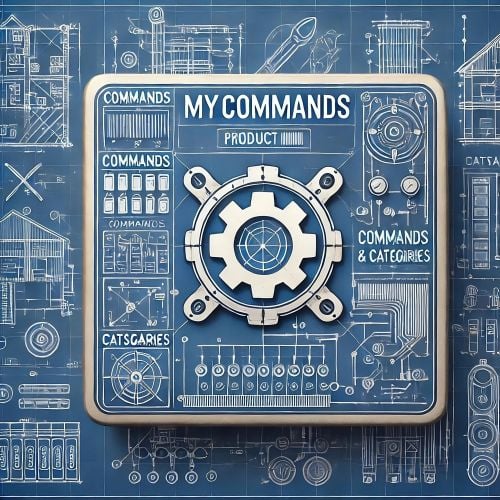
MyCommands Description The MyCommands plugin displays a modern, scrollable user interface (UI) that provides players with categorized commands and real-time search functionality. Who doesn't know that feeling - you have a lot of possibilities on your server, but players can't remember all the commands. With this plugin, it becomes easy to navigate and use commands via a visual interface. Administrators can define categories, commands, and descriptions. Features: Categorized commands: Commands are grouped into collapsible categories to make navigation easier for players. Example categories include House, Bells, Tools, Admin, and Economy. Real-time search functionality: Players can search for specific commands using the integrated search bar with instant results. Modern scrollable UI: Clean, modern interface with smooth scrolling for better user experience. Command descriptions: Each command includes a helpful description that appears in an information tooltip. Info tooltips: Click the blue "i" button next to any command to see its description in a modern popup. User-friendly interface: The UI provides a clear presentation of commands with options to expand or collapse categories. Customizable commands: Administrators can add new commands, categories, or descriptions, or edit existing ones in the configuration. Close button: The UI can be closed with a simple click on the close button. Direct command execution: Players can execute commands directly from the UI without entering them manually in the chat. Automatic UI closing: When a command is executed, the UI automatically closes. Search window: Separate search results window that appears alongside the main interface. Permission-based access: Only players with the correct permission can access the command interface. as off (v.4.4.0) Customizable colors: Adjust your colors in the config. Command: Set your own command Commands: /mycommands - Opens the main command interface Permissions: mycommands.use - Players need this permission to open the UI, search commands, and execute commands. This permission can be assigned to special user groups. Config: The configuration uses a comprehensive JSON system that is automatically created on first load if no configuration exists. You can edit it to adapt it to your server needs. The config includes both command categories and detailed descriptions. { "Command": "mycommands", "Categories": { "House": [ "/myhouse", "/rename", "/removehouse", "/findhouse" ], "Bells": [ "/addbell", "/setbell" ], "Tools": [ "/skinbox", "/cupboard", "/test1", "/test2", "/test3", "/teller" ], "Admin": [ "/god", "/vanish", "/fly", "/noclip", "/teleport" ], "Economy": [ "/shop", "/sell", "/buy", "/balance", "/pay" ] }, "CommandDescriptions": { "/myhouse": "Teleport to your house location", "/rename": "Rename your house or building", "/removehouse": "Remove your house from the system", "/findhouse": "Find the location of your house", "/addbell": "Add a bell to your building", "/setbell": "Configure bell settings", "/skinbox": "Open the skin selection interface", "/cupboard": "Manage your tool cupboard", "/test1": "Test command #1 for debugging", "/test2": "Test command #2 for debugging", "/test3": "Test command #3 for debugging", "/teller": "Access bank teller functions", "/god": "Toggle god mode (admin only)", "/vanish": "Become invisible to other players", "/fly": "Toggle fly mode for admins", "/noclip": "Toggle noclip through walls", "/teleport": "Teleport to coordinates or player", "/shop": "Open the main shop interface", "/sell": "Sell items from your inventory", "/buy": "Purchase items from the shop", "/balance": "Check your current balance", "/pay": "Send money to another player" }, "CategoryPermissions": { "House": "public", "Bells": "public", "Tools": "public", "Admin": "admin", "Economy": "public" }, "Colors": { "MainPanel": "#1A1A1AF2", "HeaderPanel": "#333333FF", "CloseButton": "#CC3333FF", "SearchPanel": "#1F1F1FFF", "SearchLabel": "#CCE6FFFF", "InputField": "#050505FF", "InputText": "#FFFFFFFF", "InputPlaceholder": "#808099FF", "ClearButton": "#B33333FF", "CategoryButton": "#4D9933FF", "CategoryButtonText": "#FFFFFFFF", "CommandButton": "#666666FF", "CommandButtonText": "#E6E6E6FF", "InfoButton": "#3380CCFF", "InfoButtonText": "#FFFFFFFF", "TooltipPanel": "#1A1A1AF2", "TooltipHeader": "#3380CCFF", "TooltipContent": "#0D0D0DE6", "TooltipText": "#E6E6E6FF", "NoResultsText": "#B3B3B3FF", "SearchResultsText": "#80E680FF", "ScrollbarHandle": "#808080FF", "ScrollbarTrack": "#333333FF" } } load, run, enjoy$16.99 -

Version 2.8.0
23 downloads
SafeCracker adds a dynamic safe-cracking event at gas stations. Admins can start an event that spawns a locked entry, a vault, loot crates and a getaway car. Players must pick the locks using a simple lockpicking UI mechanic — failures trigger a silent alarm and spawn hostile NPCs. Features: - Gas station event flow: Starts an event at a gas station monument and spawns the event setup (entry/loot/escape). Optional event timeout (or infinite runtime), with clean despawn on stop/end. - Lockpicking mechanics + UI: Players rotate the lock with left/right mouse and must hold in the green “sweet spot” for 1 second per pin. 5 pins total, each pin has a time limit. Attempts are limited per player. - Silent alarm + police response (NPCs): On failed lockpicking, the plugin triggers a warning message and spawns NPCs after a short delay (requires NPCSpawn/NpcSpawn). NPCs roam/chase/combat around the event area. - Loot + completion logic: After unlocking the vault, crates are spawned (hackable + elite). The event completes when all spawned crates are fully looted. - Getaway car + escape completion: A sedan is spawned as the escape vehicle. If the car moves 3+ meters from its start position, the event ends as “stolen/escaped”. You can choose to despawn the car after escape. - Map marker support: If MarkerManager is installed, a map marker is created for the event location. - Localization (EN/DE) + auto language: The plugin includes English and German messages and automatically sets player language from the client setting. New in v.2.0.0 Difficulty levels Three different difficulty levels. Easy | Medium | Hard The harder the level, the more NPCs The harder the level, the more loot The harder the level, the more lock pins The harder the level, the less time Various MapMarkers Easy | Medium | Hard Commands: Chat: /flashsafecracker [easy|medium|hard] - Starts the SafeCracker event (admin only) /stopsafecracker - Stops the active SafeCracker event (admin only) Console: flashsafecracker [easy|medium|hard] - Starts the event stopsafecracker - Stops the event Permissions: safecracker.admin - Allows starting/stopping the event. Config: (default) { "Event Duration (minutes/0=infinite)": 90, "Use Notify (RustFlash)": true, "Consume Geiger on Use": false, "Dispose of the car after the escape": true } Dependencies: MonumentFinder – https://umod.org/plugins/monument-finder Marker Manager – https://umod.org/plugins/marker-manager NpcSpawn - https://codefling.com/extensions/npc-spawn load, run, enjoy$39.99 -
Version 2.4.0
12 downloads
CarbonCleaner Short description Finds orphaned files in `carbon/config/`, `carbon/data/`, and `carbon/lang/` based on the installed/loaded plugins and provides a sleek in-game CUI for selecting and deleting them. Features - Matching logic (plugin detection) - Reads plugin base names from `carbon/plugins` (`*.cs`) **and** from the Carbon runtime (loaded plugins). - Base names `Admin` and `CorePlugin` are always treated as present. - Scan areas - config: Top-level `*.json` and top-level folders whose base name does not correspond to a plugin. - data: Top-level files (except `*.data`/`*.db`) and top-level folders without a plugin match. - lang: `lang/<LOCALE>/*.json` whose base name does not correspond to a plugin. - UI (CUI) - Three columns: CONFIG, DATA, LANG with count, file size, and checkboxes. - Select All for CONFIG/DATA, language sections can be expanded/collapsed for LANG. - Delete button shows number of selections; after deletion, automatic rescan. - Secure deletion - Deletes only within the `carbon/` root (path is validated). - Supports files **and** folders (recursively). - Backup - You have the option to decide whether you want to back up individual files.. > Note: `*.data` and `*.db` in the **data** root are **not** listed as orphaned (are skipped). This protects runtime databases. Commands In-Game (Chat) - `/carboncleaner` — Opens the UI (requires permission). Server console - `carboncleaner.scan` — Shows number/size of hits. - `carboncleaner.delete “<relativePath>|<relativePath>|...”` Example: `carboncleaner.delete “config/Old.json|data/OldFolder|lang/en/Old.json”` Deletes the specified relative paths under `carbon/`. Permissions - `carboncleaner.admin` — required for all functions (chat/UI).$8.99 -

Version 2.4.0
31 downloads
OxideCleaner Description Cleans up your `oxide/` directory: finds orphaned files in `config/`, `data/`, and `lang/` and can delete them. System `.data` files in `oxide/data` are never listed and are hard-protected against deletion. --- Features Scan areas: - `config/*.json` & top-level folders - `data/*` files & top-level folders - `lang/<locale>/*.json` - **Plugin matching:** Against `oxide/plugins` and `oxide/plugins/Disabled` (`.cs` + `.dll`). Only entries whose **base name does not correspond to a plugin** are considered “orphaned.” - **System protection (cannot be deleted & not visible):** Exact: `data/oxide.users.data`, `data/oxide.covalence.data`, `data/oxide.groups.data`, `data/oxide.lang.data` - Generic: `data/oxide.*.data` Secure deletion: Only within the `oxide/` path, with hard block for protected files. - **No configuration required.** --- Commands Ingame chat (permission required) `/oxidecleaner` - Open UI --- Permissions - `oxidecleaner.admin` — required for all commands. --- What counts as “orphaned”? - config: `*.json` & top-level folders whose base name does not correspond to a plugin. - data: Files & folders in the top level whose base name does not correspond to a plugin. Exception: System `.data` (see above) are hidden & protected. - lang: `*.json` in `lang/<locale>/` whose base name does not correspond to a plugin. load, run, enjoy$8.99 -
 You are welcome to register for the free v.2.0.2 in the Discord. At the moment I do not offer my products here.
 -
 You repeat the product description, what does that bring to the discussion?
 -
If they do, I will no longer support Codefling. You can't just take the decision away from the developers. I don't want Codefling to continue to be responsible for my stuff. You also can't just decide this for all the uploaded items because they were published here on the site under a different agreement. I think IIIaKa's suggestion is fair so that everyone can decide for themselves!
-
 Sorry, I can't answer you, I don't know/use these plugins.
 -
 I'm still maintaining it, but it works and currently doesn't need any updates. The desired features are a bit more complex and don't fit into my plugin because it would be its own plugin. That's why unfortunately I can't implement your suggestion.