 ATTENTION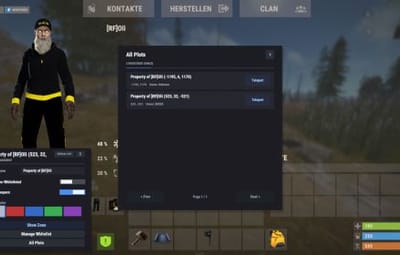




About Townhall
Description
The Townhall plugin introduces a new level of realism to Rust by requiring players to own a plot of land before building. Players can claim land by setting up a mailbox. This can be done creatively, such as placing a vending machine in a safe zone or having an NPC distribute mailboxes in a town hall.
Once a mailbox is placed, the plot of land is protected immediately: only the owner and the owner's Rust team may build inside the plot, everyone else is blocked. Building is also blocked everywhere outside of an owned plot, so a mailbox is the only way onto the map.
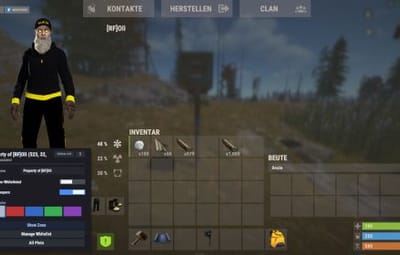
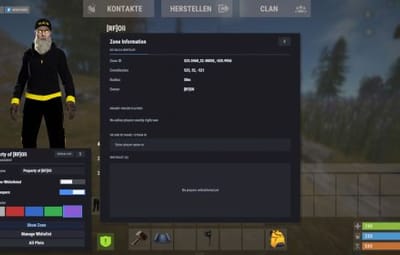
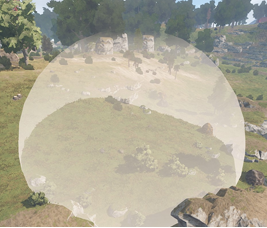
Every plot owner gets a small management UI to rename their plot, control who gets ejected, manage a whitelist, and pick a color for the plot's visual boundary dome.
Townhall enhances gameplay for RP servers and is versatile enough for PvE and mixed-variant servers.
Dependencies
Townhall requires two other plugins to be installed and loaded:
- ZoneManager by k1lly0u
- ZoneDomes by k1lly0u
Townhall waits up to 30 seconds after startup for both plugins to load before it initializes. To limit your mailboxes on the server, you can use Entity Limit.
Functions
- Must own a plot of land (a placed mailbox) in order to build anywhere on the map
- Only the plot owner and the owner's Rust team may build inside that plot, all other players are rejected
- Plot boundaries are shown as a colored dome for a configurable duration
- The plot boundary can be shown again at any time with the /myplot command
- Owners can pick the dome color for their own plot from five colors (Standard, Red, Blue, Green, Purple) directly in the management UI, the change applies instantly if the dome is currently visible
- Owners can rename their plot from the management UI
- Owners can toggle ejecting non-whitelisted players from the plot
- Owners can toggle ejecting sleeping players from the plot
- Owners can add and remove players from a whitelist per plot
- Plot size, dome duration and messages can all be set in the config
- Optional mailbox pickup system: owners can pick their mailbox back up with a hammer, which removes the plot and returns the mailbox as an item
- Mailboxes carried on death are safely returned to the player on respawn instead of being lost to the corpse
Permissions
townhall.myplotofland
Chat Commands
- /myplot shows the boundary dome of the nearest owned plot
- /townhallhelp opens the plot management UI when standing near an owned plot
- /mailboxpickup shows a short info message about the pickup feature (only available if mailbox pickup is enabled in the config)
Config
{
  "Show Zone Messages": true,
  "Mailbox Check Radius": 50.0,
  "Zone Dome Visibility Duration (seconds)": 60.0,
  "Zone Update Interval (seconds)": 300.0,
  "Default Zone Radius": 50.0,
  "UI Panel Color": "0.106 0.114 0.129 0.98",
  "UI Surface Color": "0.145 0.157 0.184 1.0",
  "UI Border Color": "0.204 0.224 0.263 1.0",
  "UI Button Color": "0.169 0.180 0.212 1.0",
  "UI Button Hover Color": "0.216 0.231 0.271 1.0",
  "UI Accent Color": "0.290 0.560 0.960 1.0",
  "UI Text Color": "0.902 0.922 0.949 1.0",
  "UI Muted Text Color": "0.549 0.580 0.639 1.0",
  "UI Danger Color": "0.859 0.361 0.380 1.0",
  "UI Default Position": "Center",
  "Enable Mailbox Pickup": true,
  "Require Ownership for Pickup": true,
  "Show Pickup Messages": true,
  "Enable Zone List Teleport": true
}
UI Default Position determines where the plot management UI appears on the screen by default. Players can cycle through the position using a button in the UI itself; this value is only the starting value. Possible values:
Center
Bottom Left
Top Left
Top Right
Bottom Right
Attention this plugin works and harmonizes perfectly with our MyHouse plugin
load, run, enjoy