


-
Posts
259 -
Joined
-
Last visited
Content Type
Profiles
Warranty Claims
Downloads
Forums
Store
Services
Downloads Plus Support
DOWNLOADS EXTRA
Everything posted by RustFlash
-
Changed Status from Pending to Not a Bug
-
This is not possible. The plugin aims to bring and promote Christmas feeling on the server. That's why it happens automatically. Players can use a hammer to remove objects.
-
Changed Status from Pending to Not a Bug
-
Please always read the description! This saves them and the devs a lot of communication. Anyway, have a nice week and have fun with the event
-
Have you implemented all dependencies? Is it a custom map? Look what the monument is called or if it even has a name. You can see it easily and quickly with MonumentFinder.
-
 They should learn to read, it will cost them a lot of unpleasant questions in the future. I don't know where I was being an asshole for pointing this out to her, but that just goes to show that you're too stupid to even process a friendly hint. Good luck with your search...
 -

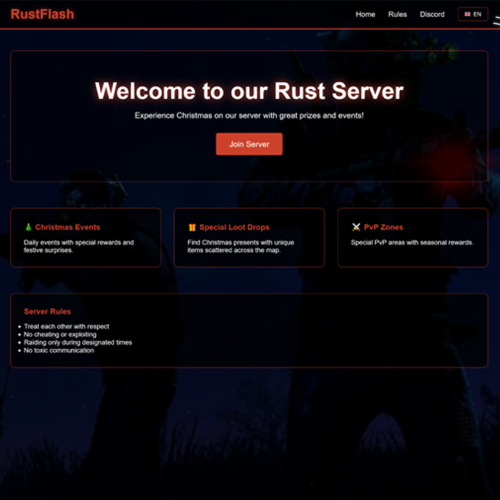
Version 1.0.0
8 downloads
This is a premium web design that you can upload to any web host of your choice. It's complete and includes all pages! It has everything you need. You can also extend or customize it to your liking with little knowledge. The webdesign was written especially like a Rust plugin, you can set everything in a config like with Rust plugins. Please understand that I do not incorporate any special requests or make the web hosting customizations for everyone. If you are ready for a premium web design, please follow the detailed documentation! Adjustments You can make adjustments very easily and quickly. You have the corresponding language files in the /lang/ folder. There you can formulate it according to your wishes. Then you have the config.json file in the main directory. I have deliberately built the website a bit like a Rust plugin so that everyone can use it without html/css or js. You can enter your data in the config and don't have to search and fiddle around in large html files. You also have the possibility to promote special holidays on your homepage. Currently the advent calendar is possible, you can simply activate or deactivate it in the config: "calendar": { "enabled": false, The same applies to effects, for example, if you want to activate a winter or Christmas feeling on your website, set the effect to true: ```"snow”: true``` There are more festivities planned, but currently it only includes Christmas. To-Do: - New Year - Easter - Halloween Project Tree Installation Step 1: [Unzip and upload files] - upload all files from the folder to your web hosting provider. Step 2: [edit the following files online or locally (if uploading a new local file)]. - config.json in the main directory. (self-explanatory structured like a rust plugin) - adapt the content of your website in the directory to the respective language files you will find them in the /lang/ directory. Step 3: Done Multilingual Support: The plugin supports multiple languages. Language files are located in the lang folder and can be edited or expanded as needed. Currently supported languages: default: EN EN | DE | ES | FR | IT | NL | PL | PT | RU | SE | TR | UK | CN | KR | CH Please note that the language files were translated using the DeepL Language Tool DEMO https://redcobalt.rustflash.de load, run, enjoy$19.99 -
It can be clearly seen up here and also in the description. Don't you see the message highlighted in green...
-
Radiation in v.1.8.0 ⚔ This has nothing to do with my plugin, contact me via Discord Ticket in my Discord, this is the wrong area for something like that.
-

Version 3.8.0
28 downloads
Description: The RescueMission event offers a unique and immersive event where players must strategically navigate the Arctic Research Base to rescue a hostage, battling kidnappers and additional NPCs. Successful completion of the mission rewards players with rare and valuable loot, making it a standout event from typical Rust experiences, with heightened challenge and dynamic gameplay. Features: Hostage Rescue: Players must rescue a captured hostage who spawns at a fixed position in the Arctic Research Base. Additional NPCs: Kidnapper NPCs are spawned near the hostage, making life difficult for the players. Loot boxes: After rescuing the hostage, a loot box will spawn at the hostage's location containing random valuable items. Event timer: The rescue mission lasts 90 minutes by default, but can be adjusted via the configuration. Random rewards: A comprehensive loot table with a variety of items including scrap metal, weapons, ammunition and rare items such as rocket launchers and M249s. Commands: Chat-Befehle: /flashrescue [easy|medium|hard] - Starts the rescue mission with optional difficulty setting (permission required). /stoprescue - Ends the current rescue mission (permission required). /setrescuedifficulty [easy|medium|hard] - Sets the difficulty for the next mission (permission required). Konsolen-Befehle: flashrescue [easy|medium|hard] - Starts the rescue mission via console with optional difficulty. stoprescue - Ends the current rescue mission via console. flashrescue.setdifficulty [easy|medium|hard] - Sets the difficulty via console. Difficulty Levels: Easy: Basic NPCs only Medium: Additional regular NPCs and heavy NPCs Hard: More NPCs, heavy guards, and automated turrets for maximum challenge Permissions: rescuemission.use - Allows players to start and stop the rescue mission. Config: Dependencies: MonumentFinder – https://umod.org/plugins/monument-finder Marker Manager – https://umod.org/plugins/marker-manager Multilingual Support: The plugin supports multiple languages. Language files are located in the lang folder and can be edited or expanded as needed. Currently supported languages: default: EN DE | FR | ES | IT | TR | RU | UK Please note that the language files were translated using the DeepL Language Tool load, run, enjoy$39.99 -
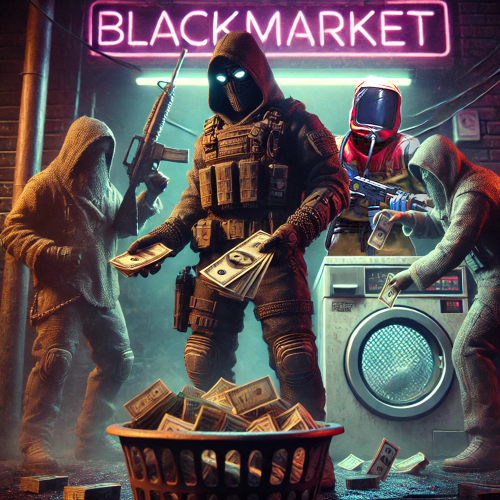
Version 2.12.2
19 downloads
BlackMarket is a complex plugin that awakens the dark dealings of the underground. It offers players a completely new gaming experience by introducing illegal trading activities with special currencies. Thanks to the various customization options, the plugin can be perfectly adapted to individual needs. ⇨ MoneyWash Dealer: ➤ The MoneyWash Dealer offers the possibility to exchange black money for a special currency. By default, Scrap is exchanged for Golden Scrap - my exclusive currency that is used on my server. Players can thus safely launder their illegal winnings to use them for other transactions. ⇨ Black Market Merchant: The Black Market Merchant provides access to various stores: ➤ Weapons Shop: Players can purchase exclusive weapons here. ➤ Ammoshop: A place to stock up on ammunition. ➤ Special Items & Fun Items: Players can purchase unique items or fun items that can only be paid for with special currencies such as Golden Scrap. You can, of course, customize the stores to suit your needs. ⇨ Dynamic dealer behavior: ➤ The two dealers don't stay in one place for long. To avoid being caught, they change their position every X minutes. As a result, they always remain hidden and ensure an immersive and dynamic gaming experience. ➤ no Commands ➤ blackmarket.moneywash - Allows basic use of the Money Wash Dealer. ➤ blackmarket.dealer - Allows basic use of the Black Market Dealer. ➤ The plugin offers numerous configuration options so that it can be easily customized to the needs of each server. See this one: How can I set up BlackMarket? load, run, enjoy Support Discord ⇽ Free Download GoldenScrap Plugin *Attention because there are frequent questions after the purchase I would like to explain 1-2 things here! If you buy the plugin, it is naked! You must define your monuments before putting it into operation. Since everyone has different needs, I have made the plugin simple so that everyone can adjust these settings with copy/paste and numbers. I have made you an example using airfield. You can set this for each monument. You make these settings only once! The dealers spawn at a map wipe regardless of the direction of the monument, how high it is or how it is inclined again at this point. Do the work for yourself. If you find great spots, please share them on discord via ticket. Maybe I’ll make a long list of choices if enough people get in touch$39.99 -

Version 1.2.0
43 downloads
VehicleBoxes is a plugin that expands the vehicle storage system in the game. It allows players to attach and remove storage boxes from vehicles to create additional storage space and improve the overall utility of the vehicle. The plugin aims to improve the game experience in Rust by providing more flexibility in vehicle usage. It adds an extra layer of customization and practicality to vehicles, making them even more valuable objects in the game. Features: - Add Boxes: Players can add storage boxes to supported vehicles. - From version 1.2.0: you have the option to store a standard skinid - Remove Boxes: Players can remove added boxes from vehicles. - Vehicle Support: Currently supports Minicopter and Scrap Transport Helicopter. - Permission System: Ensures that only authorized players can add or remove boxes. - Configurable: Customizable box prefab and positioning for different vehicle types. Commands: /addbox Adds a storage box to the vehicle the player is looking at. /removebox Removes the storage box from the vehicle the player is looking at. Permissions: vehicleboxes.addbox Allows players to add boxes to vehicles. vehicleboxes.removebox Allows players to remove boxes from vehicles. Configuration: The plugin settings can be adjusted in the VehicleBoxes.json file in the config folder. Here you can change properties like the box prefab and the position/rotation for different vehicle types. { "BoxPrefab": "assets/prefabs/deployable/woodenbox/woodbox_deployed.prefab", "BoxSkinId": 3107710831, "VehiclePositions": { "assets/content/vehicles/minicopter/minicopter.entity.prefab": { "Position": { "x": 0.0, "y": 0.31, "z": -0.57 }, "Rotation": { "x": 0.0, "y": 90.0, "z": 0.0 } }, "assets/content/vehicles/scrap heli carrier/scraptransporthelicopter.prefab": { "Position": { "x": -0.5, "y": 0.85, "z": 1.75 }, "Rotation": { "x": 0.0, "y": 0.0, "z": 0.0 } } } } Multilingual Support: The plugin supports multiple languages. Language files are located in the lang folder and can be edited or expanded as needed. Currently supported languages: default: EN DE | FR | ES | IT | TR | RU | UK Please note that the language files were translated using the DeepL Language Tool load, run, enjoy$2.99 -

Version 2.0.0
66 downloads
Description: This plugin removes the power requirement for Advanced Christmas Lights and String Lights in Rust. Lights turn on instantly after placement, consume no electricity, and remain functional after server restarts. Power logic is overridden server-side. Wiring is optional and effectively useless. Both light types can be enabled or disabled independently via config. Features: - Christmas Lights work without power - String Lights work without power - Independent enable/disable per light type - No generators, batteries or wiring required - Automatic activation on placement - Lights persist across restarts - Forced zero power consumption - Clean shutdown on unload Config: Permission: NoPermission This plugin does not have permission for one simple reason. If you want to bring Christmas feeling onto the server, it shouldn't apply to certain users or groups. It should be accessible to everyone to create the maximum feeling. load, run, enjoy$1.99- 1 review
-
- 1
-

-
- #xmas
- #christmas
- (and 6 more)
-
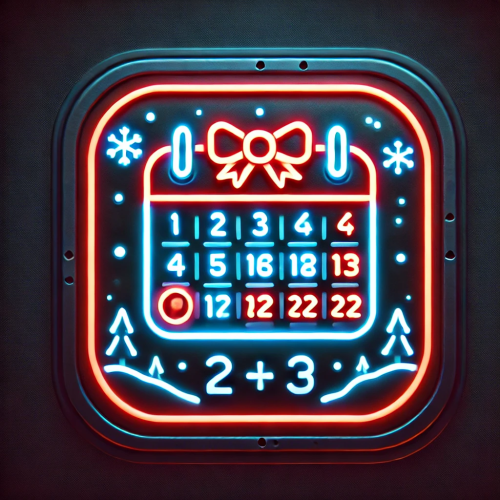
Version 1.0.2
24 downloads
The Christmas Calendar plugin brings festive cheer to the server by allowing players to open a gift every day in December until the 24th. It provides a user-friendly interface where players can claim their daily rewards in the form of resources or items. Administrators have the ability to access all gifts at any time in admin mode. Get your players to visit your server more often with this plugin they will look forward to joining every new day. Features: - Daily Gifts: Players can claim a daily reward that is included in the calendar on that day. - UI support: A user-friendly interface displays the Christmas calendar with the available doors. - Admin mode: Administrators have access to all doors regardless of the current day. - Multiple languages: Support for multiple languages including English, German, French, Spanish and more. - Auto-save: Progress is automatically saved so players can continue their daily progress after a server restart. - Security: Ensures that each player can only claim their door once. - Config: You have the option to customize each day in the config. Below you have the possibility to enter a skinid and decide whether the door can only be opened on the corresponding day or afterwards. Before is never possible! - Command: Customize the command /openac to your needs Commands: /openac - Opens the Christmas calendar interface. You can customize the command in the config to your needs. Permissions: christmascalendar.use - Allows a player to open the Christmas calendar and claim gifts. christmascalendar.admin - Allows an administrator to open all doors at any time. Config: { "ChristmasItems": { "1": { "amount": 1000, "canClaimLater": true, "itemName": "pants", "skinId": 2834845594 }, "2": { "amount": 1000, "canClaimLater": false, "itemName": "stones", "skinId": 0 }, "3": { "amount": 500, "canClaimLater": false, "itemName": "metal.fragments", "skinId": 0 }, "4": { "amount": 250, "canClaimLater": true, "itemName": "cloth", "skinId": 0 }, //5-24 doors same principle }, "Command": "openac" } Multilingual Support: The plugin supports multiple languages. Language files are located in the lang folder and can be edited or expanded as needed. Currently supported languages: default: EN DE | FR | ES | IT | TR | RU | UK Please note that the language files were translated using the DeepL Language Tool load, run, enjoy$12.99 -

Version 1.0.0
5 downloads
Description The UpgradeRestrictor plugin prevents players in Rust from skipping upgrade levels for building structures. Inspired by the new game Duckside, which showcases this upgrade progression and is loved by players, this plugin enforces Rust's upgrade sequence: Twig → Wood → Stone → Metal → HQ. It ensures that players follow this order and blocks attempts to skip material tiers. If players try to bypass a step, the upgrade is blocked, and a color-coded message appears in the chat, indicating the next required tier. Features - Blocks players from skipping upgrade tiers for building structures. - Displays a color-coded chat message with the plugin name and the next required upgrade level. - Requires specific permission to apply restrictions. - Supports the following upgrade path: Twig → Wood → Stone → Metal → HQ. Commands No specific commands available. Permissions upgraderestrictor.use For these players, the upgrade restrictions must be used. Players without this permission can upgrade structures without restrictions. Configuration No specific configuration settings required. load, run, enjoy$4.99 -
Hey Slayer, we hope we can find and fix the error quickly. Can you test a few variants to make sure it's really due to one of the plugins? Turn off AirDropEvent and see if the exploit is still there. I have already sent ZEODE some customizations. But the code looks very good and I'm not sure if it's really due to these plugin(s). Do you perhaps have something else running on your server?
-
 ï¸ Working since version 1.6.0
- 3 comments
-
- 1
-

-
- #raidable base
- #raidable
- (and 8 more)
-
It is not compatible with the skins plugin. Can you tell me who this plugin is from? I'll see if I can make it compatible for the next version.
-
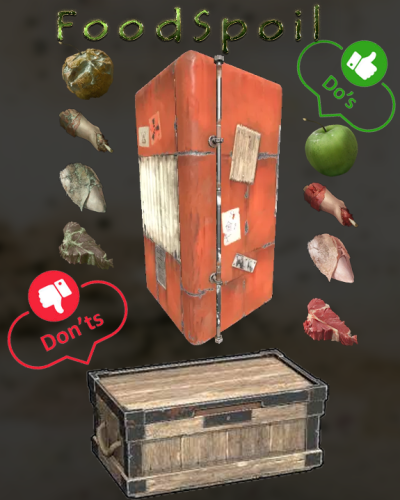 Maybe because there are no errors? The plugin has proven to have over 142 positive downloads, it does what it does and not just half as you described. Let's get to your list, the things you mentioned have nothing to do with my plugin and are not "storage containers" according to oxide. I'm also wondering how players can hide something edible in a campfire, for example. This function is blocked in Rust for several years... Your description also has nothing to do with my plugin. If you want something like that, you'll probably have to hire someone, but I advise against it because it would seriously impact the query times and performance of your server. That's not how you should do it from a programming perspective. Because the effort and performance would not be acceptable for such a plugin... This is not advertised or sold here either, the plugin is in English. I don't know how you come to the conclusion that a long file is included.
 -
 Hey you two, sorry I'm just now answering. We do not receive any notifications about discussions. I have now tested the plugin again. So the wet function works may have been conveyed a bit incorrectly by me. Players continue to get wet in the water, but when they get out of the water the wetness is immediately gone. You don't have to dry yourself on the fire or anything similar The heat function also works and players are no longer affected by it. Unfortunately I forgot to hide the Hot UI. I'll put it in for the next update! Radiation is clearly the point of AaronL, this function no longer seems to work. I will also try to take this into account for the next update. The bleeding also works, I let npc shoot me several times. It works as intended. If there's anything else, please feel free to use discord because I don't check here too often. Thanks anyway for the feedback, I'll add 1-2 things to my to-do.
 -
Changed Status from Pending to Closed
-
I just tested it again and I can't reproduce your error and I can't understand your screenshot with the error message. 2024-09-23 23-22-11.mp4
-
Changed Status from Closed to Pending