-
Posts
259 -
Joined
-
Last visited
Content Type
Profiles
Warranty Claims
Downloads
Forums
Store
Services
Downloads Plus Support
DOWNLOADS EXTRA
Everything posted by RustFlash
-
 Actually, I'm working on something like that right now, but it's not technically feasible. The data has to be deleted in offline mode; otherwise, it will just be restored. Maybe I'll implement a stripped-down version, I'll have to see.
 -
No, what are they referring to? Is it about the server files because of a wipe?
-
The configuration file is located at `oxide/config/MyTutorial.json`. Basic Structure { "TaskGroups": [ { "Tasks": [ { "Description": ["Line 1", "Line 2"], "CompletionCondition": "ItemInInventory", "CompletionType": "shortname", "CompletionValue": "item.shortname" } ] } ], "DefaultPosition": "MiddleLeft" } Please remember that your space is very limited! --- Config (Detailed) DefaultPosition Sets the default UI position when the player hasn't chosen one yet. Valid Values: - `TopLeft`, `TopCenter`, `TopRight` - `MiddleLeft`, `Center`, `MiddleRight` - `BottomLeft`, `BottomCenter`, `BottomRight` Example: Note: Players can change the position via the `UI`. --- 2.TaskGroups An array of task groups. Each group contains multiple tasks that the player must complete. Structure of a TaskGroup: { "Tasks": [ { /* Task 1 */ }, { /* Task 2 */ }, { /* Task 3 */ } ] } Flow: 1. Player sees Task Group 1 first 2. When all tasks in Group 1 are completed → Task Group 2 3. When all groups are completed → Tutorial complete 4. Tutorial UI is completely removed --- 3. Task Structure (Detailed) Each task consists of 4 properties: Description The description of the task shown to the player. Features: - Can contain multiple lines - Automatic line wrapping for long text - Supports Rust color codes (`<color=#RRGGBB>`, `<color=orange>`) - Emojis: `⇨`, `⇝`, `✔`, `✕` Example: "Description": [ "⇨ Property acquisition:", " ⇝ Visit the town hall", " ⇝ Buy a property", " ⇝ Receive a mailbox", " ", " ⇝ This is optional text <color=#ffed00>optional</color>" ] --- CompletionCondition Determines how the task is completed. There are 6 options: `ItemInInventory` - Player obtains a specific item (crafted, bought, or found) | On each inventory update `Group` - Player is added to a group | On group changes `Command` - Player executes a command | On each chat command `BuildingPlaced` - Player places a specific structure/deployable | When placing (`OnEntityBuilt`) `LocationVisit` - Player enters a specific area | Every 5 seconds (position check) `PlayTime` - Player is online X seconds (current task) | Every 5 seconds (cumulative) --- CompletionType The type of value in `CompletionValue`. Possible Combinations: | CompletionCondition | Valid CompletionType | |-------------------|----------------------| ItemInInventory - `shortname` Group - `group` Command | `command` BuildingPlaced - `shortname` LocationVisit - `location` PlayTime - `seconds` --- CompletionValue The actual value the plugin checks. For `ItemInInventory` (shortname): - One or more item shortnames, separated by commas - The plugin checks for **at least one** of them - Examples: `mailbox`, `cupboard.tool,cupboard.tool.shockbyte` For `Group` (group): - One or more group names, separated by commas - The plugin checks for **at least one** of them - Examples: `vip,tierone,tiertwo` For `Command` (command): - An exact command (case-insensitive) - Only this command is accepted - Example: `/info`, `/help` For `BuildingPlaced` (shortname): - One or more `ShortPrefabName` values (deployable/structure), separated by commas - The plugin checks for **at least one** of them, triggered when player places the item - Examples: `door.hinged.wood`, `cupboard.tool,cupboard.tool.shockbyte`, `workbench1.deployed` - **Note:** The value is the prefab name of the placed entity, not the item shortname (usually the same, but please be careful!) For `LocationVisit` (location): - Format: `x,y,z,radius` (four comma-separated numbers) - `x`, `y`, `z` are world coordinates, `radius` is the tolerance in meters - Example: `100,0,-250,15` (player must be within 15m of point (100, 0, -250)) - **Tip:** Get coordinates in Rust with `client.showpos 1` (F1 console), but this is only useful for recurring maps, otherwise you need to adjust it each time For `PlayTime` (seconds): - A single number: required seconds the player must be **online in the current task group** - Example: `300` (5 minutes), `600` (10 minutes) - **Note:** Time only counts while player is online and accumulates from entering the current task group --- Examples ### Example 1: Simple Tutorial with Items ```json { "TaskGroups": [ { "Tasks": [ { "Description": [ "⇨ Obtain a pickaxe", " ⇝ Start mining" ], "CompletionCondition": "ItemInInventory", "CompletionType": "shortname", "CompletionValue": "pickaxe" }, { "Description": [ "⇨ Build a simple house", " ⇝ Gather wood", " ⇝ Craft planks" ], "CompletionCondition": "ItemInInventory", "CompletionType": "shortname", "CompletionValue": "wood" } ] } ], "DefaultPosition": "MiddleLeft" } ``` --- ### Example 2: Multi-stage Tutorial (Groups) ```json { "TaskGroups": [ { "Tasks": [ { "Description": [ "⇨ Welcome to our server!", " ⇝ Explore the map", " ⇝ Build a first base" ], "CompletionCondition": "ItemInInventory", "CompletionType": "shortname", "CompletionValue": "cupboard.tool" } ] }, { "Tasks": [ { "Description": [ "⇨ Support the server", " ⇝ Become a VIP member", " ⇝ Enjoy exclusive benefits" ], "CompletionCondition": "Group", "CompletionType": "group", "CompletionValue": "vip" } ] } ], "DefaultPosition": "TopRight" } ``` --- ### Example 3: Command-based Tutorial ```json { "TaskGroups": [ { "Tasks": [ { "Description": [ "⇨ Choose your playstyle", " ⇝ Open chat", " ⇝ Type: /joys" ], "CompletionCondition": "Command", "CompletionType": "command", "CompletionValue": "/joys" } ] } ], "DefaultPosition": "Center" } ``` --- ### Example 4: Location, Building, Item & Playtime ```json { "TaskGroups": [ { "Tasks": [ { "Description": [ "⇨ Visit Bandit Camp", " ⇝ Explore the map and find the trading post" ], "CompletionCondition": "LocationVisit", "CompletionType": "location", "CompletionValue": "100,0,-250,25" }, { "Description": [ "⇨ Build a wooden door", " ⇝ Place it on your base" ], "CompletionCondition": "BuildingPlaced", "CompletionType": "shortname", "CompletionValue": "door.hinged.wood" }, { "Description": [ "⇨ Craft a rope", " ⇝ Open your crafting menu", " ⇝ Make a rope" ], "CompletionCondition": "ItemInInventory", "CompletionType": "shortname", "CompletionValue": "rope" }, { "Description": [ "⇨ Explore at your leisure", " ⇝ Simply stay online for 5 minutes" ], "CompletionCondition": "PlayTime", "CompletionType": "seconds", "CompletionValue": "300" } ] } ], "DefaultPosition": "MiddleLeft" } ``` --- ### Example 5: Complex Multi-Item Tutorial ```json { "TaskGroups": [ { "Tasks": [ { "Description": [ "⇨ Get a mailbox", " ⇝ Go to the town hall", " ⇝ Buy a mailbox" ], "CompletionCondition": "ItemInInventory", "CompletionType": "shortname", "CompletionValue": "mailbox" }, { "Description": [ "⇨ Set up your base", " ⇝ Place the mailbox", " ⇝ Build a house", " ⇝ Place a Tool Cupboard" ], "CompletionCondition": "ItemInInventory", "CompletionType": "shortname", "CompletionValue": "cupboard.tool,cupboard.tool.shockbyte,cupboard.tool.retro" } ] } ], "DefaultPosition": "MiddleLeft" } ``` UI Positions The plugin supports 9 different UI positions: TopLeft TopCenter TopRight MiddleLeft Center MiddleRight BottomLeft BottomCenter BottomRight Players can change positions via the UI buttons and find the best position for them. Data & Persistence Storage Locations Progress Data: oxide/data/MyTutorial/Progress.json Completed Players: oxide/data/MyTutorial/Completed.json DO NOT DELETE THIS OR PLAYERS MUST REDO TUTORIALS! Automatic Saving Data is saved every 5 minutes or on server save automatically Player progress persists after plugin reloads Progress is preserved after a wipe (server restart) Tips & Best Practices 1. Keep Descriptions Short and Concise Keep task descriptions short and to the point. Very long text makes the UI crowded. Good: "Description": [ "⇨ Obtain a pickaxe", " ⇝ Start mining" ] Too long: "Description": [ "⇨ In this step you must obtain a pickaxe...", " ⇝ After that you can start mining..." ] 2. Multiple Items Per Task Use comma separation for flexible item checks: "CompletionValue": "cupboard.tool,cupboard.tool.shockbyte,cupboard.tool.retro" The plugin recognizes each of these items as successful. 3. Multiple Groups Per Task Same as items: "CompletionValue": "vip,tierone,tiertwo,tierthree" The player needs only one of these groups. 4. Optional Tasks You can use color codes for "optional" text: "Description": [ "⇨ Server Support <color=#ffed00>(optional)</color>:", " ⇝ Support our server" ] 5. Icons & Emojis Use meaningful symbols: ⇨ for main tasks ⇝ for sub-points ✔ for completed tasks ✕ for close button ♥ for appreciation
-
I'm currently working through my to-do list in order of priority. I recently became a dad and my time is limited.
-
Changed Status from Work in Progress to Fixed
-
Changed Status from Work in Progress to Fixed
-
Changed Status from Pending to Work in Progress Changed Fixed In to Next Version
-
Changed Status from Pending to Work in Progress Changed Fixed In to Next Version
-
That's a cool addition, I'll include it in the update.
-
Unfortunately, I don't have access and I'm not familiar with the MonumentEvents plugin by @Iftebinjan. My top priority right now is to create the combination with TruePvE, SimplePvE and WarMode.
-
![More information about "[Beta] MonumentChoice"](https://codefling.com/uploads/monthly_2026_07/MonumentChoice_Icon.thumb.png.5b7a9b9c64b652853f7dd24af35e560c.png)
Version 0.2.2
45 downloads
When a player with permission enters an unclaimed monument, a UI window appears. The player can choose whether the monument should be set to PvE or PvP for the current occupation. The selected mode stays active as long as the claiming player remains inside the monument. Once that player leaves, the monument is reset and becomes available again after the configured cooldown logic. Other players inside the same monument are notified about the currently active mode. Features Dynamic PvE/PvP selection per monument UI selection when entering an unclaimed monument Runtime PvE and PvP mode per monument Automatic reset when the claiming player leaves the monument Cooldown system to prevent immediate re-claiming Traveler option for players who do not want to claim a monument Separate traveler cooldown Configurable monument blacklist Automatic monument detection using Rust monument data Support for duplicate monuments on the same map PvP damage only between players inside the same PvP monument Teleport blocking inside active PvP monuments Bypass permission for admins or special roles English and German language messages Optional MyNotify support Permissions The plugin registers the following permissions: monumentchoice.use Allows players to use the MonumentChoice system. Only players with this permission receive the selection UI when entering an unclaimed monument. monumentchoice.bypass Bypass permission. Players with this permission are ignored by the MonumentChoice system. They do not receive the selection UI and are not restricted by the plugin's PvE/PvP checks. Configuration The configuration file is generated automatically at: oxide/config/MonumentChoice.json Default Configuration { "DecisionCooldownMinutes": 15, "TravelerCooldownMinutes": 5, "UseMyNotify": true, "ZoneManagerEnabled": true, "ZoneRadiusPadding": 0.0, "BlacklistedMonuments": [ "compound", "bandit_town", "fishing_village_a", "fishing_village_b", "fishing_village_c", "large_fishing_village", "small_fishing_village", "stables_a", "stables_b", "ranch", "bandit_camp", "gas_station_1", "supermarket_1", "lighthouse", "mining_quarry_a", "mining_quarry_b", "mining_quarry_c", "substation_a", "substation_b", "substation_c", "swamp_a", "swamp_b", "swamp_c", "ice_lake_1", "ice_lake_2", "ice_lake_3", "ice_lake_4", "power_sub_big_1", "power_sub_big_2", "power_sub_small_1", "power_sub_small_2", "ferryman", "water_well_a", "water_well_b", "water_well_c", "water_well_d", "water_well_e", "cave_small_easy", "cave_small_medium", "cave_small_hard", "cave_medium_easy", "cave_medium_medium", "cave_medium_hard", "cave_large_easy", "cave_large_medium", "cave_large_hard", "cave_large_sewers_hard", "excavator_1", "nuclear_missile_silo", "arctic_research_base_a", "desert_military_base_a", "desert_military_base_b", "desert_military_base_c", "desert_military_base_d" ] } Configuration Options DecisionCooldownMinutes "DecisionCooldownMinutes": 15 Defines how many minutes a player must wait before choosing the same monument again after leaving it. TravelerCooldownMinutes "TravelerCooldownMinutes": 5 Defines how long the selection UI is suppressed for a player after choosing "I'm just a traveler". UseMyNotify "UseMyNotify": false Enables optional message output through the MyNotify plugin. false = use normal chat messages true = use MyNotify, if the plugin is loaded BlacklistedMonuments "BlacklistedMonuments": [] List of monument IDs ignored by the plugin. Blacklisted monuments: do not show the selection UI cannot be claimed as PvE or PvP are not managed by MonumentChoice This is useful for safe zones, small monuments, quarries, fishing villages, caves, or other locations that should not be part of the system. Dependencies Optional MyNotify MyNotify is only required if this configuration option is enabled: "UseMyNotify": true If UseMyNotify is set to false, the plugin works without MyNotify. Public API Other plugins can call the following methods: IsPlayerInPvPZone(BasePlayer player) Returns true if the player is currently inside a monument that is set to PvP. GetPlayerMonumentMode(BasePlayer player) Returns the current mode of the player's monument: Unclaimed PvE PvP How It Works A player enters a registered monument. If the monument is unclaimed, the selection UI appears. The player chooses one of the following options: PvE PvP Traveler If PvE or PvP is selected, the player becomes the owner of the monument state. Players inside the monument are notified. When the owner leaves the monument, the monument is reset. The owner receives a cooldown for that monument. PvP Logic PvP damage is only allowed when all of the following conditions are true: the attacker and victim are inside the same monument that monument is currently set to PvP neither player has the bypass permission Outside an active PvP monument, MonumentChoice does not actively allow PvP damage. Teleport Blocking When a player is inside an active PvP monument, the plugin blocks teleport attempts through the following hook: CanTeleport(BasePlayer player) This prevents players from escaping an active PvP monument by teleporting away. Notes MonumentChoice stores monument states only at runtime. After a server restart or plugin reload, all monuments are unclaimed again. A selected mode remains active only while the claiming player stays inside the monument. Blacklisted monuments are ignored during server initialization. The plugin uses a 1-second position timer to detect monument entry and exit. Known Limitations Monument states are not persistent. There are currently no admin commands to manually reset specific monuments. UI text is currently hardcoded in the plugin. PvP/PvE behavior may depend on how other damage or PvE plugins handle CanEntityTakeDamage.Free -
Changed Status from Pending to Closed Changed Fixed In to Next Version
-
Hey Firelord, you're right, it seems I made a mistake during the last ForceWipe update. Thanks for letting us know.
-
Changed Status from Pending to Fixed Changed Fixed In to Next Version
-
Hey you use Carbon?
-

Version 1.6.0
4 downloads
With the DeathTeleport plugin, players in Rust can perform a limited number of teleportations to their own corpses. Features: Players can teleport to the positions of their last death. The number of allowed teleportations is limited and depends on the assigned permissions. Display a UI button for players after respawn that remains active for 120 seconds. The button allows players to quickly teleport to their last death position. The UI buttons** are removed during server initialization and plugin unload. The button disappears when used The number of daily teleportations is reset every new day. Commands: /teledeath - Teleports you to your last corpse. Permissions: deathteleport.default - Teleportations allowed by default (1 time/day). deathteleport.tierone - Allows up to 2 teleportations. deathteleport.tiertwo - Allows up to 3 teleportations. deathteleport.tierthree - Tier Three: Allows up to 4 teleportations. deathteleport.vip - Unlimited teleportations. Config: { "DefaultTeleports": 1, "TierOneTeleports": 2, "TierTwoTeleports": 3, "TierThreeTeleports": 4, "ShowUI": true } load, run, enjoy$5.99 -
 Good morning can U fix the Chaos Download link
 -

can you please add the new industrial.torch
RustFlash replied to DrayTemplar's Support Report in Support
Changed Status from Pending to Work in Progress Changed Fixed In to Next Version -
can you please add the new industrial.torch
RustFlash replied to DrayTemplar's Support Report in Support
Actually, I've already done this, as you can see, I've uploaded a lot of ForceWipe updates, and there are a few more to come, including TheTorchHolder. Give me a little breathing room, I just became a dad, so my time at the computer is limited. -
Changed Status from Pending to Closed Changed Fixed In to Next Version
- 1 reply
-
- 1
-

-
 Check the new Update Thy
 -
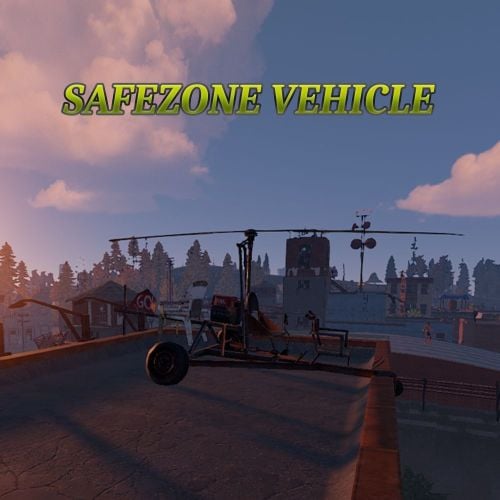 Features: Vehicles no longer take damage in safezones. Players can no longer push vehicles with passengers in safezones.