
metshival's Wishlist
-
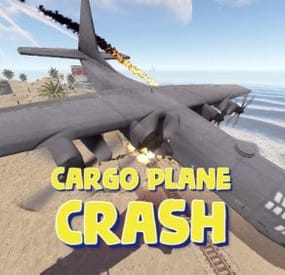
$19.99$15.99Cargo Plane Crash
About CargoPlaneCrash
CargoPlaneCrash adds a configurable cargo plane crash event to your Rust server. A cargo plane flies to a selected crash site and crashes. The site is guarded by NPCs that patrol the area and can chase players.
Events can start automatically on a timer or be triggered manually. Players can search the spawned crates and airdrops for loot.
Features:
Three configurable difficulties: Easy, Normal, and Hard Weighted random difficulty selection, with the option to choose a difficulty for a manual event Individual settings for each difficulty, including event duration, loot amounts, NPCs, rewards, and map marker color Custom NPC kits and combat settings for each difficulty Optional PvE event ownership, dome, teammate ownership, and building restrictions Support for multiple crash zones, with random or sequential zone selection Options to avoid monuments and player bases, and to prevent spawns in deep water Configurable crash effects, map markers, and notifications Optional integrations with Kits, Loot Table & Stacksize GUI, SimpleLootTable, Notify, ServerRewards, SkillTree, and Skills Commands:
Admin commands can be run in-game. Commands that support server console use are noted below.
Server console or in-game admin:
callcargoplane [--difficulty Easy|Normal|Hard] [player/SteamID] — Starts the event, optionally with a selected difficulty and a player as its owner.
crashcargoplane — Forces the active cargo plane to crash.
cpc_stop — Ends the active event.
In-game admin only:
cpc_calltome [difficulty] — Starts the event at your current location, optionally using the selected difficulty.
showcrashzone — Displays the configured crash zone.
setcrashzonecenter — Sets the crash zone center to your current location.
cpc_add_crashzone [name] [radius] — Adds a crash zone at your current location. The name and radius are optional.
Hooks:
CargoPlaneCrashStarted — Called when the event starts.
CargoPlaneCrashCrashed — Called when the cargo plane crashes at the event site.
CargoPlaneCrashEnded — Called when the event ends.
CargoPlaneCrashEventWinner — Called when a winner is determined. Provides the winning player.
CargoPlaneCrashPlayerEnteredDome — Called when a player enters the event dome. Provides the player.
CargoPlaneCrashPlayerExitedDome — Called when a player exits the event dome. Provides the player.
CargoPlaneCrash config:
{ "PvE and Access": { "Allow admin to be in event dome (only for PVE mode if there is a dome)": true, "Create a dome for PVE mode": false, "Do not allow other players into the event(only for PVE mode if there is a dome) Be careful, if the crash site is near the player's base and the player is not the owner of the event, he will be ejected from his base outside the dome": false, "Dome transparency (the higher the value, the darker the dome, recommended 4)": 4, "Give event ownership to the owner's teammates if he is no longer the owner. Only if teammates are within the event radius (for PVE mode)": true, "PVE mode (crates can only be looted by the player who first dealt damage to the NPC)": false, "Radius for event(for PVE mode)": 380, "Time after which the owner of the event will be deleted if he left the dome or left the server (for PVE mode)": 300 }, "Event Settings": { "CargoPlane speed(recommended 4 to 6)": 5.0, "Complete the event if all crates were destroyed after looting and all NPCs were destroyed": false, "Minimum time to event start(in seconds)": 600, "Maximum time to event start(in seconds)": 10800, "Minimum amount of online players to trigger the event": 1, "Triggering an event by timer (disable if you want to trigger the event only manually)": true }, "Crates and Loot": { "Remove crates after being looted by a player(in seconds)": 300 }, "Crash Effects": { "Enable signal smoke(spawn after crash)": true, "Explosion effect": "assets/prefabs/npc/patrol helicopter/effects/heli_explosion.prefab", "Explosion marker lifetime(in seconds)": 300, "Explosion marker on the map(spawn after crash)": true, "Fireballs amount(spawn after crash)": 5, "Map size(crash zone size), you can see the zone, use the chat command /showcrashzone": 4500.0, "Passengers amount(spawn after crash)": 2, "Signal smoke lifetime(in seconds, max 214)": 214, "Starting altitude, defaults to map size, can be increased if cargo plane hits high ground(no more than 10000 recommended)": 4500.0 }, "Crash Zones": { "Crash zone center. Use chat command /setcrashzonecenter to set to player position. You can check crash zone center, use the chat command /showcrashzone": { "x": 0.0, "y": 0.0, "z": 0.0 }, "Do not choose a crash site near monuments": true, "Do not spawn crates and NPCs when a cargo plane falls under water (if the water depth is greater than)": 0.5, "If possible, the crash site will not be chosen near player bases": true, "Select a zone from the list sequentially(if false, then the crash zone will be chosen randomly)": false, "Use multiple zones": false, "Zones list": [ { "center": { "x": -300.0, "y": 0.0, "z": 0.0 }, "name": "0", "radius": 300 }, { "center": { "x": 100.0, "y": 0.0, "z": 0.0 }, "name": "1", "radius": 200 } ] }, "Passengers": { "Kit name(you can use kits for passengers if you have Kits plugin)": "", "Passenger name": "Mister bot", "Use NPC prefab for passengers": false }, "NPC Settings": { "Default displayName for NPC(for SimpleKillFeed/DeathNotes plugin)": "Crashsite NPC", "List of displayNames for each NPC(for SimpleKillFeed/DeathNotes plugin)": [ "Crashsite NPC1", "Crashsite NPC2", "Crashsite NPC3" ], "Remove NPC corpses": false, "Will NPCs attack zombies": true }, "Building Restriction": { "Building prohibition radius": 20.0, "How long construction is prohibited near the crash site(in seconds)": 1800, "Prohibit building near the crash site": false }, "Map Marker": { "Display approximate end time of event on marker": true, "Display difficulty in marker name": true, "Event marker name": "Cargo plane crash site", "Event marker on the map(spawn an event marker at the crash site)": true, "Event marker radius": 0.5, "Event marker transparency(0-1)": 0.75 }, "Notifications": { "Notice message type (0 or 1, -1 do not use notice messages)": -1, "Notification type for the Notify plugin (-1 does not use Notify)": -1, "SteamID for chat message icon": 0 }, "Difficulties": { "Easy": { "Enabled": true, "Selection weight": 30, "Event Settings": { "Crates timer(in seconds)": 600, "Extend event duration if NPCs is attacked (if less time left, extend to set time (in seconds))": 300, "Minimum event duration(seconds)": 1800, "Maximum event duration(seconds)": 2000 }, "Cargo and Loot": { "Airdrop Loot Table & Stacksize GUI preset name": "", "Airdrop simple loot table name(plugin SimpleLootTable is required)": "", "Crate Loot Table & Stacksize GUI preset name": "", "Crate simple loot table name(plugin SimpleLootTable is required)": "", "Minimum airdrops amount(spawn after crash)": 1, "Maximum airdrops amount(spawn after crash)": 1, "Minimum crates amount(spawn after crash)": 1, "Maximum crates amount(spawn after crash)": 1, "Minimum number of items in a crate(plugin SimpleLootTable is required)": 0, "Maximum number of items in a crate(plugin SimpleLootTable is required)": 0, "Minimum number of items in an airdrop(plugin SimpleLootTable is required)": 0, "Maximum number of items in an airdrop(plugin SimpleLootTable is required)": 0 }, "NPC Settings": { "Chance that the NPC will use a syringe(0-100)": 25, "Give NPC kits randomly from the list": false, "Health threshold below which the NPC will use a syringe": 50, "Kits list for NPCs. The NPC will use the weapon that is in the first slot of the belt(requires Kits plugin)": [ "kit1", "kit2", "kit3" ], "Minimum NPCs amount(spawn after crash)": 1, "Maximum NPCs amount(spawn after crash)": 1, "Minimum distance to NPC damage": 75.0, "NPCs accuracy(the lower the value, the more accurate, 0 - maximum accuracy)": 2.0, "NPCs attack range": 75.0, "NPCs damage multiplier": 0.5, "NPCs health(0 - default)": 100, "NPCs type(NPCs prefab, experimental setting, it is not known how the NPCs will behave) 0 - tunneldweller; 1 - underwaterdweller; 2 - excavator; 3 - full_any; 4 - lr300; 5 - mp5; 6 - pistol; 7 - shotgun; 8 - heavy; 9 - junkpile_pistol; 10 - oilrig; 11 - patrol; 12 - peacekeeper; 13 - roam; 14 - roamtethered; 15 - bandit_guard; 16 - cargo; 17 - cargo_turret_any; 18 - cargo_turret_lr300; 19 - ch47_gunner": 8, "Number of syringes in NPC's inventory": 1, "Radius of chasing the player(NPCs will chase the player as soon as he comes closer than the specified radius, must be no greater than the attack range)": 60.0 }, "Rewards": { "Number of EXP points for the winner(only for Skill Tree plugin)": 0.5, "Number of points for the winner(only for ServerRewards plugin)": 250, "Number of points for the winner(only for Skills plugin)": 1.0 }, "Map Marker": { "Event marker color.B(0-1)": 0.380392164, "Event marker color.G(0-1)": 0.619607866, "Event marker color.R(0-1)": 0.3019608 } }, "Normal": { "Enabled": true, "Selection weight": 50, "Event Settings": { "Crates timer(in seconds)": 900, "Extend event duration if NPCs is attacked (if less time left, extend to set time (in seconds))": 600, "Minimum event duration(seconds)": 2000, "Maximum event duration(seconds)": 3600 }, "Cargo and Loot": { "Airdrop Loot Table & Stacksize GUI preset name": "", "Airdrop simple loot table name(plugin SimpleLootTable is required)": "", "Crate Loot Table & Stacksize GUI preset name": "", "Crate simple loot table name(plugin SimpleLootTable is required)": "", "Minimum airdrops amount(spawn after crash)": 1, "Maximum airdrops amount(spawn after crash)": 2, "Minimum crates amount(spawn after crash)": 1, "Maximum crates amount(spawn after crash)": 2, "Minimum number of items in a crate(plugin SimpleLootTable is required)": 0, "Maximum number of items in a crate(plugin SimpleLootTable is required)": 0, "Minimum number of items in an airdrop(plugin SimpleLootTable is required)": 0, "Maximum number of items in an airdrop(plugin SimpleLootTable is required)": 0 }, "NPC Settings": { "Chance that the NPC will use a syringe(0-100)": 50, "Give NPC kits randomly from the list": false, "Health threshold below which the NPC will use a syringe": 50, "Kits list for NPCs. The NPC will use the weapon that is in the first slot of the belt(requires Kits plugin)": [ "kit1", "kit2", "kit3" ], "Minimum NPCs amount(spawn after crash)": 1, "Maximum NPCs amount(spawn after crash)": 2, "Minimum distance to NPC damage": 75.0, "NPCs accuracy(the lower the value, the more accurate, 0 - maximum accuracy)": 1.0, "NPCs attack range": 75.0, "NPCs damage multiplier": 1.0, "NPCs health(0 - default)": 300, "NPCs type(NPCs prefab, experimental setting, it is not known how the NPCs will behave) 0 - tunneldweller; 1 - underwaterdweller; 2 - excavator; 3 - full_any; 4 - lr300; 5 - mp5; 6 - pistol; 7 - shotgun; 8 - heavy; 9 - junkpile_pistol; 10 - oilrig; 11 - patrol; 12 - peacekeeper; 13 - roam; 14 - roamtethered; 15 - bandit_guard; 16 - cargo; 17 - cargo_turret_any; 18 - cargo_turret_lr300; 19 - ch47_gunner": 8, "Number of syringes in NPC's inventory": 2, "Radius of chasing the player(NPCs will chase the player as soon as he comes closer than the specified radius, must be no greater than the attack range)": 60.0 }, "Rewards": { "Number of EXP points for the winner(only for Skill Tree plugin)": 1.0, "Number of points for the winner(only for ServerRewards plugin)": 500, "Number of points for the winner(only for Skills plugin)": 2.0 }, "Map Marker": { "Event marker color.B(0-1)": 0.3019608, "Event marker color.G(0-1)": 0.7019608, "Event marker color.R(0-1)": 0.819607854 } }, "Hard": { "Enabled": true, "Selection weight": 20, "Event Settings": { "Crates timer(in seconds)": 1200, "Extend event duration if NPCs is attacked (if less time left, extend to set time (in seconds))": 900, "Minimum event duration(seconds)": 3600, "Maximum event duration(seconds)": 5000 }, "Cargo and Loot": { "Airdrop Loot Table & Stacksize GUI preset name": "", "Airdrop simple loot table name(plugin SimpleLootTable is required)": "", "Crate Loot Table & Stacksize GUI preset name": "", "Crate simple loot table name(plugin SimpleLootTable is required)": "", "Minimum airdrops amount(spawn after crash)": 2, "Maximum airdrops amount(spawn after crash)": 3, "Minimum crates amount(spawn after crash)": 2, "Maximum crates amount(spawn after crash)": 3, "Minimum number of items in a crate(plugin SimpleLootTable is required)": 0, "Maximum number of items in a crate(plugin SimpleLootTable is required)": 0, "Minimum number of items in an airdrop(plugin SimpleLootTable is required)": 0, "Maximum number of items in an airdrop(plugin SimpleLootTable is required)": 0 }, "NPC Settings": { "Chance that the NPC will use a syringe(0-100)": 75, "Give NPC kits randomly from the list": false, "Health threshold below which the NPC will use a syringe": 50, "Kits list for NPCs. The NPC will use the weapon that is in the first slot of the belt(requires Kits plugin)": [ "kit1", "kit2", "kit3" ], "Minimum NPCs amount(spawn after crash)": 2, "Maximum NPCs amount(spawn after crash)": 3, "Minimum distance to NPC damage": 75.0, "NPCs accuracy(the lower the value, the more accurate, 0 - maximum accuracy)": 0.5, "NPCs attack range": 75.0, "NPCs damage multiplier": 2.0, "NPCs health(0 - default)": 500, "NPCs type(NPCs prefab, experimental setting, it is not known how the NPCs will behave) 0 - tunneldweller; 1 - underwaterdweller; 2 - excavator; 3 - full_any; 4 - lr300; 5 - mp5; 6 - pistol; 7 - shotgun; 8 - heavy; 9 - junkpile_pistol; 10 - oilrig; 11 - patrol; 12 - peacekeeper; 13 - roam; 14 - roamtethered; 15 - bandit_guard; 16 - cargo; 17 - cargo_turret_any; 18 - cargo_turret_lr300; 19 - ch47_gunner": 8, "Number of syringes in NPC's inventory": 3, "Radius of chasing the player(NPCs will chase the player as soon as he comes closer than the specified radius, must be no greater than the attack range)": 60.0 }, "Rewards": { "Number of EXP points for the winner(only for Skill Tree plugin)": 1.5, "Number of points for the winner(only for ServerRewards plugin)": 750, "Number of points for the winner(only for Skills plugin)": 3.0 }, "Map Marker": { "Event marker color.B(0-1)": 0.34117648, "Event marker color.G(0-1)": 0.34117648, "Event marker color.R(0-1)": 0.721568644 } } } }- #event
- #cargoplane
- (and 18 more)
-
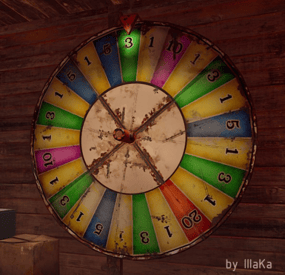
$14.99
Big Wheel Game Stats
A useful and time-tested plugin for collecting Big Wheel Game statistics and displaying them through a convenient and intuitive UI.
bigwheelstats.use - Provides access to use UI; bigwheelstats.admin - Provides the same permissions as bigwheelstats.use. Additionally, it provides the ability to manage big game wheels without any limitations.
{ "Is it worth checking for permissions before displaying the UI?": false, "Is it worth clearing statistics during a wipe?": true, "List of language keys for creating language files": [ "en" ], "Name of the prefab to play when a player becomes the best player. Leave empty to disable": "assets/prefabs/misc/xmas/advent_calendar/effects/open_advent.prefab", "Is it worth skipping the reward for the first best player?": true, "Command to execute when a player becomes the best player(0 - userID). Leave empty to disable, or null to use the default": "tperm add {0} vip 3600", "Cash reward for becoming the best player. Leave 0 to disable": 100.0, "List of items granted for becoming the best player. Leave empty to disable, or null to use the default": [ { "ShortName": "scrap", "Amount": 100, "SkinId": 0 } ], "List of permissions for top players. Each position in the list corresponds to the player's rank. Note: empty or null entries will be removed": [ [ "example.firstA", "example.firstB" ], [ "example.secondA" ], [ "example.thirdA" ] ], "List of permissions for top players for custom game wheels": [], "Big Wheel Game - Default name": "BIG WHEEL GAME", "Big Wheel Game - Name length limit(1–30)": 16, "Big Wheel Game - Cooldown time in seconds for changing the image url": 600.0, "Big Wheel Game - Default image Url": "http://gitlab.com/IIIaKa/images/-/raw/main/BigWheelStats/BigWheelStats_Default.png", "Big Wheel Game - Allowed image Url prefix. Leave empty to allow all sites. Example: 'https://i.ibb.co/'": "", "Ui - Main Background Color": "#1A1A1A", "Ui - Main Background Transparency": 0.95, "Ui - Text Font(https://docs.oxidemod.com/guides/developers/basic-cui/basic-cui#fonts)": "RobotoCondensed-Bold.ttf", "Hud - Icon Url": "http://gitlab.com/IIIaKa/images/-/raw/main/BigWheelStats/BigWheelStats_Hud_1.png", "Hud - Icon Color": "#808080", "Hud - Icon Transparency": 0.5, "Hud - Icon Is Raw Image": false, "Hud - Icon AnchorMin": "1 0", "Hud - Icon AnchorMax": "1 0", "Hud - Icon OffsetMin": "-250 15", "Hud - Icon OffsetMax": "-220 45", "Hit - Yellow Color": "#BFBF40", "Hit - Yellow Transparency": 0.4, "Hit - Green Color": "#408C8C", "Hit - Green Transparency": 0.4, "Hit - Blue Color": "#03598C", "Hit - Blue Transparency": 0.4, "Hit - Purple Color": "#8026CC", "Hit - Purple Transparency": 0.4, "Hit - Red Color": "#B24C59", "Hit - Red Transparency": 0.4, "Panel - Background Color": "#4C4C4C", "Panel - Background Transparency": 0.5, "Panel - OffsetMin": "-320 -255", "Panel - OffsetMax": "320 255", "Panel - Close Url": "http://gitlab.com/IIIaKa/images/-/raw/main/BigWheelStats/BigWheelStats_Close.png", "Panel - Close Color": "#D94026", "Panel - Close Transparency": 0.6, "Panel - Close Is Raw Image": false, "Panel - Close AnchorMin": "1 0", "Panel - Close AnchorMax": "1 0", "Panel - Close OffsetMin": "-250 15", "Panel - Close OffsetMax": "-220 45", "Menu - Buttons Color": "#808080", "Menu - Buttons Color Transparency": 0.4, "Menu - Buttons Active Color": "#3380BF", "Menu - Buttons Active Color Transparency": 0.6, "Menu - Font Size": 18, "Menu - Font Color": "#CCCCCC", "Menu - Font Color Transparency": 0.5, "Menu - Font Active Color": "#FFFFFF", "Menu - Font Active Color Transparency": 1.0, "Sub Menu - Reload Color": "#CCCCCC", "Sub Menu - Reload Color Transparency": 0.5, "Sub Menu - Settings Color": "#CCCCCC", "Sub Menu - Settings Color Transparency": 0.5, "Player Info - Online Color": "#CCFFB2", "Player Info - Online Transparency": 0.4, "Player Info - Offline Color": "#FF0000", "Player Info - Offline Transparency": 0.4, "Player Info - Font Size": 16, "Player Info - Font Color": "#FFFFFF", "Player Info Card - Background Color": "#808080", "Player Info Card - Background Transparency": 0.4, "Player Info Card - Title Font Size": 12, "Player Info Card - Title Font Color": "#808080", "Player Info Card - Value Font Size": 16, "Player Info Card - Value Font Color": "#CCCCB2", "Game Info - Color": "#808080", "Game Info - Transparency": 0.4, "Game Info - Font Size": 16, "Game Info - Font Color": "#FFFFFF", "Game Info Card - Background Color": "#808080", "Game Info Card - Background Transparency": 0.4, "Game Info Card - Title Font Size": 12, "Game Info Card - Title Font Color": "#808080", "Game Info Card - Value Font Size": 16, "Game Info Card - Value Font Color": "#CCCCB2", "Game Info Card - Percentage Font Size": 12, "Game Info Card - Percentage Font Color": "#808080", "Column Header - Color": "#4C4C4C", "Column Header - Transparency": 1.0, "Column Header - Active Color": "#595959", "Column Header - Active Transparency": 1.0, "Column Header - Font Size": 16, "Column Header - Font Color": "#CCCCB2", "Column Header - Font Active Color": "#FFFFFF", "Column Item - Font Size": 16, "Column Item - Color": "#808080", "Column Item - Transparency": 0.3, "Column Item - Even Color": "#808080", "Column Item - Even Transparency": 0.6, "Column Item - Font Color": "#CCCCB2", "Column Item - Font Active Color": "#FFFFFF", "Player HitList - Win Color": "#8CC83C", "Player HitList - Win Transparency": 0.4, "Player HitList - Lose Color": "#CD4632", "Player HitList - Lose Transparency": 0.4, "Game HitList Item - Font Size": 18, "Game HitList Item - Font Color": "#CCCCB2", "Player List - Name Font Size": 12, "Player List - ID Font Size": 10, "Player List - ID Font Color": "#808080", "Game List - Name Font Size": 12, "Game List - ID Font Size": 10, "Game List - ID Font Color": "#808080", "Settings - Background Color": "#4C4C4C", "Settings - Background Color Transparency": 0.5, "Settings - Title Color": "#4C4C4C", "Settings - Title Color Transparency": 0.7, "Settings - Input Color": "#4C4C4C", "Settings - Input Color Transparency": 0.7, "Settings - Button Color": "#4C4C4C", "Settings - Button Color Transparency": 0.7, "Settings - Text Color": "#CCCCB2", "Settings - Text Color Transparency": 1.0, "Settings - Sub Text Color": "#808080", "Settings - Sub Text Color Transparency": 1.0, "Scrolling - Width": 3.0, "Scrolling - Handle color": "#CCCCCC", "Scrolling - Handle color transparency": 0.5, "Scrolling - Pressed color": "#CCCCB2", "Scrolling - Pressed color transparency": 1.0, "Scrolling - Track color": "#000000", "Scrolling - Track color transparency": 0.0, "Footer - Color": "#4C4C4C", "Footer - Transparency": 0.4, "Footer - Font Size": 16, "Footer Buttons - Between Button Text": "...", "Footer Buttons - Color": "#808080", "Footer Buttons - Transparency": 0.4, "Footer Buttons - Active Color": "#3380BF", "Footer Buttons - Active Transparency": 0.6, "Footer Buttons - Font Color": "#CCCCB2", "Footer Buttons - Font Active Color": "#FFFFFF", "Footer Custom Button - Command. Leave empty to disable": "", "Footer Custom Button - Color": "#808080", "Footer Custom Button - Transparency": 0.4, "Footer Text - Font Size": 12, "Footer Text - Font Color": "#808080", "Wipe ID": null, "Version": { "Major": 0, "Minor": 1, "Patch": 8 } }
EN: { "UiMenuPlayer": "My statistics", "UiMenuPlayerList": "Top players", "UiMenuGameList": "Game list", "UiFooterCustomButton": "My button", "UiFooterText": "Showing {0} to {1} of {2}", "UiResetStatistics": "Reset statistics", "UiPlayerTotalSpins": "Total spins", "UiPlayerWinSpins": "Win spins", "UiPlayerLoseSpins": "Lose spins", "UiPlayerScrapSpend": "Scrap spend", "UiPlayerScrapWin": "Scrap win", "UiPlayerScrapResult": "Scrap result", "UiPlayerScrapRecordBid": "Scrap record bid", "UiPlayerScrapLastBid": "Scrap last bid", "UiPlayerScrapLastWin": "Scrap last win", "UiPlayerHitsItem": "Item", "UiPlayerHitsHit": "Hit", "UiPlayerHitsBidAmount": "Bid amount", "UiPlayerHitsResultAmount": "Result", "UiPlayerListPlayer": "Player", "UiPlayerListTotal": "Total", "UiPlayerListLoses": "Loses", "UiPlayerListWins": "Wins", "UiPlayerListRecordBid": "Record bid", "UiPlayerListRecordWin": "Record win", "UiPlayerListResult": "Result", "UiPlayerSettingsTitle": "Manage Player '{0}'", "UiGameBestPlayer": "Best player", "UiGameCurrentSpins": "Current session spins", "UiGameTotalSpins": "Total spins", "UiGameTotalYellow": "Yellow", "UiGameTotalGreen": "Green", "UiGameTotalBlue": "Blue", "UiGameTotalPurple": "Purple", "UiGameTotalRed": "Red", "UiGameSettingsTitle": "Big Wheel Game Management", "UiGameSettingsName": "Name:", "UiGameSettingsImage": "Image Url:", "UiGameSettingsImageCooldown": "The next opportunity to change the image will be available in {0} seconds!", "UiGameSettingsResetSpinning": "Can't reset the game wheel statistics while it is spinning!", "UiGameListBigWheelGame": "Big wheel game", "UiGameListBestWin": "Best Win", "UiGameListTotalSpins": "Total spins" } RU: { "UiMenuPlayer": "Моя статистика", "UiMenuPlayerList": "Топ игроков", "UiMenuGameList": "Список игр", "UiFooterCustomButton": "Моя кнопка", "UiFooterText": "Отображены с {0} по {1} из {2}", "UiResetStatistics": "Сбросить статистику", "UiPlayerTotalSpins": "Всего ставок", "UiPlayerWinSpins": "Выигрышные ставки", "UiPlayerLoseSpins": "Проигрышные ставки", "UiPlayerScrapSpend": "Потрачено скрапа", "UiPlayerScrapWin": "Выиграно скрапа", "UiPlayerScrapResult": "Итог скрапа", "UiPlayerScrapRecordBid": "Рекордная ставка", "UiPlayerScrapLastBid": "Последняя ставка", "UiPlayerScrapLastWin": "Последний выигрыш", "UiPlayerHitsItem": "Предмет", "UiPlayerHitsHit": "Число", "UiPlayerHitsBidAmount": "Ставка", "UiPlayerHitsResultAmount": "Итог", "UiPlayerListPlayer": "Игрок", "UiPlayerListTotal": "Всего", "UiPlayerListLoses": "Проигрышей", "UiPlayerListWins": "Выигрышей", "UiPlayerListRecordBid": "Рекордная ставка", "UiPlayerListRecordWin": "Рекордный выигрыш", "UiPlayerListResult": "Итог", "UiPlayerSettingsTitle": "Управление игроком '{0}'", "UiGameBestPlayer": "Лучший игрок", "UiGameCurrentSpins": "Вращений за сессию", "UiGameTotalSpins": "Всего вращений", "UiGameTotalYellow": "Желтый", "UiGameTotalGreen": "Зеленый", "UiGameTotalBlue": "Синий", "UiGameTotalPurple": "Фиолетовый", "UiGameTotalRed": "Красный", "UiGameSettingsTitle": "Управление игровым колесом", "UiGameSettingsName": "Имя:", "UiGameSettingsImage": "Ссылка на изображение:", "UiGameSettingsImageCooldown": "Следующая возможность изменить изображение будет доступна через {0} секунд!", "UiGameSettingsResetSpinning": "Нельзя сбросить статистику игрового колеса пока оно крутится!", "UiGameListBigWheelGame": "Игра", "UiGameListBestWin": "Лучший выигрыш", "UiGameListTotalSpins": "Всего вращений" }
- #rust
- #banditcamp
- (and 22 more)
-
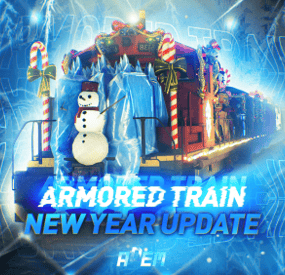
$29.99$19.99Armored Train
Halloween Update
Have you already prepared your server for Halloween?
On the eve of the Halloween Rust update, I have prepared for customization of all armored train cars.
After installing the update, customization will be automatically applied to all cars in the configuration of the armored train. To disable this, make the "Customization preset" parameter empty in the config.
New Year Update
The New Year is coming and I have prepared for you a new preset customization for the train!After installing the update, customization will be automatically applied to all cars in the configuration of the armored train. To disable this, make the "Customization preset" parameter empty in the config.
You can also disable the customization of certain wagons or change the customization of the NPCs in the file oxide/data/ArmoredTrain/NewYear
New Year's map from the video:
This plugin will add an armored train to your server, which can travel both in the subway and by rail.
It can consist of any number of wagons. A helicopter can accompany it.
Bradley, npc, turrets, simsites can be installed on the train.
The plugin allows you to create any number of train presets, for which the order of wagons, the helicopter preset, the probability of spawn and the duration of patrolling can be specified. Each wagon or locomotive can be configured separately. Any speed can be set by the locomotive.If there is no spawn of trains on the surface on your custom map, read the section "Custom spawn points”
Custom spawn points
If you are using a custom map in which there are no spawn trains on the surface, but there is a railway, then for the train to work on the surface, you need to add custom spawn points of the train.
Instruction:
Stand at the point where you want the train to spawn Enter the command /atrainpoint If you receive a message that a point has been created, enable "Use custom spawn coordinates [true/false]” in config For correct operation, it is recommended to create several spawn points of the train
Chat commands (only for administrators)
/atrainstart– launches the event in a random configuration /atrainstartunderground - forcibly launches an event underground /atrainstartaboveground - forcibly launches an event aboveground /atrainstart <trainPresetName> – launches the event in the <trainPresetName> configuration /atrainstartunderground <trainPresetName> /atrainstartaboveground <trainPresetName> /atrainstop– stops the event /atrainpoint– creates a custom spawn point of the train in your position
Console commands (RCON only)
atrainstart– launches the event in a random configuration atrainstartunderground - forcibly launches an event underground atrainstartaboveground - forcibly launches an event aboveground atrainstart <trainPresetName> – launches the event in the <trainPresetName> configuration atrainstartunderground <trainPresetName> atrainstartaboveground <trainPresetName> atrainstop – stops the event
Config
en – example of plugin configuration in English ru – example of plugin configuration in Russian
Dependencies (optional, not required)
True PVE PveMode GUI Announcements Notify DiscordMessages AlphaLoot CustomLoot Economics Server Rewards IQEconomic Api
bool IsArmoredTrainActive() bool StopArmoredTrain() bool StartArmoredTrainEvent() bool EndArmoredTrainEvent() bool IsTrainBradley(uint netID) bool IsTrainHeli(uint netID) bool IsTrainCrate(uint netID) bool IsTrainSamSite(uint netID) bool IsTrainWagon(uint netID) bool IsTrainTurret(uint netID) Vector3 ArmoredTrainLocomotivePosition()
Hooks
OnArmoredTrainEventStart OnArmoredTrainEventStop
Contact me in Discord: Adem#955
-
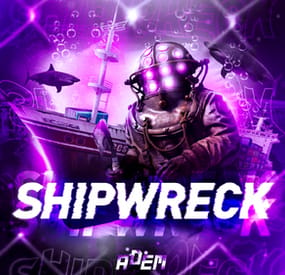
$34.99$19.99Shipwreck
This plugin will allow players to visit the depths of the ocean to discover 3 new locations included in this plugin: a Sunken Cargo Ship, Submerged Ore Farm, and a Shipwrecked Barge.
In the wreckage you will find a high concentration of loot. Just be careful! The COBALT group has already arrived and is exploring the site.
They have submarines and divers already in the water!
Patrol Submarines
Subs do a LOT of damage, but they have low visibility and low accuracy. Very unreliable at Titanic depths. Subs are a serious threat if you arrive in a submarine yourself. Try to sneak up behind them and destroy them, you don't want to be the one to sink, trust me!
Cobalt NPC Divers
High accuracy, but not much armor and don't pack a huge punch. Almost harmless if you arrive in a submarine, but they are still a threat! Keep your eyes on these guys, it might just be you or them!
Killer Sharks
These sharks have smelled all the blood in the water, after being drawn to the area already by all of the disturbance. They are here, they are mad, and they are bloodthirsty and hungry!
The plugin includes 3 locations:
Shipwrecked Cargo Ship
There are three rooms in the Sunken Cargo Ship location that are opened with a keycard. The map type can be selected within the configuration file.
Sunken Barge
A great place to find some Shipping Containers, as well as Killer Sharks! The Cobalt group has been busy in this area, they must have taken this Barge down recently as well.
Submerged Ore Farm
An ore rich location with multiple farmable ore nodes, as well as some other scattered loot including fuel barrels.
Chat commands (only for administrators)
/shipwreckstart – launches the event in a random configuration /shipwreckstart <shipwreckstart> – launches the event in the <eventPresetName> configuration /shipwreckstartmyloc – launches the event in a random configuration in your location /shipwreckstartmyloc<shipwreckstart> – launches the event in the <eventPresetName> configuration in your location /shipwreckstop – stops the event /screatepath– starts recording the route for the npc/shark/sub /ssavepath <npc/shark/subPresetName> – saves route for npcs/sharks/sub /scancelpath – cancels route recording Console commands (RCON only)
shipwreckstart – launches the event in a random configuration shipwreckstart <shipwreckstart> – launches the event in the <eventPresetName> configuration shipwreckstop – stops the event Config
plugin_en – example of plugin configuration in English location_en – example of location configuration in English plugin_ru – example of plugin configuration in Russian location_ru – example of location configuration in Russian Dependencies (optional, not required)
True PVE PveMode GUI Announcements Notify DiscordMessages AlphaLoot CustomLoot Economics Server Rewards IQEconomic Hooks
void OnShipwreckStart() void OnShipwreckStop()
My Discord: adem9554
Join the Mad Mappers Discord here!
Check out more of my work here!
-
$30.00
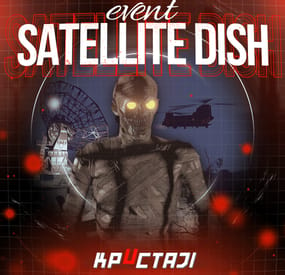
Satellite Dish Event
It’s an event in the Satellite Dish location
Description
The event begins with a chat warning: a bioweapons deal will be in the Satellite Dish.
When the time is up, extra crates, NPCs guarding this location will appear in the Satellite Dish. Then a locked zombie’s cage will appear. A CH47 will fly to this location to make a transaction.
When the CH47 arrives, it will drop the locked crate as a payment for the biological weapon. Then it will land and zombies will begin boarding on the CH47. As soon as the CH47 has picked up all the remaining zombies, it will fly off the map.
If you kill at least one zombie, an alarm will start. The alarm can be ended by answering the phone on the Satellite Dish within 10 seconds.
If you don’t stop the alarm, reinforcements will arrive as Bradley to this location. It will parachute down from the aircraft.
All crates looting, NPCs, zombies, Bradley can be changed by configuration.
It is possible to change the configuration of all NPCs or use the BotSpawn plugin for NPCs.
There is a camera in the location for viewing the event and lighting for night events.
When an event appears, a marker will display on the map (configurable in the configuration file).
It is possible to set up in the configuration the PVP zone for those who use the TruePVE plugin.
All players in the event zone have a timer with countdown to the end of the event
It is possible to set up an automatic event appear on the map. All timers can be set up in the configuration.
Dependencies Required
NpcSpawn
Dependencies (optional, not required)
True PVE PveMode GUI Announcements Notify Discord Messages AlphaLoot CustomLoot NTeleportation Economics Server Rewards IQEconomic Kits
Chat commands (only for administrators)
/satdishstart - start the event
/satdishstop - end the event
/satdishpos - determining the position and rotation coordinates for changing the location of NPCs and crates. It should write in the configuration (Attention! The event must be started, the current position of the administrator in relation to the Satellite Dish is read)
Console commands (RCON only)
satdishstart - start the event
satdishstop - end the event
Plugin Config
en - example of plugin configuration in English ru - example of plugin configuration in Russian
Hooks
void OnSatDishEventStart() – called when the event starts
void OnSatDishEventEnd() – called when the event ends
void OnSatDishEventWinner(ulong winnerId) – called at the end of the event, where the winnerId is the player who did more actions to complete the event
My Discord: KpucTaJl#8923
Join the Mad Mappers Discord here!
Check out more of my work here!
- #alarm
- #biological weapon
- (and 32 more)