

Muktuk
-
Posts
74 -
Joined
-
Last visited
Content Type
Profiles
Warranty Claims
Downloads
Forums
Store
Services
Downloads Plus Support
DOWNLOADS EXTRA
Reels
Everything posted by Muktuk
-
Sure mate, please see attached. Items are fine, it's specifically tabs with commands that generate the error. Since my post I tried removing all image URLs from the commands file and that's sorted it; no more errors when selecting a tab with commands on. I've included the command file as well. Items.json Categories (2).json Commands.json
-
Hey man, I'm getting red error messages when I click on tabs in my shop that contain commands. Tabs with items are fine, but anything that has commands generates the attached error. The commands themselves work fine. The error is listed in my game console as: Non-secure network connections disabled in Player Settings. InvalidOperationException: Insecure connection not allowed. Any ideas?
-
.thumb.jpg.c9c4944b7f0c67d54432170526dd2dd5.jpg) Hey man, I'm not fully understanding the plugin - probably my fault - so I wanted to ask if what I'm trying to do is even possible. I'm setting up NPC profiles and I want them to have the following: 5 specific items that always drop, a chance of a random medical item, and the normal loot from a prefab. Is this something I can do with this plugin? If so, what do I need to add to the below? { "Description": "DynamicMonuments", "ClearDefaultItems": false, "IsAlphaLoot": false, "AlphaLootPreset": "", "IsCustomLoot": false, "CustomLootPreset": "", "IsLootTablePlugin": false, "LootTablePluginLootPreset": "", "UseItemList": true, "UseMinMaxForItems": true, "MinItemsAmount": 6, "MaxItemsAmount": 6, "Items": [ { "ShortName": "scrap", "ItemId": -932201673, "CustomDisplayName": "", "DefaultDisplayName": "scrap", "OwnerDisplayName": "", "Skin": 0, "IsBluePrint": false, "Genomes": "", "MinAmount": 5, "MaxAmount": 15, "Chance": 100 }, { "ShortName": "dogtagneutral", "ItemId": 1223900335, "CustomDisplayName": "", "DefaultDisplayName": "dog tag", "OwnerDisplayName": "", "Skin": 0, "IsBluePrint": false, "Genomes": "", "MinAmount": 1, "MaxAmount": 1, "Chance": 100 }, { "ShortName": "blueberries", "ItemId": -586342290, "CustomDisplayName": "", "DefaultDisplayName": "blueberries", "OwnerDisplayName": "", "Skin": 0, "IsBluePrint": false, "Genomes": "", "MinAmount": 1, "MaxAmount": 1, "Chance": 100 }, { "ShortName": "easter.silveregg", "ItemId": 1757265204, "CustomDisplayName": "", "DefaultDisplayName": "silver egg", "OwnerDisplayName": "", "Skin": 0, "IsBluePrint": false, "Genomes": "", "MinAmount": 1, "MaxAmount": 1, "Chance": 100 }, { "ShortName": "ammo.pistol", "ItemId": 785728077, "CustomDisplayName": "", "DefaultDisplayName": "pistol bullet", "OwnerDisplayName": "", "Skin": 0, "IsBluePrint": false, "Genomes": "", "MinAmount": 4, "MaxAmount": 12, "Chance": 100 }, { "ShortName": "largemedkit", "ItemId": 254522515, "CustomDisplayName": "", "DefaultDisplayName": "large medkit", "OwnerDisplayName": "", "Skin": 0, "IsBluePrint": false, "Genomes": "", "MinAmount": 1, "MaxAmount": 3, "Chance": 10 }, { "ShortName": "syringe.medical", "ItemId": 1079279582, "CustomDisplayName": "", "DefaultDisplayName": "medical syringe", "OwnerDisplayName": "", "Skin": 0, "IsBluePrint": false, "Genomes": "", "MinAmount": 1, "MaxAmount": 3, "Chance": 20 }, { "ShortName": "bandage", "ItemId": -2072273936, "CustomDisplayName": "", "DefaultDisplayName": "bandage", "OwnerDisplayName": "", "Skin": 0, "IsBluePrint": false, "Genomes": "", "MinAmount": 1, "MaxAmount": 3, "Chance": 30 } ], "UsePrefabList": true, "MinPrefabsAmount": 1, "MaxPrefabsAmount": 1, "Prefabs": [ { "PrefabName": "assets/bundled/prefabs/radtown/underwater_labs/tech_parts_1.prefab", "ShortPrefabName": "tech_parts_1", "MinAmount": 2, "MaxAmount": 2, "Chance": 10 } ] }
Hey man, I'm not fully understanding the plugin - probably my fault - so I wanted to ask if what I'm trying to do is even possible. I'm setting up NPC profiles and I want them to have the following: 5 specific items that always drop, a chance of a random medical item, and the normal loot from a prefab. Is this something I can do with this plugin? If so, what do I need to add to the below? { "Description": "DynamicMonuments", "ClearDefaultItems": false, "IsAlphaLoot": false, "AlphaLootPreset": "", "IsCustomLoot": false, "CustomLootPreset": "", "IsLootTablePlugin": false, "LootTablePluginLootPreset": "", "UseItemList": true, "UseMinMaxForItems": true, "MinItemsAmount": 6, "MaxItemsAmount": 6, "Items": [ { "ShortName": "scrap", "ItemId": -932201673, "CustomDisplayName": "", "DefaultDisplayName": "scrap", "OwnerDisplayName": "", "Skin": 0, "IsBluePrint": false, "Genomes": "", "MinAmount": 5, "MaxAmount": 15, "Chance": 100 }, { "ShortName": "dogtagneutral", "ItemId": 1223900335, "CustomDisplayName": "", "DefaultDisplayName": "dog tag", "OwnerDisplayName": "", "Skin": 0, "IsBluePrint": false, "Genomes": "", "MinAmount": 1, "MaxAmount": 1, "Chance": 100 }, { "ShortName": "blueberries", "ItemId": -586342290, "CustomDisplayName": "", "DefaultDisplayName": "blueberries", "OwnerDisplayName": "", "Skin": 0, "IsBluePrint": false, "Genomes": "", "MinAmount": 1, "MaxAmount": 1, "Chance": 100 }, { "ShortName": "easter.silveregg", "ItemId": 1757265204, "CustomDisplayName": "", "DefaultDisplayName": "silver egg", "OwnerDisplayName": "", "Skin": 0, "IsBluePrint": false, "Genomes": "", "MinAmount": 1, "MaxAmount": 1, "Chance": 100 }, { "ShortName": "ammo.pistol", "ItemId": 785728077, "CustomDisplayName": "", "DefaultDisplayName": "pistol bullet", "OwnerDisplayName": "", "Skin": 0, "IsBluePrint": false, "Genomes": "", "MinAmount": 4, "MaxAmount": 12, "Chance": 100 }, { "ShortName": "largemedkit", "ItemId": 254522515, "CustomDisplayName": "", "DefaultDisplayName": "large medkit", "OwnerDisplayName": "", "Skin": 0, "IsBluePrint": false, "Genomes": "", "MinAmount": 1, "MaxAmount": 3, "Chance": 10 }, { "ShortName": "syringe.medical", "ItemId": 1079279582, "CustomDisplayName": "", "DefaultDisplayName": "medical syringe", "OwnerDisplayName": "", "Skin": 0, "IsBluePrint": false, "Genomes": "", "MinAmount": 1, "MaxAmount": 3, "Chance": 20 }, { "ShortName": "bandage", "ItemId": -2072273936, "CustomDisplayName": "", "DefaultDisplayName": "bandage", "OwnerDisplayName": "", "Skin": 0, "IsBluePrint": false, "Genomes": "", "MinAmount": 1, "MaxAmount": 3, "Chance": 30 } ], "UsePrefabList": true, "MinPrefabsAmount": 1, "MaxPrefabsAmount": 1, "Prefabs": [ { "PrefabName": "assets/bundled/prefabs/radtown/underwater_labs/tech_parts_1.prefab", "ShortPrefabName": "tech_parts_1", "MinAmount": 2, "MaxAmount": 2, "Chance": 10 } ] } -
I've got a category of commands which is set to only be visible to players with a specific permission. "Prestige_Training": { "Image": null, "Permission": "skilltree.prestige1.use", "Sale": 0, "Items": [ "command/spexchange1" ] }, Players with the permission can see the category and items but when they attempt to purchase the command they get the shop's error message stating they don't have the required permission. Is there somewhere else I need to set this? I couldn't see an option on the command itself.
-
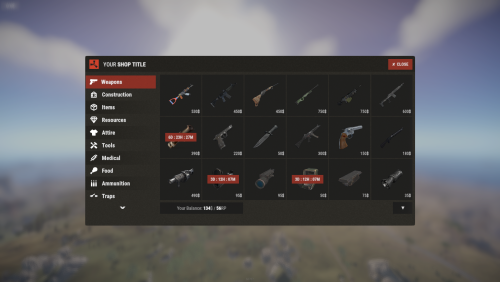 Hey, I've set up a permission based discount system but I have a category of items it should not be applied to. Is there anyway of doing this? EDIT: You're discount system needs looking at again mate. It applies the discount when selling items too.
 -
 One of my genius players found a moderately annoying bug. If they have two bases, one in a cave, and one above ground nearby and they initiate the event from the above ground base when the above ground TC gets blown up, the event continues and bots stand above the cave base throwing explosives at the floor. Any chance you can sort it so that once the TC in the above ground base gets blown and there's no other above ground TCs nearby they fail the event?
 -
 Hey man, one small and one possibly big feature request to do with the Prestige system (which is awesome btw, thank you): - Small one: Display in chat the rank title I set in this field: "Rank title": "Grind Addict" - Possibly big one: the ability to set multiple levels of ultimate, so I can have an improved version of MLRS strike or the vampirism thingie.
 -
 Hi, I'm thinking of purchasing this plugin to lock down cargo but don't want to lock any other monuments - is that possible with this plugin?
 -
.thumb.png.a167af6d204c8731865ddb8c7651fe66.png) Oh, I see. I have my metal_crate_b set up like that and it does not appear at arctic research or missile silo hence why I thought it was AND logic. I'll post the full entry sans loot so you can see if I've made an error:
Oh, I see. I have my metal_crate_b set up like that and it does not appear at arctic research or missile silo hence why I thought it was AND logic. I'll post the full entry sans loot so you can see if I've made an error: -
Hey man, can I get some guidance on this feature please: "OnlyIfParentFilter: It allows all definitions to be lootable if their path contain the parent names in this array." Am I right in thinking that if I put multiple terms in there, like so: "OnlyIfParentFilter": [ "arctic", "missile" ], It's looking for a path with both arctic AND missile in there. Any chance that could be changed to be an OR?
-
Hey man, can you confirm this is the correct format? "military_flamethrower": { "DisplayName": "default", "Skin": 0, "Image": "military%20flamethrower.png", "DefaultAmount": 1, "BuyPrice": 0, "SellPrice": 250, "Currency": "rp", "ShowDisplayName": false }, Because it's not working for me at present.
-
 Thanks guys! I was searching for Blacksmith and completely missed that.
 -
Hey man, the Blacksmith durability reset from SkillTree isn't working with EpicLoot items on my server. Is there a setting somewhere I need to switch? I couldn't see anything searching by durability but may have missed it.
-
Thanks!
-
Hey man, what's the correct format to put the skin IDs in the static skins field? Before I go and break my config again with my meddling.
-
Hey man, the space in the military flamethrower item name causes Shop to throw an error. Is there anything you can do with this or has Facepunch's hatred for naming conventions struck again?
-
Thanks mate!
-
Skill Tree isn't loading on server restart, I'm seeing this error in console: SkillTree - No target method specified for class Oxide.Plugins.EpicLoot+Item_CanStack_Patch (declaringType=Item, methodName =CanStack, methodType=, argumentTypes=(Item, Item)) I noticed the other thread so I've restarted without Epic Loot installed and Skill Tree loads fine on restart. Please let me know if there's any other details you need. Edit for clarity: Skill Tree manually loads either way.
-
 With the ladder, my players love the titles that get handed out, however it seems like once someone gets that title they keep it between wipes. Is there an option to have them retain the title for only one wipe?
 -
Hey man, since the update all the images for interacting with the lootables aren't loading and the black placeholder fills the screen. Is there a new setting I need to fiddle with?
-
Hey man, I'm getting the following error: EpicLoot.cs(6993,41): error CS0176: Static member `ItemContainer.Drop(string, UnityEngine.Vector3, UnityEngine.Quaternion, params ItemContainer[])' cannot be accessed with an instance reference, qualify it with a type name instead Looking at the code I noticed it says v 1.1.5. Downloaded it twice to confirm. Any chance the wrong version has been released?
-
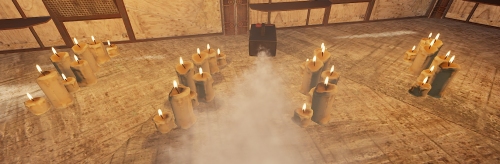 Update has borked the plugin: Error while compiling: InfiniteCandlesFog.cs(62,39): error CS1061: Type `FogMachine' does not contain a definition for `allowedItem' and no extension method `allowedItem' of type `FogMachine' could be found. Is this plugin still being maintained?
 -
Error while compiling: Shop.cs(1537,28): error CS1061: Type `Network.Server' does not contain a definition for `write' and no extension method `write' of type `Network.Server' could be found. Are you missing an assembly reference? Getting this when the plugin loads, please advise.
-
I had another crash following a slew of the health change message. Did some more testing and I think have found the cause of the OnPlayerHealthChange at least. It's triggering if I have a full set of Medics gear and Vampiric Tendencies from Skill Tree.