

[TAP] Pouncer012
-
Posts
30 -
Joined
-
Last visited
Content Type
Profiles
Warranty Claims
Downloads
Forums
Store
Services
Downloads Plus Support
DOWNLOADS EXTRA
Everything posted by [TAP] Pouncer012
-
.thumb.gif.3c9c0e18006368d634273095544fb983.gif) Checking back on the help needed here please.
Checking back on the help needed here please. -
I have whatever is available here to download and install.
-
NULL
-
.thumb.png.1bb8ab5b2dfaaed80f98f633dd4dbf2f.png) I bought this on Lone.Design and now I can only download the last version it ever had on there. How do I come here and get it here? I shouldn't have to buy it in multiple places.
I bought this on Lone.Design and now I can only download the last version it ever had on there. How do I come here and get it here? I shouldn't have to buy it in multiple places. -
How are you changing the $ sign to the left of the money amount? You even show it already this way on your sample photos in this product. I see other players sharing screenshots and theirs is switched too. Mine is right of the money amount and it's annoying. No matter what I change in config, lang, data, etc it will not move it over. How do I fix this?
-
 I was just curious @Mevent @MeventSupport - I've seen servers where they have a page of like 12-16 items for sale, and 12-16 items to sell to the shop, etc, and they rotate the items randomly every 3 hours. Is that built in this Shop? Or is that something else?
 -
 @Billy Joe It shows the image location as "assets/icons/IMAGENAME" but I cannot find that folder anywhere. Where does this store them? Thanks!
 -
 https://monosnap.com/file/2EUfMkRFwkpawpqlQoqCfE8sGuw6uC Screenshot above: I paid for 10X AlphaLoot and the title even states 10X. But your picture now says 5X and so does the download. So which is it?
 -
 When will this be available for purchase again?
 -
 Ohhhhhhhhhhhh, I thought that was for something else, I'm sorry! Thank you!
 -
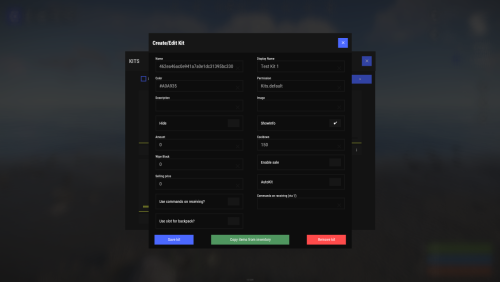
In the main .cs file, there's 2 lines of code, line 626 and 4693: var str = HEX.Trim('#); And in the actual UI, there's gray numbers like "#1" and "#2" as they overlay on top of the picture you put in. As seen in the attached pic. Does that code line fix that if I want those to not show up? I wish for them to go away and not overlay all our pictures to the kits, otherwise, there's no point in having pictures for the kits. Thanks in advance!
-
 DOUBLE POSTED SORRY!
 -
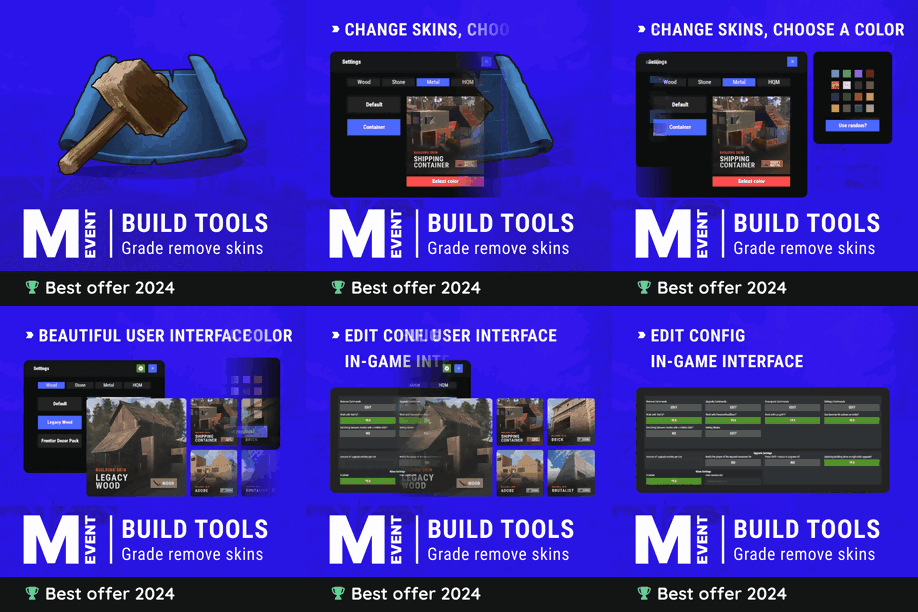
Well just tried permissions, says already has permission. I can confirm the config is still set to default, we even just went through our 4 pm Central server restart, checked again, still disabled with "0". Still getting the error. So I decided to remove the plugin and config. Reinsert them, ONLY changed the time from 30 seconds to 120. Reloaded, timer now shows 120 not 30. Still getting the error of can't remove after 10 hours.
-
Yes we have. I'll do it again. I change the config in Visual Studio Code and it saves to the Config file INSIDE the Oxide/config folder. Then we did o.reload BuildTools and watched it unload and reload. Still can't. But trying again.
-
Our cooldown is set to 0 and we still get the message "Unable to remove after 10 hours." Not sure how to overcome this.
-
 You didn't leave your Discord name. If it's the same, still needs to follow with the #**** Thanks!
 -
 Would this add anything else like the new trains? And does boat include the small motorboat and the RHIB?
![[TAP] Pouncer012](https://codefling.com/uploads/monthly_2020_07/imported-photo-548.thumb.jpeg.7c2509bf80b32916a4ad65d57312b534.jpeg)
