
-
Posts
2,532 -
Joined
-
Last visited
-
Days Won
10
Content Type
Profiles
Warranty Claims
Downloads
Forums
Store
Services
Downloads Plus Support
DOWNLOADS EXTRA
Reels
Everything posted by IIIaKa
-
@Ac3 In your settings, in the section "The list of items(short name) available for the composter. Leave empty to use vanilla" an empty string "" is specified. There should either be a list of allowed items or the list should be left empty. Here is how it should be: But I will also add a check for valid names in the next update.
-
Hi. This plugin only provides a tool for displaying bars. When and how to display them is determined by other plugins. If you know the C# programming language, you can write your own plugin that works with the AdvancedStatus API and the API of the plugin that provides temporary VIP groups.
-
 Hi. Alright, I will add the ability to set a default value for auto-modification for new players.
- 76 comments
-
- 2
-

-

-
- #rust
- #industrial
- (and 25 more)
-
Changed Status from Pending to Work in Progress
-
Hi, could you provide your config file?
-
 @RickJamesBitch In the new version, you can choose between a custom button and text. If you want a button, simply fill in the 'Footer Custom Button - Command (Leave empty to disable)' field.
-
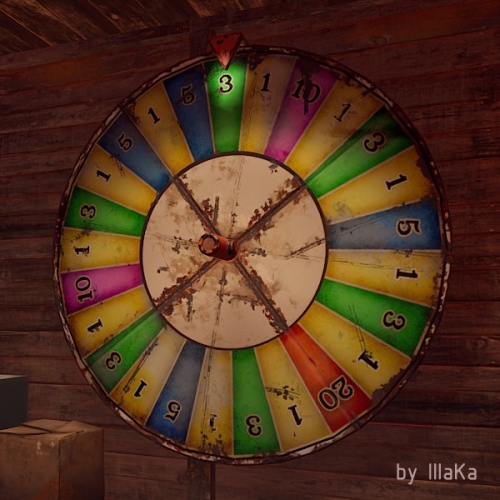
In the new version, players with the bigwheelstats.admin permission can change the wheel's name directly in the UI. Just click on the name and enter a new one.
-
If the issue persists, feel free to report it in this thread.
-
Changed Status from Work in Progress to Not a Bug
-
In those versions, it served as a placeholder to fill that space. After adding scrolling, I replaced the button with text indicating how many items are displayed on the page. This was done because scrolling was a new feature, and few people knew about it. For example, on the personal page, you may notice that the text indicates 10 items are displayed, even though only 5 are visible. If you used this button, I can consider introducing an option to choose between text or a button.
-
If the issue persists, feel free to report it in this thread.
-
Changed Status from Work in Progress to Closed Changed Fixed In to 0.1.5
-
@IanHendry80 Hello, the issue was with AdvancedStatus. Please re-download both plugins, the problem should be resolved.
-
Changed Status from Pending to Work in Progress
-
By @IanHendry80
-
@Ahmed Alkaabi You need to fill the range from 0 to 1. In your version, there is no color for the range from 0 to 0.00111 and from 0.00222 to 1.
-
@RickJamesBitch Hi! I'm not sure which button you're referring to. Can you please clarify?
-
Unfortunately, colors can only be linked to percentages. For example, 500 units of fuel is approximately ~0.00222%. You need to create this range and assign it the desired color. For example, a range from 0% to 0.1(10%) in your case would be from 0 to 22500 units of fuel.
-
Since I don't quite understand what you want, I'll explain how the color change works. The maximum fuel stack size and the amount of fuel in the tank are taken, and from these two numbers, a percentage is calculated. This percentage is then used to set the position for the progress bar. You have the option to set your own limits in the config file under the 'List of Gauge Indicators' section. Here is an example of a list of colors for different ranges. You can specify more or fewer values, but it's important that they do not overlap and that the first value equals the last value of the previous range. "List of Gauge Indicators": [ { "MaxRange": 1.0, "MinRange": 0.9, "Color": "#B1C06E" }, { "MaxRange": 0.9, "MinRange": 0.8, "Color": "#F7BB00" }, { "MaxRange": 0.8, "MinRange": 0.7, "Color": "#F70000" }, { "MaxRange": 0.7, "MinRange": 0.6, "Color": "#008080" }, { "MaxRange": 0.6, "MinRange": 0.5, "Color": "#4B0082" }, { "MaxRange": 0.5, "MinRange": 0.4, "Color": "#00FFFF" }, { "MaxRange": 0.4, "MinRange": 0.3, "Color": "#800080" }, { "MaxRange": 0.3, "MinRange": 0.2, "Color": "#FF00FF" }, { "MaxRange": 0.2, "MinRange": 0.1, "Color": "#00FF00" }, { "MaxRange": 0.1, "MinRange": 0.0, "Color": "#FFA500" } ]
-
As far as I understand, you want the colors to change depending on the amount of fuel, not by percentage?
-
If the issue persists, feel free to report it in this thread.
-
Changed Status from Can't Reproduce to Not a Bug
-
Colors also work fine depending on the fuel level in the tank.
-
@Ahmed Alkaabi Hi, try restarting both plugins. Since I installed the StackSizeController plugin and set the same limit, everything works for me.