

MeventSupport
-
Posts
2,001 -
Joined
-
Last visited
-
Days Won
9
Content Type
Profiles
Warranty Claims
Downloads
Forums
Store
Services
Downloads Plus Support
DOWNLOADS EXTRA
Reels
Everything posted by MeventSupport
-
you need to choose the days on which it can run
-
When you enable "/remove", you get an interface with a timer, and while the timer is running - you can remove with Hammer
-
Failed to call hook 'CmdConsoleClans'
MeventSupport replied to JoseBernardino's Support Report in Support
why do you get this error? -
the event should start every 10.5 hours (not every day at 10:30, but exactly every 10.5 hours).
-
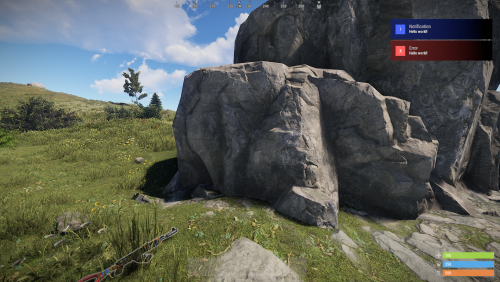 What are you getting? What's wrong?
 -
how exactly did you set them up?
-
So, which event in particular is not working? How exactly did you set it up?
-
Have you configured the plugin to run these events????
-
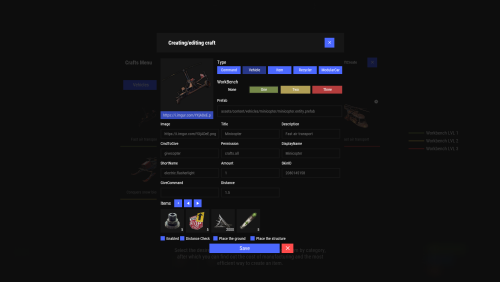 Show me how you set it up
 -
Hi, I think some developer did something like this, check out the plugins on codefling
-
Color Change For scroll bar and Pressed Button
MeventSupport replied to The One Above All's Support Report in Support
you can't change the colour of the button when you click it. The colour of scrolls can be changed in Template.json, if you are talking about ServerPanel. In ServerPanelPopUps this is done in the config -
You need to install this: "Buy Cooldown (0 - disable)": 1209600.0, "Buy Cooldowns (0 - no limit)": { "shop.vip": 0.0 }, "Max Buy Amount (0 - disable)": 1,
-
 Hi! 1) Your text probably has a colour in it, created using HTML tags. You need to toggle the formatting to see the text without formatting, and if there is something like "<color=#FDFDFDFD>" there, then either remove "<color=#***>" and "</color>" or change that colour. 2) What do you mean by this?
 -
you need to install a template adapted to this ServerPanel template: kits.template inmenu new_rust 2 - Sets the inmenu UI to the rust template, for ServerPanel template version 1. kits.template inmenu new_rust 2 - Sets the inmenu UI to the rust template, for ServerPanel template version 2.
-
trying to do a chat command it says it does not exist
MeventSupport replied to dfgas's Support Report in Support
can you show me exactly how you added the event? -
Accepted. I'll check it out and fix it
-
 Yes, this can be done in the config
 -
Events Not Showing on Prior Month View
MeventSupport replied to dustyhansen's Support Report in Support
Yes, it's a bug. I'll fix it! -
it was done for a player who's online?
-
Please send the config
-
Events Not Showing on Prior Month View
MeventSupport replied to dustyhansen's Support Report in Support
You mean it's not in the plugin that doesn't show the colour for Feb 6 when you look at the January schedule? -
how do i make shop only show up on welcome ui
MeventSupport replied to thebpmafia's Support Report in Support
To work with the "shop" command through the ServerPanel plugin, you need to perform the following steps: 1. Remove the "shop" command from the Shop plugin configuration. 2. In the settings of the "SHOP" category in the ServerPanel plugin, set the "shop" command. Thus, the command "/shop" will be processed by the ServerPanel plugin. -
.thumb.gif.30bb4fb1ad6b9cbba98fad72b9533086.gif) Hello! The problem with images is not related to the Kits plugin and its updates. The ImageLibrary plugin is responsible for images. Try to clear ImageLibrary data and restart the server.
Hello! The problem with images is not related to the Kits plugin and its updates. The ImageLibrary plugin is responsible for images. Try to clear ImageLibrary data and restart the server. -
-
 Hey there! About the big update — we're working hard on it! It's tough to say exactly when it'll be ready yet — we've got a lot of testing and polishing to do. As soon as we have a clearer picture, we'll let you know. Thanks for your patience, we really appreciate it!
- 337 comments
-
- 1
-

-
- #building
- #foundation
- (and 28 more)