.jpg.16b7f62f90f6c28d75b57f479de32a9d.jpg)

Alpha28
-
Posts
55 -
Joined
-
Last visited
Content Type
Profiles
Warranty Claims
Downloads
Forums
Store
Services
Downloads Plus Support
DOWNLOADS EXTRA
Reels
Everything posted by Alpha28
-
ill disable all "cansleep" on the presets, i think theres something going on with npc spawn maybe
-
Power Sub Small 2.jsonTurner.json was "CanSleep": true, added later at some point ?
-
im using the default navmesh not the beta one, they do attack me when they see me there just not roaming
-
i just updated my plugins for this month and i noticed that the Better Npc´s are not roaming arround anymore , they are just standing on a spot i havent change any files in a long time and i cant really tell when it started since i only update plugins on wipe default Ai like bears , deer, and others stil move
-
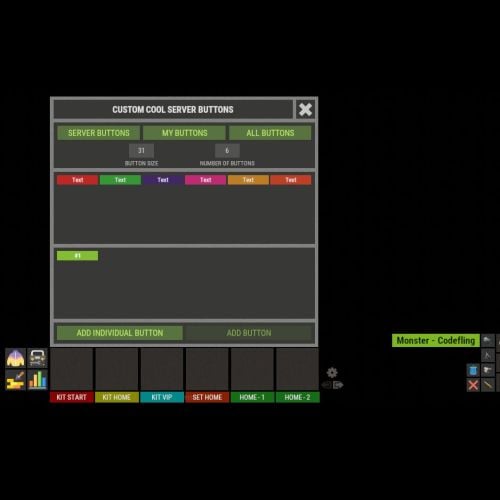 somehow fixed itself after retrying, to copy log ..... also needed to update imagelibary
 -
okay my bad
-
Failed to call internal hook 'OnServerInitialized' on plugin 'XFastButtons v1.1.0' [352240293] (Object reference not set to an instance of an object) at void Oxide.Plugins.XFastButtons.GUIButtonsIndividual(BasePlayer player) in /home/container/carbon/plugins/XFastButtons.cs:line 1488 at void Oxide.Plugins.XFastButtons.OnPlayerConnected(BasePlayer player) in /home/container/carbon/plugins/XFastButtons.cs:line 959 at void System.Collections.Generic.List<BasePlayer>.ForEach(Action<BasePlayer> action) at void Oxide.Plugins.XFastButtons.OnServerInitialized() in /home/container/carbon/plugins/XFastButtons.cs:line 834 at object Oxide.Plugins.XFastButtons.InternalCallHook(uint hook, object[] args) in XFastButtons.cs/Internal:line 249
-
Failed to execute OnFrame callback (Value cannot be null. Parameter name: key) at int System.Collections.Generic.Dictionary<string, string>.FindEntry(string key) at bool System.Collections.Generic.Dictionary<string, string>.TryGetValue(string key, out string value) at string Oxide.Plugins.Shop.GetImage(string name) in /home/container/carbon/plugins/Shop.cs:line 14014 at (bool raw, string steamId, string png, string sprite, string imageColor, int? itemId, ulong? skinID) Oxide.Plugins.Shop+ShopItem.GetImage() in /home/container/carbon/plugins/Shop.cs:line 3663 at void Oxide.Plugins.Shop.ItemUI(BasePlayer player, ShopItem shopItem, ref List<string> elements) in /home/container/carbon/plugins/Shop.cs:line 10501 at void Oxide.Plugins.Shop.ShopContentUI(BasePlayer player, ref List<string> elements) in /home/container/carbon/plugins/Shop.cs:line 9902 at void Oxide.Plugins.Shop.CmdConsoleShop(Arg arg)+(List<string> container) => { } [8] in /home/container/carbon/plugins/Shop.cs:line 7959 at void Oxide.Plugins.Shop.UpdateUI(BasePlayer player, Action<CuiElementContainer> callback)+() => { } in /home/container/carbon/plugins/Shop.cs:line 12953 at void Carbon.Managers.CarbonProcessor.Update() in /home/runner/work/Carbon/Carbon/Carbon.Core/Carbon/src/Processors/CarbonProcessor.cs:line 63
-
these are newly generated js´s, i removed all plugin related files in config data and plugins Weather.json 3.0.0 Weather.json3.0.1
-
volumetric clouds arent changeing with presets in new version and there are probably some missing values in the clear preset that got added screenshots attached
-
also clear weather preset is broken for some reason sky is bright ground is very dark i copied the value from the other presets might need to adjust not sure what a few things do , but seems to work now
-
i removed all files and installed it but the volumetric clouds are not changeing the game still looks better having volumetric clouds turned off might need some help please Storm Preset attached is a png file with Volumetric clouds off (Left) volumetric clouds Ultra ( right) cloud coverage is messed up with volumetric clouds
-
 oh okay, thats a shame, might just have to make multiple copys of the same building at different angles and interieur layout then thanks for the help
 -
okay thanks for the quick reply, by rotate i mean rotate the building on its axis randomly
-
hello and happy new year, quick question i made my own medium raidbase, and while testing it i noticed that the raid bases spawn only 1 type of ore in every furnace any hints what i should be looking at ? also, is it possible to rotate bases randomly on spawn? greetings -Alpha from Germany
-
 hey guys, quick question i was playing arround with the barrel preset , havent managed to do any damage anyone kn ow whats wrong ? also happy new year "Meteor Prefabs": { "barrel": { "Meteor Prefab Path": "assets/bundled/prefabs/radtown/loot_barrel_1.prefab", "Max Meteor Flight Time (0, to not destroy)": 0.0, "Meteor Lifetime (0, to not destroy)": 1800.0, "Minimum Scale": 12.0, "Maximum Scale": 12.0, "Yield Multiplier": 2.0, "Scale Yield By Size": true, "Meteor Radiation Chance (0-100)": 0, "Meteor Radiation Amount": 12.5, "Scale Radiation With Size": true, "Run Atmosphere Enter Sound": true, "Enable Meteor Flame": true, "Enable Meteor Smoke": true, "Falling - Randomize Meteor X Rotation": false, "Falling - Randomize Meteor Y Rotation": true, "Falling - Randomize Meteor Z Rotation": false, "Landed - Randomize Meteor X Rotation": false, "Landed - Randomize Meteor Y Rotation": true, "Landed - Randomize Meteor Z Rotation": false, "Landed Entity Offset": { "x": 0.0, "y": 0.0, "z": 0.0 }, "Required Tool To Destroy - Whitelist (shortnames)": [ "ammo.rifle.explosive", "explosive.timed.deployed", "rocket_basic", "grenade.beancan", "explosive.satchel", "catapult.ammo.explosive", "grenade.f1", ], "Required Tool To Destroy - Blacklist (shortnames)": [], "Fully Custom Gather System Tools": { "Items Per Meteor": [ { "Shortname": "scrap", "Skin ID": 0, "Amount": 2000, "Display Name": "", "Only On Last Hit": false }, { "Shortname": "metal.fragments", "Skin ID": 0, "Amount": 10000, "Display Name": "", "Only On Last Hit": false } ], "Fully Custom Gather System Tools (key value is tool shortname)": { "hammer.salvaged": { "Require Exact Skin ID": false, "Tool Skin ID": 0, "Tool Damage Dealt Percentage": 3.0 } } },
 -
hey, good to see that im not the only one i noticed that the cloud coverage doesent change anymore with different presets, probably because of the weather changes facepunch made a while ago withoud volumetric clouds enabled weather looks just like before the weather update
-
 i cant stay logged in codefling in the plugins tab , would it be possible to fix that somehow ?
 -
okay thanks for the info ill get the addon and check it out have a great weekend
-
hey i was wondering if its possible to have custom prefab for fire and smoke
-
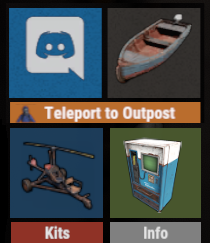 okay wow thanks a lot for the info
 -
Love the Plugin , is it posbible to get the button permissios to show up in Permission Manager ? )
-
so will anyone fix this , i mean we all paid money for a working plugin and its unmaintained and still being sold ....
-
 yeah i just , noticed that the weather doesent work on my server anymore and i have the same console spam