


rogder dodger
-
Posts
166 -
Joined
-
Last visited
Content Type
Profiles
Warranty Claims
Downloads
Forums
Store
Services
Downloads Plus Support
DOWNLOADS EXTRA
Reels
Everything posted by rogder dodger
-
Hey Mr Liquid - the Latest name of the player is always shown under player name. If you're asking for player name history to also be stored and displayed in the embeds this would be something i'd have to think about for a later update. The plugin doesn't currently integrate with steam or battlemetrics other than providing a link to their profile.
-
Changed Status from Pending to Not a Bug Changed Fixed In to 1.0.1
-
Hey @MrLiquid each discord embed shows the Server and the notes when a player is or added or removed from the watchlist. Also when they come online like below: You can see the server details are at the bottom of every embed. Watchlists are currently per-server. So if you wanted to add a player to watchlist on all of your servers you would do this on each server. It would be a great idea to consolidate this somehow to have watchlists share player lists and watchlisted players across servers and this is something i might think about for future updates.
-
So i can see that the players list has some players in there (9) - have you had more than 9 players join the server since the plugin was deployed? Again. Players are added to the players list when they first join the server so as time goes on that list will grow. I will look into adding the ability to manually add players to watchlist who are not on the player list from the UI but you can use the commands for now. If still unsure please DM me on Discord (im in the codefling discord) and i can help you more directly
-
Can you share a screenshot of what you see when you click "add player" in the UI? Also, if you could set "Debug = true" in the config and reload the plugin, then send me any console logs from the plugin that will help me troubleshoot. Are you using carbon or oxide? @MrLiquidif you are uncomfortable sharing the information here please feel free to send to me in Private Message
-
Changed Status from Pending to Not a Bug Changed Fixed In to 1.0.1
-
Hey the players list should be populated with every player that has been on the server since the plugin was installed. This will grow over time. I can look into adding some UI around manually adding a player via the UI who has not already played on the server. In the meantime you can use the command /wl <steamid> "<note>" to add them via chat command
-
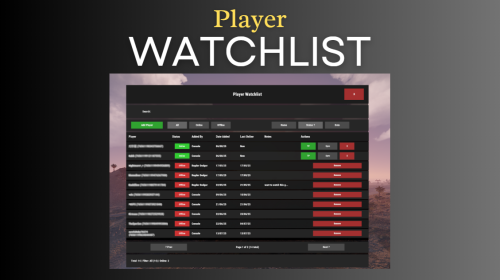
Version 1.0.7
140 downloads
Watchlist is a lightweight but powerful tool that alerts admins when specific players connect to the server. Whether you're online or offline, you'll get real-time in-game notifications and Discord alerts with fully configurable message templates and role pings. The built-in UI makes managing the watchlist easy, with support for sorting, filtering, teleporting, and note-taking. Players can be added or removed manually or straight from RustAdmin with custom commands. Very useful tool to keep you and your staff one step ahead. Configuration { "Discord Webhook URL": "https://discord.com/api/webhooks/your/webhook/url", (Your Webhook URL) "Ping Role": false, (Whether to ping a role when player comes online on discord, e.g: @Admin) "Role ID": 0, (Discord Roll Id to ping) "Purge Watchlist on Wipe": false, "Purge Players List on Wipe": false, "Enable UI": true, "UI Color Scheme (Options: dark, light, rust)": "dark", "Custom Colors": { "PrimaryBackground": "0 0 0 0.95", "SecondaryBackground": "0.15 0.15 0.15 1", "HeaderBackground": "0.1 0.1 0.1 1", "ButtonPrimary": "0.2 0.7 0.2 0.9", "ButtonSecondary": "0.3 0.3 0.3 1", "ButtonDanger": "0.7 0.2 0.2 0.9", "TextPrimary": "1 1 1 1", "TextSecondary": "0.7 0.7 0.7 1", "OnlineIndicator": "0.2 0.8 0.2 1", "OfflineIndicator": "0.8 0.2 0.2 1", "RowEven": "0.12 0.12 0.12 0.95", "RowOdd": "0.15 0.15 0.15 0.95", "ActiveItem": "0.4 0.4 0.4 1", "AlertBackground": "0.8 0.2 0.2 0.95", "AlertText": "1 1 1 1", "AlertPanel": "0.11 0.11 0.12 0.98", "AlertHeader": "0.62 0.17 0.17 1", "AlertDivider": "0.25 0.25 0.27 1", "AlertLabel": "0.6 0.6 0.63 1" }, "Alert Position": { "AnchorMin": "0.775 0.60", "AnchorMax": "0.985 0.90" }, "Alert Cursor Enabled": false, "UI Scale": 1.0, "Main UI Position": { "AnchorMin": "0.2 0.1", "AnchorMax": "0.8 0.9" }, "UI Scale": 1.0, "Main UI Position": { "AnchorMin": "0.2 0.1", "AnchorMax": "0.8 0.9" }, "Font Size": { "Title": 20, "Header": 14, "Normal": 12, "Small": 10 }, "UI Animation": true, "Enable Sound Alert": true, "Alert Sound": "assets/bundled/prefabs/fx/notice/item.select.fx.prefab", "Alert Duration (seconds)": 10.0, "Show Visual Alert": true, "Send Discord Add/Remove Notifications": true, "Max Cached Players": 3000, "Player Cache Retention Days (0 = disabled)": 30, "Player Cache Save Delay Seconds": 60, "Alert Cooldown Seconds": 120, "Startup Alert Grace Seconds": 60, "Auto Expire Days (0 = disabled)": 0, "Send Prune Discord Notifications": true, "Prune Report Max Per Embed": 10, "Prune Report Include Notes": false, "Enable Diagnostics": false, "Max Audit Log Entries": 500 } COMMANDS Chat: /watchlist Opens the Watchlist UI (requires permission) /wl <steamid> "<note>" Adds a player to the watchlist with a note (requires watchlist.admin permission) /wlr <steamid> Removes a player from the watchlist (requires watchlist.admin permission) /wlist Lists all watched players in chat (requires watchlist.admin permission) Console: watchlist.add <steamid> "<note>" Adds a player to the watchlist Example: watchlist.add 76561198000000000 "Suspected Cheater" watchlist.remove <steamid> Removes a player from the watchlist watchlist.list Lists all watched players in the server console wl <steamid> "<note>" Adds a player to the watchlist with a note (can be used via rcon) wlr <steamid> Removes a player from the watchlist (can be used via rcon) wlist Lists all watched players in the server console (can be used via rcon) purgewl Clears the entire watchlist (requires watchlist.admin permission) watchlist.testalert fires the alert at yourself with sample data so you can position and colour it without waiting for someone to log in. You can also pass a Steam ID (watchlist.testalert 76561198000000000) to preview it with a real entry's details. PERMISSIONS watchlist.admin Full access to all commands and features watchlistui.toggle Allows UI toggle via `/watchlist` command RUSTADMIN INTEGRATION You can integrate Watchlist directly with **RustAdmin** to add or remove players with a single click. Add to Watchlist Command to Execute: wl ${playerSteamid} "From RustAdmin" Tick "Show Command Output in a Dialog" (optional) Remove from Watchlist Command to Execute: wlr ${playerSteamid} Tick "Show Command Output in a Dialog" (optional)$10.00 -
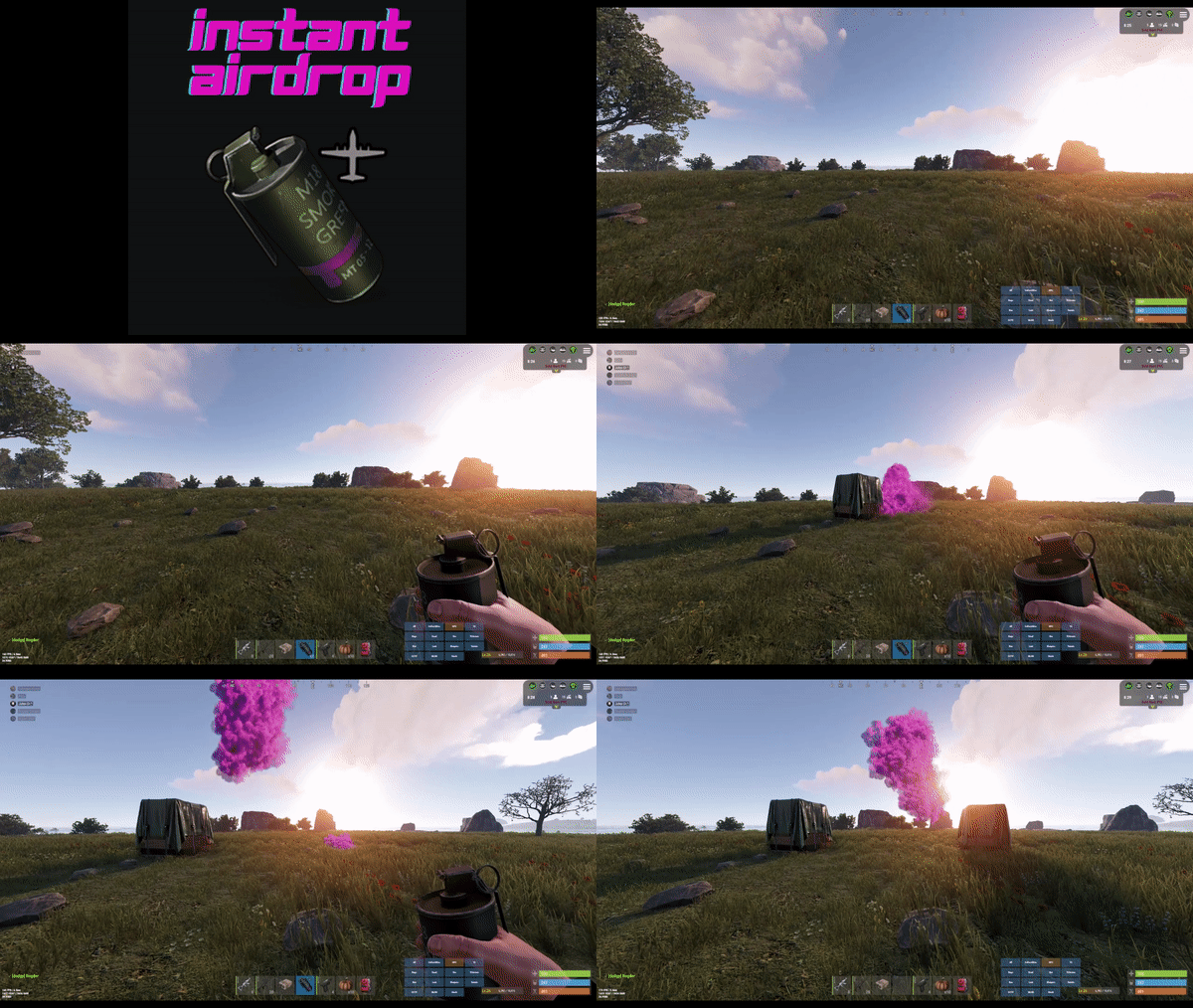 Hey is it still happening? im not seeing other reports of this - can you send me a private message with a list of any other Supply Drop related plugins you have?
 -
Hey there is a known compatibility issue with Vehicle Airdrops that can cause this - see if it happens with the Vehicle Airdrops plugin unloaded? I am working on a fix for this
- 46 comments
-
- 1
-

-
- #rust
- #supply drop
- (and 20 more)
-
Changed Status from Work in Progress to Fixed Changed Fixed In to 1.0.14
-
No worries at all @TuxGeek just drop a message here to confirm it worked and if you have any other issues or questions don't hesitate to get in touch!
-
Changed Status from Pending to Work in Progress
-
Hey @TuxGeek Thank you for sending this and passing on that information, I totally agree with ZEOD and will update my plugins hook to return true which should resolve the console spam issues you're getting. Keep an eye out for the latest version being released shortly! Rogder Dodger
-

Why dont the npc's move and attack
rogder dodger replied to Forbidden Lands Rust's Support Report in Support
I'm seeing a similar issue withe betterNPC bots. It seems to get worse as time passes between server restarts. Their brains just stop operating as they they do when the server first starts. Seems to be reaction time, they'll just roam around then suddenly spring into action. I don't think it's a performance issue as server FPS is stable and > 40. I've attached some videos provided by a player on my server, the configs for these bots are fine and this behavior gets worse the longer the bot is on the server. I've tried both Oxide and Carbon (recently switched) I've checked things like aimanager.ai_dormant settings and all fine. I've tried with default configurations. I don't get the same issue with BotReSpawn bots. Happy to send configs in Dms or dive in and assist troubleshooting if needed npc1.mp4 npc2.mp4 Project_1.mp4 -
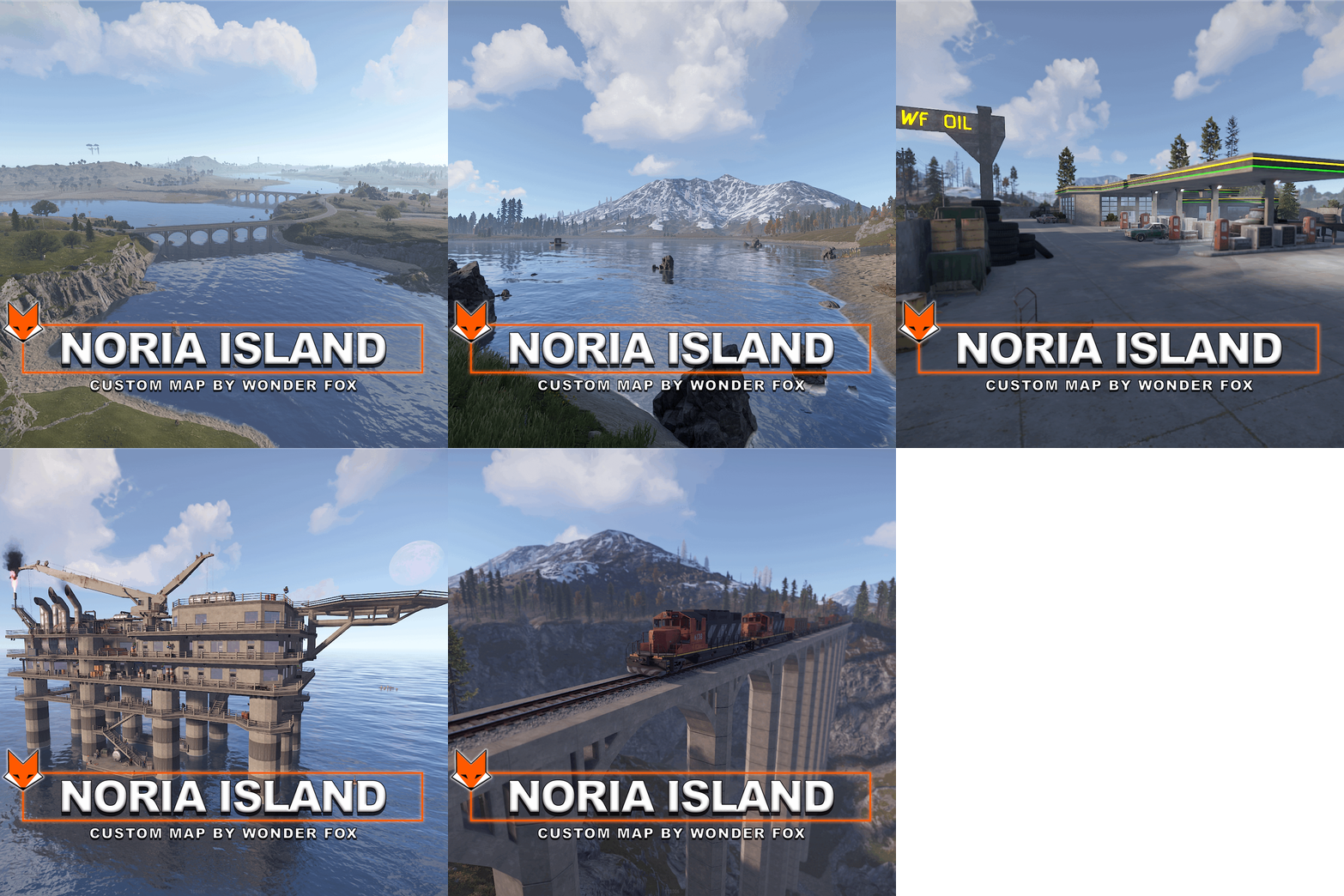 Custom map is great, really like it - I don't think its necessary for you to plaster your name everywhere on the map though. Literally everywhere you look on this map you see either "Created by Wonder Fox", "Wonder Fox was here", "BY WF", even on the map its self at the bottom right is a huge grid sized WF. I don't think this is necessary and had to spend a significant amount of time going around and removing them
 -
None of these issues have been fixed. Why did you change the status?
-
Sent follow-up DM for more info
-
Changed Status from Pending to Work in Progress
-
hey can you send me your config file for Instant Airdrop - are you using any custom skin IDs for the vehicle Airdrops?
-
 The map is designed very well, a great size and the monument placement works really well. Sadly my rating and review reflects the overall quality of the map and the support provided by the creator. The map has many issues such as Cargos mapping always getting suck, trapped and failing to interact with harbors, the textures are really bad in many places, with assets old assets stretched instead of newer assets used etc. especially wind town (the maps outpost) where there are invisible elements, the tugboat "shop" hasn't worked for months, turrets can be picked up by players, trees can be walked through, the tugboat textures are broken and more. Many of the monuments have fuse puzzles but the fuze is missing, having the old fuze elements still in place and not updated. All of these issues have been reported to the creator who simply does not respond or show an interest in supporting and updating the map to fix these issues. While this could be a great map I cannot recommend it in its current state and with the lack of creator support.
 -
I've added a list of issues to the support section of this plugin. It has been 2 weeks and no response from creator.
-
Cargo consistently gets stuck at harbour
-
On the tugboat in Water Town most of the shops are not accessible to players - only the vendor in the tugboat is accessible. On previous versions of the map there were various parts of the tugboat that could be interacted with as shops
-
train station windows don't have glass so you can loot the red box without opening the security door furniture in houses winds town sticking through walls no tiled textures used for bridges, making them look really stretched and weird rail network isn't an actual path but individual prefab pieces, making trains from plugins stop in a lot of the stations instead of going through them and going across the whole map