


SlayersRust
-
Posts
2,442 -
Joined
-
Last visited
-
Days Won
30
Content Type
Profiles
Warranty Claims
Downloads
Forums
Store
Services
Downloads Plus Support
DOWNLOADS EXTRA
Reels
Everything posted by SlayersRust
-
Yeah its blocking access for me as well have you found a fix @Bad Cop?
-
Version 1.0.0
40 downloads
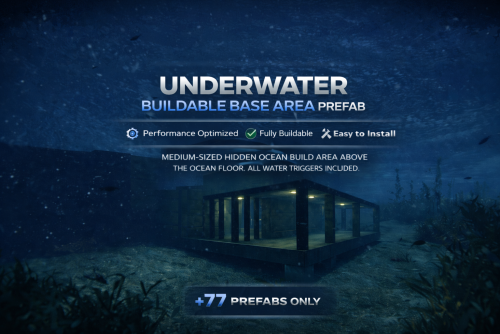
Underwater Buildable Base Area – Ultra Optimized A well-crafted underwater build area designed for performance, creativity, and hidden ocean gameplay. Built with only 77 prefabs total, this structure is extremely lightweight and server-friendly. If performance matters to you, this prefab delivers. Perfectly sized (Medium) for players to create: • Hidden underwater bases • Full honeycomb defenses • Secret loot vaults • Roleplay labs or ocean bunkers Great for 2x to 100x+ gather rate servers. Performance First ✔ Only 50 prefabs ✔ Clean geometry ✔ No unnecessary entities ✔ Designed for high-pop servers ✔ No need for any terrain modifiers ✔ Place in flat ocean and good to go Clean Lighting & Full Water Triggers Includes all water triggers and balanced underwater lighting so players can build and fight comfortably. 🛠 Easy Installation Just place it on any flat ocean location in your map grid. Lower it until the flooring slightly clips the terrain, then raise it so the concrete sits about a foot above the ocean floor. Face the entrance towards the deep sea. Done. Give your players a reason to dive. Hidden bases. Ocean defense. Next-level gameplay.$9.99- 15 comments
- 1 review
-
- 1
-

-
- #underwater base
- #underwater monument
- (and 17 more)
-
If I get more reports I'll do my best to get as much info as possible
-
This player only reported issues so far with the rug, I closed the other tickets so I forget what the others reported a few days ago.
-
Yeah I'm not really sure why it happens but I've received some other reports of it happening with PlaceryExtended this wipe but I just thought it was a random case. Was waiting until more reported such things happening
-
Here is a report I received from my player, they placed a rug on the triangle as shown in the photos and after a while they said about 2 days they just disappear on them. “so ive had two rugs delete themselves after 48 hours of placement, I did use the creative right click to make them place“ https://imgur.com/a/EA0jOQW
-
Version 1.0.0
23 downloads
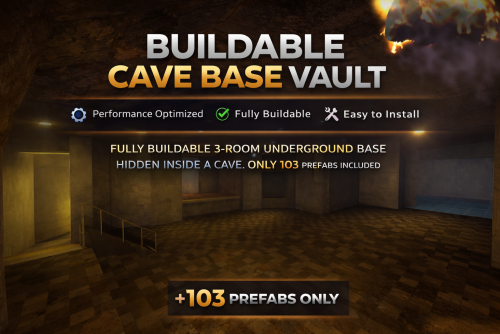
Buildable Cave Base Vault – Ultra Optimized A well-crafted underground buildable cave vault designed for performance, security, and serious base potential. Built with only 103 prefabs total, this monument is optimized to stay lightweight while delivering a powerful underground base experience. If performance matters to you, this prefab delivers. Perfectly designed for players to create: • Hidden underground bases • Multi-layer honeycomb bunkers • Secure vault core rooms • Roleplay compounds • Clan strongholds • Trap bases and defense grids Great for 2x to 100x+ gather rate servers. Performance First ✔ Only 103 prefabs ✔ Clean concrete bunker layout ✔ Fully buildable interior space ✔ No unnecessary clutter ✔ Designed for high-pop servers ✔ Drop-in ready 🏗 3 Underground Rooms Includes three separate underground rooms connected within the cave system. The entire interior area is fully buildable, giving players full freedom to: • Create core loot vaults • Layer doors and bunkers • Design custom layouts • Build external cave defenses No restricted zones inside the cave. Full control. Full build potential. Clean Structure & Atmosphere Balanced industrial bunker lighting throughout the cave system. Clear visibility for building and combat without dark, unplayable areas. Concrete walls, underground vault feel, and strong bunker atmosphere. 🛠 Easy Installation Use the Flatten Tool in RustEdit to flatten the terrain and then just place it on flat terrain until no Blue Terrain Modifiers are sticking above the terrain. Then use alpha tool to remove alpha just over the stairs entrance and you are all set! Drop it into your map like any standard prefab.$9.99 -

Console spammed errors when placing entities
SlayersRust replied to SlayersRust's Support Report in Support
Is @Mihoaround anymore @Death? -
 Done glad you liked the idea. I'd probably just do like a 15 Minutes cooldown just so at least there isn't a way to loop npcs but shutting on and off the escavator
 -
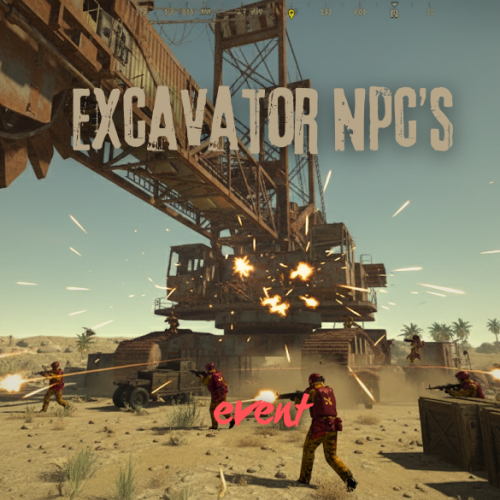
Quick question can players spawn the npcs using mine HQM, kill them all and gain tons of RP, then turn the excavator off, then switch it back on again to create an infinite loop of NPC killing? If so can you make it so their is some sort of cooldown on the NPCs spawning? Otherwise players will exploit this and endlessly spawn npc waves on my 100x server to get insane RP amounts. Thanks so much for any help this is a very cool plugin! Other plugins do too much, I just wanted defensive npcs wihout all the other things devs add so this plugin is perfect for our server.
-
 Ah I saw a support ticket that said it was broken because of the NpcSpawn plugin updates
 -
@Starkis this still broken? I want to buy it but will probably wait if its not currently working.
-
Quick question can players spawn the npcs using mine HQM, kill them all and gain tons of RP, then turn the excavator off, then switch it back on again to create an infinite loop of NPC killing? If so can you make it so their is some sort of cooldown on the NPCs spawning? Otherwise players will exploit this and endlessly spawn npc waves on my 100x server to get insane RP amounts. Thanks so much for any help this is a very cool plugin! Other plugins do too much, I just wanted defensive npcs wihout all the other things devs add so this plugin is perfect for our server.
-
Ignore
-
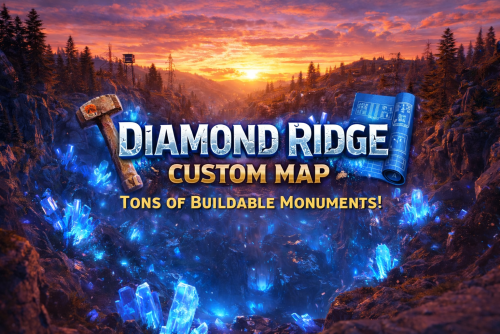
Version 8.0.0
66 downloads
DIAMOND RIDGE – 4096K CREATIVE RUST MAP Diamond Ridge is a well designed 4096k Rust map loaded with every major monument and a ton of custom build spots. Focused on beautifully crafted terrain, canyons, lakes, rivers and rock formations. Designed for smooth performance, creative freedom, and competitive gameplay. What Makes It Special: Diamond Canyon! A canyon filled with Crystal Diamonds, a glass roof and tons of space for creative building! Experience Truly Unique Buildable Cave Monuments Vanilla maps get stale fast! That’s why my custom maps go way beyond the basics. I hand-craft creative, build-friendly cave systems designed for players who want something fresh, fun, and full of possibilities. With over 30,000 hours in Rust, I know exactly what players love to build in, and every cave is shaped to deliver that perfect mix of strategy, creativity, and excitement. Fully connected train tracks + underground rails for fast travel and tactical control Endless Custom Buildable areas that players will love! Diverse terrain: forests, deserts, coasts, cliffs, valleys & plateaus Perfect for solos, clans, builders, and high-pop servers. Tons of Custom Build Zones Low-prefab, FPS-friendly buildables: Custom caves Hidden structures Unique build pockets All Facepunch Monuments Included: Launch Site • Military Tunnels • Military Base • Silo • Airfield • Power Plant • Water Treatment • Trainyard • Harbors • Outpost • Excavator • Oil Rigs • Arctic Base • Junkyard • Sphere Tank • Satellite Dish • Ferry Terminal • Sewer Branch — and more. Map Info: Size: 4096k Prefabs: ~6947 Support: Discord: DarkoRust$24.99- 2 comments
- 3 reviews
-
- 2
-

-
-
- #builder
- #buildable monument
- (and 11 more)
-
Please make it possible for the granted VIP to never expire
SlayersRust posted A Support Report in Support
Please make it possible for the granted VIP to never expire I'd like for players to earn points towards a lifetime VIP is this possible? -
 Hello @Anaconda is this in seconds or minutes? "AwardInterval": 60,
 -
Activated Locked Crates despawned when event finished
SlayersRust replied to SlayersRust's Support Report in Support
Okay I’ll let the player know. I’ll try and do more testing. The way they report it is it seemed like the just despawned the crates even after hacking and time wasn’t extended. But it could be just a bad player report so I’ll have to test more myself later -
So to fix this issue should I switch it to false or true?
-
So I started unloading plugins one at a time that utilize the cursor in the code somewhere and found out by unloading KingOfTheHill.cs Plugin that it then allowed me to use drones again normally and the cursor finally got removed from being stuck on my screen. Could we please get a fix for this? Thank you https://i.ibb.co.com/JjZN8spv/IMG-4441.jpg
-
Activated Locked Crates despawned when event finished
SlayersRust posted A Support Report in Support
Activated Locked Crates despawned when event finished. Shouldn't crates that have been hacked or are in the process of being hacked stay at the end of the event? Or is this not how it works? I assumed the end of the airfield event only crates that haven't been touched yet will dissapear -
BetterNpc custom files no longer work after the recent update.
SlayersRust replied to SlayersRust's Support Report in Support
Okay thank you kindly -
BetterNpc custom files no longer work after the recent update.
SlayersRust posted A Support Report in Support
For some reason it will not load any of your BetterNPC Custom files. Maybe its because BetterNPC had a recent update that maybe chaanged some things? Could you please fix this as these npcs play a huge role in the Fallout themed map. *EDIT:* So in game I do see scientists in a blue suit everywhere and zombies but no skinned enemies etc. For some reason now BetterNPC when typing "showallnpc" in console does not show the npcs from the custom folder for some reason. o.reload BetterNpc Unloaded plugin BetterNpc v2.1.5 by KpucTaJl [BetterNpc] Starting plugin initialization process... [BetterNpc] File Abandoned Cabins has been loaded successfully! Loaded plugin BetterNpc v2.1.5 by KpucTaJl [BetterNpc] File Abandoned Military Base A has been loaded successfully! [BetterNpc] File Abandoned Military Base B has been loaded successfully! Shutting down compiler because idle shutdown [BetterNpc] File Abandoned Military Base C has been loaded successfully! [BetterNpc] File Abandoned Military Base D has been loaded successfully! [BetterNpc] File Abandoned Supermarket has been loaded successfully! [BetterNpc] File Airfield has been loaded successfully! [BetterNpc] File Arctic Research Base has been loaded successfully! [BetterNpc] File Ferry Terminal has been loaded successfully! [BetterNpc] File Giant Excavator Pit has been loaded successfully! [BetterNpc] File HQM Quarry has been loaded successfully! [BetterNpc] File Junkyard has been loaded successfully! [BetterNpc] File Large Harbor has been loaded successfully! Compiler shutdown completed [BetterNpc] File Large Oil Rig has been loaded successfully! [BetterNpc] File Launch Site has been loaded successfully! [BetterNpc] File Lighthouse has been loaded successfully! [BetterNpc] File Military Tunnel has been loaded successfully! [BetterNpc] File Mining Outpost has been loaded successfully! [BetterNpc] File Missile Silo has been loaded successfully! [BetterNpc] File Oil Rig has been loaded successfully! [BetterNpc] File Oxum's Gas Station has been loaded successfully! [BetterNpc] File Power Plant has been loaded successfully! [BetterNpc] File Satellite Dish has been loaded successfully! [BetterNpc] File Sewer Branch has been loaded successfully! [BetterNpc] File Small Harbor has been loaded successfully! [BetterNpc] File Stone Quarry has been loaded successfully! [BetterNpc] File Sulfur Quarry has been loaded successfully! [BetterNpc] File The Dome has been loaded successfully! [BetterNpc] File Train Yard has been loaded successfully! [BetterNpc] File Water Treatment Plant has been loaded successfully! [BetterNpc] File Wild Swamp has been loaded successfully! [BetterNpc] Plugin loading progress at 8% [BetterNpc] File module_1200x1200_1way has been loaded successfully! [BetterNpc] File module_1200x1200_1way_ladder has been loaded successfully! [BetterNpc] File module_1200x1200_3way has been loaded successfully! [BetterNpc] File module_1200x1200_3way_ladder has been loaded successfully! [BetterNpc] File module_1200x1200_4way has been loaded successfully! [BetterNpc] File module_1200x1200_4way_ladder has been loaded successfully! [BetterNpc] File module_1200x1800_2way has been loaded successfully! [BetterNpc] File module_1200x600_2way_corridor has been loaded successfully! [BetterNpc] File module_1500x1500_4way_lshaped has been loaded successfully! [BetterNpc] File module_1500x1500_ladder has been loaded successfully! [BetterNpc] File module_1500x1800_2way_ladder has been loaded successfully! [BetterNpc] File module_1500x600_2way_corridor has been loaded successfully! [BetterNpc] File module_1800x1800_4way_lshaped has been loaded successfully! [BetterNpc] File module_2100x600_3way_corridor has been loaded successfully! [BetterNpc] File module_900x900_1way has been loaded successfully! [BetterNpc] File module_900x900_1way_ladder has been loaded successfully! [BetterNpc] File module_900x900_2way_moonpool has been loaded successfully! [BetterNpc] File module_900x900_3way has been loaded successfully! [BetterNpc] File module_900x900_3way_ladder has been loaded successfully! [BetterNpc] File module_900x900_4way has been loaded successfully! [BetterNpc] File module_900x900_4way_ladder has been loaded successfully! [BetterNpc] File moonpool_1200x1500_1way has been loaded successfully! [BetterNpc] File moonpool_1200x1500_2way has been loaded successfully! [BetterNpc] File moonpool_1200x1500_3way has been loaded successfully! [BetterNpc] File moonpool_1200x1800_ladder has been loaded successfully! [BetterNpc] Plugin loading progress at 14% [BetterNpc] File curve-ne-0 has been loaded successfully! [BetterNpc] File curve-ne-1 has been loaded successfully! [BetterNpc] File curve-nw-0 has been loaded successfully! [BetterNpc] File curve-nw-1 has been loaded successfully! [BetterNpc] File curve-se-0 has been loaded successfully! [BetterNpc] File curve-se-1 has been loaded successfully! [BetterNpc] File curve-sw-0 has been loaded successfully! [BetterNpc] File curve-sw-1 has been loaded successfully! [BetterNpc] File intersection-e has been loaded successfully! [BetterNpc] File intersection-n has been loaded successfully! [BetterNpc] File intersection-s has been loaded successfully! [BetterNpc] File intersection-w has been loaded successfully! [BetterNpc] File intersection has been loaded successfully! [BetterNpc] File station-sn-0 has been loaded successfully! [BetterNpc] File station-sn-1 has been loaded successfully! [BetterNpc] File station-sn-2 has been loaded successfully! [BetterNpc] File station-sn-3 has been loaded successfully! [BetterNpc] File station-we-0 has been loaded successfully! [BetterNpc] File station-we-1 has been loaded successfully! [BetterNpc] File station-we-2 has been loaded successfully! [BetterNpc] File station-we-3 has been loaded successfully! [BetterNpc] File straight-sn-0 has been loaded successfully! [BetterNpc] File straight-sn-1 has been loaded successfully! [BetterNpc] File straight-sn-2 has been loaded successfully! [BetterNpc] File straight-sn-3 has been loaded successfully! [BetterNpc] File straight-sn-4 has been loaded successfully! [BetterNpc] File straight-sn-5 has been loaded successfully! [BetterNpc] File straight-we-0 has been loaded successfully! [BetterNpc] File straight-we-1 has been loaded successfully! [BetterNpc] File straight-we-2 has been loaded successfully! [BetterNpc] File straight-we-3 has been loaded successfully! [BetterNpc] File straight-we-4 has been loaded successfully! [BetterNpc] File straight-we-5 has been loaded successfully! [BetterNpc] Plugin loading progress at 23% [BetterNpc] File BadLand_BargeVillage has been loaded successfully! [BetterNpc] File BadLand_CampInPit has been loaded successfully! [BetterNpc] File BadLand_ConcordCity has been loaded successfully! [BetterNpc] File BadLand_Diner has been loaded successfully! [BetterNpc] File BadLand_GeneralAtomics has been loaded successfully! [BetterNpc] File BadLand_JunkTown has been loaded successfully! [BetterNpc] File BadLand_LargeDam has been loaded successfully! [BetterNpc] File BadLand_MobileStation_H6 has been loaded successfully! [BetterNpc] File BadLand_MobileStation_Q22 has been loaded successfully! [BetterNpc] File BadLand_MobileStation_S18 has been loaded successfully! [BetterNpc] File BadLand_OliviaStation has been loaded successfully! 801[801] was killed by Scientist[56] at (-628.74, 115.77, 373.32) [BetterNpc] File BadLand_OpenAirCinema has been loaded successfully! [BetterNpc] File BadLand_OpencastMine has been loaded successfully! [BetterNpc] File BadLand_RadFarm has been loaded successfully! [BetterNpc] File BadLand_Radar has been loaded successfully! [BetterNpc] File BadLand_RedRocket_C16 has been loaded successfully! [BetterNpc] File BadLand_RedRocket_K7 has been loaded successfully! [BetterNpc] File BadLand_RedRocket_U23 has been loaded successfully! [BetterNpc] File BadLand_Robotics has been loaded successfully! [BetterNpc] File BadLand_Sanctvary has been loaded successfully! [BetterNpc] File BadLand_StarlineRestaurant has been loaded successfully! [BetterNpc] File BadLand_TransShipmentPoint has been loaded successfully! [BetterNpc] File BadLand_VaultTec has been loaded successfully! [BetterNpc] File BadLand_Vault_103 has been loaded successfully! [BetterNpc] Plugin loading progress at 27% [BetterNpc] File AirDrop has been loaded successfully! [BetterNpc] File Bradley has been loaded successfully! [BetterNpc] File CH47 has been loaded successfully! [BetterNpc] File CargoShip has been loaded successfully! [BetterNpc] File Helicopter has been loaded successfully! [BetterNpc] Plugin loading progress at 28% [BetterNpc] File ExtraNarrow has been loaded successfully! [BetterNpc] File ExtraWide has been loaded successfully! [BetterNpc] File Standard has been loaded successfully! [BetterNpc] Plugin loading progress at 29% [BetterNpc] File Arctic has been loaded successfully! [BetterNpc] File Arid has been loaded successfully! [BetterNpc] File Temperate has been loaded successfully! [BetterNpc] File Tundra has been loaded successfully! [BetterNpc] Plugin loading progress at 30% [BetterNpc] Monument Launch Site has been successfully loaded! [BetterNpc] Monument Airfield has been successfully loaded! [BetterNpc] Monument Power Plant has been successfully loaded! [BetterNpc] Monument Train Yard has been successfully loaded! [BetterNpc] Monument Water Treatment Plant has been successfully loaded! [BetterNpc] Monument Lighthouse has been successfully loaded! [BetterNpc] Monument The Dome has been successfully loaded! [BetterNpc] Monument Satellite Dish has been successfully loaded! [BetterNpc] Monument Abandoned Supermarket has been successfully loaded! [BetterNpc] Monument Junkyard has been successfully loaded! [BetterNpc] Monument Oxum's Gas Station has been successfully loaded! [BetterNpc] Monument Abandoned Supermarket has been successfully loaded! [BetterNpc] Plugin loading progress at 46% [BetterNpc] Plugin loading progress at 58% [BetterNpc] Plugin loading progress at 74% [BetterNpc] Plugin loading progress at 82% 796[796] was killed by Explosion at (194.51, 37.65, -914.57) [BetterNpc] Plugin loading progress at 85% [BetterNpc] Plugin loading progress at 90% [BetterNpc] Plugin loading progress at 92% [BetterNpc] All spawn groups have been successfully filled! [BetterNpc] Plugin loading progress at 96% [BetterNpc] All puzzles have been successfully reset! [BetterNpc] Completed plugin initialization successfully! showallnpc [BetterNpc] The number of NPCs from the BetterNpc plugin: - Launch Site = 12 - Airfield = 16 - Power Plant = 2 - Train Yard = 2 - Water Treatment Plant = 2 - Lighthouse = 1 - The Dome = 2 - Satellite Dish = 1 - Abandoned Supermarket = 1 - Junkyard = 1 - Oxum's Gas Station = 1 - Abandoned Supermarket = 1 Total number = 42 -
Issues redeeming Kits. So a player had an issue Redeeming Kits with this error in the image. I started going down the rabbit hole unloading plugins one by one until I figured out which one allowed him to redeem kits again when unloaded. As soon as I unloaded DeathModifier it allowed him to redeem kits again. It only effected 3 players who have what I call the GOD VIP that utilizes death modifier plugin. Players without this perm could use kits fine. https://i.ibb.co.com/YMGfKFY/image.png
-
Server crashes during map entity spawning.
SlayersRust replied to Covfefe's Support Report in Support
Very unusual I could not replicate the issue, did you try a fresh wipe deleting all sav files, occlusion files etc then try the map again? I asked a few other server owner friends to toss it on their test server and it worked for them. I'm not sure the cause as I also don't use DLC items like Mic Stand in my prefab builds within rustedit. Hope we can figure out the cause of this on your server mate