

-
Posts
249 -
Joined
-
Last visited
-
Days Won
2
Content Type
Profiles
Warranty Claims
Downloads
Forums
Store
Services
Downloads Plus Support
DOWNLOADS EXTRA
Reels
Everything posted by xNullPointer95
-
-
Changed Status from Closed to Not a Bug
-
Changed Status from Pending to Closed Changed Fixed In to 1.0.2
-
Problem solved - Usererror (Looks like filetransfer of the plugin wasnt successful on his server, so the permission was not loaded, no plugin issue)
-
Hey, can you quickly PM me on Discord https://discord.gg/rGm7VS5ERc I just tried it and it works normally for me Come discord i will check your issue
-
Depends on plugin complexity, curator availability etc. - Keep in mind that youre not alone uploading plugins.
-

Version 1.1.1
29 downloads
xCrosshair xCrosshair is a customizable crosshair system for Rust servers, giving players full control over their personal reticle/crosshair through an ingame UI menu. With multiple built-in shapes, color presets, HEX input support, outlines, and adjustable visual parameters, each player can design a crosshair that fits their preferred style. Features 7 crosshair shapes Full customization options Size Thickness Alpha/Transparency Outline toggle RGB/HEX color selection Quick-use color presets Per-player saved settings Chat Commands /crosshair - Opens the crosshair settings menu /ch - Opens the crosshair settings menu Permission xcrosshair.use - This permission is needed to use the crosshair. Preview ^ Sorry for bad video quality.$12.99 -
Hey community, i'm already wishing you pre-happy new year wishes and all the best for the year 2026! I enjoyed the stay at codefling in year 2025 completely and i'm also grateful for all the stuff, lets keep it up - THANKS Additionally i'm giving you -50% special sale on all files until 4th january 2026. Best regards xNullPointer95
-
- 1
-

-
Changed Status from Pending to Not a Bug
-
OK - Thanks
-
@MadDom Hello, i just retested it - "purge.run" is considering correctly the configurations. Additionally i checked the code for it again and yes its considering the configurations, out of the code its not even possible to ignore the configurations with "purge.run" it also can not happen accidentally. In fact the issue would've reported already if there were not correct purges, since the manual command uses the same methods as the automated one, there is no special behavior to it, its the same (Considering Configs etc..). Only "purge.player PLAYERNAME" is ignoring the configurations as the explanation at console commands already says. You said you use default config, so i assume players inactivity were 7 days+ then they do. I tested also mine with 6days and 6 and a half, still no purge. If you know how to reproduce your personal issue with the plugin, you can contact me with explanation how to reproduce, data file & config file. It is not a bug of the plugin.
-
Hi, sorry to hear that incident - I will check and retest when im home and give a feedback.
-
Okay
-
Hi, also wishing the codefling community merry christmas. Enjoy your time with your family & good food xNullPointer95
- 1 reply
-
- 2
-

-
-
 I made my skill system with this, i like it, but i would highly looking forward to an update to bring it up-to-date and fix some small issues.
 -
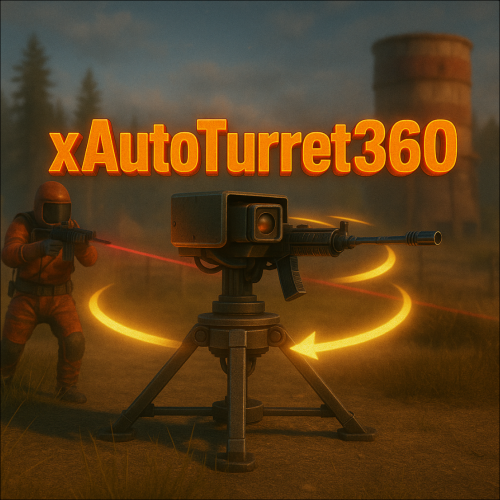 @maxalt Join Discord: https://discord.gg/rGm7VS5ERc And i'll test it So we dont spam the discussion thread
 -
You are welcome. Oh thats not cool - Just use Rust defaults then This plugin doesnt touch attack styles or whatever, its only about the firing arc. to grant a 360° detection
-
Depends on curator availability, AI content and plugin size/complexity. Usually its max. 1 week, but often its also only some hours - You can't tell a fixed plugin review time of course as reasons mentioned above and each plugin has a different size/complexity to review. You will definitely get a result as private message.
-
Go to the file and find the "Support" Tab -> Click it -> Click "New Support Request" and ask your question(s)
-
Hi, tbh i didn't try it, but it patches its firing arc, so im pretty sure it will work, since the core behavior of AutoTurret (which is shared by all auto turrets) will be patched with a HarmonyPatch
-

Version 1.1.2
180 downloads
xPermissionManager A modern, intuitive, and powerful permission management tool for Rust servers. xPermissionManager provides a complete visual interface for managing user and group permissions directly ingame. No more console commands, guesswork, or digging through permission lists. Everything is organized, accessible, and easy to control through an straight forward UI. Whether you're adjusting a single permission, overseeing full group structures, or assigning temporary access, xPermissionManager gives server owners a fast and efficient possibility to do so. Plugin Preview (Video) Full Permission Control Grant or revoke any permission from groups or individual players. Timed Permission System Assign temporary permissions that automatically expire (e.g., 30m, 1h, 1d, 1w, custom durations). Timed Group Memberships Add players to groups for a limited time - Perfect for kits, VIP, special events or whatever. Comprehensive UI A clean and intuitive interface for browsing permissions, switching groups, managing users, and applying timed access. User & Group Browsing View all available groups, check individual player permissions, and toggle them instantly. Clear Feedback Every change is acknowledged with clear messages to help admins avoid mistakes. Permission xpermissionmanager.use // Allows a player to open and use the xPermissionManager UI Chat Commands /xpm /xpmuser <name or steamID> /xpmtimed /xpmgroups /xpm [Opens the Permission Manager UI] PERMISSION OR ADMIN REQUIRED /xpmuser <name or steamID> [Opens the UI for managing a specific player’s permissions/groups] PERMISSION OR ADMIN REQUIRED /xpmtimed [Shows all active timed permissions for a player. Includes remaining duration and whether they came from a group] /xpmgroups [Shows all active timed group memberships for a player] Console Commands </> API$11.99- 2 comments
- 2 reviews
-
- 3
-

-
-
- #permission
- #manager
- (and 20 more)
-

Version 1.2.1
96 downloads
xNpcFreeze xNpcFreeze is a Rust plugin that completely disables AI for NPCs by stripping their brain components as they spawn. Scientists, Tunnel Dwellers and animals still exist and can be interacted with, but they will no longer roam, think, or attack - Perfect for PvE building servers, cinematic setups, or performance-focused environments. > CH47 at oil rig etc. will work and fly/land normally Features Freeze NPCs (Animals, Scientists, Tunnel Dwellers) Option to disable radiochatter (sound) from scientists Commands (Admin required) /xnf - Opens the ingame config editor Config { "FreezeAnimals": false, "FreezeScientists": false, "FreezeTunnelDwellers": false, "MuteScientistRadioChatterSound": false }$8.99 -

Version 1.0.5
35 downloads
xMarkToTeleport xMarkToTeleport is a quality-of-life plugin for Rust that allows players to instantly teleport to a map marker they place. Simple, intuitive, and server-friendly, this plugin adds fast travel without commands, UI spam, or complex setup. Just place a marker on the map and you’re there. Tipp: Double rightclick on the map to teleport and automatically remove the map marker at the same time. Features Automatically teleports the player when they place a map marker. Intelligent collision checks ensure players never teleport inside terrain, buildings, or deployables. (No glitchy teleports :)) Prevent abuse with a per-player cooldown (Configurable). Restrict usage to admins, VIPs, or specific groups. (Permission) Safely dismounts players before teleporting to avoid mount issues. (Configurable) Permission xmarktoteleport.use Chat Command /mtt - Toggle if mark to teleport is on/off Config { "RequirePermission": true, "CooldownSeconds": 1.5, "DismountBeforeTeleport": true, "PreventTpWithNoTpFlag": false } Preview$6.79 -

Version 1.0.3
19 downloads
xScrapBag xScrapBag adds a virtual scrap storage system to your Rust server, allowing players to automatically store, manage, and transfer scrap without clogging their inventory. Features Automatic Scrap Storage Scrap picked up by players is automatically stored in their Scrap Bag Optional player chat notification when scrap is stored Prevents scrap from filling inventory slots Manual Deposit & Withdraw Deposit scrap from inventory into the Scrap Bag Withdraw stored scrap back into inventory Player-to-Player Scrap Transfer Transfer stored scrap to other online players via UI Persistent Data Storage Scrap balances are saved automatically Death Handling Option to reset stored scrap on death Or keep scrap safe after death - your choice. Plugin Preview Chat Commands /scrapbag /xsb /* Both chat commands will open the scrapbag UI */ Permission xscrapbag.use Config { "PermissionUse": "xscrapbag.use", "ResetStoredScrapOnDeath": false, "StoreScrapAutomatically": true, "StoreScrapAutomaticallyPlayerMessage": true }$9.99 -
Hi there, just had an idea - It would be very cool if we have a plugin upload template, so i think we should have the possibility to create a plugin template (Title, Body, Price, License, Formatting etc.) and when uploading a plugin we can select a template if we have one created before - So we just have to replace small things and each plugin upload summary/description will look static and consistent, of course each user can has its own template How would you feel about that?
-
- 1
-