


-
Posts
249 -
Joined
-
Last visited
-
Days Won
2
Content Type
Profiles
Warranty Claims
Downloads
Forums
Store
Services
Downloads Plus Support
DOWNLOADS EXTRA
Reels
Everything posted by xNullPointer95
-
I tried to make a fresh install of xPermissionManager: As i guessed you might accidentally changed something - Just download it again and move it into plugins.

-
Good Morning, english please - Did you change acidentally something? Try to download and move ot again into plugins
-
Hey, thank you - Very nice, and thank you i will come back to
-
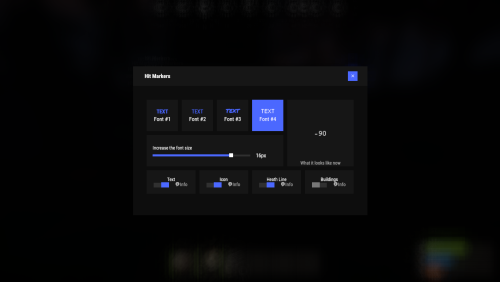 That looks sexy as hell, well done
 -
Hi, get in touch with the developer of the plugin.
-

Allow only one "title" to be selected
xNullPointer95 replied to TopBuffalo's Support Report in Support
Added in v.1.0.5 -
Allow only one "title" to be selected
xNullPointer95 replied to TopBuffalo's Support Report in Support
Changed Status from Work in Progress to Fixed -
 No
No -
Hi, each player can move the mini HUD already. -> Click the HUD Button on the mini HUD, arrows will appear to move it - Position is per player then. As serveradmin you can define if mini HUD is "left" or "right" by default.
- 15 comments
-
- 1
-

-
- #skill system
- #level system
- (and 27 more)
-
Hi, any news?
-
I'm looking for someone who could create a plugin
xNullPointer95 replied to ynzo's topic in Requests
Write me on discord with your request and we'll see -
Discord bot submission/Review (over 1 month)
xNullPointer95 replied to Carl.py's question in Support
Yes, thats normal lol. I also have a Discord Bot submission that has been waiting for exactly 1 month today, and a Rust plugin that has been waiting for more than a month without any review. I already told you on Discord that you are not an exception. Its the same for everyone. I still wonder why you created a ticket since i also told you on discord that complaining/asking about it doesnt speed it up. All the best -
Added in v.1.6.0 (newest version)
- 15 comments
-
- 1
-

-
- #skill system
- #level system
- (and 27 more)
-
Allow only one "title" to be selected
xNullPointer95 replied to TopBuffalo's Support Report in Support
Changed Status from Pending to Work in Progress Changed Fixed In to Next Version -
Allow only one "title" to be selected
xNullPointer95 replied to TopBuffalo's Support Report in Support
Good Morning, thanks for reaching out and the feedback I understand you want that players cannot use same title with same name. Thanks for the suggestion this makes much sense, i will add this in next update. (Ill add a new config like "AllowSamePrefixName" or so) Thanks -
No - I will give an option on the next update to select between some areas.
- 15 comments
-
- 1
-
-
- #skill system
- #level system
- (and 27 more)
-
Changed Status from Pending to Fixed Changed Fixed In to 1.0.4
-
Ty - This is due the new update. I'm fixing it now.
-
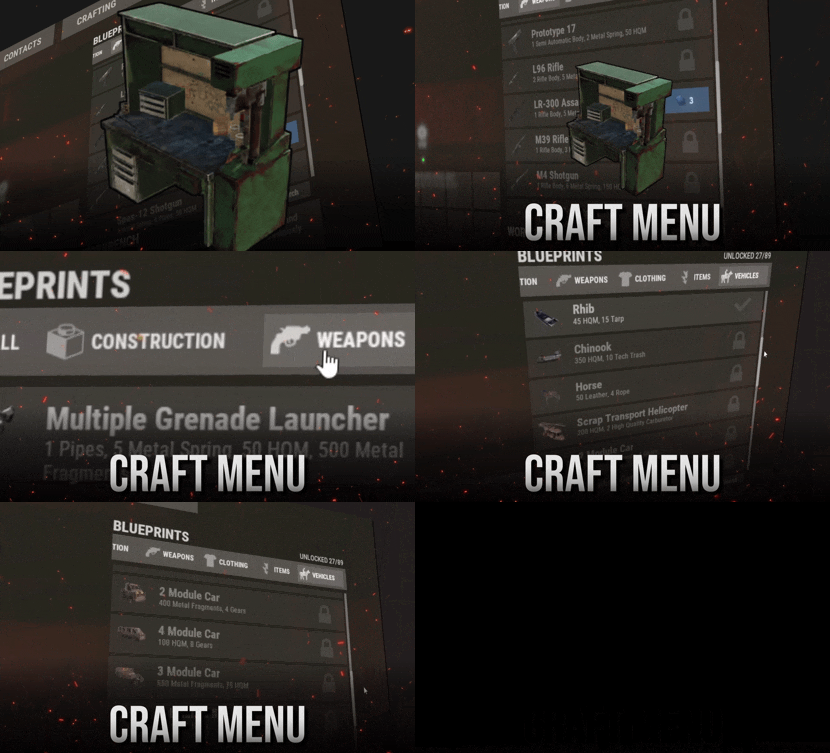 Looks awesome!
 -
 Hey, thank you for your purchase and your feedback. I will think of that, doesnt sound that bad
 -
Dont laugh, i just woke up and opened my eyes before, just answered fast so you dont feel im ignoring you On unload only new entities gets vanilla behavior. The already placed entities will continue working with wireless power. (Commands will not work anymore since they are getting unregistered automativally when plugin unloads) - So after unload new placed IO Entities has vanilla behavior. This brought me now to the idea to have a new config to decide if wireless power behavior stays patched or not. Regarding the limit: You mean a placement limit right? So example if you have configured "ceilinglight" -> "5" you can only place 5 ceilinglights after placing a 6th it would say like "Limit reached 5/5" or so, right? Is it really needed or is it specifically ment for auto turret? Question: Do you use any plugin to detected a raid? Thank you Btw. you can join our discord to communicate faster https://discord.gg/rGm7VS5ERc
-

Version 1.1.8
65 downloads
xStackSize xStackSize gives you full control over item stack sizes on your Rust server. Globally and permission-based. Fine-tune your economy, balance progression, or create VIP advantages with flexible and performance-friendly stack management. Whether you want larger stacksize for QoL, custom stacksizes for specific groups/permission, or complete control over your servers stacking system. INFO: xStackSize supports multiple permissions at the same time. If a player has more than one stack permission, the plugin automatically applies the highest stack size based on your configuration. The highest value always wins - whether it's global or permission-based. Example: If global is set to x3 and a permission gives x1, the player will use x3 since it’s higher. (If he has that permission) Features Global stack size control Permission-based StackSizes (VIP / ranks / groups) Custom StackSize per item Custom StackSize for CUSTOM ITEMS Force Split/Merge changed StackSize INSTANT instead of waiting for players to move items manually Blacklist items Easy to configure Performance friendly designed Additionally supports Quarries, Excavator, Furnaces and Conveyors Permission-based StackSizes: You can use any permission name in the config, as long as it starts with xstacksize. Examples: xstacksize.pro, xstacksize.vip, xstacksize.premium etc.. You can create multiple stack-size permissions. Simply copy and paste a new permission block in the config and give it a different permission name. Various Constellations (Examples, for better understanding) Console Command xstacksize.refresh (Useful if you have AutoApplyStackSizeChange set to 'false') Force-applies current stack rules to existing items immediately. It recalculates limits and retroactively normalizes/merges stacks in player inventories and storage containers without requiring item movement. Config (Use value '0' for UNLIMITED) { /* AutoApplyStackSizeChange force splits/merge items instantly instead of waiting for players to move items manually. */ "AutoApplyStackSizeChange": true, "AllowUnstackableItemsToStack": false, "StackSizeMultipliers": { "Weapon": 1.0, "Construction": 1.0, "Items": 1.0, "Resources": 1.0, "Attire": 1.0, "Tool": 1.0, "Medical": 1.0, "Food": 1.0, "Ammunition": 1.0, "Traps": 1.0, "Misc": 1.0, "Component": 1.0, "Electrical": 1.0, "Fun": 1.0, "CustomItems": 1.0 }, "FixedItemStackSizes": { "wood": 0, "stones": 0 }, "PermissionFixedItemStackSizes": { "xstacksize.vip": { "wood": 5000, "wood:123456789": 100, "-2099697608:123456789": 200 } }, "PermissionStackSizeMultipliers": { "xstacksize.vip": { "Weapon": 1.0, "Construction": 1.0, "Items": 1.0, "Resources": 1.0, "Attire": 1.0, "Tool": 1.0, "Medical": 1.0, "Food": 1.0, "Ammunition": 1.0, "Traps": 1.0, "Misc": 1.0, "Component": 1.0, "Electrical": 1.0, "Fun": 1.0, "CustomItems": 1.0 } }, "BlacklistedItems": [ "pumpkin" ] }$15.99 -
Version 1.1.2
35 downloads
xAutoCodelock xAutoCodelock enhances the building experience by intelligently automating one of the most repetitive tasks in Rust - managing code locks. By automatically placing, configuring, and securing locks using each player’s personal PIN, the plugin removes friction without altering the core gameplay balance. Players can focus on building, defending, and progressing, while their base security is handled smoothly in the background. Features Automatic Code Lock Placement (Configurable) Automatically places a code lock when players build deployables with lock slots (Door etc.). Toggle if code lock item is required or not Personal Auto PIN System Players set a 4-digit PIN once - All future locks use it automatically. Auto Lock Newly Placed Locks (Configurable) Newly created locks are instantly locked for security. Tool Cupboard Requirement (Configurable) Can require building privilege before automation triggers. Team Access Control (Configurable) Option to allow or require team members to enter codes. Permission based usage (Configurable) Control who can use auto codelock via permissions. Admin Inspect Command Admins can check player PIN status and if player has permission to use xAutoCodelock. Persistent PIN Storage Player PINs saved across restarts. Optional Wipe Reset Automatically clears PIN data on map wipe if enabled. Plugin Preview Player Commands /xpin 1234 → Set your auto PIN /xpin remove → Remove saved PIN /xpin → Show current PIN Admin Command /xpin check <player name or steamid> Permissions xautocodelock.use - Required to use '/xpin' command xautocodelock.admin - Required for the '/xpin check' command Config { "CommandSetPin": "xpin", "RequirePermission": true, "PermissionUse": "xautocodelock.use", "PermissionAdminInspect": "xautocodelock.admin", "AutoLockNewCodeLocks": true, "AutoPlaceCodeLocks": true, "AutoGenerateCodeIfNotSet": true, "RequireCodelockItem": true, "RequireToolCupboard": true, "RequireCodeForTeamMembers": true, "ResetDataOnWipe": false } Language { "NoPermission": "You don't have permission to use this command.", "CommandUsage": "Usage: /{0} 1234 or /{0} remove\n» Current PIN: {1}", "PinNotSet": "NOT SET", "PinRemoved": "Auto PIN removed.\n» New code locks will no longer be configured automatically.", "NoSavedPin": "You don't have a saved auto PIN.", "NoSavedPinAutoGenerateDisabled": "You don't have a saved auto PIN.\n» Set one with /{0} 1234.", "InvalidPin": "PIN must be exactly 4 digits (0000 - 9999).", "PinSet": "Auto PIN set.\n» Newly placed code locks will be automatically locked with your PIN.", "PinAutoGenerated": "No auto PIN was set, so one was generated for you: {0}\n» Use /{1} <pin> to change it.", "InspectUsage": "Usage: /{0} check <player name or steamid>", "InspectPlayerNotFound": "Player not found: {0}", "InspectMultiplePlayers": "Multiple players matched: {0}. Use full name or SteamID.", "InspectSummary": "Inspect: {0} ({1})\nSaved PIN: {2}\nHasPermission: {3}" }$12.99 -
Youre welcome. It wasn't a bug, but i just released a new version which lets you detect players which are not in config and if missing it moves that steamid automatically to the data file, so on next purge schedule they will be deleted :). I have also edited the plugin page with a description.
-
Changed Status from Pending to Fixed Changed Fixed In to 1.0.4
