
-
Posts
249 -
Joined
-
Last visited
-
Days Won
2
Content Type
Profiles
Warranty Claims
Downloads
Forums
Store
Services
Downloads Plus Support
DOWNLOADS EXTRA
Reels
Everything posted by xNullPointer95
-
Lol thanks, thats weird - Alos had vanished active. Thanks for letting me know tho.
-
@NukeSter Will close support request in 24hours if no new feedback arrives.
-
There a spawn group commands. The plugin doesnt prevent them from spawning lol
-
I just tried it in the meantime - It works for me, they dont shoot and dont move.
-
Any feedback?
-
Ok, thank you - Please let me know
-
When you set it to true, did you reload the plugin and wait some time, it takes a short time to get effective.
-

Version 1.0.0
11 downloads
xRespawnProtection gives players a short safe moment right after they got killed. They cannot be damaged by other players for a few seconds (depending on config) after coming back to life. The goal is to prevent instant spawn-kills and make respawning feel fairer. Permission xrespawnprotection.use - Players with this permission get the respawn protection timer. Config { "ProtectionSeconds": 5.0 }$5.00 -
 I forgot to write it here, but its fixed now
 -
Thank you for letting me know, your completely right! Ill update when im at home today
-
Version 1.0.1
12 downloads
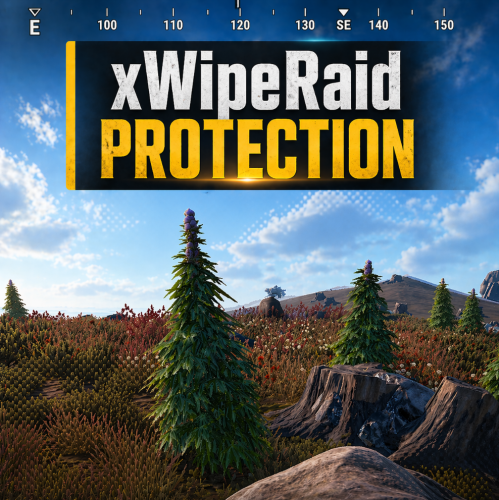
xWipeRaidProtection Protect your players hard work with this simple and reliable raid protection plugin. This plugin is designed to prevent players from losing everything during wipe periods or unfair raid situations. It helps create a more balanced and enjoyable experience by giving players peace of mind that their bases and items are safer. With easy setup and automatic protection features, server owners dont need to worry about complicated configurations. Once installed, the plugin works quietly in the background to reduce frustration, encourage fair gameplay, and keep your community happy. No datafile - Countdown Time is depending on creation time of new save file (after wipe). </> Commands (Admin Only) /xwrp move - Gives you the possibility to move the whole UI ingame without doing anything manually in the config. /xwrp reset - Reset the UI position to the initial position. Config { "ProtectionHours": 1.0, "AllowLadderPlacement": false, "ProtectionOverMessage": "<color=#55ff88>Global Raid protection is over, happy raiding!</color>", "BlockedDamageMessage": "<color=#ff6b6b>Global Raid protection is active\n</color>» You must wait <color=#ffd166>{0}</color> before damaging bases.", "BlockedLadderMessage": "<color=#ff6b6b>Global Raid protection is active\n</color>» You must wait <color=#ffd166>{0}</color> before placing ladders.", "UiAnchorMin": "0.41 0.897", "UiAnchorMax": "0.59 0.955" }$15.99 -
 Yes - But will update today since it makes sense to add a permission.
 -
Changed Status from Pending to Not a Bug
-
Hello, sure i do thats also the reason why i updated it some days ago. Im pretty sure this comes from another plugin, since i hook into it and cancel the bleeding (doesn't matter from where bleeding was triggered). So if there is any bleeding triggered it will get directly cancelled. Did you consider that the permission name changed to "xnobleeding.use"? If you know why i can help you and check it, otherwise not, since as i mentioned cancel the bleeding (doesnt matter how its triggered).
-
Chat Styles (Names, Messages & Prefixes)
xNullPointer95 commented on xNullPointer95's file in Plugins
 Hop on our discord https://discord.gg/rGm7VS5ERc - I dont own SkillTree Plugin, but i do have customers which uses SkillTree didn't hear anything yet about any issue with it. Join the discord so we can continue talking what exactly you mean.
 -
Version 1.0.1
9 downloads
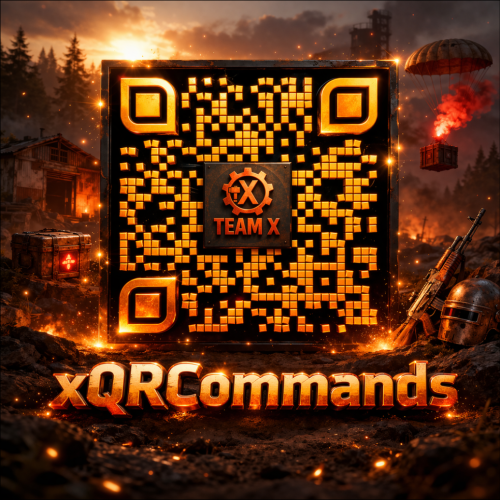
xQRCommands lets you automatically create and use custom QR code image links that can be mapped to custom chat commands, which players can use. With the /xqrcreate command, users with permission can generate a QR code image from any link (Discord, store, vote page, etc.), have it downloaded automatically, and register a new chat command right away. Players can then use that command to open a clean in-game QR code image UI. It also includes permission-based control for management commands and force-showing QR codes to players when needed. » Supports PNG, JPG, and JPEG formats » For QR code image generation, the GoQR API is being used. Features Automatic QR code image creation from links Automatic image download and local caching Custom command-to-QR mapping (e.g., /discord, /store, /vote) Automatic chat command registration after image is ready Force-Show QR UI to specific online player(s) Use config for custom image urls or ingame command to auto. generate simple QR Code Images. For fancy QR Codes as in the Video shown, i can recommend "QRCode Monkey" Plugin Preview Video Permissions / Commands xqrcommands.create Allows use of: /xqrcreate <COMMANDNAME> <LINK> » Example: /xqrcreate discord https://discord.gg/rGm7VS5ERc xqrcommands.forceshow Allows use of: /xqr <PLAYERNAME/STEAMID64> <imagename> » Example: /xqr Player123 discord Config { "CommandMappings": [ { "Command": "discord", "ImageUrl": "https://example.com/discord.png" }, { "Command": "store", "ImageUrl": "https://example.com/store.png" } ] }$14.99 -
![More information about "Automatic Plugin Release/Update Notifier [Discord]"](https://codefling.com/uploads/monthly_2026_05/plugin_psd.thumb.png.9f7e3b7f17f5eb44b54090c7a8820870.png)
Version 1.0.5
35 downloads
Automatically track your new plugin releases and your plugin updates on Codefling and receive Discord notifications via webhook. (Using Codefling Public DB API) This Node.js service continuously monitors configured plugin author’s and posts clean, well-formatted embed messages whenever something changes - no manual discord messages required anymore. It’s probably most interesting for creators, but if you want to keep up with releases or updates from specific plugin authors, you’ll find it useful too. Features Automatic new plugin release notifications by specific plugin authors. Automatic plugin update notifications on every version change by specific plugin authors Smart first-run detection (no notification spam on initial startup) Persistent version tracking Webhook-only (no Discord bot token needed) Disable discord messages for specific plugins Requirements Node.js 18+ npm Discord webhook URL HowTo Use Download ZIP Extract ZIP Go into the folder (DiscordBot) and open CMD, GitBash whatever to install some dependencies 1: npm install express axios node-cron 2: npm install -g pm2 (If you dont want to use pm2 you can ignore step 2 and 3 and use "node server.js" instead) 3: pm2 start server.js --name codefling-watcher If you run server.js for the first time, another file is being created "settings.json", open it, adjust it to your needs and run server.js again. DONE! Disable Discord Messages for specific Plugins Settings { /************************************************************************/ /* If you want to use multiple plugin authors, separate them by a comma */ /* Example: "PLUGIN_AUTHOR": "xNullPointer95,Wrecks,death", */ /************************************************************************/ "PLUGIN_AUTHOR": "xNullPointer95", "DISCORD_USERNAME": "Team X - Assistant", "AVATAR_URL": "https://cdn.discordapp.com/app-icons/1425608886030700736/c7b9cdb2545db330bfc0572256863151.png?size=512", "CRON_TIMER": "*/2 * * * *", "WEBHOOK_URL": "", "ShowChangelog": true, "ShowDownloadButton": true, "ShowViewFileButton": true, "DisableCheckMessages": false }$7.99 -
 No, it doesnt keep the banned players part just because teammates are still in the team. So in a shared base: Anything owned/placed by the banned player gets removed. Anything owned/placed by other teammates stays. It does not check team/clan/TC authorization before deleting.
 -
 Aslong as the component is "AutoTurret" it will work, but i cant guarantee/confirm it, since i dont have the Sentry Turrets Plugin to test.
 -
 Yes - It always worked properly.
 -
Chat Styles (Names, Messages & Prefixes)
xNullPointer95 commented on xNullPointer95's file in Plugins
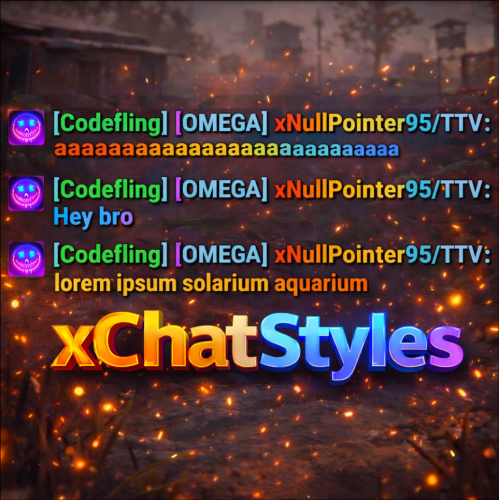
If we mean the same one, i can clearly see a difference by my images and description if you've read it. Chat Styles UI Chat Styles Web Editor Permission-Based Styles (Add as much permission as you want, each permission can have different styles) Non-permission Styles No overlaoded configuration file Trade Prefix System (Optional) -
Chat Styles (Names, Messages & Prefixes)
xNullPointer95 commented on xNullPointer95's file in Plugins
Hey, yes there are console commands to add/remove - Remove is a bit tricky with providing index - It will work with removing prefix by name on todays update. Since you want an automation for adding/removing prefix it would be best to use permission based style. As of your text it looks like u can shoot console commands when someone entered/left a clan. - For instance you could use permission "xchatstyles.clan" when someone enters the clan and revoke it on leave - so it will automatically added/removed. -
.thumb.gif.85db1086c3a89ac3c74d631b5eb77942.gif) It can be done in a performance optimized way without ImageLibrary - I did it myself for the skill system. Im just asking because i'd like to buy it but not with ImageLibrary Requirement
It can be done in a performance optimized way without ImageLibrary - I did it myself for the skill system. Im just asking because i'd like to buy it but not with ImageLibrary Requirement -
Hey, can you do a custom imagecache so we arent forced to use IMAGELIBRARY?
-
Changed Status from Pending to Not a Bug


