
The Real Butter
-
Posts
59 -
Joined
-
Last visited
Content Type
Profiles
Warranty Claims
Downloads
Forums
Store
Services
Downloads Plus Support
DOWNLOADS EXTRA
Reels
Everything posted by The Real Butter
-
 My legendary item Adding roll ranges to the mods- Example below. "ZPS": { "Item shortname": "bdu.shirt", "Item skin": 0, "Restrict enhancement": false, "Announce in chat when this item drops for the player?": true, "Send a UINotify message to the player when this item drops?": false, "List of perks and modifiers that the item has [perk: modifier]": { "ScientistWard": 0.25,<-------What we have now What we need-------->Roll range of 0.15 - 0.25 "BeastWard": 0.25,<-------What we have now What we need-------->Roll range of 0.15 - 0.25 "UncannyDodge": 0.1<-------What we have now What we need-------->Roll range of 0.05 - 0.1 }, "Description about the item that is shown when mousing over the ownership banner [blank/null = nothing]": "Nothing", "How many armor mod slots will the item spawn with? [won't exceed item definitions max cap]": 4
 -
Can we get a way to make roll ranges for the perks on legendary items. Or explain how we can do it if we already can.
-
 Posting on the right plugin....
 -
So i deleted everything again as if never on server... [DynamicMonuments] Data files were not found, or are corrupted. Move the contents of the data folder from the archive to the oxide/data folder on your server! Everything is where it needs to be.
-
Here is my config maybe its in here... DynamicMonuments.json
-
I deleted everything. as if it was never on the server. And got the new update. It is still saying its data file cannot be found or has been corrupted. [DynamicMonuments] Data files were not found, or are corrupted. Move the contents of the data folder from the archive to the oxide/data folder on your server!
-
yes
-
I updated this month. Now it says [DynamicMonuments] Data files were not found, or are corrupted. Move the contents of the data folder from the archive to the oxide/data folder on your server! They are there i have even Uploaded a new copy of them...
-
You have to edit the base plugin, so you need to know how to code.
-
If you know what you are doing yes. I have put 4 in mine. I added BuildingDamage (More damage to buildings with melee and bow hits.) For ECO raiding. I added MovementSpeed. I added ExplosiveDamage. I added FireDamage.
-
I have the somewhat the same problem. On "Ancient Dam" the NPC's were stuck in the same spot for a min while someone else was taking the monument. Then they fell through the Entire monument onto the ground. On the Temple They all Just Strait fell through the doors/floors and the Stones and were Running under the monument.
-
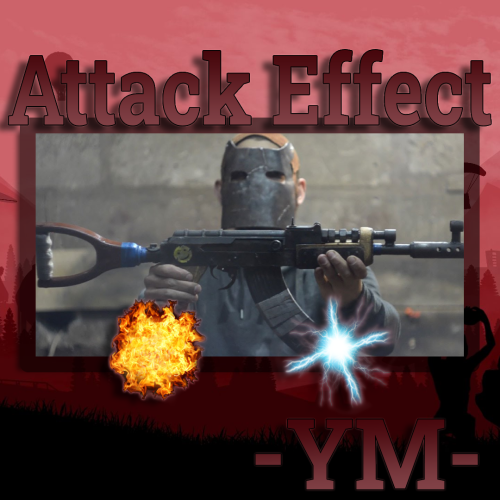 Do these effects deal damage if not could we make them?
 -
Could we get a List of items that cannot drop/looted enhanced. So Listed items will not be in the pool to drop enhanced, but can be enhanced with kits. I want no guns to drop enhanced, IDC if they are enhanced after. I'm using: "Use Rust's default loot profile? [true: Will only give items that the container could provide]": true, But Guns are meant to very rare on my server and they drop way to much with this. turning it off makes it worse. Thanks in advance.
-
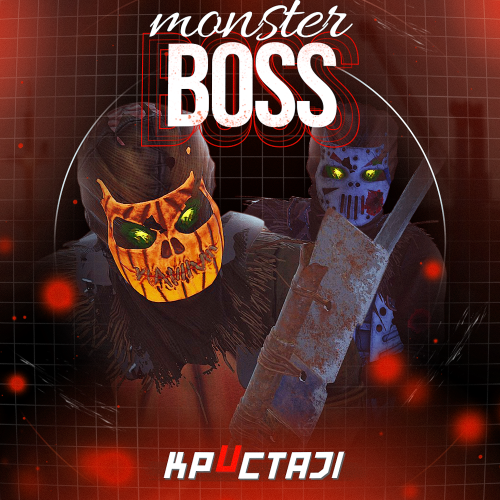 Can we get an option in config to put a ability cooldown. between skills. I have a boss using three ability's and i have "Use only one ability at a time? [true/false]": true, But he just uses them 1 second after each other instead of all three at the same time. it would be nice if we could put a cooldown of at least a few seconds between any skill uses. And so you know i have all ability cooldowns at different times but at the beginning of the fight he just pops all three and its a little rough. if they could use one Ability then wait 10 second as configured then use a random other ability that would be awesome! Just in case you are wandering. "All actions that occur with the player within the NPC radius": { "Use only one ability at a time? [true/false]": true, "Radius (to disable all abilities, set the value to 0)": 25.0, "Spikes ability cooldown time (to disable the ability, set the value -1)": -1, "Applied damage to player from Spikes": 0.0, "FireBall ability cooldown time (to disable the ability, set the value -1)": 60, "Applied damage to player from FireBall": 5.0, "ElectricShock ability cooldown time (to disable the ability, set the value -1)": 160, "Applied damage to player from ElectricShock": 0.0, "Wounded ability cooldown time (to disable the ability, set the value -1)": -1, "Freeze ability cooldown time (to disable the ability, set the value -1)": 120,
 -
 Blacksmith isnt working...
 -
Assuming the plugin is running fine. Then i would say that you gave them the wrong one. I would check it. And if you are using the "oxide.grant default" style i would recommend you get "Permissions manager" or "admin menu" plugin or something like them. It would make life a little more EZ for you! I would also run "oxide.revoke group default skilltree.admin"
-
If I have discord Extension for oxide in the extension folder for carbon could it be messing things up? I have discord Chat and it only sends the chat to discord but not back. This has been happening since I switched to carbon.
-
 I tried Every type Spawned in. all go to normal bones Just FYI I am on carbon.
 -
It is in normal inventory. I haven't tried backpack. its only from crush skull skinning still give the the Right bones. Crushing don't
-
Not sure i just got the plugin
-
{ "Main config": { "Debug": false }, "Convert Bones": true, "FX on Fail Crush": "assets/prefabs/misc/halloween/skull_door_knocker/effects/door_knock_fx.prefab", "Bones From Skullcrushing": { "Bear Bones": 30, "Boar Bones": 15, "Chicken Bones": 10, "Horse Bones": 25, "Shark (fish)Bones": 40, "Stag Bones": 15, "Wolf Bones": 20 }, "SkinID's Skulls": { "Bear Skull SkinID": 2582058305, "Boar Skull SkinID": 2582176436, "Chicken Skull SkinID": 2582166639, "Horse Skull SkinID": 2582200089, "Shark Skull SkinID": 2583809564, "Stag Skull SkinID": 2582184045 } }
-
Carbon
-
Crushing skulls don't convert them into the right bone type. It just makes them all Bone frags. My setting in config is "Convert Bones": true,
-
Crafting Speed Doesn't do anything at the moment
-
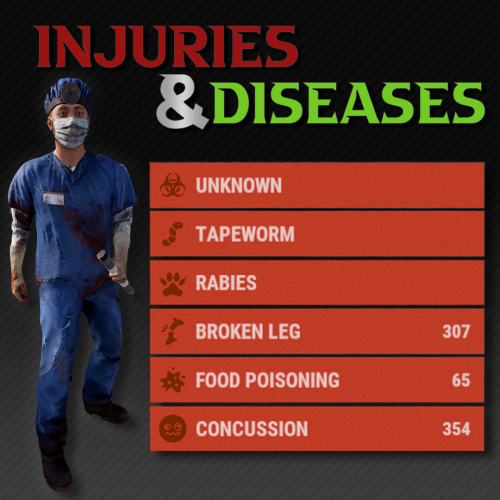 I guess you you have player revive plugin. The Remove on death doesn't work. The status goes away but you still have the disease. Anyone have a fix? Now after I revive on beach I still have it and the cure I have in the config isn't working as well. More testing Rabies is the only on doing it. Its just broke... Needs a fix