
-
Posts
171 -
Joined
-
Last visited
Content Type
Profiles
Warranty Claims
Downloads
Forums
Store
Services
Downloads Plus Support
DOWNLOADS EXTRA
Reels
Everything posted by NINJA WORKS
-
 I will research whether that function can be implemented.
 -
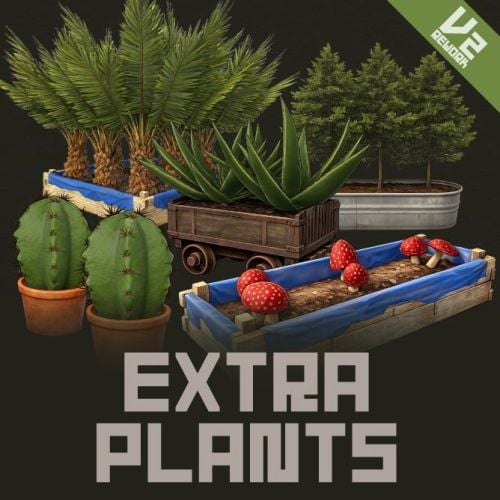 Hello. While it doesn't have any functional integration, it's useful if you want to harvest Ganja items from sources other than hemp using Extra Plants. I have the Ganja plugin and confirmed that I can add and harvest Ganja items from the Extra Plants harvest list, so I've registered it under "Works with".
 -
Hello. I don't own any industrial plugins created by other authors, so unfortunately I can't guarantee compatibility with other plugins.
-
Version 1.0.5
39 downloads
Electric Miner Why not convert your excess electricity into a resource? Electric Miner brings the Mining Quarry and the Pump Jack to life as fully automated, electricity-powered machines that players can build wherever they want. There's no need to fight over a monument quarry anymore. Just place a machine on your own base, run a wire to it, choose what you want it to produce, and let it work. Each machine has a clean animated interface, an engine you can upgrade for bigger yields, and a liquid system on the Pump Jack for pumping water where you need it. Two placeable machines: the Electric Miner (a mining quarry) and the Electric Pump Jack (an oil and liquid pump). Both are handed to players as a deployable item. A live placement guide draws the machine's footprint with marker spheres as you aim, so you always know exactly where it will land before you commit. Placement is checked against slope, water depth, roads, monuments, safe zones, no-build zones, nearby obstructions, and other players' building privilege. Machines run on real power. They only start once you've wired them to a power source and flipped the switch, and they draw from the upstream battery while they run. Players choose what each machine produces from an in-game menu, whether that's the ore the Miner digs or the liquid the Pump Jack outputs. An engine upgrade system lets players spend materials to push the machine through several tiers, each one raising the yield multiplier. Upgrading plays a sound and fills an animated progress gauge. The Pump Jack stores liquid internally and can feed it out through a hose to a water container or sprinkler, which is handy for irrigation and base setups. Machine lights turn on by themselves whenever there's power, giving you an instant visual cue that everything is connected. Only the owner, their team, and admins can flip the switch, open the menu, or pick a machine up. Nobody else can touch it. Pick a machine back up with a hammer and it returns to your inventory as an item, as long as it's healthy enough, and any stored contents drop to the ground. The selected resource, engine tier, stored liquids, chosen output liquid, and durability are all saved and survive server restarts. The interface animates open and closed, uses a clean card layout for selections, and supports your own custom background image. Built-in translations for English, Japanese, Simplified Chinese, Traditional Chinese, Russian, Ukrainian, and French. English (en), Japanese (ja), Simplified Chinese (zh-CN), Traditional Chinese (zh-TW), Russian (ru), Ukrainian (uk), and French (fr). Every message and menu label can be edited in the oxide/lang files. 1. Get the item. An admin gives out the machines (see Commands below), or you can sell them through a shop or hand them out in a kit using the skin IDs. 2. Place it. Hold the item and look at flat ground. The footprint guide appears, and a left-click drops the machine in. The item is used up and the full quarry or pump jack spawns in its place. 3. Power it. Take out the in-game Wire Tool, click an output on your power source (a battery, generator, and so on), then click the machine's power switch to join them. The default wire limit is 100 m. 4. Choose a resource. Press USE on the machine to open the menu and pick what it should mine or output. 5. Turn it on. Flip the power switch. As long as it has enough power and the output isn't full, the machine runs and produces on the interval you set. 6. Upgrade it (optional). Press USE on the engine to open the upgrade menu and spend materials to raise the yield. 7. Collect or pack up. Loot the output container as it fills, or hit the machine with a hammer to take it back as an item. A note on the Pump Jack The Pump Jack collects oil and water-type liquids into its own internal tank, which holds up to 500,000 ml by default. To move that water elsewhere, point the Wire Tool at the Pump Jack's fluid switch and run a hose to a water container or sprinkler. From there it pushes liquid out at the rate you set in the config (300 ml/s by default). { "Wire/hose max distance (m)": 100.0, "Durability": 2000.0, "Pickup minimum durability percent": 80.0, "Required power (consumed per minute)": 50, "Liquid storage capacity (ml)": 500000, "Fluid output per second (ml)": 300, "UI background image URL": "https://i.imgur.com/WMefGKk.jpg", "Electric Mining": { "Item display name": "Electric Miner", "Mineable resources": [ { "Item shortname": "metal.ore", "Item skin ID": 0, "Display name": null, "Amount per cycle": 10, "Interval (seconds)": 15.0 }, { "Item shortname": "sulfur.ore", "Item skin ID": 0, "Display name": null, "Amount per cycle": 10, "Interval (seconds)": 20.0 }, { "Item shortname": "hq.metal.ore", "Item skin ID": 0, "Display name": null, "Amount per cycle": 1, "Interval (seconds)": 60.0 }, { "Item shortname": "stones", "Item skin ID": 0, "Display name": null, "Amount per cycle": 10, "Interval (seconds)": 10.0 } ], "Upgrade tiers": [ { "Yield multiplier": 1.1, "Upgrade costs": { "scrap": 300, "metal.refined": 50, "gears": 10, "metalblade": 20 } }, { "Yield multiplier": 1.2, "Upgrade costs": { "scrap": 500, "metal.refined": 100, "gears": 20, "metalblade": 40 } }, { "Yield multiplier": 1.5, "Upgrade costs": { "scrap": 800, "metal.refined": 200, "gears": 30, "metalblade": 50 } }, { "Yield multiplier": 2.0, "Upgrade costs": { "scrap": 1000, "metal.refined": 400, "gears": 50, "metalblade": 80 } } ] }, "Electric Pump Jack": { "Item display name": "Electric Pump Jack", "Mineable resources": [ { "Item shortname": "crude.oil", "Item skin ID": 0, "Display name": null, "Amount per cycle": 1, "Interval (seconds)": 20.0 }, { "Item shortname": "water", "Item skin ID": 0, "Display name": null, "Amount per cycle": 800, "Interval (seconds)": 10.0 }, { "Item shortname": "water.salt", "Item skin ID": 0, "Display name": null, "Amount per cycle": 1000, "Interval (seconds)": 10.0 }, { "Item shortname": "water.radioactive", "Item skin ID": 0, "Display name": null, "Amount per cycle": 500, "Interval (seconds)": 10.0 } ], "Upgrade tiers": [ { "Yield multiplier": 1.1, "Upgrade costs": { "scrap": 300, "metal.refined": 50, "gears": 10, "metalblade": 20 } }, { "Yield multiplier": 1.2, "Upgrade costs": { "scrap": 500, "metal.refined": 100, "gears": 20, "metalblade": 40 } }, { "Yield multiplier": 1.5, "Upgrade costs": { "scrap": 800, "metal.refined": 200, "gears": 30, "metalblade": 50 } }, { "Yield multiplier": 2.0, "Upgrade costs": { "scrap": 1000, "metal.refined": 400, "gears": 50, "metalblade": 80 } } ] } } DEFAULT PRODUCTION Electric Miner Metal Ore .......... 10 every 15s Sulfur Ore ......... 10 every 20s HQM Ore ............ 1 every 60s Stones ............. 10 every 10s Electric Pump Jack Crude Oil ......... 1 every 20s Water ............. 800 ml every 10s Salt Water ....... 1000 ml every 10s Radioactive Water . 500 ml every 10s Engine Upgrade Tiers (default, both machines) Tier 2 x1.1 300 Scrap, 50 HQM, 10 Gears, 20 Metal Blades Tier 3 x1.2 500 Scrap, 100 HQM, 20 Gears, 40 Metal Blades Tier 4 x1.5 800 Scrap, 200 HQM, 30 Gears, 50 Metal Blades Tier 5 x2.0 1000 Scrap, 400 HQM, 50 Gears, 80 Metal Blades All amounts, intervals, multipliers, costs, resources, and tier counts are fully editable in the config. Config field reference - Wire/hose max distance (m): How far a power wire or fluid hose is allowed to reach. - Durability: The machine's health. - Pickup minimum durability percent: How healthy the machine has to be before it can be picked up as an item. - Required power (consumed per minute): How much power the machine needs to run, and how much it draws each minute while running. - Liquid storage capacity (ml): The size of the Pump Jack's internal tank. - Fluid output per second (ml): How fast liquid is pushed through a connected hose. - UI background image URL: The background image shown behind the menu. Swap in your own to match your server. - Item display name: The name shown on the item and in the menu. - Mineable resources: Everything the machine can produce. Item skin ID and Display name are optional. - Upgrade tiers: Each tier sets a yield multiplier and its material cost. Add or remove tiers as you like; the number of tiers is the max level. The give commands are restricted to admins. To hand item to regular players, an admin uses the give command, or you distribute the items through a shop / kit plugin using the skin IDs below. Chat command (Admin Only) /ElectricMiner Gives the player one Electric Miner AND one Electric Pump Jack item Console command giveminer <mining | pumpjack> <SteamID> Gives the chosen machine to the specified player (must be online). Ex. Give the pumpjack to 76562442829013221 giveminer pumpjack 76562442829013221 Item details (for shops / kits) Electric Miner shortname: watchtower.wood skin: 3750459142 Electric Pump Jack shortname: watchtower.wood skin: 3750459320 Q: Do these have to go near a monument? A: Not at all, and that's the point. You can build them anywhere valid on the map, whether that's flat ground or shallow water up to 3 m deep, as long as you keep clear of monuments, roads, safe zones, and other players' building privilege. Q: How do players power a machine? A: With the in-game Wire Tool. Click an output on a power source such as a battery or generator, then click the machine's power switch. It needs enough power to run (50 by default) and draws from the battery the whole time it's working. Q: My machine won't start. What's wrong? A: A machine only runs when three things are true: the switch is on, it has enough power, and the output container isn't full. Check all three. The lights are a quick tell, since they only come on once the machine has power. Q: Can other players use or steal my machine? A: No. Only the owner, their team, and admins can flip the switch, open the menu, or pick it up. Q: How do I get my machine back? A: Hit it with a hammer. As long as it's above the durability threshold (80% by default), it returns to your inventory as an item and anything stored inside drops to the ground. Q: How does upgrading work? A: Press USE on the engine to open the upgrade menu, then spend the listed materials to move up a tier. Each tier raises the yield multiplier (x1.1 up to x2.0 by default), and your tier is saved per machine through restarts. Q: What can the Pump Jack do with liquids? A: It keeps the liquid it produces in its own tank and can push water out through a hose to a water container or sprinkler, which is great for irrigation. You pick the output liquid from the menu. Q: Can I change what each machine makes, how fast, and what upgrades cost? A: Yes. Resources, amounts, intervals, multipliers, tier counts, and costs are all set per machine in the config. Q: How do I give the items to regular players? A: Use the admin /ElectricMiner or giveminer command, or sell and gift them through your shop or kit plugin using the shortname watchtower.wood and the skin IDs above. Q: Do placed machines and their settings survive a restart or wipe? A: Your settings (selected resource, engine tier, stored liquids, output liquid, and durability) carry over through restarts. Like any deployable, the machines themselves are cleared on a map wipe. Q: Can I use my own background image in the menu? A: Yes. Just point the "UI background image URL" setting at your own image. VOID / NINJA WORKS DISCORD : https://discord.gg/U8uxePjSyA MADE IN JAPAN$20.00 -

Creator Pro Subscription (Regarding the release of the plugin)
NINJA WORKS replied to NINJA WORKS's question in Support
Hello. I have a question about "Instant file publish." I still maintain a Creator Pro subscription and submitted a new plugin about 7 hours ago. It doesn't seem to have been published immediately after submission. How long does it usually take for it to be published? -
These issues were already fixed in the previous update. Please download the latest version.

-
Changed Status from Pending to Work in Progress
-
.thumb.gif.85db1086c3a89ac3c74d631b5eb77942.gif) This plugin was created with PvP in mind, so there is currently no setting to hide player vs player logs.
This plugin was created with PvP in mind, so there is currently no setting to hide player vs player logs. -
Hello. The names of Each RoamingNPC and BetterNPC were not displayed. I would like to fix this so that the names of NPCs are displayed if they have names. The update will be released soon!
-
Hello. This will be fixed in the next update.
- 1 reply
-
- 1
-

-
Hello. I previously purchased that plugin, so I'll check if it works.
-
 If EnableFishStackLimit = false is set, does this plugin's selling system always treat multiple fish as a single item when selling them together? As mentioned earlier, fish with size and weight cannot be tucked. The sales UI displays the total selling price and quantity of fish stacked in each item slot. Also, please note that setting EnableFishStackLimit = false will cause the selling price of fish to be set per item short name, regardless of the size of the fish. I've attached an example image for this example, but if yours doesn't look like this, please send me an image of the problem.
 -
This depends on the settings. EnableFishStackLimit = true (Default Stack = 1) Even fish of the same size cannot be stacked. Each fish will have "[Size…Weight…]" and can be sold individually. EnableFishStackLimit = false Fish can be stacked normally.(stacked per skin) However, since the Item does not include size and weight in the name, the concept of individual fish size disappears altogether.
-
We have received reports that the screen freezes and becomes unresponsive when opening the fish species UI. While I was unable to reproduce this issue during my testing, please contact us if you are experiencing a similar problem. If possible, please also provide information about your server environment.
-
I do not have the Skill Tree plugin, so I cannot verify it. I cannot provide support regarding compatibility with other plugins. We are currently working on improving our ranking system.
-
I sent you a DM.
-
Hello. 1. Since weight is calculated using a formula based on size, items of the same size will always have the same weight. 2. The Cooking plugin will not recognize an item as an ingredient unless the item name, item abbreviation, and skin ID all match. The ExtraFishing plugin stores size and weight data in the name field of the main fish item, so the names will not match. 3. These were also requests from other customers. While we cannot fulfill all requests, we will introduce some of these features in V3.
-
UPDATE FIX (CodeFling & Booth) [Fix] - Fixed a bug where Config and HideUncaughtFish were not added when the plugin was loaded. - Added a null check to OnItemAction.
-
Extra Fishing V2で登場する食べものアイテムのことでしょうか? 本MODの食べ物のバフはティーで使用されるバフシステムと同じバニラシステムを利用しています。 ティーで1時間木の採取2倍が適用されている場合に30分木の採取3倍の食べ物アイテムを使用すると時間と採取量が上書きされます。 料理MODでは独自のバフシステムを利用しているようですので特に競合が発生しないと思われます。
-
Plugin Update - RUST update Error fix -New Feature: You can now till the ground with the default Rust item, the "Shovel." Shovel-related settings have been added. See the description for details.
-
 Hello. I don't have that plugin and haven't tested it, but I can't guarantee compatibility with other plugins. It uses a different refining system than the vanilla version, so it probably won't work. Alternatively, you will need to set the skin ID and short name, as well as the refined item settings, in the same way.
 -
Changed Status from Pending to Work in Progress
-
UPDATED [Fix] - Fish School : Game balance changes. [Add] - Added a setting to display a global message when a fish is caught. ShowMessagesGlobal ( Default False )
-
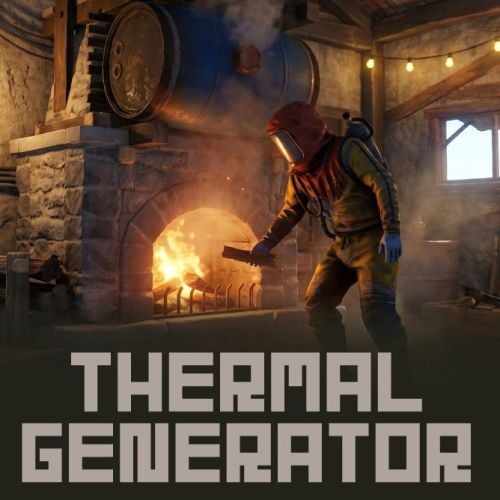 This plugin does not have the necessary permissions. To sell this item in your shop, please configure the following information in your shop plugin: Short name: fireplace.stone Skin ID: 3667912659 Display Name (optional): Thermal Generator
 -
UPDATED [Fix] - Game balance changes. - Fixed a bug where items inside fish traps were being deleted. - Fixed a bug where fish traps with more than 100 HP were reset to 100 upon server startup. [Add] - Implemented a floating UI that displays status without accessing fish cages or fish traps as a new technology feature test. (Default False) ZoneManager is required to use this feature. It may also cause performance degradation.