

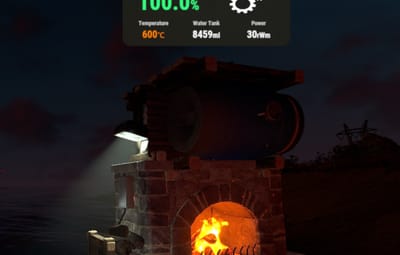
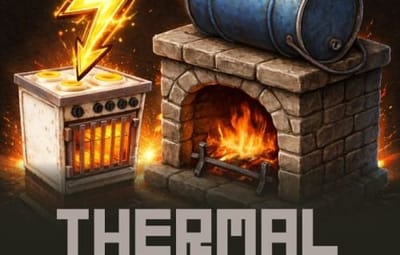


About Thermal Generator
Thermal Generator
Thermal Generator - Convert Fireplaces into Power Plants!
This plugin adds a unique gameplay mechanic where players can generate electricity using heat and water, creating an immersive industrial experience on your Rust server.
This plugin requires ImageLibrary, Zone Manager to function.


• Thermal Power Generation
Special skinned fireplaces become thermal generators that produce electricity when burning fuel. Power output gradually increases over time, reaching maximum efficiency after a configurable warm-up period.
• Water Consumption System
Generators consume water from an attached water barrel to produce steam for power generation. Water consumption scales with power output - more power means more water usage.
• Real-time Status Display
Two display modes available:
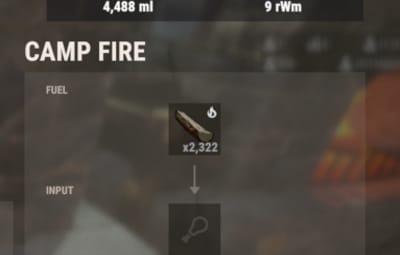
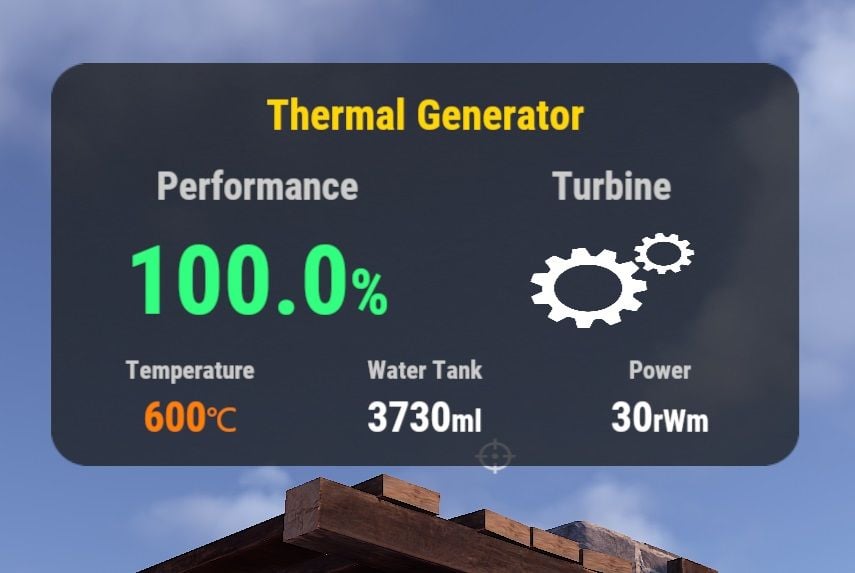
- Mode 1: Fixed UI panel when opening the generator inventory
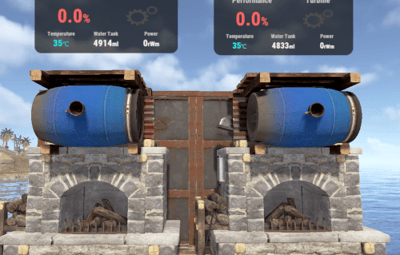
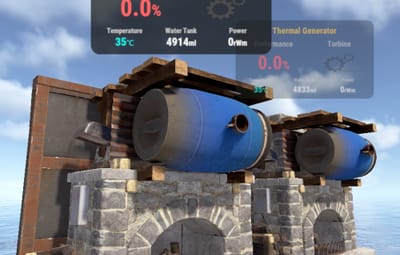
- Mode 2: Floating 3D UI that appears when approaching the generator
- Mode 3: Both display modes simultaneously
(Floating 3D UI may put a load on server performance. Please choose according to the size of your server.)
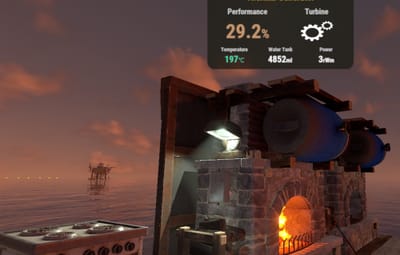
UI shows performance percentage, temperature, water tank level, and current power output with smooth animations.
• Animated Turbine Icon
Visual turbine animation that speeds up as power output increases, providing clear visual feedback of generator performance.
• Multi-language Support
Built-in translations for English, Japanese, Russian, and Traditional Chinese.
• Fully Configurable
Customize power output, warm-up time, water consumption rates, UI appearance, detection radius, and more.
• Players can pick up their Thermal Generator by hitting it with a hammer. All items inside will drop on the ground, and the generator returns to inventory.


1. Give players a Thermal Generator using the console command: givegene <SteamID>, Alternatively, you can sell this item in a shop.
2. Players place the special fireplace and add fuel
3. Fill the attached water barrel with water or salt water
4. Light the fireplace to start generating power
5. Connect electrical components to the output
6. Power increases gradually as the generator warms up
Shop Settings
Short name: fireplace.stone
Skin ID: 3667912659
Display Name (optional): Thermal Generator

{
  "SpecialFireplace": {
    "SkinID": 3667912659,
    "Name": "Thermal Generator"
  },
  "WaterSystem": {
    "TankCapacity": 500000,
    "MinConsumption": 1,
    "MaxConsumption": 30,
    "ConsumeInterval": 1.0
  },
  "PowerSystem": {
    "MaxOutput": 30,
    "RampUpTime": 1800.0,
    "CooldownRate": 3.0,
    "CurveExponent": 2.0
  },
  "UI": {
    "Enabled": true,
    "DisplayMode": 1,
    "UpdateRate": 0.03,
    "DetectionRadius": 7.0,
    "BackgroundURL": "https://i.imgur.com/TTrhDMo.png",
    "AnimationFrameURLs": [ ... ]
  },
    "Limits": {
    "EnablePerPlayerLimit": true,
    "MaxPerPlayer": 3
  }
}
SpecialFireplace
• SkinID - The skin ID used to identify Thermal Generator fireplaces
• Name - Display name of the Thermal Generator item
WaterSystem
• TankCapacity - Maximum water capacity of the attached water barrel (in ml)
• MinConsumption - Minimum water consumption per interval when generator is running (in ml)
• MaxConsumption - Maximum water consumption per interval at full power (in ml)
• ConsumeInterval - Time interval between water consumption checks (in seconds)
PowerSystem
• MaxOutput - Maximum electrical power output (in rWm)
• RampUpTime - Time required to reach maximum power output (in seconds, default 1800 = 30 minutes)
• CooldownRate - Rate at which accumulated run time decreases when generator is off (multiplier)
• CurveExponent - Power curve exponent for output calculation (higher = slower initial ramp-up)
UI
• Enabled - Enable or disable the status UI display
• DisplayMode - UI display mode:
1 = Fixed UI panel (appears when opening generator inventory)
2 = Floating 3D UI (appears when approaching the generator)
3 = Both modes simultaneously
(Floating 3D UI may put a load on server performance. Please choose according to the size of your server.)
• UpdateRate - UI refresh interval in seconds (lower = smoother but more performance cost)
• DetectionRadius - Distance at which floating UI becomes visible (in meters)
• BackgroundURL - URL for the UI background image
• AnimationFrameURLs - List of URLs for turbine animation frames (11 frames)
Limits
• Administrators can set the maximum number of items each player can place.

givegene <SteamID> - Give a Thermal Generator to the specified player (Server Console command)

Q. What settings do I need to configure in Zone Manager?
A. No configuration is required. It's used for temporary UI display and performance improvements.

 VOID / NINJA WORKS
X : @QB_WHITE
 MADE IN JAPAN
.thumb.gif.629f3cf0f35f0b36244b72d6fb72788d.gif)






.thumb.gif.85db1086c3a89ac3c74d631b5eb77942.gif)