About QR Logo
 QR Logo
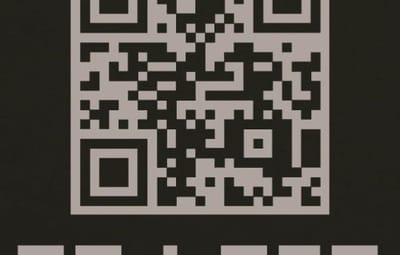
QRLogo is a plugin that displays a custom QR code on player screens in Rust servers. Display your server's Discord invite link, website, social media accounts, and more as a QR code that players can easily scan with their smartphones.
A small QR code icon is always displayed in the top-left corner of the screen. When clicked, it expands to the center of the screen with a **smooth animation**. Click anywhere on the screen to collapse it back to its original size.
 Features
- Automatically generates QR codes from configured URLs
- No external libraries or image files required
- Full URL encoding support
- Freely adjustable display position
- Configurable sizes for normal and expanded views
- All settings managed via config file
Technical Specifications
- QR Code Standard: QR Code Version 1-20 supported
- Error Correction Level: M (Medium) - ~15% data recovery capability
- Rendering Method: Pixel-by-pixel drawing using CUI panels
Recommended Use Cases
- Discord Server Invite Links
- Server Website / Wiki
- Voting Sites (Rust-Servers.net, etc.)
- Donation Pages
- Social Media Accounts (Twitter/X, YouTube, etc.)
- Server Rules Page
Configuration
{
  "QrUrl": "https://codefling.com",
  "LogoAnchorX": 0.29,
  "LogoAnchorY": 0.98,
  "LogoSizePx": 80.0,
  "ExpandedSizePx": 500.0,
  "EnableAnimation": true,
  "QrModuleColor": "0 0 0 1",
  "QrBackgroundColor": "1 1 1 1"
}
Important Notes
- - If the URL is too long, it may be difficult to scan. You may need to resize it in the configuration.
- - We recommend using a URL shortening service.
- - If the URL is too long, the animation may be slow. Please set whether or not to animate depending on the length of the URL.
Contact
 VOID / NINJA WORKS
DISCORD : https://discord.gg/U8uxePjSyA
 MADE IN JAPAN


.thumb.gif.629f3cf0f35f0b36244b72d6fb72788d.gif)


.thumb.gif.85db1086c3a89ac3c74d631b5eb77942.gif)