
-
Posts
171 -
Joined
-
Last visited
Content Type
Profiles
Warranty Claims
Downloads
Forums
Store
Services
Downloads Plus Support
DOWNLOADS EXTRA
Reels
Everything posted by NINJA WORKS
-
.thumb.gif.85db1086c3a89ac3c74d631b5eb77942.gif) FIX UPDATE 1.8.0 https://codefling.com/plugins/smart-kill-log?tab=changelog
FIX UPDATE 1.8.0 https://codefling.com/plugins/smart-kill-log?tab=changelog -
Thank you for reporting this. We will fix it within a few days.
-
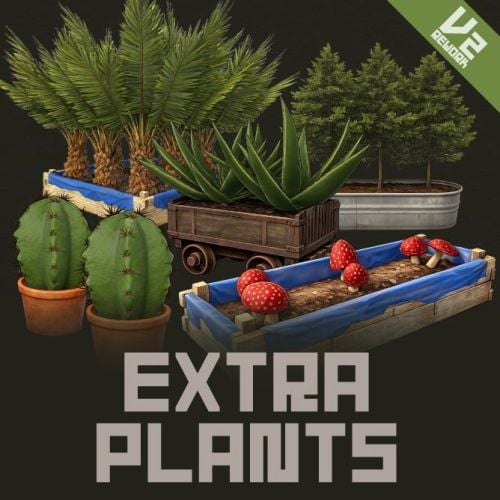 ご要望の機能についてはV3アップデートで検討いたします
 -
現在は要望が多かったスロットごとに個別に成長するようになっており、1つづつの設定は現在ありません。
-
This will be fixed in the V3 update.
-
This occurs when using giveseed. 1. Please verify that you are using console commands correctly. 2. Deleting existing seed types from the configuration will result in an error. Also, administrators cannot add new seed types.
- 59 comments
-
- 1
-

-
- #rust
- #facepunch
- (and 12 more)
-
アップデートしました。 コンフィグに"ShowMessagesOnlyRankedを追加しました。 trueのとき、サーバーランキングと大会でランクインしたときのみチャットメッセージに表示されます。(ShowMessagesがtrue前提になります)
-
Changed Status from Pending to Work in Progress
-
/fishでUIを開き、対象にしたい魚を選択してください。魚の詳細画面の下に青いボタンがありますのでそのボタンから開催設定をしてスタートさせます。 青いボタンは管理者か権限(extrafishing.tournament.admin)を所持しているプレイヤーのみ表示されます。
-
後ほど修正いたします
-
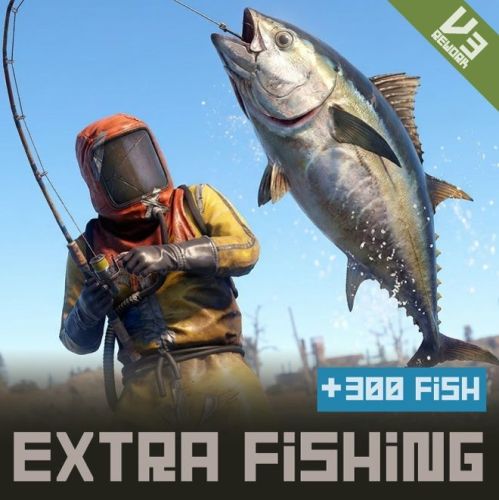 V3.0.5 UPDATED [Changes] - All fish species unlocked for administrators Even with `HideUncaughtFish: true`, all fish species are normally displayed to `Admin` or `extrafishing.tournament.admin` holders, allowing them to host tournaments even with undiscovered fish. - Weight randomization Added `WeightRandomPercent` (default `5.0`) to config, making weight `size base value × (1 ± 5%)`. Applies to both fishing rod and fish trap paths. Addresses the issue where the rankings for size and weight tournaments were always the same because weight was a unique function of size. `0` reverts to the previous behavior. - Set tournament rewards per tournament Reward information is stored in `TournamentData`. The tournament UI now includes input fields for four items (item name / quantity / skin ID / display name) and a preview row to reflect the input. Invalid values will be rejected at the start, and leaving the item name blank will result in no rewards for that tournament. Editing is also possible from the "Change Time" screen for ongoing tournaments. [Bug Fixes] - Fix language file corruption issue - Reward calculation not working at tournament end - Tournament UI reward icons were fixed to config - Game keybindings were triggering unintentionally in input fields - Scrolling back to the top when returning from fish details - List background disappears when returning from details
 -
 This is an experimental battle royale plugin and is not currently planned for sale.
 -
We plan to fix it today, Japan time.
-
Updated v3
-
The V3 Tournament Update has been released! https://codefling.com/plugins/extra-fishing-v3?tab=changelog
-
In the latest update, there is no difference between the two. Latest version: 2.4.5. Are you currently experiencing problems with OnItemAction?
-
お問い合わせありがとうございます。 確認しましたところ、記録更新されなくてもランクインのメッセージが表示される不具合を確認しました。 現在V3版へのアップデートの準備中であり、更新と同時に修正されますが、「大会システム」追加に伴い、ランキングに関する仕様が今後変更となる予定です。
-
Changed Status from Pending to Fixed
-
Issues are occurring with multiple plugins. An update will be released during the morning (Japan time).
-
Extra Plants and Cooking don't know about each other's settings - they just both react to the same gather action independently. - Harvesting from an Extra Plants planter: only Extra Plants' Min/Max setting applies, no overlap with Cooking. - Gathering from a wild node (hemp, potato, corn, pumpkin, etc.): if you set the same item as a bonus drop in both plugins, you'll get it twice, since each plugin adds its own drop separately. So just avoid setting the same item in both for wild nodes, and you're fine.
-
The amount currently gathered via "Extra Plants" does not affect the "Cooking" buff. It might be possible if a dedicated API hook were available.
-
Hello. compatibility with this plugins is not supported.
-
.thumb.gif.629f3cf0f35f0b36244b72d6fb72788d.gif)
Version 1.1.1
24 downloads
Custom Wheel Menu Transform your server's most frequently used chat commands into a sophisticated wheel menu. Each player can create their own custom command shortcut wheel. Both the wheel system and the Pie system are available, allowing you to switch modes to suit your play style. Wheel Mode : No selection function on mouseover. The first click displays a command summary, and the second click executes the command. Pie UI Mode : Works with mouseover functionality, just like the official RUST system. wheel UI Both the wheel system and the Pie system are available, allowing you to switch modes to suit your play style. The mode can be switched from the wheel settings. Wheel Mode : No selection function on mouseover. The first click displays a command summary, and the second click executes the command. Better animation and design than Pie UI; the UI closes when clicked outside the button area. Requires double-clicking each time an action is executed. Pie UI Mode : Works with mouseover functionality, just like the official RUST system. Clicking outside the button area executes the selected command. Requires clicking the × button each time to close. 5 assignable slots + 1 settings slot A 6-slot wheel: 5 slots players can freely assign, plus a dedicated settings slot to manage them. Per-player customization Each player picks which command goes in which slot. Assignments are saved to a data file and persist across server restarts. Card-based settings panel All admin-configured commands are displayed as icon + name + description cards in a scrollable 4-column grid. Empty slots show a clear "+" indicator. Fully configurable - Wheel center image, selection indicator, settings icon, and settings background — all set via external image URLs - Unlimited command entries, each with a display name, executed command, icon URL, and description Built to work as a hub Any chat command from any plugin can be registered. Multi-language out of the box English, Japanese, Russian, Ukrainian, French, and Traditional Chinese UI strings included, auto-matching your server's language setting. How to use wheel menu 1. By typing "/cw" in chat or the F1 console command "cwmenu", the wheel will appear in the center of the screen. 2. Move the mouse to highlight a slot, then select it again (or confirm) to run the command assigned to it. There is no function to select while hovering. The first click displays a summary of the command, and the second click executes it. How to setting slot S.electing the 6th slot (the gear icon) opens the settings panel. 2. In the settings panel, click one of the 5 slots at the bottom to select it, then click a command card above to assign it to that slot. - Clicking the same command again unassigns it. - The small "×" button on each slot clears it directly. 3. Use the back button to return to the wheel, or click the close button / outside the wheel to close the menu. Chat Command /cw - Open Custom Whell Menu F1 Console Command cwmenu - Open Custom Whell Menu If you frequently use this wheel menu, we recommend binding the command "cwmenu" to a key. To do this, open the F1 console and enter the following: Example: bind [key] cwmenu - Bind to the B key: bind b cwmenu - Bind to the N key: bind n cwmenu This setting must be configured by each individual player. The default configuration is an example. After installing the plugin, you will need to configure the commands you use and their corresponding icon images. Several icon samples are included with the plugin download, and you can use those as well. If you are creating your own original icon, it needs to be a square, white icon with a transparent background, and in PNG format. { "WheelImageUrl": "https://i.imgur.com/zmZ5NCC.png", "IndicatorImageUrl": "https://i.imgur.com/8v9Xz6y.png", "SettingsIconUrl": "https://i.imgur.com/BZYRfsG.png", "SettingsBackgroundUrl": "https://i.imgur.com/WMefGKk.jpg", "Commands": [ { "DisplayName": "Kit", "Command": "/kit", "IconUrl": "https://i.imgur.com/ln8rfJm.png", "Description": "Open kit menu" }, { "DisplayName": "Shop", "Command": "/sp", "IconUrl": "https://i.imgur.com/YKUQvRg.png", "Description": "Open Shop" }, { "DisplayName": "Teleport", "Command": "/tp", "IconUrl": "https://i.imgur.com/9f9PiKs.png", "Description": "Use teleport" }, { "DisplayName": "Fish Encyclopedia", "Command": "/fish", "IconUrl": "https://i.imgur.com/KI6nEai.png", "Description": "Open fish encyclopedia" }, { "DisplayName": "Casino Slot", "Command": "/slot", "IconUrl": "https://i.imgur.com/TRaBdjD.png", "Description": "Play casino slot game" }, { "DisplayName": "Music Player", "Command": "/snd", "IconUrl": "https://i.imgur.com/G7ZMwoy.png", "Description": "Open Music Player" }, { "DisplayName": "AI Support", "Command": "/ai", "IconUrl": "https://i.imgur.com/p6OhM1C.png", "Description": "Use AI server support" } ] } VOID / NINJA WORKS DISCORD : https://discord.gg/U8uxePjSyA MADE IN JAPAN$20.00-
- 1
-

-
- #rust
- #facepunch
- (and 9 more)
-
Version 1.0.5
19 downloads
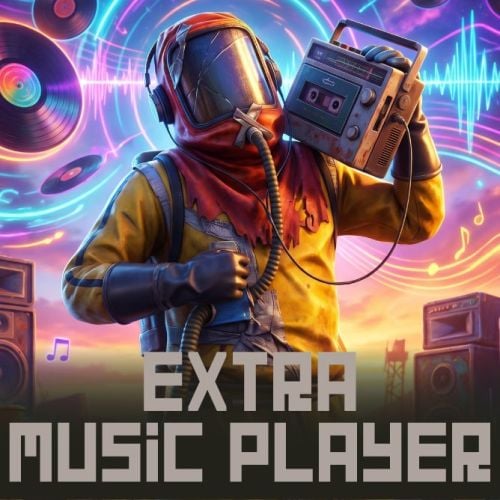
Extra Music Player Bring a full in-game music player to your Rust server ! Extra Music Player adds a beautiful, fully interactive music player UI to Rust. Players can browse tracks, play music in stereo, seek through songs, adjust volume with a draggable knob, bookmark favorites, and enjoy a real-time sound visualizer. Music is streamed through Rust's built-in voice system, so every player can hear it with zero downloads or client installs required. Additionally, it includes developer hooks for music playback, enabling the development of more original plugins. To add music, you need to use the included application, 'ExtraSoundConverter', to convert MP3 or WAV files into data that can be played on the server. Note: ExtraSoundConverter is only compatible with Windows 64-bit systems. Note: Please exercise caution regarding the handling of existing music, including songs, from a legal standpoint. If you plan to monetize music content through shop plugins or similar means, we recommend using automatically generated music such as SunoAI. https://suno.com/ In-Game Music Player UI - Full playlist menu with album art, track title, and artist display - Play / Pause / Stop / Restart / Next controls - Clickable seek bar — jump to any point in a song - Draggable volume knob with live percentage display (volume is saved per player) - Repeat toggle - "Like" button — players can bookmark songs into their own personal playlist - Track list automatically sorted by folder, then by name — organize your library with subfolders True Stereo Playback - You can play music in stereo. (Playback via certain dev hooks is not supported.) - Automatic synchronization keeps stereo tight even when players teleport, warp long distances, spin their camera, or experience ping spikes Real-Time Sound Visualizer - Animated spectrum visualizer rendered in the UI, synced to the music Per-Player Track Access Control - `Show all tracks` config option: when disabled, players only see tracks granted to their SteamID - Grant/revoke tracks with `addtrack` / `removetrack` console commands - Sell songs in your server shop, use them as rewards. Protected Track Files - Tracks use a dedicated encrypted format (.rusttrack) with embedded title, artist, cover art, spectrum data, and loop points - Your audio library can't simply be copied out as ordinary audio files Multi-Language Support - Built-in translations: English, Japanese, Simplified Chinese, Traditional Chinese, Russian, French, and Ukrainian Developer API - Simple hooks to play, pause, resume, and stop music from your own plugins - TTS/speech API — feed external Opus frames (e.g. from a TTS service) and play them to a player - Loop support and per-call volume control 1. Install the plugin place `ExtraMusicPlayer.cs` into your `oxide/plugins` folder. 2. Add music put your `.rusttrack` files into `oxide/data/ExtraMusicPlayer/`. Subfolders are supported and are used to group/sort the track list. Creating track files: `.rusttrack` files are created from your own audio files using the included ExtraSoundConverter.exe. Sample Music Pack 138 Song Free Download https://hstorage.jp/dl/gg3vufqfsg6O.zip You can download the Sample Music Pack and add 138 music tracks to your server for free. Please give it a try. Download the "Sample Music Pack," move the folder containing the `rusttrack` data to `oxide/data/ExtraMusicPlayer/`, and reload the plugin. 3. Open the player players type /music to open the music player and press play. How to convert music data using ExtraSoundConverter Requirements Windows x64, no .NET needed, ffmpeg required. Requires ffmpeg. Easy install on Windows: open PowerShell and run winget install --id=Gyan.FFmpeg -e 1. Add audio drag & drop mp3/wav/ogg/flac/m4a/aac (or click Add). Unsupported types are rejected. Title/Artist/cover are auto-read from tags. 2. Select format: .rusttrack = music player (spectrum + 2s silence pad). Title/Artist/cover stored. .rustbgm = developer-hook BGM (no spectrum); use the Loop editor to set loop points. 3. Convert Pick quality (kbps) and the output folder, then Convert. Output files are named after the Title (spaces → _); if the Title is empty, the original filename is used. Reverse: a data file wav or mp3 (pick in Format). mp3 embeds the Title, Artist and cover art into the single file; wav keeps Title/Artist only. No separate image file. Loop editor (.rustbgm only) three markers — P (blue) = playback start (where the server FIRST begins), S (green) = loop start, E (red) = loop end (the playhead jumps from E back to S). P and E are always present and placed automatically on load (P at the very start, E at the very end); move them by dragging. S is set by LEFT-clicking the waveform. They are always kept in order P ≤ S ≤ E (a marker won't move if you try to drag it out of order). A loop is exported only once you place S — it then loops S→E (E defaults to the track end, so the whole tail loops; drag E earlier to fold sooner). RIGHT-click anywhere = play from there; ▶ Play previews the loop seamlessly. Playback always stops at E (the part after E is never played, even with no loop start). The waveform outside the played range (before P / after E) is shown dimmed in gray. Zoom with the buttons or the mouse wheel, scroll with the bar. Points are quantized to chunk boundaries on export. No loop start (or Reset) = the whole track loops. "Trim outside markers" drops audio before P and after E on export — the result sounds identical. Chat Commands (permission: `extramusicplayer.use`) /music - Open Music Player Server Console Commands addtrack <SteamID> <trackFileName> - Grant a track to a player. (used with `Show all tracks: false`) removetrack <SteamID> <trackFileName> - Revoke a granted track. extramusicplayer.use - Allow the music player to open. { "Selected track color (R G B)": "1 0.55 0.30", "Gauge color (R G B A)": "0.79 0.34 0.16 1", "Spectrum / visualizer color (R G B)": "0.90 0.45 0.20", "Selected button color (R G B A)": "1 0.62 0.28 1", "Volume knob color (R G B A)": "1 1 1 0.75", "Time & volume % text color (R G B A)": "0.9 0.9 0.9 1", "Image - background": "https://i.imgur.com/FqQPPki.jpg", "Image - list row box": "https://i.imgur.com/h1dQNSB.png", "Image - button": "https://i.imgur.com/JNZDC27.png", "Image - play": "https://i.imgur.com/V02YZLb.png", "Image - pause": "https://i.imgur.com/IGnNjXC.png", "Image - volume": "https://i.imgur.com/GjEauMr.png", "Image - repeat": "https://i.imgur.com/VmdWTpQ.jpg", "Image - restart": "https://i.imgur.com/hUpU119.jpg", "Image - next": "https://i.imgur.com/kYpQ8Tt.jpg", "Image - playlist": "https://i.imgur.com/xDlj1pT.jpg", "Image - like": "https://i.imgur.com/kxPSF85.png", "Sound visualizer enabled": true, "Visualizer framerate (updates per second)": 30.0, "Playback gauge framerate (updates per second)": 10.0, "Show all tracks (false = only tracks granted per-SteamID via addtrack)": true } Developer API Please call the following APIs from your custom plugins. // Plays the track to the player (loop playback and volume adjustment are optional) bool ok = (bool)ExtraMusicPlayer.Call("ExtraMusicPlay", player, "MyTrack", true, 80); // Controls player playback // Pause ExtraMusicPlayer.Call("ExtraMusicPause", player); // Resume ExtraMusicPlayer.Call("ExtraMusicResume", player); // Stop ExtraMusicPlayer.Call("ExtraMusicStop", player); // Play from the entity's position.Duplicate playback is not possible. ExtraMusicPlayer.Call("ExtraMusicArea", sourceEntity, "MyTrack", false, 100); // AI Voice/TTS — Plays raw Opus frames to the player.Only audio compatible with Opus, such as Open AI and FishAudio, can be played. // Play ExtraMusicPlayer.Call("ExtraMusicSpeak", player, opusFrames, 20, 24000, 80); // Stop ExtraMusicPlayer.Call("ExtraMusicSpeakStop", player); // Check if the player is playing bool playing = (bool)ExtraMusicPlayer.Call("ExtraMusicIsPlaying", player); // Check if AI voice/TTS is playing bool speaking = (bool)ExtraMusicPlayer.Call("ExtraMusicIsSpeaking", player); Implementation example Q: What audio formats can I use? A: The plugin plays `.rusttrack` files, created from your own audio using the included converter tool. The format embeds the title, artist, cover art, and visualizer data, and is encrypted to protect your library. Q: Where do I put the music files? A: In `oxide/data/ExtraMusicPlayer/`. Subfolders are supported — the track list is sorted by folder, then by file name. Q: The sound becomes distorted when the player quickly switches the viewpoint while music is playing. A: Phenomena resembling the Doppler effect are part of the vanilla game mechanics. We are currently working on improvements to mitigate this issue. Q: Can I sell individual songs to players? A: Yes. Set `"Show all tracks"` to `false`, then grant songs per SteamID with `addtrack <SteamID> <file>`. Integrate the console command with your shop or reward plugin. Q: I added new files but they don't show up. A: Reload the plugin to refresh the track list. Q: Is Image Library required? A: No. The plugin caches its UI images by itself. No dependencies are required. Q: Will the visualizer hurt performance? A: The visualizer's update rate is configurable, and it can be disabled entirely. UI updates are throttled and pooled to stay lightweight. Q: What languages are supported? A: English, Japanese, Simplified Chinese, Traditional Chinese, Russian, French, and Ukrainian. VOID / NINJA WORKS DISCORD : https://discord.gg/U8uxePjSyA MADE IN JAPAN$30.00 -
Yes, any default Rust shovel works! The plugin automatically detects it — just swing the shovel to place a pot. There's also an admin console command giveshovel <SteamID> for convenience, but it simply gives a normal vanilla shovel, so giving one through kits or F1 works exactly the same.