


-
Posts
557 -
Joined
-
Last visited
-
Days Won
21
Content Type
Profiles
Warranty Claims
Downloads
Forums
Store
Services
Downloads Plus Support
DOWNLOADS EXTRA
Reels
Everything posted by DeutscherRitterPlatz
-

Air Event Panel vs Airfield Event Panel
DeutscherRitterPlatz replied to SuperKitten's Support Report in Support
Changed Status from Pending to Not a Bug -
Air Event Panel vs Airfield Event Panel
DeutscherRitterPlatz replied to SuperKitten's Support Report in Support
Everything should work again, I saw that I uploaded the wrong file when updating. I apologize for that! -
Air Event Panel vs Airfield Event Panel
DeutscherRitterPlatz replied to SuperKitten's Support Report in Support
What is the full name of the "Airfield Event" plugin? AirfieldEvent.cs ? -
.thumb.gif.30bb4fb1ad6b9cbba98fad72b9533086.gif) I much prefer the design of Mevment; it appears much cleaner. Therefore, I would be genuinely disappointed if the decision were made to change it. We deliberately acquired the plugin because this design aligns very well with the game Rust.
I much prefer the design of Mevment; it appears much cleaner. Therefore, I would be genuinely disappointed if the decision were made to change it. We deliberately acquired the plugin because this design aligns very well with the game Rust. -
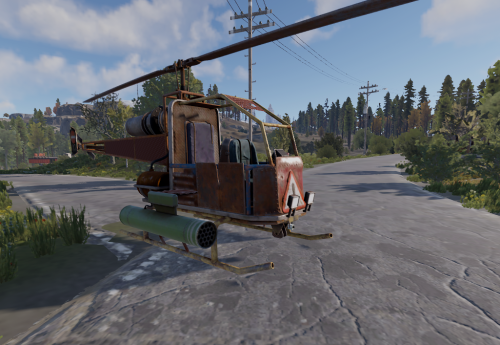 I hardly see Minicopters in the sky anymore, the new AttackHelis dominate now. After installing the plugin, our players have become true pilots. It's a very straightforward plugin that brought a smile to many users' faces. Thank you for the excellent work!
- 26 comments
-
- 1
-

-
- #attack helicopter
- #vehicles
- (and 1 more)
-
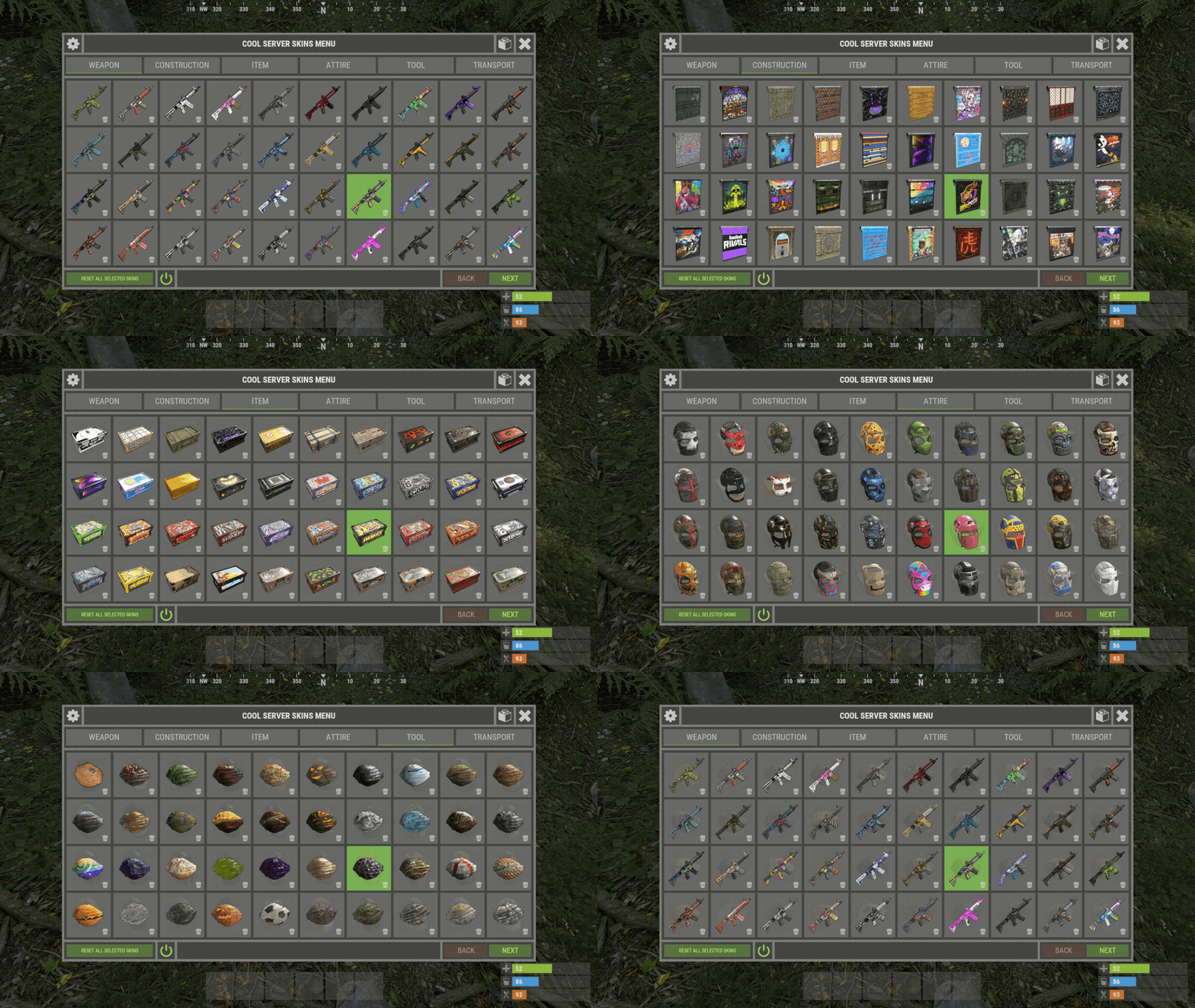 The plugin is extremely clear and easy to understand. It is very user-friendly, and what I find particularly positive is that the skins are already well recognizable in advance. It takes a moment for all the images to load, but after that, the loading process is very fast. Our players were thrilled, it was definitely worth buying the plugin. Thank you for your excellent work!
 -
 fix
fix -
 I've noticed a small issue, and perhaps you can address it. We've set the server parameter "parachute.bypassrepack True" to use the parachute more frequently. With your plugin, the parachute isn't moved to the parachute slot "containerWear 8," but rather directly to containerWear 1-7 where there is space for clothing. However, this issue doesn't occur when all containerWear slots 1-7 are already filled with clothing. As soon as a slot becomes available, the parachute is moved there instead of Slot 8. Perhaps you can find a solution for this, as everything works perfectly with the parachute when I uninstall the plugin.
 -
 This plugin is simple but extremely useful for quickly gaining altitude without the hassle of searching for the perfect parachute jump-off point. If someone wants to make their players happy, this plugin is just the right thing.
 -
 We used a different tool for several years before switching to this impressive one about a year ago! It offers numerous features, and everything is very easy to understand. The support is outstanding, whether through tickets or private messages. If anyone is still in search of a tool for the easy management and installation of their Rust server, then this tool is definitely the right choice! In our opinion, this tool deserves 10 out of 5 stars!
- 243 comments
-
- 1
-
-
- #rust server tool
- #rust server management
- (and 28 more)
-
Dear Codefling Development Team and Developers, I am reaching out to you with some concerns and questions as a loyal customer and server operator. I regularly review your licensing agreements and wonder if you truly understand what is outlined within them. We acquire many plugins from Codefling, considering you the most trustworthy source. However, due to these licenses, buyers have very limited rights. When I purchase a plugin, I would like the ability to customize it for our community server. Why is this not allowed according to your licenses? Considerable amounts of money are invested in plugins. At times, there are developers who create fantastic plugins but then discontinue their support or release a plugin without offering further assistance. Hence, my questions are as follows: Am I allowed, as a server owner and purchaser, to adapt the plugins I acquire from you for my personal needs? Can I commission a developer to make these adjustments for my server? Is it permissible for a developer on my team to make changes to the plugin for my server? I do not intend to resell the plugin but simply wish to personalize it for my server. Many plugins could benefit from further optimization, but I often encounter reluctance when approaching developers. There are many developers on your platform who genuinely care about their community and aren't solely motivated by financial gain. We understand the potential for profit in Rust plugins, and as such, we rely on you. Therefore, I urge you to consider allowing us, as server owners, a bit more flexibility and creative freedom. I would appreciate it if you could provide me with a clear response or establish clear and comprehensive licensing terms. Many developers and customers do not strictly adhere to the licenses through Discord. Sincerely, MeinRust P.S. My suggestion for a unified licensing agreement: Allowed Use The licensee is granted the non-exclusive right to use the material exclusively for private, "Community Rust-Server" purposes. This includes displaying, editing, translate, modifying, adapting, and saving the material. Any commercial use, including sale, licensing, or publication for commercial purposes, is expressly prohibited. Limitations a. The licensee may not resell, rent, license, or otherwise transfer the material. b. The licensee may not use the material to create or distribute unlawful, offensive, defamatory, or otherwise inappropriate content. c. The licensee may not claim to be the author of the material. Copyright and Ownership The copyright and all other rights to the material remain with the rights holder. This license does not grant the licensee any intellectual property rights except those expressly stated in this agreement. Disclaimer The material is provided "as is," without any warranty or guarantee. The rights holder assumes no responsibility for any damages that may arise from the use of the material. I would like to express my sincere thanks for your excellent work! @ThePitereq , @Raul-Sorin Sorban, @KpucTaJl , @Adem, @NooBlet, @Mevent, @imthenewguy, @The_Kiiiing, @Death , @nivex
-
 Dear @GuestMods I would appreciate it if you could provide a more detailed description of the license. As private individuals, we would like to understand what modifications we are allowed to make to your plugin for our Rust server. Is it permissible to customize the plugin, or is even that prohibited? Do you grant us permission solely to install your plugin? Our intention is to modify the "code" plugin in a way that allows points to be saved even after a server restart. Thank you in advance for your clarification. Permission is granted for personal rust server use on servers owned by you, the customer.
 -
On 05/16/2022, we acquired the plugin, but we've scarcely used it since a crucial function was missing: the ability to save spawn points. Many users have inquired about this, yet there hasn't been a true implementation thus far. Personally, I believe that the developer could have implemented it if they had genuinely wanted to. Codefling hosts many helpful developers. For those who wish to manually place animals, this plugin is an option. However, it may not be suitable for those hoping for permanent respawns even after a server restart. There is a possibility, albeit a very slight one, that this function, along with the others that have been requested, may be implemented in the future. Ps: Falls diese Funktion oder das Plugin weiterentwickelt wird, sind wir durchaus bereit, mehr Sterne zu vergeben. Im Moment jedoch nicht! Pss: The plugin works perfectly and brings a lot of joy.
-
fix
-
 I have tested both plugins, and they work perfectly on our main server and on our test server. Convoy Version: Convoy 2.3.7 Armored Train Version: 1.4.0 MagicPanel Version: 1.0.8 MagicArmoredTrainEventPanel Version: 1.0.3 MagicConvoyEventPanel Version: 1.0.2
 -
I'll check
-
Magic Cargo Plane Crash Event Panel
DeutscherRitterPlatz commented on DeutscherRitterPlatz's file in Plugins
 fix
fix -
Please open the plugin and delete everything #regionInfo /********************************************************************** * The plugin is still owned by MJSU, we just edited it! * * v1.0.0 : Support for the Shipwreck Event plugin by Adem | Paid on "Codefling" * Icon by Freepik | https://www.freepik.com/icon/shipwreck_4054417 * **********************************************************************/ #endregion
-
event panel not turning off after heavy ship event
DeutscherRitterPlatz replied to FandangoChristmas's Support Report in Support
I have contacted the developer, and it seems there is an issue on their end. They will promptly fix the problem and release an update. -
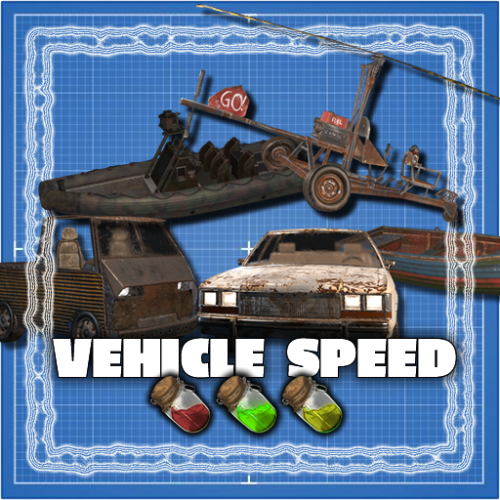 yes lowgradefuel
 -
event panel not turning off after heavy ship event
DeutscherRitterPlatz replied to FandangoChristmas's Support Report in Support
However, that's not directly due to the MagicPanel itself, as the other developer mentioned, a new hook would have to be implemented for that, so that it can be excluded. I once created a solution for a different event, which actually worked quite well. I will take another look at it there and possibly post a solution. -
event panel not turning off after heavy ship event
DeutscherRitterPlatz replied to FandangoChristmas's Support Report in Support
Changed Status from Pending to Work in Progress Changed Fixed In to 1.0.0 -
event panel not turning off after heavy ship event
DeutscherRitterPlatz replied to FandangoChristmas's Support Report in Support
Hello, I was on vacation, so I couldn't respond to your issue. I'll see what I can do; maybe we can find a solution for this! But when I look at your second message, the hook "void HeavyCargoShipEventStopped()" isn't being called correctly, as I mentioned before. I'll take care of it; just have a little patience. -
SkinId: 2501207890 - https://www.dropbox.com/scl/fi/qa9ap6v6ox6xut7ox5vxa/2501207890.png?rlkey=oc5z7p1jjqi3878kgggpz5l9p&dl=1 SkinId: 2664651800 - https://www.dropbox.com/scl/fi/h86u7owdthpxmghs1y04l/2664651800.png?rlkey=xgjeizwjx861skp5a164a1rx9&dl=1
-
No, this plugin does not support MagnetCrane
