Et3rn47
-
Posts
63 -
Joined
-
Last visited
Content Type
Profiles
Warranty Claims
Downloads
Forums
Store
Services
Downloads Plus Support
DOWNLOADS EXTRA
Everything posted by Et3rn47
-
 Ah boo, I have to add for every one ",ScarecrowNPC,ZombieNPC" in the presets. Thank you, this is it. If you do not add, the zombies will not do damage. Thank you very much
 -
I'm hoping there's another config somewhere i need to adjust. These are NPCspawn settings, the zombies will target, run to, and attack NPC. There is no damage, and the military (non-zombie) npc's will not attack back. I've also added the zombiehorde plugin config for review. Any help would be greatly appreciated
-
beautiful, the issue is resolved! thank you
-
BetterNpc.json
-
I've done this, and am getting the same error. You're welcome to look and or try. I'm continuing to get the error null at 30%
-
I'm hoping it's something small, I'm continuing to get: Fail at 30% every time. I've resorted to full reinstallation at this point as well
-
 8556 and 8557* for anybody else, but this worked for me as well
 -
While in the menu, select "New Custom Item" --> You'll see this: Then edit it however you want -- just be warned after you create it, I'm not sure how to delete it
-
This is a strong go-to https://www.corrosionhour.com/rust-item-list/
-
The auth is working on recoding the plugin right now. As it stands you'll have to know the id to place while you're adding the item (into skin ID section). I'm not sure of another method as it stands (aside from getting that info yourself and placing it)
-
Well said, and I'm in full agreement. I know how us pesky "customers" can be
-
 Yo yoooooo, digging the plugin! Wondering if you could help me as I'm having an issue where I have the perms disabled, but it's still active globally? Also curious if there's going to be an establishment of vip tiers/ perms to adjust?
 -
Bumping this thread
-
If by yellow you mean green edit button, and if "select menu" is where you're selecting the container to edit from under the different category tabs... that doesn't help in regard to what I'm talking about. Since I have created that new custom item, it now lives under any container edit option and I can't get rid of my custom added item. As you'll see this is kitchen sink vs the toilet_b. Every container I want to edit what items can appear in them, when I select the "custom" category, the item I mistakenly duplicated is there. At a minimum, I'm asking how this is saved within the game files I guess, so I can remove their entries all together
-
This adds or remove the item from the container, not from the list of available items. When you select "Add Item" while in the container you're adjusting, you're brought to the "Select item" page. If you click on an item from within that page, there is no "delete" button to select.
-
Ah great explanation, thank you. I think otherwise the only question I have is, when you add, or create a custom item (for instance in my case a "Super Card") how do you get rid of it/them?
-
Thanks for the reply -- I might be missing something then as if that's the case, what's the point of being able to establish quantities on each item, when adding the item? Forgive me if I'm not understanding how these 2 different sets of number do, or don't correlate. Does the associated quantities added upon item add, over-ride the quantities of the tiers they belong to?
-
Ah, okay. I was under the impression if you left those values default, it would take into consideration all of their percentages to drop, compared to one another, and then after probability takes it's part you'd get the executed loot(s). ie, green has 14 items with a 50% chance to drop, blue with 6 that have 33, yellow 5 @25% etc etc. The algo would calculate then what should drop. Not that it has individualized the percentages to drop from the drop rate % tier they belong to. I understand the logic now, but at the point of the more rare tiers having both lower percentages, and lower amounts of items in it, seems a bit counter intuitive. Let's say there's only 2 items at a 2% chance to drop, if you set the minimum items to drop at 1 - 1, in theory if you have 6+ items in your drop wouldn't that make the drop rate 100% ? If then you placed it 0-1, the drop rate would still be 50% Please correct my understanding on this
-
Kindly help me understand the logic: The container settings on the right indicate 6-12 items in container, but I don't seem to be getting more then 6. I've tested this with 12 different locked crates:
-
 It seems my issue is that I can grab -most- URLs fine, but when I use DALL-E, save the image, upload to discord, then show in browser so that I can use my custom images quickly/easily, it's not taking the URLs that I'm using. Here's an example:
 -
It may be windows updates needed, if so I'll edit this post once done/complete
-
 I guess it'd help if I opened my eyes and look a bit further down in the config.... lol Thanks a lot!
 -
Hey Amino! Thanks for your time on this Is there a minimum/maximum requirement for images? None of the image URLs I'm pasting seem to be working. Thanks in advance
-
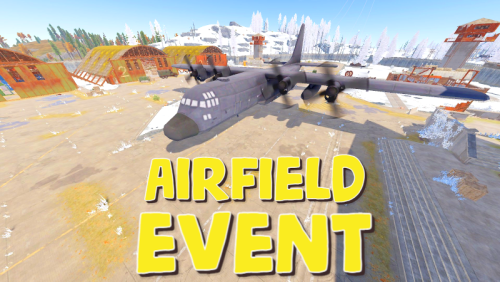
Great plugin man, I appreciate your time on it. Is there a way to have only the locked crates spawn, without any drops? It appears as though they're tied together in some fashion, and I may be over looking how to do this. Setting the "drops amount : 0" only makes a strange 1 drop 1 crate appear, even when "crates per drop: 3" What I'm looking to do, is have 0 drops, but still have 3 locked crates spread out across the landing strip of the airfield. This gives opportunity for sneaky loots during engagements vs forcing fights at middle when 1 drop has 3 locked crates spawn next to it. It's more inclusive. Thanks in advance.