
Rust.Matrixx's Wishlist
-
$45.00
Defendable Bases
This plugin adds a new dynamic zombie event to your server, the appearance of which you can customize in the configuration for any standard and custom monuments
Description
The event begins with a message in chat that the evacuation of the general from the island will begin soon. At the end of the configured timer, a military checkpoint randomly appears on the map and it is said in the chat that the general's guard was killed, and the general himself was seriously wounded
The player and his friends (if you have any) need to arrive at the military checkpoint and call for help for the general with the laptop located at the checkpoint control center
After the player calls for help, waves of zombies will attack the base. During the preparation phase, players can upgrade the base with turrets, purchase ammunition for them, or place it from their inventory through the checkpoint control center. In the doorways, players can install barricades of different types (5 types of barricades, which differ in the amount of Hit Points) to contain the incoming waves of zombies. The player can also use a hammer to repair the barricades. During the attack phase, waves of zombies will be directed at you. You cannot allow zombies to kill the general, otherwise, the event will end. There are several zombie types (in future updates it is planned to add to the list of zombie types). Each type of zombie has its own tasks. After the end of each wave, a room with crates opens, where there will be a reward for you
At the end of the event, a helicopter arrives for the general and picks him up, and you are notified in chat that the event has been successfully completed. When the general dies, the event ends, as will the attack wave, the event, and all hope is lost!
All the necessary settings of zombies, timers, items in crates for each wave, as well as settings for each wave (the number of zombies of each type, the time of the preparation phase and the attack wave, etc.), settings of the military checkpoint (the price of buying something or improving the base, used ammo in turrets, etc.), the price of repairs, barricade options, and many other settings are available in the plugin configuration
Also in the event there are additional missions during the waves of attack, during which you will receive an additional reward (in future updates it is planned to add to the list of additional missions). You can set up additional missions in the settings of each attack wave
The event provides the use of several military base designs. The Mad Mappers team will add to the list of constructions for the event in the future. When an event appears, the plugin randomly selects the construction of the base from those that you have in the data folder, and also randomly selects a place to appear from all those that have been set in the plugin configuration
Also, the Mad Mappers team will begin to offer support in our custom maps for this event and contain files for the appearance of bases in custom monuments and locations on our maps
Constructions of other bases
Defendable Bases (Bundle-1) Defendable Bases (Bundle-2)
Custom Map
Maps that have a configuration for the appearance of bases on their custom monuments
You can also download all these files for all maps here
Deathland Badlands Destroyed World Detroit: Irreparable Damage Oregon 2: Last Hope Oregon: Land of Dead Pandora All files for custom maps are stored in the folder oxide/data/DefendableBases/CustomMap. You don't have to delete files from there, the plugin will understand by itself which map is currently installed on the server and will download only the necessary file if there is one in this folder. The plugin will tell you about this process in the console during the plugin loading. It will write in the console what file works on the current map, and what ones don’t work
If you want to create a custom place for the base to appear on your custom map or on a map that is not in this list, you have to create the ID of this custom map. After that you need to place an item such as a RAND Switch on your map. It must be placed randomly, where it will not be visible to other players. You will get the identifier, if you add up the three coordinates of the position of this object from RustEdit (x, y and z) and write the resulting value in the parameter of your file (an example file can be taken from ready-made files) - ID
As an example, let's take the coordinates (26.896, -456.158, 527.258), then our identifier is 26.896 - 456.158 + 527.258 = 97.996
Then you need to indicate a list of bases that will appear on your map. You need to copy the configuration data block for each base construction. In the database parameters you will specify the name of the base construction and a list of positions where it can appear
The list of positions consists of several parameters. First you need to specify the position and rotation of the appearance of the base on your map, then you can get these values using RustEdit. You need to choose the place for the appearance of the event on the custom monument, where the player has a ban on construction
You have such a parameter as the pursuit radius for such a type of zombie as Blazer. These zombies run around the base along this radius and shoot at the players. Please note! Some object sometimes may be on your map in this radius, for example a fence, and they will not be able to overcome it, because they cannot run inside this circle, and they haven’t a way out for them so you need to leave them a way or adjust it by increasing or decreasing the radius
You have a list of coordinates for the points of appearance of all zombies. It is necessary to indicate these coordinates evenly around the base so that the zombies run from different sides and attack all sides of the base, not just a few ones. So it will be more interesting to play this event. Also note the fact that you can indicate the coordinate where a player can create his house, so it is advisable to specify all the coordinates that are in the construction ban zone, they are in the zone of your custom monument. You can also get the coordinates of the appearance of zombies using RustEdit
Images
You may want to change some parameters during the plugin installation or the base configuration
In the plugin configuration these parameters are:
Custom Barricades => Price for repairs (per hammer hit) => List of items, 3 maximum (if the economy method is 3) In the base configuration, these parameters are:
List of turrets => Price to unlock => List of items, 3 maximum (if the economy method is 3) List of turrets => List of ammo => Price => List of items, 3 maximum (if the economy method is 3) List of barricades to buy => Price => List of items, 3 maximum (if the economy method is 3) A list of items that are in the laptop inventory when the base appears List of attack waves => Additional missions => Reward for completing the mission => List of items If you change items in the current configuration items, you need to upload the image for this item to the oxide/data/Images folder. In order for the plugin to load this image and can use it for display in the player's GUI. If it is a standard Rust item, you need to name this image file by its ShortName. If it is a custom item, you need to name the image file by the SkinID of the item
Then you need to make a few changes to the plugin configuration in the List of paths to GUI images item. You need to add a new image to this list. The name is the ShortName or SkinID of the item. The path to the image will look something like this: Images/{ShortName or SkinID}.png
If you use the economy of some following points on your server as prices, you can change the image with the name Economic to your own with the same name
All images must be used square. Attention! The lower size of the image file will be displayed to the player faster
Dependencies Required
NpcSpawn
Dependencies (optional, not required)
True PVE PveMode GUI Announcements Notify Discord Messages AlphaLoot CustomLoot NTeleportation Economics Server Rewards IQEconomic
Chat commands (only for administrators)
/warstart {name} – start the event ({name} – name of the base)
/warstop - end the event
Console commands (RCON only)
warstart {name} – start the event ({name} – name of the base)
warstop - end the event
givebarricade {steamid} {level} {amount} - a player with a SteamID ({steamid}) is given a certain number of barricades ({amount}) of a certain level ({level})
Plugin Config
en - example of plugin configuration in English ru - example of plugin configuration in Russian
Base Config
en - example of base configuration in English ru - example of base configuration in Russian
Custom Map Config
en - example of custom map configuration in English ru - example of custom map configuration in Russian
My Discord: KpucTaJl#8923
Join the Mad Mappers Discord here!
Check out more of my work here!
Creator of the default configuration and the bases – jtedal
Help in creating a plugin description – Jbird#2022
- #barricade
- #ch47
- (and 27 more)
-

$27.50
Sky Base
Sky Base is a plugin that allows your players to get away from standard houses and build themselves a real base in the sky. The plugin is perfect for any server, both PvE and PvP.
Video
Description
The plugin uses a standard construction system, which makes it easier to use and configure the plugin. To start building an air base, the player needs to craft the desired object using the /craftdrone command.
1 sky ceiling equals 1 foundation.
In order to make the ceiling airy, just hit the ceiling with a mallet. To improve the ceiling, a drone of the same range as the roof is required.
The plugin has a fully customizable crafting system where you can determine for yourself what resources are required to craft all drones.
Video Tutorial
Chat Commands
/craftdrone - Allows you to open the drone crafting system (Permission: "skybase.use")
Plugin Config
Example of plugin configuration in English Example of plugin configuration in Russian
Ideas for updates that may be implemented in the future
Current ideas for the future of this plugin. These are things that I want to implement possibly. You can also write to us in Discord to suggest ideas or to vote for any that I share here.
Add plugin support for notifications and also add notifications via the built-in gui rust</li> Creating ready-made building patterns
Check out more of my work here CASHR's library.
Come see our whole teams work Mad Mapper Library.
Come by the Mad Mapper Discord for support, feedback, or suggestions!
- #sky bases
- #oxide
- (and 10 more)
-
$19.95$11.95Helpful Supply
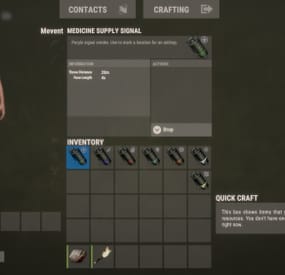
Adds supply signals to your server, split into loot categories such as medicine, weapons, clothing, explosives, and others.
Features
Performance (algorithms are optimized, data are cached) Item customization (icons, display name, etc.) Loot customization (amount of items in the container, the chance of items, custom items) Drop customization (supply signal can spawn in barrels, containers, etc.) Fall customization (supply signal can fall at a different rate)
Commands
hsupply.give [name/steamid] [supply name] [amount] (give a player a supply signal)
Video
⚙️ Web Config Editor
Manage the HelpfulSupply settings in our web config editor. You change the config in a browser form instead of editing files on the server by hand.
P.S. The web config editor is open to members of the "HelpfulSupply" group in our Discord server. Join at https://discord.gg/mevent and ask for the group.
Config
{ "Supplies": [ { "Name": "heal", "Item Settings": { "Display Name": "Medicine Supply Signal", "ShortName": "supply.signal", "Skin": 2912968568 }, "Loot Settings": { "Speed": { "Enabled?": false, "Incoming Space Delivery Supply Drop velocity": 120.0, "Parachute deploy distance from ground": 120.0 }, "Amount": { "Minimal amount": 2, "Maximum amount": 12 }, "Items": [ { "Amount": { "Minimal amount": 2, "Maximum amount": 4 }, "Chance": 70.0, "Display Name": "", "ShortName": "antiradpills", "Skin": 0 }, { "Amount": { "Minimal amount": 5, "Maximum amount": 10 }, "Chance": 50.0, "Display Name": "", "ShortName": "bandage", "Skin": 0 }, { "Amount": { "Minimal amount": 1, "Maximum amount": 2 }, "Chance": 60.0, "Display Name": "", "ShortName": "largemedkit", "Skin": 0 }, { "Amount": { "Minimal amount": 1, "Maximum amount": 2 }, "Chance": 60.0, "Display Name": "", "ShortName": "syringe.medical", "Skin": 0 }, { "Amount": { "Minimal amount": 10, "Maximum amount": 15 }, "Chance": 20.0, "Display Name": "", "ShortName": "bandage", "Skin": 0 }, { "Amount": { "Minimal amount": 10, "Maximum amount": 12 }, "Chance": 5.0, "Display Name": "", "ShortName": "largemedkit", "Skin": 0 }, { "Amount": { "Minimal amount": 15, "Maximum amount": 25 }, "Chance": 10.0, "Display Name": "", "ShortName": "syringe.medical", "Skin": 0 } ] }, "Drop Settings": { "Enabled": false, "Containers": [ { "Prefab": "assets/bundled/prefabs/radtown/crate_normal.prefab", "Chance": 5.0, "Amount": { "Minimal amount": 1, "Maximum amount": 1 } }, { "Prefab": "assets/bundled/prefabs/radtown/loot_barrel_2.prefab", "Chance": 5.0, "Amount": { "Minimal amount": 1, "Maximum amount": 1 } }, { "Prefab": "assets/bundled/prefabs/radtown/loot_barrel_1.prefab", "Chance": 5.0, "Amount": { "Minimal amount": 1, "Maximum amount": 1 } } ] } }, { "Name": "guns", "Item Settings": { "Display Name": "Guns Supply Signal", "ShortName": "supply.signal", "Skin": 2912968440 }, "Loot Settings": { "Speed": { "Enabled?": false, "Incoming Space Delivery Supply Drop velocity": 120.0, "Parachute deploy distance from ground": 120.0 }, "Amount": { "Minimal amount": 2, "Maximum amount": 12 }, "Items": [ { "Amount": { "Minimal amount": 1, "Maximum amount": 1 }, "Chance": 15.0, "Display Name": "", "ShortName": "rifle.ak", "Skin": 0 }, { "Amount": { "Minimal amount": 1, "Maximum amount": 1 }, "Chance": 15.0, "Display Name": "", "ShortName": "rifle.lr300", "Skin": 0 }, { "Amount": { "Minimal amount": 1, "Maximum amount": 1 }, "Chance": 5.0, "Display Name": "", "ShortName": "rifle.l96", "Skin": 0 }, { "Amount": { "Minimal amount": 1, "Maximum amount": 1 }, "Chance": 10.0, "Display Name": "", "ShortName": "rifle.bolt", "Skin": 0 }, { "Amount": { "Minimal amount": 1, "Maximum amount": 1 }, "Chance": 15.0, "Display Name": "", "ShortName": "rifle.m39", "Skin": 0 }, { "Amount": { "Minimal amount": 1, "Maximum amount": 1 }, "Chance": 25.0, "Display Name": "", "ShortName": "rifle.semiauto", "Skin": 0 }, { "Amount": { "Minimal amount": 1, "Maximum amount": 1 }, "Chance": 20.0, "Display Name": "", "ShortName": "pistol.m92", "Skin": 0 }, { "Amount": { "Minimal amount": 1, "Maximum amount": 1 }, "Chance": 25.0, "Display Name": "", "ShortName": "pistol.python", "Skin": 0 }, { "Amount": { "Minimal amount": 1, "Maximum amount": 1 }, "Chance": 25.0, "Display Name": "", "ShortName": "pistol.revolver", "Skin": 0 }, { "Amount": { "Minimal amount": 1, "Maximum amount": 1 }, "Chance": 20.0, "Display Name": "", "ShortName": "pistol.semiauto", "Skin": 0 } ] }, "Drop Settings": { "Enabled": false, "Containers": [ { "Prefab": "assets/bundled/prefabs/radtown/crate_normal.prefab", "Chance": 5.0, "Amount": { "Minimal amount": 1, "Maximum amount": 1 } }, { "Prefab": "assets/bundled/prefabs/radtown/loot_barrel_2.prefab", "Chance": 5.0, "Amount": { "Minimal amount": 1, "Maximum amount": 1 } }, { "Prefab": "assets/bundled/prefabs/radtown/loot_barrel_1.prefab", "Chance": 5.0, "Amount": { "Minimal amount": 1, "Maximum amount": 1 } } ] } }, { "Name": "explosive", "Item Settings": { "Display Name": "Explosive Supply Signal", "ShortName": "supply.signal", "Skin": 2912968298 }, "Loot Settings": { "Speed": { "Enabled?": false, "Incoming Space Delivery Supply Drop velocity": 120.0, "Parachute deploy distance from ground": 120.0 }, "Amount": { "Minimal amount": 2, "Maximum amount": 6 }, "Items": [ { "Amount": { "Minimal amount": 1, "Maximum amount": 2 }, "Chance": 70.0, "Display Name": "", "ShortName": "explosive.satchel", "Skin": 0 }, { "Amount": { "Minimal amount": 8, "Maximum amount": 12 }, "Chance": 55.0, "Display Name": "", "ShortName": "explosive.satchel", "Skin": 0 }, { "Amount": { "Minimal amount": 20, "Maximum amount": 20 }, "Chance": 15.0, "Display Name": "", "ShortName": "explosive.satchel", "Skin": 0 }, { "Amount": { "Minimal amount": 1, "Maximum amount": 1 }, "Chance": 50.0, "Display Name": "", "ShortName": "explosive.timed", "Skin": 0 }, { "Amount": { "Minimal amount": 4, "Maximum amount": 8 }, "Chance": 15.0, "Display Name": "", "ShortName": "explosive.timed", "Skin": 0 }, { "Amount": { "Minimal amount": 4, "Maximum amount": 8 }, "Chance": 5.0, "Display Name": "", "ShortName": "explosive.timed", "Skin": 0 }, { "Amount": { "Minimal amount": 10, "Maximum amount": 20 }, "Chance": 60.0, "Display Name": "", "ShortName": "explosives", "Skin": 0 }, { "Amount": { "Minimal amount": 20, "Maximum amount": 30 }, "Chance": 10.0, "Display Name": "", "ShortName": "explosives", "Skin": 0 }, { "Amount": { "Minimal amount": 64, "Maximum amount": 128 }, "Chance": 75.0, "Display Name": "", "ShortName": "ammo.rifle.explosive", "Skin": 0 }, { "Amount": { "Minimal amount": 128, "Maximum amount": 256 }, "Chance": 40.0, "Display Name": "", "ShortName": "ammo.rifle.explosive", "Skin": 0 }, { "Amount": { "Minimal amount": 256, "Maximum amount": 512 }, "Chance": 10.0, "Display Name": "", "ShortName": "ammo.rifle.explosive", "Skin": 0 }, { "Amount": { "Minimal amount": 1, "Maximum amount": 4 }, "Chance": 40.0, "Display Name": "", "ShortName": "ammo.rocket.basic", "Skin": 0 }, { "Amount": { "Minimal amount": 10, "Maximum amount": 20 }, "Chance": 10.0, "Display Name": "", "ShortName": "ammo.rocket.basic", "Skin": 0 }, { "Amount": { "Minimal amount": 1, "Maximum amount": 1 }, "Chance": 45.0, "Display Name": "", "ShortName": "rocket.launcher", "Skin": 0 }, { "Amount": { "Minimal amount": 4, "Maximum amount": 12 }, "Chance": 55.0, "Display Name": "", "ShortName": "ammo.grenadelauncher.he", "Skin": 0 }, { "Amount": { "Minimal amount": 4, "Maximum amount": 16 }, "Chance": 60.0, "Display Name": "", "ShortName": "grenade.beancan", "Skin": 0 }, { "Amount": { "Minimal amount": 16, "Maximum amount": 24 }, "Chance": 25.0, "Display Name": "", "ShortName": "grenade.beancan", "Skin": 0 } ] }, "Drop Settings": { "Enabled": false, "Containers": [ { "Prefab": "assets/bundled/prefabs/radtown/crate_normal.prefab", "Chance": 5.0, "Amount": { "Minimal amount": 1, "Maximum amount": 1 } }, { "Prefab": "assets/bundled/prefabs/radtown/loot_barrel_2.prefab", "Chance": 5.0, "Amount": { "Minimal amount": 1, "Maximum amount": 1 } }, { "Prefab": "assets/bundled/prefabs/radtown/loot_barrel_1.prefab", "Chance": 5.0, "Amount": { "Minimal amount": 1, "Maximum amount": 1 } } ] } }, { "Name": "clothes", "Item Settings": { "Display Name": "Clothes Supply Signal", "ShortName": "supply.signal", "Skin": 2912968179 }, "Loot Settings": { "Speed": { "Enabled?": false, "Incoming Space Delivery Supply Drop velocity": 120.0, "Parachute deploy distance from ground": 120.0 }, "Amount": { "Minimal amount": 2, "Maximum amount": 12 }, "Items": [ { "Amount": { "Minimal amount": 1, "Maximum amount": 2 }, "Chance": 70.0, "Display Name": "", "ShortName": "coffeecan.helmet", "Skin": 0 }, { "Amount": { "Minimal amount": 1, "Maximum amount": 1 }, "Chance": 60.0, "Display Name": "", "ShortName": "hazmatsuit", "Skin": 0 }, { "Amount": { "Minimal amount": 1, "Maximum amount": 1 }, "Chance": 80.0, "Display Name": "", "ShortName": "hoodie", "Skin": 0 }, { "Amount": { "Minimal amount": 1, "Maximum amount": 1 }, "Chance": 80.0, "Display Name": "", "ShortName": "pants", "Skin": 0 }, { "Amount": { "Minimal amount": 1, "Maximum amount": 1 }, "Chance": 80.0, "Display Name": "", "ShortName": "shoes.boots", "Skin": 0 }, { "Amount": { "Minimal amount": 1, "Maximum amount": 1 }, "Chance": 50.0, "Display Name": "", "ShortName": "roadsign.jacket", "Skin": 0 }, { "Amount": { "Minimal amount": 1, "Maximum amount": 1 }, "Chance": 50.0, "Display Name": "", "ShortName": "roadsign.kilt", "Skin": 0 }, { "Amount": { "Minimal amount": 1, "Maximum amount": 1 }, "Chance": 25.0, "Display Name": "", "ShortName": "metal.facemask", "Skin": 0 }, { "Amount": { "Minimal amount": 1, "Maximum amount": 1 }, "Chance": 25.0, "Display Name": "", "ShortName": "metal.plate.torso", "Skin": 0 }, { "Amount": { "Minimal amount": 1, "Maximum amount": 1 }, "Chance": 15.0, "Display Name": "", "ShortName": "heavy.plate.jacket", "Skin": 0 }, { "Amount": { "Minimal amount": 1, "Maximum amount": 1 }, "Chance": 15.0, "Display Name": "", "ShortName": "heavy.plate.pants", "Skin": 0 } ] }, "Drop Settings": { "Enabled": false, "Containers": [ { "Prefab": "assets/bundled/prefabs/radtown/crate_normal.prefab", "Chance": 5.0, "Amount": { "Minimal amount": 1, "Maximum amount": 1 } }, { "Prefab": "assets/bundled/prefabs/radtown/loot_barrel_2.prefab", "Chance": 5.0, "Amount": { "Minimal amount": 1, "Maximum amount": 1 } }, { "Prefab": "assets/bundled/prefabs/radtown/loot_barrel_1.prefab", "Chance": 5.0, "Amount": { "Minimal amount": 1, "Maximum amount": 1 } } ] } }, { "Name": "cash", "Item Settings": { "Display Name": "Cash Supply Signal", "ShortName": "supply.signal", "Skin": 2912967918 }, "Loot Settings": { "Speed": { "Enabled?": false, "Incoming Space Delivery Supply Drop velocity": 120.0, "Parachute deploy distance from ground": 120.0 }, "Amount": { "Minimal amount": 2, "Maximum amount": 4 }, "Items": [ { "Amount": { "Minimal amount": 5, "Maximum amount": 10 }, "Chance": 75.0, "Display Name": "RUSTNote", "ShortName": "sticks", "Skin": 2536195910 }, { "Amount": { "Minimal amount": 10, "Maximum amount": 20 }, "Chance": 70.0, "Display Name": "RUSTNote", "ShortName": "sticks", "Skin": 2536195910 }, { "Amount": { "Minimal amount": 20, "Maximum amount": 50 }, "Chance": 40.0, "Display Name": "RUSTNote", "ShortName": "sticks", "Skin": 2536195910 }, { "Amount": { "Minimal amount": 50, "Maximum amount": 150 }, "Chance": 20.0, "Display Name": "RUSTNote", "ShortName": "sticks", "Skin": 2536195910 }, { "Amount": { "Minimal amount": 150, "Maximum amount": 300 }, "Chance": 5.0, "Display Name": "RUSTNote", "ShortName": "sticks", "Skin": 2536195910 } ] }, "Drop Settings": { "Enabled": false, "Containers": [ { "Prefab": "assets/bundled/prefabs/radtown/crate_normal.prefab", "Chance": 5.0, "Amount": { "Minimal amount": 1, "Maximum amount": 1 } }, { "Prefab": "assets/bundled/prefabs/radtown/loot_barrel_2.prefab", "Chance": 5.0, "Amount": { "Minimal amount": 1, "Maximum amount": 1 } }, { "Prefab": "assets/bundled/prefabs/radtown/loot_barrel_1.prefab", "Chance": 5.0, "Amount": { "Minimal amount": 1, "Maximum amount": 1 } } ] } }, { "Name": "cars", "Item Settings": { "Display Name": "Cars Supply Signal", "ShortName": "supply.signal", "Skin": 2912968057 }, "Loot Settings": { "Speed": { "Enabled?": false, "Incoming Space Delivery Supply Drop velocity": 120.0, "Parachute deploy distance from ground": 120.0 }, "Amount": { "Minimal amount": 1, "Maximum amount": 2 }, "Items": [ { "Amount": { "Minimal amount": 1, "Maximum amount": 1 }, "Chance": 40.0, "Display Name": "RUSTSharing Ferrari", "ShortName": "box.wooden.large", "Skin": 2591806406 }, { "Amount": { "Minimal amount": 1, "Maximum amount": 1 }, "Chance": 40.0, "Display Name": "RUSTSharing Mazda", "ShortName": "box.wooden.large", "Skin": 2591806406 }, { "Amount": { "Minimal amount": 1, "Maximum amount": 1 }, "Chance": 40.0, "Display Name": "RUSTSharing Skoda", "ShortName": "box.wooden.large", "Skin": 2591806406 }, { "Amount": { "Minimal amount": 1, "Maximum amount": 1 }, "Chance": 40.0, "Display Name": "RUSTSharing Opel", "ShortName": "box.wooden.large", "Skin": 2591806406 } ] }, "Drop Settings": { "Enabled": false, "Containers": [ { "Prefab": "assets/bundled/prefabs/radtown/crate_normal.prefab", "Chance": 5.0, "Amount": { "Minimal amount": 1, "Maximum amount": 1 } }, { "Prefab": "assets/bundled/prefabs/radtown/loot_barrel_2.prefab", "Chance": 5.0, "Amount": { "Minimal amount": 1, "Maximum amount": 1 } }, { "Prefab": "assets/bundled/prefabs/radtown/loot_barrel_1.prefab", "Chance": 5.0, "Amount": { "Minimal amount": 1, "Maximum amount": 1 } } ] } }, { "Name": "lucky", "Item Settings": { "Display Name": "Lucky Supply Signal", "ShortName": "supply.signal", "Skin": 2912968671 }, "Loot Settings": { "Speed": { "Enabled?": false, "Incoming Space Delivery Supply Drop velocity": 120.0, "Parachute deploy distance from ground": 120.0 }, "Amount": { "Minimal amount": 2, "Maximum amount": 12 }, "Items": [ { "Amount": { "Minimal amount": 1000, "Maximum amount": 3000 }, "Chance": 60.0, "Display Name": "", "ShortName": "sulfur", "Skin": 0 }, { "Amount": { "Minimal amount": 3000, "Maximum amount": 9000 }, "Chance": 20.0, "Display Name": "", "ShortName": "sulfur", "Skin": 0 }, { "Amount": { "Minimal amount": 50, "Maximum amount": 100 }, "Chance": 60.0, "Display Name": "", "ShortName": "metal.refined", "Skin": 0 }, { "Amount": { "Minimal amount": 100, "Maximum amount": 250 }, "Chance": 15.0, "Display Name": "", "ShortName": "metal.refined", "Skin": 0 }, { "Amount": { "Minimal amount": 1000, "Maximum amount": 3000 }, "Chance": 55.0, "Display Name": "", "ShortName": "gunpowder", "Skin": 0 }, { "Amount": { "Minimal amount": 3000, "Maximum amount": 9000 }, "Chance": 15.0, "Display Name": "", "ShortName": "gunpowder", "Skin": 0 }, { "Amount": { "Minimal amount": 3000, "Maximum amount": 9000 }, "Chance": 50.0, "Display Name": "", "ShortName": "metal.fragments", "Skin": 0 }, { "Amount": { "Minimal amount": 9000, "Maximum amount": 15000 }, "Chance": 30.0, "Display Name": "", "ShortName": "metal.fragments", "Skin": 0 }, { "Amount": { "Minimal amount": 150, "Maximum amount": 300 }, "Chance": 50.0, "Display Name": "", "ShortName": "scrap", "Skin": 0 }, { "Amount": { "Minimal amount": 300, "Maximum amount": 900 }, "Chance": 25.0, "Display Name": "", "ShortName": "scrap", "Skin": 0 }, { "Amount": { "Minimal amount": 1, "Maximum amount": 1 }, "Chance": 45.0, "Display Name": "", "ShortName": "autoturret", "Skin": 0 } ] }, "Drop Settings": { "Enabled": false, "Containers": [ { "Prefab": "assets/bundled/prefabs/radtown/crate_normal.prefab", "Chance": 5.0, "Amount": { "Minimal amount": 1, "Maximum amount": 1 } }, { "Prefab": "assets/bundled/prefabs/radtown/loot_barrel_2.prefab", "Chance": 5.0, "Amount": { "Minimal amount": 1, "Maximum amount": 1 } }, { "Prefab": "assets/bundled/prefabs/radtown/loot_barrel_1.prefab", "Chance": 5.0, "Amount": { "Minimal amount": 1, "Maximum amount": 1 } } ] } } ] }
-
$24.95$21.95Skills
Skills is a skill progression system for Rust servers with 71+ pre-configured skills in 13 categories. It includes 4 UI templates, a modal windows system, automatic migration from SkillTree/Skills V1 and an API. Players level up skills for resource gathering, crafting, combat and survival.
📈 Why choose Skills?
Large skill library - 71+ pre-configured skills for every part of the game Ready to use - All skills are balanced and work out of the box Progression - 10 levels per skill Visual editor - Customize skills without writing code Integrations - Support for ServerPanel V1/V2/V4, Notify/UINotify and all major economy plugins Performance - Optimized for high-population servers Migration - Automatic data conversion from SkillTree and Skills V1 Modal windows - Modal system for custom interfaces Multiple templates - Fullscreen, V1, V2, V4 ServerPanel templates Real-time notifications - Notify/UINotify support
📬 Video overview
🖼️ Showcase
Templates
Fullscreen Template
ServerPanel V1 Template
ServerPanel V2 Template
ServerPanel V4 Template
Modal Windows & Editor
Modal Windows System
⭐ All skills (71+)
Skills ships with pre-configured skills for every part of Rust gameplay. Each skill is ready to use and has a balanced 10-level progression.
⛏️ Mining skills
All Ores Mining - Boosts yields from stone, sulfur, metal, and HQM ore by up to 50% Stone Mining - Up to 50% more stone Sulfur Mining - Up to 50% more sulfur ore Metal Mining - Increased metal ore yields up to 50% HQM Mining - High-quality metal ore bonuses up to 50% Instant Ore Destruction - Chance to instantly destroy ore nodes (up to 20%)
🔧 Durability skills
Tool Durability - Reduces wear on gathering tools Weapon Durability - Preserves weapon condition in combat Clothing Durability - Slower armor wear
🌳 Wood skills
Wood Gathering - Increased wood collection from trees Instant Tree Chopping - Chance to fell trees instantly Coal Chance - Bonus coal drops from woodcutting
🔨 Resources skills
Smelted Ore Chance - Bonus metal from ore smelting Animal Butchering - More meat from animal carcasses Instant Butchering - Chance to butcher animals instantly Plant Gathering - Better yields from bushes and hemp Crop Harvest - Increased vegetable production Fishing - Improved fishing success and rare catches Instant Barrel Destruction - Instant barrel breaking chance
⚒️ Crafting skills
Craft Duplicate - Chance for double crafted items Craft Speed - Faster crafting times Recycler Speed - Quicker recycling Furnace Smelting Speed - Faster ore smelting Component Find Chance - Bonus components from scrapping Cooking Speed - Faster food preparation
🛡️ Defense skills
Fire Resistance - Reduced fire damage Fall Damage Resistance - Less fall damage Temperature Resistance - Better cold/heat protection Radiation Resistance - Reduced radiation damage Explosive Resistance - Protection from explosions Stand Up Chance - Higher chance to stand when wounded Melee Damage Resistance - Less melee damage taken Damage From Scientists Resistance - Reduced scientist damage Damage From Players Resistance - PvP damage reduction
🐾 Animal & shark defense
Animal Damage Resistance - Protection from animal attacks Shark Damage Resistance - Reduced shark damage
🍖 Metabolism skills
Hunger Metabolism - Slower hunger depletion Thirst Metabolism - Reduced thirst buildup Health Regeneration - Faster natural healing
🐎 Horse skills
Horse Speed - Faster horse movement Horse Damage Resistance - Horse takes less damage Horse Fall Resistance - Better horse fall survival
🌊 Underwater skills
Underwater Breathing - Extended underwater time
📦 Crate skills
Crate Unlocking Speed - Faster locked crate opening Crate Extra Loot - Bonus items from containers
🏗️ Building skills
Building Upgrade Cost - Reduced building upgrade costs
🚗 Vehicle skills
Fuel Consumption - Reduced vehicle fuel usage Vehicle Repair Cost - Cheaper vehicle repairs Air Vehicle Takeoff Speed - Faster helicopter takeoff
⚔️ Damage skills
Damage To Scientists - Increased damage to scientists Damage To Animals - More damage to animals Damage To Players - Bonus PvP damage output Trap Damage - Increased trap and turret damage
🎯 Combat skills
Magazine Size - Larger weapon magazines Effect Duration - Longer buff/debuff effects Revive Healing - More health from revives
🎁 Special skills
Teleportation VIP - VIP teleport permissions Wipe Protection - Data protection across wipes
🔄 Migration & Conversion
Skills supports data migration from popular skill plugins:
SkillTree Plugin - Automatic conversion of player XP and skill levels Skills V1 - Full data transfer including custom skills and configurations
🔌 Advanced features
Modal Windows System - Create custom modal interfaces for extra features Multi-Template UI - Support for Fullscreen, ServerPanel V1/V2/V4 templates Real-time Notifications - Integrated Notify/UINotify system for skill progression alerts Advanced API - Developer API for third-party integrations ImageLibrary Integration - Offline image mode with automatic fallback Custom Economy Hooks - Economy integration through plugin hooks XP Transfer System - Transfer XP between players on death (configurable) Cooldown System - Configurable action cooldowns to prevent spam
🎮 Commands
/skills or /skill - Opens the skills interface skills.modal <modalID> - Open specific modal window Admin console commands:
skills.manage addxp <player> <amount> - Add XP to player skills.manage takexp <player> <amount> - Take XP from player skills.manage setxp <player> <amount> - Set player's XP balance skills.manage setskill <player> <skillId> <level> - Set skill level skills.manage giveskill <player> <skillId> <levels> - Increase skill level skills.manage resetskill <player> <skillId> - Reset specific skill skills.manage resetall <player> - Reset all skills skills.manage info <player> - Show player skill information
🛡️ Permissions
skills.use - Access to skills interface (set in config as "Permission to use plugin (ex: skills.use)") skills.edit - Access to visual skill editor skills.xprate.vip - 1.5x XP rate bonus skills.xprate.premium - 2x XP rate bonus skills.xptransfer.vip - 75% XP transfer on death skills.xptransfer.premium - 100% XP transfer on death skills.gathering.level6-10 - Access to advanced gathering levels
💻 Developer API
Skills has an API for developers:
Methods:
API_GetPlayerSkillLevel(ulong playerId, int skillId) - Get player's skill level API_AddPlayerXP(ulong playerId, float amount) - Grant XP to player API_GetSkillInfo(int skillId) - Get skill configuration data API_OnGather(BasePlayer player, Item item) - Handle gather events API_OnSkillLevelUp(BasePlayer player, int skillId, int level) - Skill level up events API_GetSkillLevel(BasePlayer player, int skillId) → int - Skill level API_GetSkillValue(BasePlayer player, int skillId) → float - Skill effect value API_GetPlayerSkills(BasePlayer player) → Dictionary<int, int> - All skill levels API_IsPlayerLoaded(BasePlayer player) → bool - Player data loaded API_SetSkillLevel(BasePlayer player, int skillId, int level) - Set skill level API_ResetPlayerSkills(BasePlayer player) - Reset all skills Hooks:
OnSkillsPlayerLoaded(BasePlayer player) - Player data loaded OnSkillsXPEarned(BasePlayer player, float amount) - XP earned from gameplay (not admin commands) OnSkillsXPBalanceChanged(BasePlayer player, float amount, float balance) - Called on every XP balance change, from any source (signed amount + resulting balance) OnSkillsSkillLevelUp(BasePlayer player, int skillId, int newLevel) - Skill upgraded. Return null to allow, string to deny
📨 Web Config Editor
Manage the Skills settings in our web config editor. You change the config in a browser form instead of editing files on the server by hand.
P.S. The web config editor is open to members of the "Skills" group in our Discord server. Join at https://discord.gg/mevent and ask for the group.
📚 FAQ
Q: How many skills come with Skills?
A: Skills includes 71+ pre-configured skills in 13 categories, each ready to use with balanced progression.
Q: Do I need to configure anything?
A: No. All skills are pre-configured and balanced. Install the plugin, enable the skills you want and grant permissions.
Q: How does the XP system work?
A: Players earn XP through gameplay activities (mining, combat, crafting, etc.) and spend it to unlock skill levels.
Q: Can I customize skills?
A: Yes. Use the visual editor to change skill costs, bonuses and requirements, or to create new custom skills.
Q: What happens on server wipe?
A: That is configurable: you can keep skills/XP, reset everything or use selective wipe protection.
Q: Does it work with economy plugins?
A: Yes. It works with ServerRewards, Economics, BankSystem, IQEconomic and custom economy systems.
Q: Can I migrate from SkillTree or Skills V1?
A: Yes. Skills converts data from both plugins automatically and keeps all player progress.
Q: What are modal windows?
A: Modal windows are custom popup interfaces you can create for additional features like shops, information displays, or mini-games.
Q: Which ServerPanel versions are supported?
A: Skills supports ServerPanel V1, V2, V4 and Fullscreen templates, each with its own banner images and layout.
Q: Can I use custom images?
A: Yes. Skills works with ImageLibrary and has an offline image mode for custom skill icons and backgrounds.
Q: Is there a cooldown system?
A: Yes, configurable cooldowns stop action spam and keep the server load down.
Q: How does XP transfer work?
A: When enabled, a killed player passes a percentage of their XP to the killer.
Q: Can I limit skill access?
A: Yes. Skills can require permissions, playtime and other prerequisites.
Q: What's the performance impact?
A: Skills uses caching, batch processing and efficient data structures to keep the server load low.
Q: How do I add Skills to the ServerPanel menu?
A: You can do this directly from the ServerPanel in-game:
1. Open the ServerPanel menu in-game.
2. If you have permission to edit, switch the panel to edit mode so you can see the blue "EDIT CATEGORY" and "EDIT PAGES" buttons.
3. Choose the category where you want Skills to appear and click the "EDIT CATEGORY" button for that category.
4. While you are in this category in the ServerPanel, click the "EDIT PAGES" button to create a new page (or edit an existing one) for Skills.
5. For that page, set these exact parameters:
Type: Plugin Plugin Name: Skills Plugin Hook: API_OpenPlugin 6. Save the changes. The Skills button will now appear in the ServerPanel in the category you selected.
-
$29.99
Skill Tree
By imthenewguy in Plugins
This plugin adds a character progression system to your server in the form of a leveling and skill tree system.
Players gain xp by cutting trees, mining rocks, killing NPCs etc, and are rewarded with skill points when they level up.
These points can be used to unlock perks and buffs across a number of different skill trees.
The plugin is extremely customizable and server owners can change, move, scale or disable any perk to tailor the setup to their server.
It features:
146 unique buff types across 163 skill nodes. 13 unique skill trees. 67+ sources of xp, along with custom xp settings for BotRespawn and NpcSpawn. An extremely large amount of xp options to really tweak the plugin for your server. A functional tree system that prevents unlocking/upgrading of nodes if the player has not invested enough skill points into a tree. Fun & unique ultimate abilities across most trees. Global yield settings for servers that want to run 2x/3x etc. Ability to create custom skill trees and nodes using permissions from other plugins. Considerable amount of options for persistent data through server wipes. A prestige system to reward your most hardcore players. SkillTree allows users to focus on multiple skill trees and unlock nodes in each tree as they level, to make their characters more powerful and unique.
Plugins that work well with Skill Tree
RaidableBases - SkillTree integrates with RaidableBases by rewarding raiders with xp (either handled via SkillTree directly or via RaidableBases directly). The raiding tree can also exclusively work with RaidableBases if servers don't allow raiding. Economics & ServerRewards - integrated as a way to pay for the respec cost. SurvivalArena - Rewards the winner of the event with xp. Cooking - adds new skills to the Cooking tree as well as xp rewards when successfully cooking meals. BotRespawn - Adds additional xp sources for each NPC profile. NpcSpawn - Adds additional xp sources for each NPC profile. UINotify - Shows notifications relevant to leveling etc. ZombieHorde - Provides xp for killing zombies generated by this plugin. LootDefender - Provides the ability for shared xp when killing BradleyAPC. Configured through LootDefender. EpicLoot - Adds a skill to the Scavenging tree FishingHotspots - Allows for modified XP gain while fishing in a hotspot. ZoneManager - Allows you to disable buffs while in a zone.
skilltree.chat - required to use the chat commands to access the skill tree menu. skilltree.xp - required to obtain xp from xp sources. skilltree.tree - required to access and use the skill tree. skilltree.admin - required to use the admin commands. skilltree.all - allows user access to all trees. skilltree.Mining - allows the user to access the mining tree. skilltree.Woodcutting - allows the user to access the woodcutting tree. skilltree.Skinning - allows the user to access the skinning tree. skilltree.Harvesting - allows the user to access the harvesting tree. skilltree.Combat - allows the user to access the combat tree. skilltree.Medical - allows the user to access the medical tree. skilltree.Build_Craft - allows the user to access the build craft tree. skilltree.Scavenging - allows the user to access the scavenging tree. skilltree.Vehicles - allows the user to access the vehicles tree. skilltree.Cooking - allows the user to access the cooking tree. skilltree.bag.keepondeath - prevents the ExtraPockets bag from dropping on death. skilltree.notitles - Removes the level title from the player (Requires BetterChat) skilltree.noxploss - Prevents xp loss. skilltree.roguelike - If enabled via the config, will be required to participate in the Roguelike system. skilltree.teabonus - Ignores the config option preventing the yield increases from working with mining and woodcutting teas. skilltree.noscoreboard - Prevents players with this permission from being added to the scoreboard. skilltree.respec.bypass - removes the cost for respeccing skilltree.togglebc - required to toggle BetterChat titles on/off //Custom permission settings "Modified max skill points based on permissions [must be higher than default]": { "vip": 120 }, "Cost per point to respec based on permissions [must be lower than default]": { "vip": 10.0 }, "Maximum amount of xp a player can lose when they die based on permissions [must be less than default]": { "vip": 500.0 }, "Permissions to adjust xp gain modifiers (skilltree.<perm>) [1.0 is default modifier]": { "vip": 1.2 }, The permission for "vip" would be skilltree.vip Assigning this perm to players would override the default values for the respective settings (max skill points, respec cost, xp gain and xp loss).
Command: st Description: Opens the skill tree menu. Requires skilltree.chat permissions. Command: updatexptable Description: Recalculates the xp table based on the config values. Requires Command: togglexpdrops Description: Toggles the xp popup when obtaining xp. Command: togglexphud Description: Toggles the xp hud on the players screen. Command: givexp Parameters: <name> <amount> <apply bonus true/false> Description: Gives the player matching the name parameter, xp equal to the amount parameter. Ignore modifiers will ignore all forms of xp boosts such as rested xp. Command: givesp Parameters: <name> <amount> Description: Gives the player matching the name parameter, skill points equal to the amount parameter. Command: resetdata Parameters: <name> Description: Resets the target players data. Command: turbo Description: Toggles the turbo on the boat if the player has the relevant perk. Command: togglebc Description: Toggles the BetterChat title on/off for the user. Command: movebar Description: brings up a ui that can be used to relocate the xp bar on the players screen. Command: stresetalldata Description: Resets all players data. Command: sb or score or scoreboard Description: Chat and console command that brings up the scoreboard, showing who has the most xp. Command: sttogglenotifications Description: Toggle notifications from buff triggers. Command: stgiveitem Parameters: <id> <shortname> <quantity> <skin ID> <optional: displayName> Description: gives an item to the target ID that matches the parameters. Command: givexpdebt Parameters: <id/name> <amount> Description: Gives the target player xp debt. Console Command: strespecallplayers Description: Resets skills for all online and offline players. Console Command: strespecplayer Parameters: <target name/userID> Description: Resets the target online/offline players skills. Console Command: givexptoall Parameters: <amount> <online only: true/false> Description: Will give the amount of xp to all players. If online only is true, it will only give it to those that are online. Console Command: givesptoall Parameters: <amount> <online only: true/false> Description: Will give the amount of skill points to all players. If online only is true, it will only give it to those that are online. Console Command: stremoveplayerdata Parameters: <userid> Description: Will remove the player data file for the specified userid. Console Command: sttogglebuffs Parameters: <true/false> Description: Disables/enableds buffs globally for all players.
Experience can be gained from a number of different sources. The value for each source can be adjusted via the config.
NodeHit - Hitting a stone, metal or sulfur mining node. NodeHitFinal - Finishing a stone, metal or sulfur mining node. TreeHit - Hitting a tree. TreeHitFinal - Knocking down a tree. SkinHit - Hitting an animal with a skinning tool. SkinHitFinal - Finishing off an animal with a skinning tool. CollectWildPlant - Collecting any map generated collectible, such as hemp, corn, pumpkin, stone, sulfur or metal. CollectGrownPlant - Collecting any player grown produce. BuildingBlockDeployed - Placing down a twig building block. FishCaught - Catching a fish. Crafting - Whenever a craft is successfully completed. XP is calculated based on the duration of the craft. ScientistNormal - Killing a blue scientist. ScientistHeavy - Killing a heavy scientists. SmallAnimal - Killing a small animal such as a chicken. MediumAnimal - Killing a medium animal such as a boar, wolf or stag. LargeAnimal - Killing a large animal such as a horse, shark or bear. Barrel - Destroying barrels. RoadSign - Destroying road signs. Scarecrow - Killing scarecrows or a zombie in ZombieHorde. Mission - Completing a mission in rust. BradleyAPC - Getting the last hit on Bradley. LootHackedCrate - First player to loot a locked crate. LootHeliCrate - First player to loot a heli crate. LootBradleyCrate - First player to loot a bradley crate. CookingMealXP - (Requires cooking plugin) XP is calculated per ingredient used. Example 2 tomatos and 8 bear meat would yield 100xp. RaidableBaseCompletion - Awards raiders of a RaidableBase xp upon the completion of the raid. Win_HungerGames - Awards xp to the winner of the Hunger Games arena. Win_ScubaArena - Awards xp to the winner of the Scuba arena. Win_Skirmish - Awards xp to the winner of the Skirmish arena. Gut_Fish - Awards xp when gutting a fish. default_botrespawn - default amount xp given when killing a bot made using botrespawn. Overriding values can be added to the config based on the bot group. crate_basic - when opening crates crate_elite - when opening crates crate_mine - when opening crates crate_normal - when opening crates carte_normal_2 - when opening crates crate_normal_2_food - when opening crates crate_normal_2_medical - when opening crates crate_tools - when opening crates crate_underwater_advanced - when opening crates crate_underwater_basic - when opening crates crate_ammunition - when opening crates crate_food_1 - when opening crates crate_food_2 - when opening crates crate_fuel - when opening crates crate_medical - when opening crates Harbor_Event_Winner - Winner of the Harbor event plugin Junkyard_Event_Winner - winner of the Junkyard event plugin PowerPlant_Event_Winner - winner of the Power plant event plugin Satellite_Event_Winner - winner of the Satellite event plugin Water_Event_Winner - winner of the Water event plugin Air_Event_Winner - winner of the Air event plugin. Armored_Train_Winner - winner of the Armored train plugin Convoy_Winner - winner of the Convoy event plugin. Supply_drop - first player that opens a supply drop. SurvivalArena_Winner - winning the SurvivalArena event. swipe_card_level_1 - using a green swipe card reader swipe_card_level_2 - using a blue swipe card reader swipe_card_level_3 - using a red swipe card reader boss_monster - killing an NPC from boss monster Zombie - Killing a ZombieHorde zombie UnderwaterDweller NPCs - NPCs in underwater labs JetPilot - JetPilot plugin ArcticBaseEvent_Winner - winner of the Arctic Base Event GasStationEvent_Winner - winner of the Gas Station Event SputnikEvent_Winner - winner of the Sputnik Event detect_diggable - triggered when a metal detector site is dig up. ShipWreckEvent_Winner - winner of the Ship Wreck Event pvp - when a player kills another player (default: off). Triangulation_Winner - winner of the triangulation event Caravan_Winner - winner of the Caravan event SupermarketEvent_Winner - winner of the Supermarket event LargeProduceAnimal - Killing cows or bulls MediumProduceAnimal - Killing sheep, lambs, calves or male calves. LandCritter - Killing Rabbits, squirrels, frogs, crabs or single crabs. SeaCritter - Killing sea turtles or jellyfish.
Name: Mining Yield Description: Increases the amount of resources gained while mining. Name: Instant Mine Description: Gives the user a chance to instantly mine out a stone, sulfur or metal node. Name: Smelt On Mine Description: Gives the user a chance to smelt some of the ore as its mined from sulfur and metal nodes. Name: Mining Luck Description: Gives the user a chance to obtain items from the Mining luck loot table when they finish mining a node. Name: Mining Tool Durability Description: Decreses the durability loss of mining tools. Name: Woodcutting Yield Description: Increases the amount of resources gained while woodcutting. Name: Instant Chop Description: Gives the user a chance to instantly chop down a tree. Name: Woodcutting Coal Description: Gives the user a chance to obtain some charcoal while woodcutting. Name: Woodcutting Luck Description: Gives the user a chance to obtain items from the Woodcutting luck loot table when they finish cutting down a tree. Name: Woodcutting Tool Durability Description: Decreses the durability loss of woodcutting tools. Name: Skinning Yield Description: Increases the amount of resources gained while skinning. Name: Instant Skin Description: Gives the user a chance to instantly cut up an animal. Name: Skinning Tool Durability Description: Decreases the durability loss of skinning tools. Name: Skinning Cook Description: Gives the user a chance to received cooked meat, instead of raw meat, while skinning an animal. Name: Harvest Wild Yield Description: Increases the yield when harvesting map generated collectibles, such as berries, hemp, stone, sulfur and mushrooms. Name: Harvest Grown Yield Description: Increases the yield when harvesting player grown produce. Name: Extra Fish Description: Gives the user a chance of receiving an extra fish while fishing. Name: Double Bandage Heal Description: Doubles the healing power of cloth bandages. Name: Radiation Reduction Description: Reduces the amount of radiation damage taken by the player. Name: Extra Food Description: Increases the amount of calories the player receives when consuming food. Name: Fire Damage Reduction Description: Reduces the amount of fire damage received. Name: Fall Damage Reduction Description: Reduces the amount of fall damage received. Name: No Cold Damage Description: Removes all cold damage from the player. Name: Wounded Resist Description: Gives the player a chance to get straight back on their feet after entering the wounded state. Name: Animal Damage Resist Description: Reduces the damage taken by animals. Name: Riding Speed Description: Increases the speed of a horse while riding it. Name: Free Bullet Chance Description: Gives the player a chance to not expend a bullet when firing a gun. Name: Primitive Expert Description: Removes durability loss for primitive weapons. Name: Upgrade Refund Description: Gives the player a chance to receive their resources back when upgrading a building block. Name: Craft Speed Description: Increases the crafting speed of a player. Name: Research Refund Description: Gives the player a chance to receive their scrap back when researching an item on the research bench. Name: Craft Refund Description: Gives the player a chance to receive their crafting materials back when crafting an item. Name: Extra Scrap Barrel Description: Gives the player a chance to receive additional scrap when destroying a barrel. Name: Barrel Smasher Description: Allows the player to instantly smash a barrel with any weapon. Name: Extra Scrap Crate Description: Gives the player a chance to obtain extra scrap when looting a crate for the first time. Name: Component Chest Description: Gives the player a chance to obtain additional components when looting a crate for the first time. Name: Electronic Chest Description: Gives the player a chance to obtain additional electronics when looting a crate for the first time. Name: Component Barrel Description: Gives the player a chance to obtain additional components when smashing a barrel. Name: Electronic Barrel Description: Gives the player a chance to obtain additional electronics when smashing a barrel. Name: Melee Resist Description: Reduces the damage taken by melee weapons. Name: Iron Stomach Description: Allows the player to eat spoiled and raw food without being poisoned. Name: Boat Speed Description: Allows the user to activate a turbo boost while on a boat, increasing the boats speed. Name: Recycler Speed Description: Increases the speed of recycling for the player. Name: Smelt_Speed Description: Adds a chance for ore to smelt whenever wood is consumed, in addition to the standard smelt rate. Name: Heli_Fuel_Rate Description: Reduces the fuel consumption for your helicopters. Name: Boat_Fuel_Rate Description: Reduces the fuel consumption for your boats. Name: Vehicle_Mechanic Description: Allows the user to repair a vehicle at no cost. Name: Reviver Description: Brings a wounded player up with additional health if the reviving player has the buff. Name: Rationer Description: Provides the consumer a chance to receive their food/tea back once consumed. Name: PVP_Critical Description: Gives the attacker a chance to critically damage the target in PVP. Name: PVP_Damage Description: Increases the damage of all PVP attacks. Name: PVP_Shield Description: Reduces the damage of all incoming PVP attacks. Name: Metabolism_boost Description: Increases your calories and hydration above the maximum. Name: LootPickup Description: Chance to have the loot from destroyed barrels given moved directly to their inventory. Name: Node_Spawn_Chance Description: Chance to spawn a new node when a new one is mined out. Name: HealthRegen Description: Passively regenerates x health per second Name: AnimalTracker Description: Allows the user to use the /track command to find the direction of the closest animal. Name: ExtraPockets Description: Creates a backpack style storage system, providing players the ability to access the storage using a chat command (/pouch). Slots are given based on points spent. Name: Human_NPC_Damage Description: Increases damages against scientists. Name: Animal_NPC_Damage Description: Increases damages against animals. Name: Human_NPC_Defence Description: Decrease damage from scientist. Name: Craft_Duplicate Description: Chance to duplicate an item while crafting. Name: WaterBreathing Description: Breath underwater. Name: SharkResistance Description: Reduce damage taken from sharks. Name: SharkSkinner Description: Chance to receive random items while skinning sharks. Name: DeepSeaLooter Description: Chance to receive additional items while looting sunken crates. Name: InstantUntie Description: Instantly untie sunken crates. Name: UnderwaterDamageBonus Description: Increase damage to all living things while underwater (including underwater labs). Name: Permission Description: Used for permission based skills. Name: MaxRepair Description: Resets the max condition for any items that are repaired. Name: Durability Description: Reduces condition loss for all items that the player is using. Name: Regrowth Description: Provides a chance for a tree to respawn when cut down. Name: Skinning_Luck Description: Provides a chance to receive an item when skinning an animal. Name: Fishing_Luck Description: Provides a chance to receive an item when catching a fish. Name: Trap_Damage_Reduction Description: Reduces the damage received from traps. Name: Trap_Damage_Increase Description: Increases the damage done to traps. Name: Personal_Explosive_Reduction Description: Reduces the damage received from your own explosives. Name: Double_Explosion_Chance Description: Provides a chance for your explosives to trigger twice. Name: Lock_Picker Description: Provides a chance to open a locked entity that you do not have access to. Name: Explosion_Radius Description: Increases the explosion radius of your explosives. Name: Dudless_Explosive Description: Reduces the chance of your satchels and beancans being duds. Name: Woodcutting_Hotspot Description: Treats each hit on a tree as though you hit the hotspot. Name: Mining_Hotspot Description: Treats each hit on a node as though you hit the hotspot. Name: Extended_Tea_Duration Description: Increases the duration of tea buffs by x% per level. Name: Extended_Mag Description: Increases the magazine capacity of weapons by x% per level. Name: Tea_Looter Description: Provides you with a x% chance per level to find tea in certain containers. Name: Bite_Speed Description: Decreases the time it takes to hook a fish by x% per level. Name: Heli_Speed Description: Increases the max thrust speed of the heli by x% per level. Name: Sonar Description: Allows the user to run a command to find all nearby submerged objects (dive sites, sharks, scientists etc). Name: Comfort Description: Provides the player and all nearby team mates with a % of comfort per level. Name:Heal_Share Description: Provides surrounding team mates with a % of health received per level. Name:XP_Share Description: Provides surrounding team mates with a % of the xp you gain per level. Name: Tea_Share Description: Provides surrounding team mates with a % of tea buffs when you consume tea per level. Name: Metabolism_Share Description: Provides surrounding team mates with a % of hydration and calories received per level. Name: Human_Workbench Description: Creates a workbench aura on the player. The player and nearby team mates can use them as a workbench (the level of which is based on the skill level). Name: Recycler_Efficiency Description: Increases the recycler efficiency by x%. Name: Metal_Detector_Luck Description: Provides the player with a chance per level to obtain an additional item when they excavate metal detection sites. Name: Efficient_Digger Description: Provides the player with a chance per level to automatically dig up metal detection sites when they are flagged. Name: Magnetic_Digger Description: Provides the player with a chance per level to automatically collect dug up items. Name: RadiationBaseValue Description: Provides you with a base radiation resistance of % per level, even when naked. Name: RadiationResistModifier Description: Increases the effectiveness of your clothings radiation resistance by % per level. Name: BikeEnginePower Description: Increases the engine power of all bikes (peddal and motor) by x % per level. Name: DriverCollisionResistance Description: Decreases the damage taken from collisions while driving a vehicle by x% per level. Name: Harvesting_Luck Description: Provides a drop table when a player collects harvesting materials. Grown and wild collectibles have their own loot tables. Name: Awareness Description: This skill will show the nearby location of (configurable): npcs, animals, dropped items, droppted item containers, corpses within x meters. Name: Cooking_Speed Description: This skill reduces the amount of time it takes to cook items using the cooking workbench by x% per level. Name: Rocket_Velocity Description: This skill increases the velocity of all missiles launched by the player by x% per level. Name: Armor_Slots Description: Sets the minimum armor slots rolled based on level of skill (1 slot per level). Name: ShieldReflect Description: Provides a %X chance per level for projectile damage blocked by a shield to be reflected to the attacker. Name: Free_Repairs Description: Allow repairing of items for free. Name: Bradley_Damage_Bonus Description: Bonus damage to the bradley tank. Name: Heli_Damage_Bonus Description: Bonus damage to the patrol heli. Name: Loot_Spotter Description: Highlights nearby BoxStorage container entities. Name: Hatch_Speed Description: This skill reduces the time it takes for an egg to hatch in a chicken coop by x% per level. At 100% the egg will hatch. Name: Pet_Effectiveness Description: This skill increases the amount of love a chicken gains when you pet it by x% per level. Name: Coop_Capacity Description: This skill allows your chicken coops to hold x additional chickens per level. Name: Boat_Refund Description: This skill refunds x% per level of the materials used when placing boat building pieces. Name: Cannon_Damage Description: This skill increases the damage dealt by cannons by x% per level. Name: Sailing_Speed Description: This skill increases the speed of player-made boats by x% per level while you are at the helm. Name: Siege_Damage Description: This skill increases the damage dealt by catapults, battering rams and ballistas by x% per level. Name: Collectible_Respawn Description: This skill gives you a x% chance per level for a collectible to grow back after you pick it up. Name: Friendly_Fire_Reduction Description: This skill reduces the damage that you deal to your team mates by x% per level. Name: Livestock_Handling Description: This skill increases the rate at which livestock become familiar with you by x% per level. Name: Livestock_Calm Description: Livestock tolerate your presence. Bulls, rams and protective mothers will not threaten you unless provoked. Name: Husbandry_Yield Description: This skill increases the amount of milk and wool you receive when milking cows and shearing sheep by x% per level. Name: Husbandry_Cooldown Description: This skill reduces the time before a cow can be milked again, or a sheep's wool regrows, after you harvest it by x% per level. Name: Livestock_Offers Description: The livestock vendor makes you x additional offer(s) per level when you sell animals or wool. Name: Livestock_Sale_Value Description: The livestock vendor pays x% more per level for your animals and wool. Name: Woodcutting_Ultimate Description: Harvests the surrounding trees when cutting down a tree. Name: Mining_Ultimate Description: Provides access to a chat command to see all surrounding node locations. Name: Combat_Ultimate Description: Heals the player for a percentage of the damage that they deal to all sources. Name: Vehicle_Ultimate Description: Reduces damage dealt to the players mounted vehicle (default 100% deduction). Name: Harvester_Ultimate Description: Allows the player to set the genetic composition of plants. Name: Medical_Ultimate Description: Gives the player a chance to resurrect at their point of death if they choose to. Name: Skinning_Ultimate Description: Killing an animal with this buff active will provide the player with an enhanced ability for a period of time, depending on the animal killed. - Chicken: No fall damage. - Boar: Chance to find components while harvesting mushrooms and berries. - Wolf: Increased healing while near team mates. - Stag: Notification when a neutral player is nearby, and their last known location (configurable). - Bear: Scientists will not attack the player unless attacked. - Polarbear: Overshield. Name: Build_Craft_Ultimate Description: Use any coloured swipe cards in any reader. Name: Scavengers_Ultimate Description: Will automatically recycle components from barrels when they are broken.
The xp table uses a common equation to calculate its levels and xp requirements. You can read more about the method here: https://blog.jakelee.co.uk/converting-levels-into-xp-vice-versa/
There is also a spreadsheet you can make a copy of and adjust the x value at the top of. Increasing the number minimizes the xp between levels. Find a good value, then put it in the "x" value under the "Leveling information" section in the config.
It is recommended that you leave the y value at 2 or 3, and adjust the x value only.
Rule of thumb:
- 0.07: default
- 0.04: grindy.
API
API documentation: https://codefling.com/files/documentation/11-skill-tree-api/
- #leveling
- #progression
- (and 19 more)