
Paladin's Wishlist
-
$35.00
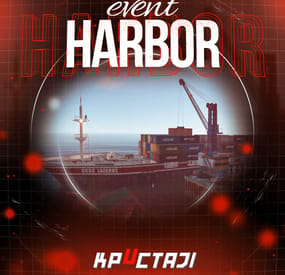
Harbor Event
Creates a unique event at the Harbor monument for players to participate in for rewards. Players must battle numerous NPCs and APCs to access the puzzle to open the loot room!
Description
This event started off as a warning on the chatbox about the ships coming soon to dock in Port, loaded with precious cargo. After the period has passed, a ship appears in one of the locations at Harbour that are accessible from the map, where the crane loads the container.
The loading area is protected by one Tank and 7 NPCs by default. The container door is locked, you must push a button from inside the cranes cockpit to open the door. Inside the container, there is a default security camera, locked box, 2 DMS, 2 Elite, and 2 Military boxes.
The locations and loot from all crates/NPCs can be configured within configurations, and unwanted crates/NPCs added or removed. Also, ships will generate the default ship loot, e.g. The config file allows to modify tank as well as loot inside of the ship.
When the event occurs, the map displays the markers (configured in the config file). All players that are inside the event area will have a timer counting down the amount of time until the event ends.
Dependencies Required
NpcSpawn
Dependencies (optional, not required)
True PVE PveMode GUI Announcements Notify Discord Messages AlphaLoot CustomLoot NTeleportation HeliControl Economics Server Rewards IQEconomic Kits
Chat commands (only for administrators)
/harborstart – starting of the event
/harborstop – ending of the event
/harborpos – determining the position and rotation coordinates for changing the location of NPCs and crates.It should write in the configuration (Attention! The event must be started, the current position of the administrator in relation to the cargoship is read)
Console commands (RCON only)
harborstart – starting of the event
harborstop – ending of the event
Plugin Config
en - example of plugin configuration in English ru - example of plugin configuration in Russian
Hooks
void OnHarborEventStart() – called when the event starts
void OnHarborEventEnd() – called when the event ends
void OnHarborEventWinner(ulong winnerId) – called at the end of the event, where the winnerId is the player who did more actions to complete the event
My Discord: KpucTaJl#8923
Join the Mad Mappers Discord here!
Check out more of my work here!
-
$30.00
Admin Menu
Manage your Rust server easier and more efficiently with the AdminMenu plugin. Track players, interact with them, edit their data and permissions, as well as change server convars and manage plugins.
Features:
Menu retains its state after closing, you won't lose everything you did before. Ability to fully translate the menu into any language. Large range of permissions for each action, will allow you to flexibly customize the admin menu for each group of administrators. Quick menu that allows you to perform quick actions Full list of players with the ability to filter by online, offline, admins and moderators. Also has a frame of different colors depending on the level of authorization. Wide range of information and actions for the selected player. Editing convars with search. Has a complete list of editable convars with descriptions for some of them. Extensive issue menu by category, with easy management of name, skin and amount (manual, +1, +100, +1000, +10000). Plugin management menu. It is possible to reload, unload or load a plugin easily and quickly. Updates occur in real time. Ability to create your own custom buttons that execute several commands Quick Start:
You install the plugin in the plugins folder. Give yourself the adminmenu.fullaccess permission.
Commands, use one of your choice, one for the player and one for the admin group: o.grant user [name or steamid] adminmenu.fullaccess o.grant group admin adminmenu.fullaccess Press the X button (swap seat button) or type adminmenu in the console. Enjoy
Useful stuff:
You can quickly open a player in the admin menu. To do this, point at the player and press X.
You don't have to hover over the player exactly, you will be able to open players within a certain radius of the place you are looking at.
CUSTOM BUTTONS
Custom buttons are buttons that when pressed will execute commands on behalf of the administrator, commands can be several, below will be the details.
At the moment, custom buttons can be created in two places: in the quick menu and in the menu when selecting a player. These places are separated in the config.
Button Fields:
"Execution as server" - Call the command on behalf of the server, not the administrator "Label" - Text that will be on the button, for each such inscription creates a field in the lang file, accordingly you can translate this text into several languages. "Commands" - Array of commands that will be executed on behalf of the administrator. Chat commands require a special entry, see examples. "Permission"- permission to display and use the button. You need to write the permission that will be after "adminmenu.".
Example: if you enter the permission "test" the permission will be adminmenu.test "Position" - The location for the button, the first number is responsible for the row number, the second for the position within the row, starts from 0.There are limits of locations, if you have gone beyond the limit - the button will not be displayed. Common Tags: {adminUID} - administrator's id. {position} - administrator coordinates (underfoot) {view_position} - the position where the administrator is looking (can be used for spawning or something similar) {view_direction_forward} - forward view direction of the administrator {view_direction_backward} - the direction the administrator is looking backwards {view_direction_left} - direction of the administrator’s view to the left {view_direction_right} - administrator’s view direction to the right Tags for target only: {steamid}, {steamID}, {userID}, {STEAMID}, {USERID} - mean the same thing, namely the id of the selected player. {target_position} - target coordinates (underfoot)
Example of commands:
chat.say \"/{chat command}\" vanish ban {steamID} teleport {steamID} {adminUID}
More information about the grant menu:
The grant menu includes the full list of items including hidden items as well as custom items created by the CustomItemDefinitions library.
The menu can be accessed from the navigation or from the menu of the selected player. When issuing itself has categories.
Search works in any registry by any part of the name or short name.
Has a page system at any stage.
More information about the buttons in the Quick Menu:
[Teleport to 0 0 0] - Teleport to coordinates 0 0 0.
Requires adminmenu.quickmenu.teleportto000 permission [Teleport to Deathpoint] - Teleport to your deathpoint.
Requires adminmenu.quickmenu.teleporttodeath permission [Teleport to Spawn point] - Teleport to a random spawn point.
Requires adminmenu.quickmenu.teleporttospawnpoint permission [Kill Self] - Kill Self, kills even when immortal.
Does not require permission. [Heal Self] - Fully heal yourself.
Requires adminmenu.quickmenu.healself permission [Call Heli] - Call Helicopter to yourself (arrives in time).
Requires adminmenu.quickmenu.helicall permission [Spawn Bradley] - Spawn bradley on yourself.
Requires adminmenu.quickmenu.spawnbradley permission More information about the buttons in the menu of the selected player:
[Teleport Self To] - Teleport yourself to the selected player.
Requires adminmenu.userinfo.teleportselfto permission [Teleport To Self] - Teleport the selected player to yourself.
Requires adminmenu.userinfo.teleporttoself permission [Teleport To Auth] - Teleportation to random authorization (TC).
Requires adminmenu.userinfo.teleporttoauth permission [Teleport to Deathpoint] - Teleportation to a player's deathpoint. Requires adminmenu.userinfo.teleporttodeath permission [Heal] - Full healing, including metabolism.
Requires adminmenu.userinfo.fullheal permission [Heal 50%] - Half healing.
Requires adminmenu.userinfo.halfheal permission. [View Inventory] - View and edit player's inventory.
Requires adminmenu.userinfo.viewinv permission [Strip Inventory] - Clear player's inventory.
Requires adminmenu.userinfo.stripinventory permission [Unlock Blueprints] - Unlock all Blueprints.
Requires adminmenu.userinfo.unlockblueprints permission [Revoke Blueprints] - Reset all Blueprints.
Requires adminmenu.userinfo.revokeblueprints permission. [Kill] - Kill a player.
Requires adminmenu.userinfo.kill permission [Kick] - Kick a player.
Requires adminmenu.userinfo.kick permission [Ban] - Ban a player.
Requires adminmenu.userinfo.ban permission More information about the buttons in the menu of the selected group:
[Remove Group] - Remove group, has confirmation.
Requires adminmenu.groupinfo.removegroup permission [Clone Group] - Clone group with the ability to copy users.
Requires adminmenu.groupinfo.clonegroup permission Permissions:
adminmenu.use - Ability to use admin menu with basic set. Open tab quick menu (each button has its own permission, without permissions is present only kill yourself button) and the list of players. adminmenu.fullaccess - Full access to all functions without the need for each permission, includes also adminmenu.use. It is recommended to give only to the main administrators. adminmenu.quickmenu.teleportto000 - Access to the button in the quick menu, teleportation to coordinates 0 0 0 0. adminmenu.quickmenu.teleporttodeath - Access to the button in the quick menu, teleportation to the point of your death. adminmenu.quickmenu.teleporttospawnpoint - Access to the button in the quick menu, teleportation to a random spawn point. adminmenu.quickmenu.healself - Access button in quickmenu, heal yourself completely. adminmenu.quickmenu.helicall - Access to the button in the quick menu, call a helicopter to yourself (arrives in time). adminmenu.quickmenu.spawnbradley - Access button in quickmenu, spawn bradley. adminmenu.userinfo.teleportselfto - Access to the button in the menu of the selected player, teleportation to the selected player. adminmenu.userinfo.teleporttoself - Access to the button in the menu of the selected player, teleport the selected player to himself. adminmenu.userinfo.teleporttoauth - Access to the button in the menu of the selected player, teleportation to random authorization (TC). adminmenu.userinfo.teleporttodeath - Access to the button in the menu of the selected player, teleportation to the place of death of the player. adminmenu.userinfo.fullheal - Access to the button in the menu of the selected player, full healing, including metabolism. adminmenu.userinfo.halfheal - Access to the button in the menu of the selected player, half healing. adminmenu.userinfo.viewinv - Access to the button in the selected player's menu, view and edit the player's inventory. adminmenu.userinfo.stripinventory - Access to the button in the menu of the selected player, clear the player's inventory. adminmenu.userinfo.unlockblueprints - Access the button in the menu of the selected player, unlock all drafts. adminmenu.userinfo.revokeblueprints - Access to the button in the menu of the selected player, reset all drafts. adminmenu.userinfo.kill - Access the button in the selected player's menu to kill the player. adminmenu.userinfo.kick - Access the button in the selected player's menu to kick the player. adminmenu.userinfo.ban - Access to the button in the menu of the selected player, ban the player. adminmenu.groupinfo.removegroup - Access to the button in the menu of the selected group, the ability to remove the group. adminmenu.groupinfo.clonegroup - Access to the button in the menu of the selected group, the ability to clone the group. adminmenu.convars - View and edit convars. adminmenu.permissionmanager - View and edit permissions in groups, player groups, create, delete and clone groups (requires additional permissions from these buttons). adminmenu.pluginmanager - Access to plugin management, reloading, unloading, loading plugins. adminmenu.give - Access to give resources, as well as yourself and the selected player. -
$9.99$7.99Advanced Recycler
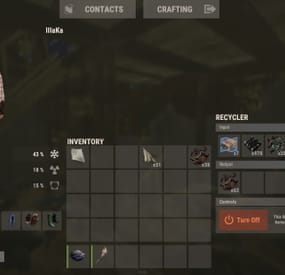
An excellent plugin for item recycling with extensive functionality.
The ability to log successful recycling; The ability to create new permissions; The ability to customize permissions flexibly, including both new and existing ones; The ability to have multiple permissions at the same time, with the selection of the best limits from the available permissions; The ability to configure the recycling efficiency for each permission; The ability to configure the scrap return percentage when recycling blueprints for each permission; The ability to configure the chance to return the original item when recycling blueprints for each permission; The ability to configure forbidden items for recycling for each permission; The ability to configure the recycling speed for each permission; The ability to configure the recycling cycle limit per use for each permission; The ability to configure the recycling slot limit for each permission; The ability to configure the recycling cooldown for each permission; The ability to purchase a bypass for the recycle cooldown; The ability to configure the daily recycling limit for each permission; The ability to purchase additional recycles after reaching the daily limit; The ability to count recycling only when at least one item is successfully recycled; The ability to forbid recycling when wounded; The ability to forbid recycling while swimming; The ability to forbid recycling while mounted on certain seats; The ability to forbid recycling in specified monuments, by name or by monument type; The ability to forbid recycling in someone else's building privileges; The ability to forbid recycling when taking damage; The ability to forbid recycling during a combat block; The ability to forbid recycling during a raid block; The ability to automatically generate language files for specified languages(with content filled in English); The ability to display a status bar while waiting for a cooldown; The ability to choose between bar types(TimeCounter and TimeProgressCounter); The ability to specify the order of the bar; The ability to change the height of the bar; The ability to customize the color and transparency of the background; The ability to set a material for the background; The ability to switch between CuiRawImageComponent and CuiImageComponent for the image; The ability to get images from the local folder(*SERVER*\oxide\data\AdvancedStatus\Images); The ability to set own image and customize the color and transparency of the image; The ability to set sprite instead of the image; The ability to customize the color, size and font of the text.
{ "Chat command": "rec", "Is it worth enabling GameTips for messages?": true, "Is it worth using Notify plugins for messages instead of the vanilla UI?": false, "Specify the regular message type for notify": 0, "Specify the warning message type for notify": 1, "Is it worth using the AdvancedStatus plugin?": true, "Is it worth saving recycling logs to a file?": true, "List of language keys for creating language files": [ "en" ], "Is it worth allowing blueprint recycling based on permissions?": true, "Price to skip 60 seconds of recycler cooldown": 10.0, "List of mount names where recycling is prohibited": [ "horsesaddle", "horsesaddlerear", "bikedriverseat", "bikepassengerseat", "motorbikedriverseat", "motorbikepassengerseat", "modularcardriverseat", "modularcarpassengerseatleft", "modularcarpassengerseatright", "modularcarpassengerseatlesslegroomleft", "modularcarpassengerseatlesslegroomright", "modularcarpassengerseatsidewayleft", "miniheliseat", "minihelipassenger", "transporthelipilot", "transporthelicopilot", "attackhelidriver", "attackheligunner", "submarinesolodriverstanding", "submarineduodriverseat", "submarineduopassengerseat", "snowmobiledriverseat", "snowmobilepassengerseat", "snowmobilepassengerseat tomaha", "workcartdriver", "locomotivedriver", "craneoperator", "batteringramseat", "ballistagun.entity" ], "Status. Bar - Display time in seconds. A value of 0 keeps it visible until the cooldown ends": 15.0, "Status. Bar - Type(TimeProgressCounter or TimeCounter)": "TimeCounter", "Status. Bar - Height": 26, "Status. Bar - Order": 10, "Status. Background - Color(Hex or RGBA)": "#EFC570", "Status. Background - Transparency": 0.7, "Status. Background - Material(empty to disable)": "", "Status. Image - Url": "https://gitlab.com/IIIaKa/images/-/raw/main/StatusBars/AdvancedStatus_SandClock.png", "Status. Image - Local(Leave empty to use Image_Url)": "AdvancedStatus_SandClock", "Status. Image - Sprite(Leave empty to use Image_Local or Image_Url)": "", "Status. Image - Is raw image": false, "Status. Image - Color(Hex or RGBA)": "#EFC570", "Status. Image - Transparency": 1.0, "Status. Image Outline - Color(Hex or RGBA)": "0.1 0.3 0.8 0.9", "Status. Image Outline - Transparency": 1.0, "Status. Image Outline - Distance(Leave empty to disable). Example '0.75 0.75'": "", "Status. Text - Size": 12, "Status. Text - Color(Hex or RGBA)": "#FFFFFF", "Status. Text - Transparency": 1.0, "Status. Text - Font(https://umod.org/guides/rust/basic-concepts-of-gui#fonts)": "RobotoCondensed-Bold.ttf", "Status. Text - Offset Horizontal": 0, "Status. Text Outline - Color(Hex or RGBA)": "#000000", "Status. Text Outline - Transparency": 1.0, "Status. Text Outline - Distance(Leave empty to disable)": "", "Status. SubText - Size": 12, "Status. SubText - Color(Hex or RGBA)": "#FFFFFF", "Status. SubText - Transparency": 1.0, "Status. SubText - Font": "RobotoCondensed-Bold.ttf", "Status. SubText Outline - Color(Hex or RGBA)": "0.5 0.6 0.7 0.5", "Status. SubText Outline - Transparency": 1.0, "Status. SubText Outline - Distance(Leave empty to disable)": "", "Status. Progress - Background Color(Hex or RGBA)": "1 1 1 0.15", "Status. Progress - Background Transparency": 0.15, "Status. Progress - Reverse": true, "Status. Progress - Color(Hex or RGBA)": "#EFC570", "Status. Progress - Transparency": 0.7, "Status. Progress - OffsetMin": "0 0", "Status. Progress - OffsetMax": "0 0", "List of recycling permissions": [ { "Permission Name": "advancedrecycler.default", "Item recycling time(seconds)": 8.0, "Item recycling efficiency": 0.4, "Blueprint recycling efficiency. A value of 0 disables this ability": 0.0, "Chance(0.0 – 1.0) of the original item dropping when recycling a blueprint": 0.001, "Is it worth giving scrap if the original item drops when recycling a blueprint?": false, "Number of available recycling slots": 2, "Cooldown time(in seconds) before next recycling": 600.0, "Daily recycling limit. A value of 0 disables the limit": 50, "Price to purchase a recycling after exceeding the daily limit. A value of 0 disables the purchase": 5.0, "Item recycling limit per session(per command use). A value of 0 disables the limit": 15, "Is it worth forbidding recycling if the player is in a wounded state?": true, "Is it worth forbidding recycling if the player is swimming?": true, "Is it worth forbidding recycling if the player is mounted?": true, "Is it worth forbidding recycling if the player is in someone else's building privilege area?": true, "Is it worth forbidding recycling if the player has taken damage?": true, "Is it worth forbidding recycling if the player has combat block?": true, "Is it worth forbidding recycling if the player has raid block?": true, "List of monuments where recycling is forbidden": null, "List of monument types where recycling is forbidden": [ "RadTown", "RadTownWater", "RadTownSmall", "TunnelStation", "Custom" ], "List of forbidden recycling items": [ "blood" ] }, { "Permission Name": "advancedrecycler.vip", "Item recycling time(seconds)": 5.0, "Item recycling efficiency": 0.6, "Blueprint recycling efficiency. A value of 0 disables this ability": 0.15, "Chance(0.0 – 1.0) of the original item dropping when recycling a blueprint": 0.15, "Is it worth giving scrap if the original item drops when recycling a blueprint?": true, "Number of available recycling slots": 4, "Cooldown time(in seconds) before next recycling": 450.0, "Daily recycling limit. A value of 0 disables the limit": 100, "Price to purchase a recycling after exceeding the daily limit. A value of 0 disables the purchase": 2.5, "Item recycling limit per session(per command use). A value of 0 disables the limit": 50, "Is it worth forbidding recycling if the player is in a wounded state?": true, "Is it worth forbidding recycling if the player is swimming?": true, "Is it worth forbidding recycling if the player is mounted?": true, "Is it worth forbidding recycling if the player is in someone else's building privilege area?": true, "Is it worth forbidding recycling if the player has taken damage?": true, "Is it worth forbidding recycling if the player has combat block?": true, "Is it worth forbidding recycling if the player has raid block?": true, "List of monuments where recycling is forbidden": null, "List of monument types where recycling is forbidden": [ "RadTown", "RadTownWater", "TunnelStation" ], "List of forbidden recycling items": [ "blood" ] }, { "Permission Name": "realpve.vip", "Item recycling time(seconds)": 4.0, "Item recycling efficiency": 0.65, "Blueprint recycling efficiency. A value of 0 disables this ability": 0.5, "Chance(0.0 – 1.0) of the original item dropping when recycling a blueprint": 0.3, "Is it worth giving scrap if the original item drops when recycling a blueprint?": true, "Number of available recycling slots": 6, "Cooldown time(in seconds) before next recycling": 300.0, "Daily recycling limit. A value of 0 disables the limit": 0, "Price to purchase a recycling after exceeding the daily limit. A value of 0 disables the purchase": 0.0, "Item recycling limit per session(per command use). A value of 0 disables the limit": 0, "Is it worth forbidding recycling if the player is in a wounded state?": false, "Is it worth forbidding recycling if the player is swimming?": false, "Is it worth forbidding recycling if the player is mounted?": false, "Is it worth forbidding recycling if the player is in someone else's building privilege area?": false, "Is it worth forbidding recycling if the player has taken damage?": false, "Is it worth forbidding recycling if the player has combat block?": false, "Is it worth forbidding recycling if the player has raid block?": false, "List of monuments where recycling is forbidden": [ "oilrig_1" ], "List of monument types where recycling is forbidden": null, "List of forbidden recycling items": [ "blood" ] } ], "Version": { "Major": 0, "Minor": 1, "Patch": 3 } }
EN: { "CmdNotAllowed": "You do not have permission to use this command!", "CmdEconomicsNotEnough": "Not enough funds!", "CmdMain": "Available commands for the recycler:\n\n<color=#D1CBCB>/rec</color> - Request access to the remote recycler\n<color=#D1CBCB>/rec</color> <color=#D1AB9A>bars *boolValue*(optional)</color> - Toggle status bar display\n<color=#D1CBCB>/rec</color> <color=#D1AB9A>limits</color> - View your usage limits\n<color=#D1CBCB>/rec</color> <color=#D1AB9A>buy limits *amount*(optional)</color> - Purchase additional uses of the remote recycler\n<color=#D1CBCB>/rec</color> <color=#D1AB9A>buy cd *amount*(optional)</color> - Purchase a 60 second(* by amount) cooldown skip for remote recycler\n\n--------------------------------------------------", "CmdBarsEnabled": "Status bar display enabled!", "CmdBarsDisabled": "Status bar display disabled!", "CmdDailyLimitExtra": "You have exceeded the daily limit({0}) for using the remote recycler!\n<size=10>However, you can buy additional uses with the <color=#D1AB9A>/rec buy limits</color> command for <color=#D1CBCB>${1}</color></size>", "CmdDailyLimit": "You have exceeded the daily limit ({0}) for using the remote recycler!", "CmdCooldownSkip": "You must wait {0} seconds before using the remote recycler again!\n<size=10>However, you can skip the cooldown using the <color=#D1AB9A>/rec buy cd</color> command for <color=#D1CBCB>${1}</color> per 60 seconds</size>", "CmdCooldown": "You must wait {0} seconds before using the remote recycler again!", "CmdWoundBlock": "You can't use the remote recycler while wounded!", "CmdSwimming": "You can't use the remote recycler while swimming!", "CmdMountBlock": "You can't use the remote recycler while mounted here!", "CmdMonumentBlock": "You can't use the remote recycler at '{0}'!", "CmdBuildingBlock": "You can't use the remote recycler inside someone else's base!", "CmdDamageBlock": "You can't use the remote recycler while taking damage!", "CmdCombatBlock": "You can't use the remote recycler during combat block!", "CmdRaidBlock": "You can't use the remote recycler during a raid block!", "CmdAlredyHave": "You already have an active remote recycler!", "CmdPurchaseNotLimited": "You haven't reached your daily limit yet!", "CmdPurchaseHaveExtra": "You still have {0} additional remote recycler uses! Use them before purchasing more.", "CmdPurchaseLimitsNotAllowed": "Purchasing additional remote recycler uses is unavailable!", "CmdPurchasedLimits": "You have successfully purchased <color=#D1CBCB>{0}</color> remote recycler uses!\n<size=10>Now you have <color=#D1CBCB>{1}</color> additional uses</size>", "CmdPurchaseNoCooldown": "You don't have a cooldown for remote recycler usage!", "CmdPurchaseCooldownNotAllowed": "Purchasing a cooldown skip for remote recycler usage is not available!", "CmdPurchasedCooldown": "You have successfully purchased a cooldown skip for <color=#D1CBCB>{0} seconds</color> for remote recycler usage!\n<size=10>Now you need to wait <color=#D1CBCB>{1} seconds</color></size>", "CmdMyLimits": "Your remote recycler limits:\n\n<color=#D1CBCB>Efficiency</color> - <color=#D1AB9A>{0}%</color>\n<color=#D1CBCB>Blueprint efficiency</color> - <color=#D1AB9A>{1}%</color>\n<color=#D1CBCB>Blueprint original item return</color> - <color=#D1AB9A>{2}%</color>\n<color=#D1CBCB>Cycle Time</color> - <color=#D1AB9A>{3}</color>\n<color=#D1CBCB>Usage Cycles</color> - <color=#D1AB9A>{4}</color>\n<color=#D1CBCB>Cooldown</color> - <color=#D1AB9A>{5} sec</color>\n<color=#D1CBCB>Daily Limit</color> - <color=#D1AB9A>{6}</color>\n\n--------------------------------------------------", "UiRecycleEfficiency": "EFFICIENCY {0}%, {1} SEC", "UiRecycleEfficiencyBp": "EFFICIENCY {0}%, BP {2}%, {1} SEC", "UiSessionLimit": "Recycling cycles: {0}", "BarCooldown": "Recycler cooldown:", "MsgSessionLimit": "You have exceeded the limit of {0} recycling cycles per session." } RU: { "CmdNotAllowed": "У вас недостаточно прав для использования этой команды!", "CmdEconomicsNotEnough": "Не достаточно средств!", "CmdMain": "Доступные команды для переработчика:\n\n<color=#D1CBCB>/rec</color> - Запросить доступ к удалённому переработчику\n<color=#D1CBCB>/rec</color> <color=#D1AB9A>bars *булевоеЗначение*(опционально)</color> - Переключение отображения статус баров\n<color=#D1CBCB>/rec</color> <color=#D1AB9A>limits</color> - Узнать свои лимиты\n<color=#D1CBCB>/rec</color> <color=#D1AB9A>buy limits *количество*(опционально)</color> - Докупить дополнительное количество доступа к удалённому переработчику\n<color=#D1CBCB>/rec</color> <color=#D1AB9A>buy cd *количество*(опционально)</color> - Купить пропуск 60 секунд(* на количество) задержки перед повторным использованием удалённым переработчиком\n\n--------------------------------------------------", "CmdBarsEnabled": "Отображение статус баров включено!", "CmdBarsDisabled": "Отображение статус баров выключено!", "CmdDailyLimitExtra": "Вы превысили допустимую дневную норму({0}) на использование удалённого переработчика!\n<size=10>Но вы можете купить дополнительные использования удалённого переработчика с помощью команды <color=#D1AB9A>/rec buy limits</color> за <color=#D1CBCB>{1}$</color></size>", "CmdDailyLimit": "Вы превысили допустимую дневную норму({0}) на использование удалённого переработчика!", "CmdCooldownSkip": "Перед повторным использованием удалённого переработчика вам необходимо подождать {0} секунд!\n<size=10>Но вы можете купить пропуск задержки с помощью команды <color=#D1AB9A>/rec buy cd</color> за <color=#D1CBCB>{1}$</color> за каждые 60 секунд</size>", "CmdCooldown": "Перед повторным использованием удалённого переработчика вам необходимо подождать {0} секунд!", "CmdWoundBlock": "Вам запрещено пользоваться удалённым переработчиком в предсмертном состоянии!", "CmdSwimming": "Вам запрещено пользоваться удалённым переработчиком в воде!", "CmdMountBlock": "Вам запрещено пользоваться удалённым переработчиком сидя в данном месте!", "CmdMonumentBlock": "Вам запрещено пользоваться удалённым переработчиком в '{0}'!", "CmdBuildingBlock": "Вам запрещено пользоваться удалённым переработчиком в чужой базе!", "CmdDamageBlock": "Вам запрещено пользоваться удалённым переработчиком при получении урона!", "CmdCombatBlock": "Вам запрещено пользоваться удалённым переработчиком во время боя!", "CmdRaidBlock": "Вам запрещено пользоваться удалённым переработчиком во время рейда!", "CmdAlredyHave": "У вас уже имеется активный удалённый переработчик!", "CmdPurchaseNotLimited": "Вы ещё не исчерпали свой дневной лимит!", "CmdPurchaseHaveExtra": "У вас ещё есть {0} дополнительных использований удалённого переработчика! Используйте их прежде, чем покупать новые.", "CmdPurchaseLimitsNotAllowed": "Покупка дополнительных использований удалённого переработчика недоступна!", "CmdPurchasedLimits": "Вы успешно докупили <color=#D1CBCB>{0}</color> использований удалённого переработчика!\n<size=10>Теперь у вас <color=#D1CBCB>{1}</color> дополнительных использований</size>", "CmdPurchaseNoCooldown": "У вас нет задержки на использование удалённого переработчика!", "CmdPurchaseCooldownNotAllowed": "Покупка пропуска задержки на использование удалённого переработчика недоступна!", "CmdPurchasedCooldown": "Вы успешно купили пропуск на <color=#D1CBCB>{0} секунд</color> задержки для использования удалённого переработчика!\n<size=10>Теперь вам нужно подождать <color=#D1CBCB>{1} секунд</color></size>", "CmdMyLimits": "Ваши лимиты удалённого переработчика:\n\n<color=#D1CBCB>Эффективность</color> - <color=#D1AB9A>{0}%</color>\n<color=#D1CBCB>Эффективность(чертежи)</color> - <color=#D1AB9A>{1}%</color>\n<color=#D1CBCB>Шанс возврата(чертежи)</color> - <color=#D1AB9A>{2}%</color>\n<color=#D1CBCB>Время цикла</color> - <color=#D1AB9A>{3}</color>\n<color=#D1CBCB>Циклов использований</color> - <color=#D1AB9A>{4}</color>\n<color=#D1CBCB>Время задержки</color> - <color=#D1AB9A>{5} сек</color>\n<color=#D1CBCB>Дневной лимит</color> - <color=#D1AB9A>{6}</color>\n\n--------------------------------------------------", "UiRecycleEfficiency": "ЭФФЕКТИВНОСТЬ {0}%, {1} СЕК", "UiRecycleEfficiencyBp": "ЭФФЕКТИВНОСТЬ {0}%, ЧЕРТЕЖИ {2}%, {1} СЕК", "UiSessionLimit": "Циклы переработки: {0}", "BarCooldown": "Задержка переработчика:", "MsgSessionLimit": "Вы превысили лимит в {0} циклов переработки за одно использование." }
/rec - Request access to the remote recycler. /rec bars *boolValue*(optional) - Toggle status bar display. /rec limits - View your usage limits. /rec buy limits *amount*(optional) - Purchase additional uses of the remote recycler. /rec buy cd *amount*(optional) - Purchase a 60 second(x by amount) cooldown skip for remote recycler. Example:
/rec limits /rec buy limits 1 /rec buy limits 0.5 -
$41.00$31.95Multi Events
Introducing MultiEvents, the ultimate event management plugin for your Rust server! Seamlessly create, manage, and display events with a beautiful, customizable interface that engages your players. With support for multiple event types, easy integration with other plugins, and a powerful visual editor, MultiEvents is the perfect solution to enhance your server's community experience and keep players coming back for more.
⭐️ Features of Multi Events
Beautiful, fully customizable UI with multiple template options (Fullscreen, ServerPanel V1, ServerPanel V2) for a tailored player experience. In-game visual editor for creating and customizing event interfaces, allowing for real-time adjustments without coding. Support for event categories, descriptions, icons, and banners to enhance event visibility and player engagement. Integrated event notifications system to alert players about upcoming and ongoing events, ensuring maximum participation. Event inventory management with customizable permissions, providing control over player access and participation. Image library support for custom graphics and icons, enabling a unique and branded event presentation. Multi-language support with easy localization, making the plugin accessible to a global player base. ServerPanel integration for seamless menu access, enhancing user interaction and ease of use. Developer-friendly API for plugin integration, allowing for extended functionality and customization. Pre-loaded with diverse events such as CollectionResources, FoundationDrop, HelicopterPet, HuntAnimal, KingOfHill, LookingLoot, and SpecialCargo, each offering unique gameplay experiences. Advanced configuration options in JSON format, providing flexibility in event setup and management. Optimized for performance, ensuring smooth operation even with large player bases and extensive data.
🏆 Included Events
MultiEvents comes pre-loaded with several exciting events ready to use on your server:
CollectionResources - Collect resources and compete with other players! The more resources you collect, the higher your score. Use different tools to get multipliers for your gathering. Top players will receive valuable rewards! FoundationDrop - Players spawn on a platform made of foundations. The foundations begin to degrade and fall away one by one. Players must survive by jumping between foundations. The last player standing wins! When only one foundation remains, players receive weapons and radiation appears to speed up the finale. HelicopterPet - Try to get the attention of the patrol helicopter! The more it focuses on you, the more points you earn. Get points when the helicopter orbits around you and even more when it's attacking. The player with the most points at the end wins! Be careful though - this isn't your friendly neighborhood chopper! HuntAnimal - Hunt animals across the map to earn points! Different animals are worth different amounts - chickens are worth 1 point, while bears are worth 10 points. Wolves, boars, horses, and deer are worth 4 points each. The player with the most points at the end of the event wins! KingOfHill - Race to the highest point! Your score is based on the highest elevation you reach. Stay on solid ground - no flying, swimming, or using vehicles. The player who reaches the highest point and maintains their position wins! Watch your step and keep climbing! LookingLoot - Search for loot across the map! Earn points by looting containers and barrels. Most items are worth 1 point each, but special items like scrap and gears are worth 2 points. The player who collects the most valuable loot wins! Be quick - containers can only be looted once! SpecialCargo - Deliver the special cargo from one monument to another! A random player will be chosen to carry the cargo. The carrier must reach the destination monument marked on the map while avoiding other players. If the carrier dies, a new random player becomes the carrier. Teleportation is disabled for the carrier. Successfully deliver the cargo to win! Each event is fully customizable through the visual editor and comes with default settings ready to play immediately after installation!
🚀 Expansion Packs & Add‑ons
Enhance MultiEvents with premium expansion packs and our large‑scale raid framework. Pre‑configured, fully customizable, and designed to plug directly into your server.
✨ MultiEvents Pack 1 Barrels, PvP Player Battle, NPC Missile Silo, Pumpkin Picker, Vehicle Hunter. View on Codefling → 🌟 MultiEvents Pack 2 Another set of competitive and gathering‑focused events to diversify rotations. View on Codefling → 💠 MultiEvents Pack 3 Corn Collector, Gold Rush (with rare items), Mushroom Madness, NPC Underwater Lab, Patrol Helicopter Hit. View on Codefling → 🏰 OPERATION FORTRESS Large‑scale PvE raid framework with handcrafted bases, waves, and rewards — a perfect complement to your event ecosystem. View on Codefling →
🖼️ Showcase
Fullscreen Template
ServerPanel V1 Template
ServerPanel V2 Template
📬 Video Overview
🎮 Commands
/events - Opens the events menu for players
🛡️ Permissions
multievents.edit - Permission to edit events
🗒️ Visual Editor
MultiEvents includes a robust visual editor that simplifies the process of creating and customizing events. No coding is required—use the intuitive interface to adjust settings, modify colors, add text, and configure event elements directly in-game. This allows for quick and efficient event setup, ensuring your server's events are both engaging and visually appealing.
⚙️ Web Config Editor
Easily manage your MultiEvents settings with our web-based configuration editor. This tool allows you to adjust plugin configurations through a user-friendly interface, eliminating the need to manually edit files on your server.
P.S. To access the web config editor, you must be part of the "MultiEvents" group in our Discord server. Join us at https://discord.gg/mevent and submit a request in the #ticket-verify channel to get started.
📚 FAQ
Q: Can I integrate MultiEvents with other plugins?
A: Yes! MultiEvents has an API that allows other plugins to register and manage events. It also integrates with ServerPanel for menu access.
Q: How do I add MultiEvents to the ServerPanel menu?
A: You can do this directly from the ServerPanel in-game:
1. Open the ServerPanel menu in-game.
2. If you have permission to edit, switch the panel to edit mode so you can see the blue "EDIT CATEGORY" and "EDIT PAGES" buttons.
3. Choose the category where you want MultiEvents to appear and click the "EDIT CATEGORY" button for that category.
4. While you are in this category in the ServerPanel, click the "EDIT PAGES" button to create a new page (or edit an existing one) for MultiEvents.
5. For that page, set these exact parameters:
Type: Plugin Plugin Name: MultiEvents Plugin Hook: API_OpenPlugin 6. Save the changes. The MultiEvents button will now appear in the ServerPanel in the category you selected.
Q: How do I add custom images for my events?
A: MultiEvents supports an image library. Upload your images to your server, and reference them in the plugin configuration or through the visual editor.
Q: Does MultiEvents support multiple languages?
A: Yes, MultiEvents has built-in localization support. You can customize all text elements in the editor and add translations for different languages.
Q: How do I configure rewards in MultiEvents?
A: Rewards can be configured in two ways. If you want rewards to drop into a custom inventory UI, you need to set up items in the inventory settings and assign them unique IDs. Then, reference these IDs in the event configuration. If you prefer to give rewards directly to the player's in-game inventory, simply specify the rewards directly within the event settings.
Q: How do I set up rewards (Item, Command, Plugin, Kit) and what placeholders are available?
A: Types: Item (ShortName, Amount, DisplayName, Skin), Command (Command string), Plugin (Plugin Name, Hook, Amount), Kit (Kit name). Placeholders for Command: %steamid%, %username%. Multiple commands are separated by | (line breaks are also supported).
Give an item: "Type": "Item", "ShortName": "stones", "Amount": 2500, "DisplayName": "Stones", "Skin": 0 Give a kit: "Type": "Kit", "Kit": "vip_starter" Run commands: "Type": "Command", "Command (%steamid%)": "inventory.giveto %steamid% scrap 1000|oxide.usergroup add %steamid% vip" Add BankSystem balance (via Plugin): "Type": "Plugin", "Plugin": "BankSystem", "Hook": "Deposit", "Amount": 2500 Q: What are the recommended sizes for event images?
A: For optimal display, event banners should be 390x349 pixels, and event icons should be 64x64 pixels.
💻 Developer API
MultiEvents provides a developer-friendly API for integration with other plugins:
void API_RegisterEvent(string eventId, JObject data) - Register a new event with MultiEvents API_RegisterEvent Parameters:
eventId (string): unique identifier for the event. data (JObject): JSON object containing event details. JObject Structure:
title (string, required): The title of the event. description (string, optional): A brief description of the event. commandToStart (string, required): The command to start the event. commandToStop (string, required): The command to stop the event. bannerURL (string, optional): URL for the event's banner image. icon (string, optional): URL for the event's icon image. scrollElements (JArray, optional): Custom UI elements for the event's scroll view. Creating UI Elements for scrollElements:
The scrollElements parameter allows you to add custom UI elements to your event description. Each element is defined as a JObject with specific properties based on its type.
Common Properties: type (string): "label", "image", "panel", or "button" color (string): HEX color code (e.g., "#FFFFFF") alpha (float): Opacity from 0 to 100 position (JObject): Element position and dimensions Type-Specific Properties: Text Elements: text (JArray of strings), textColor (HEX), fontSize (int), font (string) Image Elements: image (string URL) Button Elements: text, textColor, fontSize, command (string) Panel Elements: cursorEnabled (bool) Example of UI Elements:
var customScrollElements = new JArray { // Label example new JObject { ["type"] = "label", ["text"] = new JArray { "Duration: <color=#D74933>10 mins</color>", "Reward: <color=#D74933>100 scrap, Jackhammer, Python Revolver</color>" }, ["textColor"] = "#E2DBD3", ["alpha"] = 100f, ["fontSize"] = 14, ["font"] = "robotocondensed-regular.ttf", ["align"] = "MiddleLeft", ["position"] = new JObject { ["anchorMinX"] = 0f, ["anchorMinY"] = 1f, ["anchorMaxX"] = 1f, ["anchorMaxY"] = 1f, ["offsetMinX"] = 0f, ["offsetMinY"] = -200f, ["offsetMaxX"] = 0f, ["offsetMaxY"] = -140f } }, // Image example new JObject { ["type"] = "image", ["image"] = "https://example.com/image.png", ["color"] = "#FFFFFF", ["alpha"] = 100f, ["position"] = new JObject { ["anchorMinX"] = 0f, ["anchorMinY"] = 1f, ["anchorMaxX"] = 0f, ["anchorMaxY"] = 1f, ["offsetMinX"] = 0f, ["offsetMinY"] = -234f, ["offsetMaxX"] = 42f, ["offsetMaxY"] = -192f } }, // Button example new JObject { ["type"] = "button", ["text"] = "Click Me", ["textColor"] = "#FFFFFF", ["color"] = "#D74933", ["alpha"] = 100f, ["fontSize"] = 14, ["command"] = "customcommand {user}", ["position"] = new JObject { ["anchorMinX"] = 0.5f, ["anchorMinY"] = 0f, ["anchorMaxX"] = 0.5f, ["anchorMaxY"] = 0f, ["offsetMinX"] = -60f, ["offsetMinY"] = 20f, ["offsetMaxX"] = 60f, ["offsetMaxY"] = 50f } } }; Example Usage:
MultiEvents.Call("API_RegisterEvent", "CollectionResources", new JObject { ["title"] = "Collection Resources", ["description"] = "Collect resources and compete with other players! The more resources you collect, the higher your score. Use different tools to get multipliers for your gathering. Top players will receive valuable rewards!", ["commandToStart"] = "collectionresources.start", ["commandToStop"] = "collectionresources.stop", ["bannerURL"] = "https://gitlab.com/TheMevent/PluginsStorage/raw/main/Images/MultiEvents/CollectionResources.png", ["icon"] = "https://gitlab.com/TheMevent/PluginsStorage/raw/main/Images/MultiEvents/Icons/CollectionResources.png", ["scrollElements"] = customScrollElements });
(hook) OnEventStart(string eventName) - Hook called when an event begins (hook) OnEventEnd(string eventName) - Hook called when an event ends bool API_PlayerHideNotify(ulong userId) - Allows hiding event notifications for a specific player. Returns a boolean indicating whether notifications are hidden for the player. string GetBannerUrlByEventId(string eventId) - Retrieves the banner URL for a specific event by its ID. This is useful when you need to reference an event's banner in your custom UI.
🧪 TEST SERVER
Join our test server to view and experience all our unique features yourself!
Copy the IP Address below to start playing!
connect 194.147.90.239:28015
Elevate your server's event management with MultiEvents - the complete solution for creating engaging and visually stunning events that will keep your players excited and coming back for more!
- #mutlievents
- #events
- (and 15 more)
-
$7.95$5.95MultiEvents (Pack 3) - Plugin sold separately. Bundle available.
MultiEvents Expansion Pack 3 adds 5 additional events with rare item mechanics, helicopter combat, underwater lab battles, and resource gathering. Requires the base MultiEvents plugin.
🏆 Included Events
This expansion pack includes 5 diverse events with unique mechanics and seasonal appeal:
Corn Collector - Gather as much corn as you can. Peaceful farming alternative to combat events. Gold Rush - Gather ores and trees with a chance to get rare items. Combines resource gathering with rare item discovery mechanics. Mushroom Madness - Collect as many mushrooms as you can before time runs out. Race across the map to find mushroom spawns. NPC Underwater Lab - Kill scientists in the dangerous underwater lab monument. Navigate flooded areas and eliminate NPCs. Patrol Helicopter Hit - Deal damage to the Patrol Helicopter. Points awarded based on damage dealt to the helicopter.
🔧 Requirements
Requires the base MultiEvents plugin Copy files to MultiEvents directory and reload the plugin Pre-configured with rare item tables and ready to use
📚 FAQ
Q: Do I need the base MultiEvents plugin?
A: Yes, this expansion pack requires the base MultiEvents plugin.
Q: How do rare items work?
A: Players have a configurable chance to receive rare items when gathering ores and wood in Gold Rush event.
Q: Can I customize rare item drop rates?
A: Yes, all rare item chances and types are fully configurable through the visual editor.
🧪 TEST SERVER
Join our test server to try these events!
connect 194.147.90.239:28015
- #multievents
- #expansion
- (and 10 more)