
BigBroGamerUK's Wishlist
-
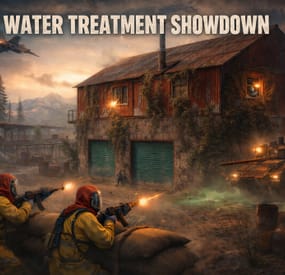
$20.00$15.00Water Treatment Showdown Event
By Yac Vaguer in Plugins
Water Treatment Showdown Event
Operation Cobalt Siege. A timed fight over the Water Treatment Plant that ends with the monument getting nuked, whether your players got out or not.
Runs on Oxide and Carbon.
What actually happens on your server
Every two hours by default, the plugin announces unusual activity at Water Treatment. Two minutes later the monument turns hostile.
Cobalt guards take up positions across the yard. Snipers with scoped M39s hold the high ground. A Bradley APC starts its patrol route. Zombies fill the main building, and if you leave the setting on, the building takes a visible explosion on spawn and the sprinklers kick in. SAM sites cover the airspace so nobody solves this from a minicopter.
The loot is military crates, elite crates and one hackable crate. Starting the hack is the point of no return: the noise calls in a patrol helicopter, and now your players are fighting a Bradley, a heli and whatever NPCs are left, all at once, on a clock.
Four minutes after somebody loots the hackable crate, an F15 comes in and drops the nuke. If nobody finishes in time, the event's own timer does it instead. Either way the monument gets hit with an MLRS barrage and then sits irradiated for five minutes. Anyone still inside picking up loose loot takes rads for it.
That last part is the reason I keep the event on my own server. The evacuation window turns a won fight into a decision, and players get greedy.
Difficulty tiers
One config field, four presets: Easy, Normal, Hard, Nightmare.
The tier multiplies NPC count, NPC health, NPC damage, Bradley HP and every reward payout by the same number (0.75, 1.0, 1.35, 1.75). Normal is 1.0, so an existing config behaves exactly as it did before tiers existed.
The tier is frozen when an event starts. If you reload config mid-event to change it, the running event finishes on the numbers it spawned with, and the new tier applies to the next one.
PVE support
Two options, and you pick one. Never both.
PveMode by KpucTaJl is the fuller integration (Recommended).
SimplePVESphere is the lighter option. A sphere, an owner, done.
If both are configured, PveMode wins and SimplePVESphere is ignored. The plugin logs which one it picked.
Leave both off and the event is straight PvP over a shared monument, which is what most vanilla-ish servers want.
Rewards
Economics, ServerRewards RP and SkillTree XP. You can run all three at once if that's your setup.
Each backend gets its own payout table with four entries: looting the hackable crate, destroying the Bradley, downing the patrol helicopter, killing an NPC. The difficulty tier scales all of them. Everything is disabled by default, so installing the plugin does not quietly start printing currency.
Loot control
Works with AlphaLoot and CustomLoot. Pick one.
AlphaLoot needs nothing configured on this side. Leave every "Use Custom loot plugin?" key false and it fills the event's crates from the profile matching each crate prefab, exactly as it does everywhere else on your map. One gotcha worth knowing: the elite crate's prefab lives under underwater_labs/, so its AlphaLoot profile is underwater_labs/crate_elite, not crate_elite. Edit the wrong one and you'll swear the event is ignoring you.
If you want the event paying differently from the rest of the world, point a crate at a prefab nothing else on your map spawns and give that prefab its own AlphaLoot profile. AlphaLoot matches on prefab, so sharing one means sharing the table.
Turning CustomLoot on while AlphaLoot is installed does not blend the two. CustomLoot wins and AlphaLoot's work is discarded with no error in the log.
Every crate type and every NPC type takes a CustomLoot profile name if you want your own tables. Guards, snipers, zombies, military crates, elite crates and the hackable crate each have their own slot, so you can hand-tune the hackable crate and leave the rest on Rust defaults.
The hackable crate also takes an optional bonus item: a shortname, an amount, a skin ID, a display name and a drop chance. Added on top of whatever table produced the rest of the crate. This is how you seed a custom skin or a server-specific item as the reward for finishing the event.
NPC tuning
Guards and snipers each have a full settings block: name, health, roam range, chase range, sense range, attack range multiplier, target memory duration, damage scale, aim cone scale, vision cone and whether it's checked at all, movement speed, radio chatter on or off, stationary or roaming, and corpse removal.
Loadouts are explicit. Clothing and belt items by shortname, with skin IDs, weapon mods and ammo type. Defaults ship the guards in road sign armour with a flashlight LR300 and an F1, and the snipers with a 16x scoped M39. Kit plugin support is there too, though it costs performance and the config says so.
Zombies get a count and a loot profile.
Bradley and the helicopter
The Bradley has its own health, the number of crates it drops, whether the crate fire keeps burning, whether gibs stick around, and its coax bullet damage. It patrols a waypoint route rather than sitting still.
The patrol helicopter is the newest addition. It spawns when the hackable crate hack starts, not on a timer, so it always lands on top of the fight rather than in a quiet moment. Count, health and crate drops are configurable, and you can turn it off entirely if your player base is small.
Notifications
Chat or GUIAnnouncements, chosen in config. Chat messages take a prefix, prefix colour and size, body colour and size, and a Steam icon ID.
There's also a Discord webhook for the event log, off by default.
Commands
Chat, requires watertreatmentevent.admin:
/wtestart starts the event now /wtestop stops a running event and re-arms the automatic schedule /wte.admin opens the admin panel Console, requires the permission or server admin:
wtestart [steamID] starts the event. The optional Steam ID pre-assigns event ownership to an online player, which is useful for testing PVE rules without having to shoot your way to ownership first wtestop wte.admin wte.nuke skips straight to the finale on a running event. This is the fastest way to check that your radiation and cleanup settings behave, without waiting out a full forty minute cycle wte.selfcheck Permission
watertreatmentevent.admin
For plugin developers
Two hooks fire:
void OnWaterTreatmentEventStart(Vector3 center, float radius) void OnWaterTreatmentEventEnded(Vector3 center, float radius) Both carry the event centre and the configured zone radius, so a leaderboard or a zone plugin can react without having to guess where the monument is.
Two API methods:
bool IsWaterTreatmentEventActive() void ResetWaterTreatmentEventInterval() ResetWaterTreatmentEventInterval restarts the countdown to the next automatic event, which event manager plugins use to stagger events so two don't fire at once.
Configuration you'll probably touch first
"Event Start every [sec]": 7200.0, "Duration of the event [sec]": 2400.0, "Run the event ONLY manually with the commands": false, "Warning time before the Event Spawn [sec]": 120.0, "Time after player loot the hackable crate to end the event and drop the nukes [sec]": 240.0, "Difficulty Tier (Easy, Normal, Hard, Nightmare)": "Normal", "Radius of the event zone in meters (PVE sphere and map marker)": 120.0, "Add Radiation when the F15 drop the nuke": true, "How long the radiation stays in the event area after the nuke [sec]": 300.0, "Clean the area of other NPCs before the event starts": false That last one is worth knowing about if you run BotReSpawn or BetterNpc. Turn it on and anything inside the event zone that this plugin did not spawn gets removed just before the event's own NPCs arrive, along with leftover NPC corpses and loot bags. Player corpses and player backpacks are never touched. It's off by default because most servers don't need it.
-

$20.00
Supermarket Event
A new event that takes place at the Supermarket monument, made for beginners on your server
Description
The event begins with a message in the chat that soon a merchant who sells valuable cargo will arrive at a Supermarket on your island. The merchant and their guards with trained dogs appear around the supermarket.
Players then have the opportunity to rob the Merchant in order to get all the Supermarket loot for themselves. As soon as the players begin to attack the Merchant, an armored helicopter arrives there with additional security and a Debt Collector. The Debt Collector enters the Supermarket and begins the process of collecting his loot and the Merchant for evacuation. If the player manages to kill all the guards outside the supermarket before the end of this process, then he can enter and loot.
There are several more guards, the Merchant and the Debt Collector waiting for the player. The Merchant and the Debt Collector need to be eliminated to get the most valuable loot that they wanted to evacuate. There are also several loot crates inside the Supermarket to be looted. If the Merchant and or the Debt Collector survive, they will fly away in the armored helicopter and the player will not receive the juicy loot they were dealing.
In the plugin configuration, it is possible to configure all timers, the guards outside the supermarket, inside the Supermarket, Debt Collector guards, and guard dogs patrolling outside the Supermarket. The Merchant and Debt Collector can also be configured as well. A list of all the loot crates inside the supermarket, map marker, event icons on the players screen, and more are all able to be adjusted in the config file.
Dependencies (optional, not required)
True PVE PveMode GUI Announcements Notify Discord Messages AlphaLoot CustomLoot NTeleportation Economics Server Rewards IQEconomic XPerience Kits Better Npc Monument Owner
Chat commands (only for administrators)
/supermarketstart - start the event
/supermarketstop - end the event
Console commands (RCON only)
supermarketstart - start the event
supermarketstop - end the event
Plugin Config
en - example of plugin configuration in English ru - example of plugin configuration in Russian
Hooks
void OnSupermarketEventStart(Vector3 pos, float radius) – called when the event starts
void OnSupermarketEventEnd() – called when the event ends
void OnSupermarketEventWinner(ulong winnerId) – called at the end of the event, where the winnerId is the player who did more actions to complete the event
My Discord: kpuctajl
Join the Mad Mappers Discord here!
Check out more of my work here!
- #supermarket
- #crates
- (and 20 more)
-
$30.00
Triangulation
Welcome to a new arctic event where players will need to brave the arctic biome to deal with packs of aggressive feral animals!
Description
The event begins with a chat warning explaining that scientists studying the arctic area of the island have been attacked by vicious animals and need to quickly be evacuated. Since leaving in such a hurry, they left their drilling rig behind, which extracts a lot of profitable resources, currently the location of the rig is not known. Players are able to find and use this rig, since it is left unguarded, but first they have to find it's location. The team left behind three signal receivers at different locations on the island. The player needs to scan each of them sequentially. This won't be as easy as it sounds, utilizing the signal receivers seems to be a big part of what is aggravating the packs of animals nearby that led to the attack. The animals seem so crazed by the signal receivers running that they will attack and try to destroy them when the players use them to triangulate the location of the drilling rig. Players should protect the receivers if they have any hopes to retrieve the location of the rig, they will need to use all three receivers to find it. The rig will need quite a few batteries to run, players should loot these after running each scan. To incentivize keeping these scanners running, loot is provided with each successful scan of the area. The more health each scanner has upon completing the scan the more batteries will be received as a reward. The more batteries are in the rig, the longer it will run and the richer the reward will be in the end.
In the plugin configuration you can change almost anything you can think of, the loot in each location, the signal receivers and drillig rig parameters, timers, attack waves, animal configuration, and almost any customization you can think of will be found in the config file. Put on some warm clothing and head out to meet the new challenge!
Dependencies Required
AnimalSpawn
Dependencies (optional, not required)
TruePVE GUI Announcements Notify Discord Messages NTeleportation Economics Server Rewards IQEconomic XPerience
Chat commands (only for administrators)
/tstart - start the event
/tstop - end the event
Console commands (RCON only)
tstart - start the event
tstop - end the event
Plugin Config
en - example of plugin configuration in English ru - example of plugin configuration in Russian
Hooks
void OnTriangulationStart() – called when the event starts
void OnTriangulationEnd() – called when the event ends
void OnTriangulationWinner(ulong winnerId) – called at the end of the event, where the winnerId is the player who did more actions to complete the event
void OnTriangulationReceiverSpawn(Vector3 pos, float radius) - called when the signal receiver spawn on the map
void OnTriangulationDrillSpawn(Vector3 pos, float radius) - called when the drilling rig spawn on the map
My Discord: kpuctajl
Join the Mad Mappers Discord here!
Check out more of my work here!
- #event
- #facepunch
- (and 17 more)
-
$37.99
Quest System
XDQuest: A comprehensive and customizable quest system for your RUST server!
XDQuest is a powerful and flexible plugin that introduces a comprehensive and dynamic quest system into your game world.
With 31 different types of missions available for players, the possibilities are almost limitless.
Players receive various rewards for completing missions, adding even more incentive to accomplish tasks.
At the moment, this is the largest and only quest system available!
XDQuest is your key to creating endless adventures in the world of RUST.
List of features:
(The description briefly outlines the functionality and includes screenshots.)
Interactive website for creating quests:
XDQuest-Creater - On my website, you can easily and quickly create quests. Forget about manually editing JSON files — my user-friendly interface will make the quest creation process simple and enjoyable!
The plugin offers four types of rewards:
Items Blueprints Custom items Commands It integrates perfectly with various economic systems, and also supports Skill Tree and ZLevels.
List of missions
Mission setup
Reward setup Detailed instructions and settings on the website:
XDQuest-Creater - My website features clear and informative instructions that will help you configure the plugin and master all types of missions.
You will gain access to it immediately after purchasing the plugin.
Discover the simplest and most effective way to configure using my guide!
Beautiful and modern UI:
The stylish and intuitive interface makes using XDQuest simple and enjoyable.
There is a mini-quest list that allows your players to remotely track the progress of their missions.
UI
UI
Mini quest list
Example of UI customization
(Rusty Wasteland PvE)
Capabilities and NPC settings:
NPCs have their own voice-overs; currently, they can respond to the user on 4 triggers:
1.Greetings
2.Farewells
3.Task acceptance
4.Task completion You can also upload and use your own sounds for any of these 4 triggers, and the website will assist you with this as well. Dress your NPC however you like and create a unique appearance for them. There is an option to change the location of the NPC. Your NPC resides in a unique dwelling created in accordance with their character and backstory. Available types of missions:
Currently, there are 24 different types of tasks available:
(The types of missions are constantly being updated)
(16 pre-set quests included)
Command:
Chat commands: /quest.saveposition - saves a custom position (available only to administrators). /quest.saveposition.outpost - saves a custom position within the bounds of a peaceful town (available only to administrators). /quest.tphouse - teleport to a building (available only to administrators). Console commands: xdquest.stat - publishes statistics. xdquest.player.reset [steamid64] - Clears all of a player's missions and everything associated with them. Configuration:
Discord - DezLife
Website editor - xdquest.skyplugins.ru
- #customizablequests
- #dezlife
- (and 5 more)
-

$49.99
Dynamic Monuments
DynamicMonuments is a groundbreaking plugin for Rust servers that breathes new life into your maps!
Say goodbye to tedious manual map editing or relying on RustEdit.
With just a few clicks, your server will be transformed, featuring 18 unique monuments that blend seamlessly into any environment.
Key Features:
Dynamic Spawning:
- Monuments can spawn randomly during wipes or with each server restart (optional)
- Customize spawn frequency and zones through the plugin's configuration
- A variety of monument complexities, ranging from cozy hideouts to sprawling fortresses
18 Unique Monuments:
- Water Monuments
- Coastal Monuments
- River Monuments
- Roadside Monuments
- Modifications for Standard Monuments: (Metro entrances, power line towers, substations, quarries, and more).
Personalization:
- Give players personal monuments
Versatility:
- Compatible with both custom and procedural maps.
- Automatically adapts to terrain, water, and roads.
- No RustEdit required! Everything is managed through the plugin's configuration.
Giving a monument to a player
9 out of 18 monuments can be given to players for personal placement.
The dynamic monument is represented as a flare with a unique skin, which can be given to players in any way, such as through an in-game store.
To spawn the monument, the player must hold the flare and find a suitable location, receiving instructions in the chat and notifications.
Once placed, the monument is locked to the player, and only they can loot it.
Chat commands (admin only)
/killmonument - destroys the DynamicMonument you're looking at /replacecrate NewCratePresetName - replaces the crate you're looking at on the location with NewCratePresetName /spawnmonument PresetName - spawns a monument in a random position /spawnmonumentmypos PresetName - spawns the monument in your position /killallmonuments - destroys all DynamicMonuments on the server /respawnmonuments - forcibly launches automatic respawn of DynamicMonuments /givemonument PresetName - give the monument to yourself /addprefabspawnpoint PresetName — adds a crate or static NPC spawn point to a monument at your current position (only for Static Npc and crates) /removemonumententity command — removes entity spawn point you're looking at. (only for StaticNpc/crates/Entities for respawn) Console commands (RCON only)
spawnmonument PresetName - spawns a monument in a random position killallmonuments - destroys all DynamicMonuments on the server respawnmonuments - forcibly launches automatic respawn of DynamicMonuments givemonument PresetName userID - give the DynamicMonument to the player Plugin Config
en – example of plugin configuration in English ru – example of plugin configuration in Russian
Check out the rest of my work: Adem's Codefling Library
You can reach out to me in Discord: Adem's Discord Profile
Join the Mad Mappers Discord!