

Mals
-
Posts
799 -
Joined
-
Last visited
-
Days Won
21
Content Type
Profiles
Warranty Claims
Downloads
Forums
Store
Services
Downloads Plus Support
DOWNLOADS EXTRA
Reels
Everything posted by Mals
-
 It is not a complex fix, Oxide decided to change the order of the parameters and name of the gathering hook. It is a 10 second fix if you know oxide and c#. I did a search and replace with notepad++ on all my plugins. That said the old hook works till the end of the year, so tons of time to adjust the code.
- 462 comments
-
- 2
-

-
- #statistics
- #leaderboard
- (and 12 more)
-
 WTB plugin that stuns animals and NPC with flashbangs.
 -
Flashbang will get abused in PvE for griefing. This is a simple and effective solution. Thank you for solving this so quickly.
- 5 comments
-
- 2
-

-
- #flashbang
- #pve
- (and 3 more)
-
Do Flashbangs affect NPC/Animals? If so, does this only block this from players?
-
 This plugins does not handle the source, just the target of the damage. There are some lovely plugins that focus on the source: https://umod.org/plugins/weapon-damage-scaler https://umod.org/plugins/individual-damage-controller
 -
Sorry just saw this, I will look into this... Fixed. please let me know if I missed any other entity. Thanks!
-

Version 2.0.3
1,368 downloads
Provides Admins the ability to teleport to players (awake or asleep), teleport players to each other or to the admin. All controlled via permissions. These are all in game commands for active admins. Permissions This plugin uses Oxide's permission system. To assign a permission, use oxide.grant <user or group> <name or steam id> <permission>. To remove a permission, use oxide.revoke <user or group> <name or steam id> <permission>. Granting this to a group or player allows them to use the /atp command oxide.grant group admin atp.tp Permissions are: atp.tp - allows use of the command atp.tp2 - allows teleporting players to the admin atp.sleeper - allows the admin to target sleepers with these commands. Commands: /admintp (playername) This teleports the admin to a player. /admintp (playername) (anotherplayername) This teleports the player to another player. /admintp2 (playername) This teleports the player to you. For example: /admintp some_jerk This will teleport the admin who issued the /admintp command to the player some_jerk. The name in the brackets is just the name, no brackets required in actual commands. This is focused on just admins as there are some awesome teleport plugins out there for players, but some are missing admin commands.Free -
.thumb.png.a167af6d204c8731865ddb8c7651fe66.png) My players love the difference this make in making the scenery more real and interactive. I am delighted to see this plugin, which is incredibly affordable, deliver so much value. FacePunch should hire Raul-Sorin Sorban.
My players love the difference this make in making the scenery more real and interactive. I am delighted to see this plugin, which is incredibly affordable, deliver so much value. FacePunch should hire Raul-Sorin Sorban. -
See a bug, fix a bug, patch a bug. There have been a lot of recent updates, so this can happen. I am delighted to see this plugin, which is incredibly affordable, deliver so much value. I'd rather patch and keep current. My players love the difference this make in making the scenery more real and interactive. FacePunch should hire @Raul-Sorin Sorban.
-
 I suspect the map's navmesh does not respect the placed prefabs, check with the author of the map.
 -
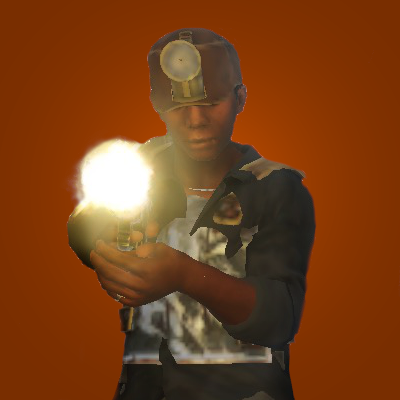 From: https://www.corrosionhour.com/rust-scientist-command/ There are five different scientist NPCs that can now be spawned in: scientist scientist_gunner scientist_junkpile scientistpeacekeeper heavyscientist
 -
 Rust has built in air drops. There are plugins as well to change the type and frequency.
 -
air drops that come for the plane.
-
 Maybe grant them the permission as a work-around?
 -
Version 1.1.1 Odd, I see that as set up for Heli and CH47 and I do not recall doing this. Perhaps I am getting senile. Now Disabled. I have set them off (blush)
-
But I don't believe I have any bots set to spawn on the heli, so why would this code be running?
-
Noticed this new message: [BotReSpawn] FAILED TO GET ENOUGH SPAWN POINTS FOR PROFILE PatrolHeli_Kill.
-
If I comment out the OnItemCraft code in XPerience this error goes away. Thoughts on how to resolve this? (19:26:16) | Failed to call hook 'OnItemCraft' on plugin 'CraftingController v3.2.6' (NullReferenceException: Object reference not set to an instance of an object) at Item.OnChanged () [0x0001d] in <67151e0b423a4c77ac1a680c08548a62>:0 at Item.MarkDirty () [0x00000] in <67151e0b423a4c77ac1a680c08548a62>:0 at Item.set_maxCondition (System.Single value) [0x00029] in <67151e0b423a4c77ac1a680c08548a62>:0 at Item.Initialize (ItemDefinition template) [0x00010] in <67151e0b423a4c77ac1a680c08548a62>:0 at ItemManager.Create (ItemDefinition template, System.Int32 iAmount, System.UInt64 skin) [0x00065] in <67151e0b423a4c77ac1a680c08548a62>:0 at Oxide.Plugins.CraftingController.InstantBulkCraft (BasePlayer player, ItemCraftTask task, ItemDefinition item, System.Collections.Generic.List`1[T] stacks, System.Int32 craftSkin, System.UInt64 skin) [0x0002d] in <5c4fda85e3674277a33eb2f42a0c61a2>:0 at Oxide.Plugins.CraftingController.OnItemCraft (ItemCraftTask task, BasePlayer crafter) [0x00376] in <5c4fda85e3674277a33eb2f42a0c61a2>:0 at Oxide.Plugins.CraftingController.DirectCallHook (System.String name, System.Object& ret, System.Object[] args) [0x0022a] in <5c4fda85e3674277a33eb2f42a0c61a2>:0 at Oxide.Plugins.CSharpPlugin.InvokeMethod (Oxide.Core.Plugins.HookMethod method, System.Object[] args) [0x00079] in <e23ba2c0f246426296d81c842cbda3af>:0 at Oxide.Core.Plugins.CSPlugin.OnCallHook (System.String name, System.Object[] args) [0x000d8] in <46ff2b534abb4b35952608167523b7ec>:0 at Oxide.Core.Plugins.Plugin.CallHook (System.String hook, System.Object[] args) [0x00060] in <46ff2b534abb4b35952608167523b7ec>:0
-
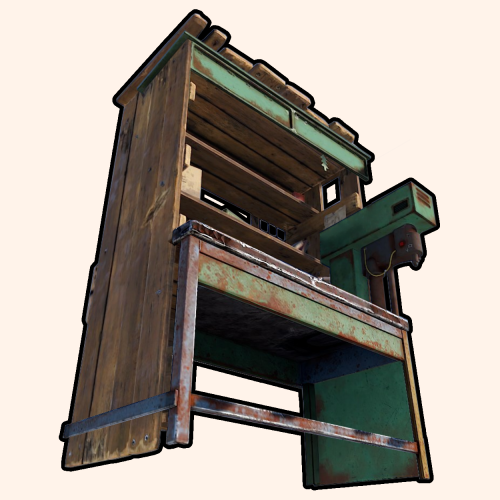 Easy to configure. Provides players a useful tool that provides support for PVE and PVP server. A no-fuss way to differentiate your server.
 -
I keep getting a bit of spam. I did unload, delete the \config and \data file, reloaded. StringPool.GetNumber - no number for string assets/bundled/prefabs/fx/build/promote_PrefabPreProcess - Server/foundation.prefab String ID is 0 - unknown effect assets/bundled/prefabs/fx/build/promote_PrefabPreProcess - Server/foundation.prefab StringPool.GetNumber - no number for string assets/bundled/prefabs/fx/build/promote_PrefabPreProcess - Server/floor.frame.prefab etc. Any suggestions on what I might be doing incorrectly? config_StructureUpgrade.json data_StructureUpgrade.json
-
I believe so. it and a few others have been acting odd since this last update. ubertools works for a bit then locks up, for example. I suspect some undisclosed tinkering in either oxide or the rust wrappers to unity.
-
It is kind of working but I am getting this too: (15:34:04) | Failed to call hook 'OnServerInitialized' on plugin 'RustRewards v3.0.7' (NullReferenceException: Object reference not set to an instance of an object) at Oxide.Plugins.RustRewards.OnServerInitialized () [0x007fb] in <6e77cddcb05f434db68cd2a3cf84820d>:0 at Oxide.Plugins.RustRewards.DirectCallHook (System.String name, System.Object& ret, System.Object[] args) [0x0025e] in <6e77cddcb05f434db68cd2a3cf84820d>:0 at Oxide.Plugins.CSharpPlugin.InvokeMethod (Oxide.Core.Plugins.HookMethod method, System.Object[] args) [0x00079] in <e23ba2c0f246426296d81c842cbda3af>:0 at Oxide.Core.Plugins.CSPlugin.OnCallHook (System.String name, System.Object[] args) [0x000d8] in <50629aa0e75d4126b345d8d9d64da28d>:0 at Oxide.Core.Plugins.Plugin.CallHook (System.String hook, System.Object[] args) [0x00060] in <50629aa0e75d4126b345d8d9d64da28d>:0