
-
Posts
281 -
Joined
-
Last visited
Content Type
Profiles
Warranty Claims
Downloads
Forums
Store
Services
Downloads Plus Support
DOWNLOADS EXTRA
Reels
Everything posted by RustFlash
-
 What exactly isn't working? Have you noticed anything, for example when you are logged out or die. Feel free to join my Discord: https://discord.gg/2V3wD2sPHG
-
 I'm still looking to develop the plugin further, it shouldn't be taken into account by RaidableBases.
-
 Thanks for your feedback. I knew it wasn't for the faint of heart, but I think the glitch effect is just right for Nomad style. The footer will later be removed by the buyer and is only used as a copy claim for the demo.
-
Version 1.0.0
4 downloads
Nomad WebPage Features This is a premium web design that you can upload to any web host of your choice. It's complete and includes all pages! It's not just a landing page, it has everything you need. You can also extend or customise it as you wish with little knowledge. It is up to date and can therefore be accessed on more than just one PC. You have all the important formats on just one page! - Desktop - tablet - Mobile - The site is also SEO optimised Please understand that I do not incorporate special requests or make web hosting customisations for everyone. You can contact me in my Support Discord if you have such questions. I will see what I can do in special cases. If you are ready for a premium web design, please follow the detailed documentation! Adjustments Website The created pages are examples and can be completely customised to your needs with little knowledge. You do not need a lot of HTML/CSS knowledge. A copy/paste is sufficient in __most__ cases. So, what do you have to do now? 1. open all files in the main folder "/" that end with .html. - Customise all meta tags! The page is SEO optimised and should rank well in the statistics! The metadata can be found in the .html files under: <!--##### M E T A #####--> 2. customise <!--##### T I T L E #####--> now! - You can replace the favicon in the main folder /favicon.png! 3. Insert your content on every page! - This is ALWAYS located in <div class="article"> under: <!--##### C O N T A I N E R #####--> - for line breaks you can use <br>. - To write text, use <p>your text</p> 4. Delete Footer - Remove them in css/style_arctic.css: .footer { Content } - open all files ending with .html and delete them very far down: <div class="footer"> © 2023 <a href="https://rustflash.de">RustFlash</a> | THIS IS A COPYRIGHT CLAIM</a> </div> Your Logo - Replace the logo in the folder /img/logo.png You can customise the menu with copy/paste, you can find it under <!--##### M E N U E #####--> If you get stuck, please contact us in our Support Discord. Please select the Flash role when joining. https://discord.gg/J28mksRDVR D E M O https://nomad.rustflash.de/ load, run, enjoy$39.99 -
 Can you please update your description? Some of the permissions are outdated and no longer available...
-
I'm looking for testers with RaidableBases on the server? https://discord.gg/Y9rTfqkErE
-
You have a config in which you can set the time in minutes. RaidableBases is a very extensive plugin, I don't know if I can manage it. I have built in permissions in the new version that I will work with to test.
-
Thanks for the pointer. You have to enter the time in seconds so 60 minutes = 3600 I will change it in the next update
-
I don't know this plugin and don't know how it is structured or works. You have an area in my config where you have to name the containers. Only in these places does the food spoil.
-
 I solved something similar on my server with ZoneManager and ZonePerms. For example, I have a building site where players can practice building for free. Maybe this will help you
-
There is a general time specification in minutes that you can create in the config. For example : "SpoilingTimeInMinutes": 60, Means = after 60 minutes the food is rotten. This is a nice addition but very complicated. I'll put it on my to-do. It could require a lot of resources. At the moment the plugin is very simple and inexpensive to program. But I will consider the change on my to-do list. It has little impact on performance because it uses the timer.Repeat method to call the spoiling method at regular intervals.
-
I only briefly skimmed over the plugin, it works with similar means. They are not the same, but errors can occur. You should probably test it. I will contact the creator of FridgeFood and ask him whether a collaboration could possibly happen. You could extend my plugin by one config point without making any major changes. But I can't just take his idea and incorporate it. I'll let you know as soon as he gets in touch.
-
Version 1.10.0
219 downloads
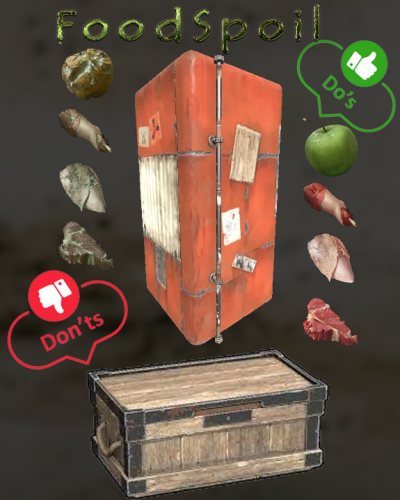
Description Add another option to your RP/PVE server to make life in Rust even more realistic. Let your players use a fridge. If they don't, their food will mould and decay. With this plugin you can automate this. Set the time when something spoils in boxes. You can also customise the list according to your needs. So if you prefer to have horses measuring, just replace this in your config! Functions Add the user group this plugin applies to: foodspoil.use Config After you have successfully started the plugin, you can define the following container in /oxide/config/FoodSpoil.json so that the spoil item is replaced! { "SpoilingTimeInMinutes": 60, // At what frequency should the spoil process be executed by default (every 60 minutes) "WarningTimeInSeconds": 60, // How long before the spoil process should a warning be displayed in the chat? "AllowedContainerShortnames": [ "box.wooden.large", "woodbox_deployed", "coffin.storage", "stash.small", "storage_barrel_a", "storage_barrel_b", "storage_barrel_c" ], "ReplacementItems": { "pumpkin": "seed.pumpkin", "corn": "seed.corn", "bearmeat": "bearmeat.burned", "bearmeat.cooked": "bearmeat.burned", "meat.boar": "meat.pork.burned", "meat.pork.cooked": "meat.pork.burned", "deermeat.cooked": "chicken.burned", "deermeat.raw": "chicken.spoiled", "chicken.raw": "chicken.spoiled", "chicken.cooked": "chicken.burned", "wolfmeat.raw": "wolfmeat.spoiled", "wolfmeat.cooked": "wolfmeat.spoiled", "humanmeat.raw": "humanmeat.spoiled", "humanmeat.cooked": "humanmeat.spoiled", "apple": "apple.spoiled", "Black.Raspberries": "plantfiber", "blueberries": "plantfiber", "mushroom": "plantfiber", "fish.troutsmall": "bone.fragments", "fish.minnows": "bone.fragments", "fish.cooked": "bone.fragments", "fish.raw": "bone.fragments", "fish.catfish": "bone.fragments", "fish.herring": "bone.fragments", "fish.orangeroughy": "bone.fragments", "fish.salmon": "bone.fragments", "fish.sardine": "bone.fragments", "fish.smallshark": "bone.fragments", "fish.yellowperch": "bone.fragments" } } load, run, enjoy Support Discord$5.99 -

Version 1.4.0
59 downloads
DropEvent DropEvent is a plugin that I have been using on my server for several years now. It's a very popular event because it encourages PVP. It's not even about the loot anymore, but about the fun, as the whole server gathers at one point. I have completely reworked this plugin so that there is a config and all the necessary things so that you can use it easily. Pictures speak louder than words, so I've picked out an old video for you. Functions It is important that you have MonumentFinder. DropEvent is dependent on the API! Thanks to, WhiteThunder! MonumentFinder -> MonumentFinder You can start the DropEvent command: /flashdropevent You can start the DropEvent console: flashdropevent To use the command, you need the authorization: dropevent.admin Config { "Settings": { "SupplySignalCount": 3 } } load, run, enjoy Support Discord$9.99 -
 I love it. It takes PVE and also RP to a new level. I can recommend it to everybody.
-

Version 1.8.0
58 downloads
A little event for your players! Reward your players and give something back! With this plugin, you can make a random player happy! Functions You can start the VIP shuffle event with the following command: /flashvipshuffle From version 1.4.0 you can now create a shedule to start and automate the VIPShuffle at a specific time period: flashvipshuffle To start the event, you need the authorization: vipshuffle.check This permission is used to check if a player has the right to execute the VipShuffle command /flashvipshuffle. If a player does not have this permission, they are informed that they do not have the required permission. Config (new, You can now exclude certain user roles from the competition) If you want to pay out VIP for certain days via the console, you need the free plugin Timed Permissions. Load, run, enjoy Support Discord$7.99 -

Version 2.0.0
33 downloads
ChristmasFeeling NEW VERSION 2.0.0 Bring the Christmas spirit to your server! No matter if PVP or PVE/RP server! Your players will love it! You can customize the window with the hammer however you want, if you only want a string of lights at the top, just remove the bottom one or vice versa. This plugin has no authorization and is meant for everyone to enhance the Christmas feeling, enjoy the holiday season and have fun. NEW VERSION FROM 2.0.0 The ChristmasWindow plugin has been revised and now has more features the product video is not the latest and you have more setting options! from version 2.0.0 onwards, borders are also placed on windows and door frames. Config: { "EnableDoorwayGarlands": true, "EnableShopfrontGarlands": true, "EnableShopfrontLights": true, "EnableWindowGarlands": true, "EnableWindowLights": true, "EnableShutterGarlands": true } load, run, enjoy Old Version:$8.99-
- 3
-

-

-
- #christmas
- #christ mas
- (and 8 more)
-

Version 1.6.0
23 downloads
ChristmasDead Features Are you also a big Christmas fan and want a little more Christmas feeling in the game? With this plugin you can turn the bodies of NPCs and players into a snowman. Animals get a Christmassy wreath. I have set it so that the items spawn offset next to the corpse so that it does not interfere with looting or mining! You can adjust the duration in the config until it despawns. Config: { "Spawn Snowman for Players": true, "Spawn Snowman for NPCs": true, "Spawn Christmas Door Wreath for Animals": true, "Show Duration (Seconds)": 15 } V1.2.0 is now gingerbread_barricades_snowman load, run, enjoy$1.99 -
It's clear now. Unfortunately, it had lines of code from another plugin. But I didn't have this on my radar because this plugin is only offered on a private site. It comes from my early days when I was writing plugins for my server and practicing it. 2 years later, despite checking, I haven't seen that it contains content from another plugin. So Codefling did everything right and once again shone with good support.
-
Hallo i cant see my plugin customlinkpanel?
-
Version 2.0.0
33 downloads
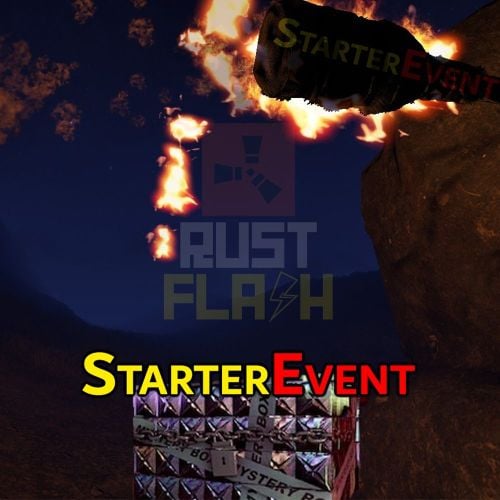
Features This plugin creates a secret crate after a restart, mapwipe, fullwipe or forcewipe. The coordinates are displayed in the chat and the players have to find the crate on the map. As soon as it has been located, the crate is removed from the map. I have set it up with Event Manager and other plugins so that it is only executed after a fullwipe. It's very popular, especially when they reward players with building materials, it doesn't hurt anyone and the winner is happy that he can build something small straight away. Functions You can also trigger it as an admin and owner without authorization. /flashstarterevent When others use this comand, they give the authorization starterevent.use Config: { "Event Start Delay (Minutes)": 10, "Box Skin ID": 2753036242, "Box Contents": [ { "ShortName": "wood", "Amount": 6000 }, { "ShortName": "stones", "Amount": 4000 }, { "ShortName": "cloth", "Amount": 200 }, { "ShortName": "lowgradefuel", "Amount": 100 } ], "Announcement time before event (Seconds)": 300, "Mystery Box Lifetime (Minutes)": 180 } load, run, enjoy Support Discord$12.99 -
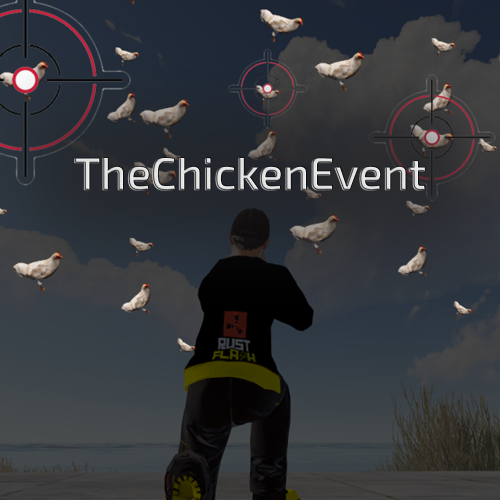 I'm happy to write it down in my ToDo, but I'm still working on other things at the moment. You can test it and let me know. If it doesn't make any mistakes I can include it! See PN
-
Changed Status from Work in Progress to Closed Changed Fixed In from 1.1.0 to Next Version
-
I have now added a function so that some chickens are forced to spawn at ground level. The plugin is designed so that if you kill chicken, more new ones will spawn! You can't get rid of them completely, but this ensures that the player can always see and kill chicken. There are only a small number that are under the map and it will hardly be noticeable. Thank you please see version 1.1.2
-
No, they're not doing anything wrong! You have found a small bug. I didn't think that there could be higher positions than sea level! Of course I will fix this immediately. Thank you for your message!