
Lady Mia's Wishlist
-
$15.00
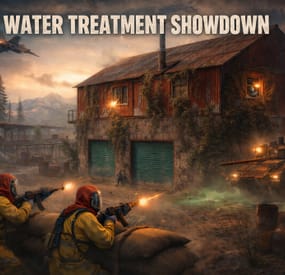
Water Treatment Showdown Event
By Yac Vaguer in Plugins
The Water Treatment Event plugin transforms the Water Treatment Monument into a high-stakes adventure. This event introduces a series of challenges, including zombie hordes, military defenses, and a dramatic escape sequence.
Overview
Event Details Location: Water Treatment Monument
Event Trigger: An explosion occurs following experimental activities within the monument, resulting in the infestation of zombies in the main building.
Security Measures To add a layer of difficulty, the monument is secured by:
Bradley APC Guards: Armed personnel stationed at key points. Snipers: Positioned to cover strategic locations.
Player Objectives
Acquire the Loot: Players must infiltrate the main building to retrieve valuable loot.
Escape Before the Nuke: After securing the loot, an F15 jet will approach and drop a nuclear bomb, causing radiation to spread across the monument. Players must evacuate the area before the nuke detonates.
Configuration Options
Server owners can customize the event settings, such as:
Zombie Density: Adjust the number of zombies in the main building. Guard Strength: Modify the health and equipment of the guards and snipers. Timing: Set the duration between loot acquisition and the nuke drop. Activation: The event can be triggered manually or set to run on a schedule. Sam Sites: On/Off And Several others see below for configuration example
PVE Configuration
We are compatible with two PVE Solutions, Simple PVE Sphere and PVE Mode
PVE Mode is a way better solution but it is also paid version, in order to avoid people to buy another tool to use this plugin I release Simple PVE Sphere that you need to install in your server in order to work.
Simple PVE Sphere is a way simplified version of the sphere, if you have any issue please report it in the Issues on the plugin directly.
In the configuration you can activate one of them and remember that the plugin need to exists in your server.
DO NOT ATTEMPT TO ACTIVATE BOTH AT THE SAME TIME !!!
"PVE Mode cofiguration": { "Use the PVE mode of the plugin? [true/false]": false, "The amount of damage that the player has to do to become the Event Owner": 500.0, "Damage Multipliers for calculate to become the Event Owner": { "Npc": 1.0, "Bradley": 2.0 }, "Can the non-owner of the event loot the crates? [true/false]": false, "Can the non-owner of the event hack locked crates? [true/false]": false, "Can the non-owner of the event loot NPC corpses? [true/false]": false, "Can the non-owner of the event deal damage to the NPC? [true/false]": false, "Can the non-owner of the event do damage to Bradley? [true/false]": false, "Can an Npc attack a non-owner of the event? [true/false]": false, "Can Bradley attack a non-owner of the event? [true/false]": false, "Allow the non-owner of the event to enter the event zone? [true/false]": false, "Allow a player who has an active cooldown of the Event Owner to enter the event zone? [true/false]": true, "The time that the Event Owner may not be inside the event zone [sec.]": 300, "The time until the end of Event Owner status when it is necessary to warn the player [sec.]": 60, "Prevent the actions of the RestoreUponDeath plugin in the event zone? [true/false]": true, "The time that the player can`t become the Event Owner, after the end of the event and the player was its owner [sec.]": 86400.0, "Darkening the dome (0 - disables the dome)": 12 }, "Simple PVE Mode cofiguration": { "Use the Simple PVE mode of the plugin? [true/false]": false, "Darkening the dome (0 - disables the dome)": 12 },
Integrations
You can assign rewards using:
Economics ServerRewards SkillTree You can also send message using GUI Announcements
Dependencies Required
NPC Spawn
Console Commands
wtestart This manually trigger the start of the event
wtestop Force to stop the event
Chat Commands
/wtestart This manually trigger the start of the event
/wtestop Force to stop the event
Permissions to run the console commands
watertreatmentevent.admin
Hooks of the Event
OnWaterTreatmentEventStart //Triggered when Event Start
OnWaterTreatmentEventEnded //Triggered when Event Finished
Backlog
Animation scene when the event start Improve FX Animation scene when the event ends Trigger hooks for other developers Different Awards for the winners PVE Mode
Icons for Server HUD
Thank you @Dead Nasty for the designs
-
$15.00
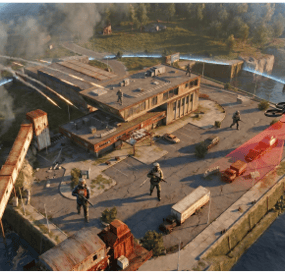
Ferry Terminal Event
By Yac Vaguer in Plugins
Ferry Terminal Event: Unveiling the Secrets of the Abandoned Terminal. Embark on a thrilling adventure at the Rust Ferry Terminal, where mysteries await and danger lurks around every corner! The Ferry Terminal Event introduces a pulse-pounding experience that will challenge even the most seasoned survivors.
🚨 Drone Surveillance: As you step foot onto the desolate terminal, beware of the watchful eyes of the drones overhead. These mechanical sentinels are programmed to detect any intruders, summoning reinforcements at the first sign of trouble. Keep your wits about you, for the patrols will not hesitate to confront trespassers.
🔍 The Crazy Bio Scientist's Lair: Deep within the heart of the main building lies the lair of the enigmatic Crazy Bio Scientist. Accompanied by his legion of undead minions, he guards the precious loot hidden within. Prepare to face hordes of zombies as you navigate through the treacherous corridors, braving the unknown in search of valuable treasures.
🎯 Snipers in the Shadows: Beware the sharp eyes of the snipers perched atop the monument, their rifles trained on any who dare to challenge their domain. Navigate with caution, for a wrong step could lead to a deadly encounter with these expert marksmen.
🛡️ Guardian Patrols: Throughout the monument, vigilant guards stand watch, ever ready to defend their territory. Approach with caution, for these hardened soldiers will not hesitate to engage intruders in combat. Work together with your fellow survivors to overcome their defenses and claim victory.
💰 Hidden Treasures: Amidst the chaos and danger, opportunities for riches abound. Search high and low for loot-filled trucks and locked crates, each promising valuable rewards for those brave enough to claim them. But beware: activating certain crates may trigger the arrival of reinforcements, adding an extra layer of challenge to your quest.
🔓 Unlock the Secrets: Embark on a thrilling puzzle ladder challenge to unlock the secrets hidden within the monument. Solve intricate puzzles and overcome daunting obstacles as you ascend to new heights, uncovering the truth behind the abandoned terminal.
Dare to embark on the Ferry Terminal Event, where danger and adventure await at every turn. Gather your allies, hone your skills, and prepare for an unforgettable journey into the heart of Rust's most mysterious monument!
🛠️ Fully Customizable Plugin Configuration
Dive into the heart of the action with our fully customizable Ferry Terminal Event plugin! With a robust array of features, you have the power to tailor every aspect of the event to suit your server's unique gameplay experience.
Customizable Crate Locations
Choose the placement and quantity of military crates, elite crates, and hackable locked crates to strategically scatter across the Ferry Terminal monument. Use the /ftpos command to effortlessly retrieve coordinates for precise crate placement, ensuring a diverse and engaging looting experience for all players.
Tailored NPC Encounters
Craft bespoke NPC encounters to challenge and thrill your players. From selecting different NPC loadouts and skins to adjusting firepower and NPC numbers, the possibilities are endless. Create immersive scenarios that test your players' skills and teamwork, guaranteeing adrenaline-pumping action at every turn.
Upcoming Features for Endless Possibilities
Stay tuned for exciting new features on the horizon! Soon, you'll have the option to introduce radiation zones, deploy Bradleys, install SAM sites, and unleash fixed explosions throughout the event. With each addition, your sandbox of possibilities expands, offering boundless opportunities for adventure and exploration.
With the Ferry Terminal Event plugin, the only limit is your imagination. Craft the ultimate Rust experience for your players, and watch as they embark on unforgettable journeys into the heart of the unknown.
Backlog (within the next 2 weeks)
[] Allow radiation
Chat Commands
/ftestart // Activate the event
/ftestop // Stop the event
/ftepos // Return in the chat and in the console the current coords you can use this in the config file in the Spawn points
/fte.admin
/ftestats // any player can check their own lifetime stats. Admins with FerryTerminalEvent.admin can also do /ftestats PlayerName
to look up someone else.
/ftetop // opens a full-screen leaderboard showing the top 20 players, ranked by total rewards. All stat categories are visible in
columns. Close button in the top right.
Console Commands
ftestart // Activate the event
ftestop // Stop the event
Hooks
OnFerryTerminalEventStarted // The Event started
OnFerryTerminalEventEnded // The Event finished
Permissions
FerryTerminalEvent.admin This will allow you to run all the commands
- #ferry terminal
- #pvp/pve
- (and 9 more)
-
$5.00
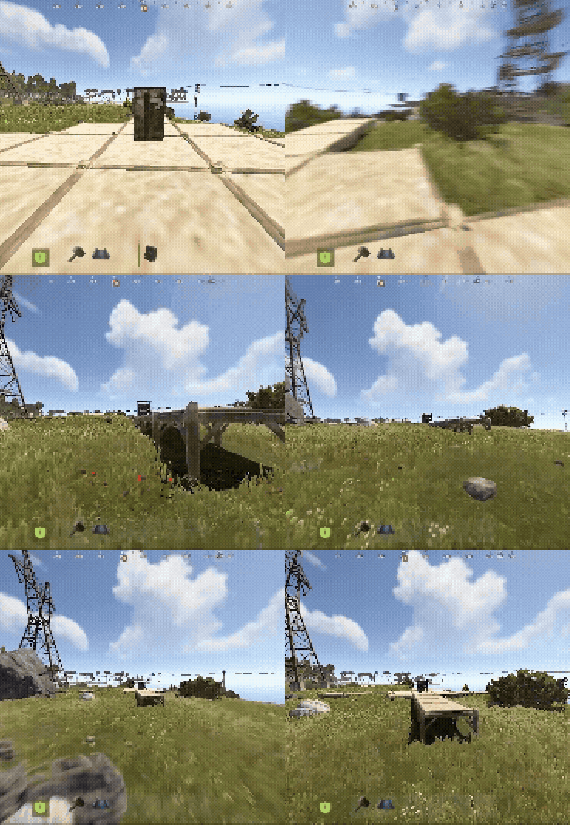
BuildingWorkbench
The plugin provides access to the workbench throughout the entire construction area.
Oxide/Carbon compatible
Permission -
buildingworkbench.allow
- #buildingworkbench
- #workbench
- (and 2 more)
-
$24.99
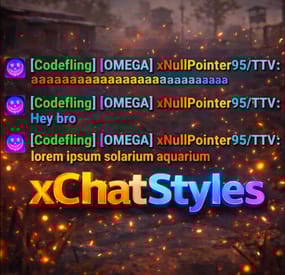
Chat Styles (Names, Messages & Prefixes)
By xNullPointer95 in Plugins
xChatStyles
xChatStyles adds smooth gradient colors to player names, prefixes, and chat messages, giving your server a premium, modern look without clutter or spam.
It’s clean, readable, and designed to enhance chat - not overpower it.
It lets you customize how players appear in chat using animated-looking color gradients. Perfect for VIPs, staff, donators, or special roles. No flashy UI. No complicated setup. Just beautiful chat.
⭐ Features
🎨 Gradient Names & Messages
Smooth color gradients instead of flat colors, but you can also use a solid color Player names Chat messages Prefixes (VIP, Admin, etc.) Looks great without hurting readability Styled Mentions (@PLAYERNAME) 🏷️ Multiple Prefix Support
Players can have more than one prefix Each prefix can have its own color style 👑 Great for VIP & Donator Perks
Instantly makes VIP ranks feel premium Visual reward without gameplay imbalance Easy to sell as a cosmetic perk 🪙 Trade System for Prefixes (REQUIRES Economics if you want to use trade feature)
⚡Server Friendly
No lag or spam Optimized to run smoothly on live servers Works quietly in the background 🔑 Supports permission-based style, not just permanent chat style.
🌍 xChatStyles Web Editor
📌 Plugin Preview
🔐 Permissions (Custom Tab)
xchatstyles.customtab - Ability to see the "Custom" Tab in /xcs xchatstyles.customprefix - Ability to see and select "Prefix" in "Custom" Tab xchatstyles.custommessagecolor - Ability to see and select "Message" in "Custom" Tab xchatstyles.customusernamecolor - Ability to see and select "Username" in "Custom" Tab
💬 Chat Commands (Player)
/xcs - Opens the Ui /xcs <PLAYERNAME/STEMAID> - Opens the Ui with the view of the target player and you can remove owned styles from that user.
💬 Chat & Console Commands (Admin)
/* Add chat styles without permission */ /addprefix <STEAMID> <PREFIXNAME> <#HEX> <#HEX> <#HEX>... /addmessagecolor <STEAMID> <#HEX> <#HEX> <#HEX>... /addusernamecolor <STEAMID> <#HEX> <#HEX> <#HEX>... /addall <STEAMID> <PREFIXNAME> <#HEX> <#HEX> <#HEX>... [This will add a prefix with provided color(s), message style with provided color(s) and username style with provided color(s) with just 1 command.] /* Add chat styles without permission */ /* Add chat styles WITH permission */ /addprefix <xchatstyles.PERMISSIONNAME> <PrefixName> <#HEX> <#HEX> <#HEX> ... /addall <xchatstyles.PERMISSIONNAME> <PrefixName> <#HEX> <#HEX> <#HEX> ... /addmessagecolor <xchatstyles.PERMISSIONNAME> <#HEX> <#HEX> <#HEX> ... /addusernamecolor <xchatstyles.PERMISSIONNAME> <#HEX> <#HEX> <#HEX> ... /* Add chat styles WITH permission */ ---> As long as the player has permission, they can select it with /xcs ---> Automatically removed when permission is revoked ---> Permission-Based ChatStyles has (Permission) indicator in /xcs ---> The permission must start with 'xchatstyles.*'. Example: /addall <xchatstyles.vip> VIP <#HEX> <#HEX> <#HEX> ... /*********************************************************************************************************/ /* Use 1 #HEX Color (Example: #fcba03) for a single color, use multiple #HEX Colors for a color gradient */ /* */ /* Example: /addprefix 76561198412496844 OMEGA #32a852 #71a67f */ /* */ /*********************************************************************************************************/ /removeprefix <steamid> <index|PrefixName> /removemessagecolor <steamid> <index> /removeusernamecolor <steamid> <index>
⏳ Recommended Plugin for >TIMED< PERMISSION:
⚙️ Config
{ "MaxPrefixes": 3, "DefaultUsernameColor": "#55aaff", "DefaultMessageColor": "#ffffff", "DefaultSize": 15, "AllowSelectingDuplicatePrefixNames": true, "NotifyOnStyleReceived": true, "PrefixBrackets": "[]", "ShowPrefixBracketsWithSizeTag": true, "Trade": { "AllowTrading": false, "PlayerCanSellPermissionBasedPrefix": false, "UseCurrencySign": true, "CurrencySign": "$", "AnnounceNewPrefixSaleGlobally": true, "AnnouncePrefixPriceUpdateGlobally": true }, "PermissionStyles": {} } -
$35.00
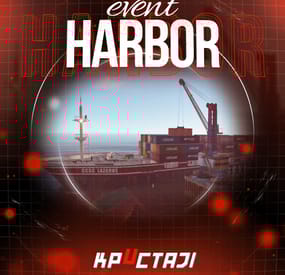
Harbor Event
Creates a unique event at the Harbor monument for players to participate in for rewards. Players must battle numerous NPCs and APCs to access the puzzle to open the loot room!
Description
This event started off as a warning on the chatbox about the ships coming soon to dock in Port, loaded with precious cargo. After the period has passed, a ship appears in one of the locations at Harbour that are accessible from the map, where the crane loads the container.
The loading area is protected by one Tank and 7 NPCs by default. The container door is locked, you must push a button from inside the cranes cockpit to open the door. Inside the container, there is a default security camera, locked box, 2 DMS, 2 Elite, and 2 Military boxes.
The locations and loot from all crates/NPCs can be configured within configurations, and unwanted crates/NPCs added or removed. Also, ships will generate the default ship loot, e.g. The config file allows to modify tank as well as loot inside of the ship.
When the event occurs, the map displays the markers (configured in the config file). All players that are inside the event area will have a timer counting down the amount of time until the event ends.
Dependencies Required
NpcSpawn
Dependencies (optional, not required)
True PVE PveMode GUI Announcements Notify Discord Messages AlphaLoot CustomLoot NTeleportation HeliControl Economics Server Rewards IQEconomic Kits
Chat commands (only for administrators)
/harborstart – starting of the event
/harborstop – ending of the event
/harborpos – determining the position and rotation coordinates for changing the location of NPCs and crates.It should write in the configuration (Attention! The event must be started, the current position of the administrator in relation to the cargoship is read)
Console commands (RCON only)
harborstart – starting of the event
harborstop – ending of the event
Plugin Config
en - example of plugin configuration in English ru - example of plugin configuration in Russian
Hooks
void OnHarborEventStart() – called when the event starts
void OnHarborEventEnd() – called when the event ends
void OnHarborEventWinner(ulong winnerId) – called at the end of the event, where the winnerId is the player who did more actions to complete the event
My Discord: KpucTaJl#8923
Join the Mad Mappers Discord here!
Check out more of my work here!