
Lady Mia's Wishlist
-
$22.00
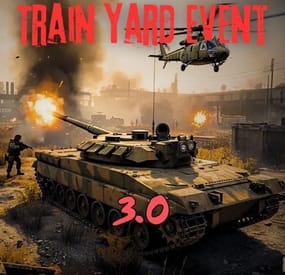
Train Yard Event
The event creates a locked container wagon in the Train Yard with valuable loot inside. It is protected by Npc's, turrets, a bardley. If someone hacks one of the locked crates a patrol helicopter will spawn for the event.
No Permissions:
Supports the PveMode plugin!
Commands available for admins only.
ChatCommands:
- /tyestart
- /tyestop
ConsoleCommands:
tyestart
tyestop
Before Install Version 3.0 delete old config file!
Contact:
Discord: https://discord.gg/C5CehdJMdK
If you want to try out this plugin, you can do so on the test server. IP: 212.73.137.6:28018
My public Rust server IP: 212.73.137.40:28027
Hooks:
void OnTrainYardEventStart();
void OnTrainYardEventStop();
Video:
Config file:
{ "Version": { "Major": 3, "Minor": 0, "Patch": 4 }, "Automatic event start": true, "Minimum time for event start": 3600.0, "Maximum time for event start": 7200.0, "Duration of the event": 2800.0, "Warning messages before event start": 300.0, "Warning messages before event end": 300.0, "Chat icon": 0, "Locked crate hack time": 900.0, "Spawn PatrolHelicopter": true, "Spawn Snipers": true, "Bradley setting": { "Bradley health": 1000.0, "Number of crate to spawn when the bradley dies": 3 }, "AutoTurret setting": { "Health": 400.0, "Weapon ShortName": "rifle.ak", "Ammo ShortName": "ammo.rifle", "Number of ammo": 5000 }, "List of lootable crates": [ { "Prefab": "assets/prefabs/npc/m2bradley/bradley_crate.prefab", "Position": "(3.367, 1.883, 2.790)", "Rotation": "(0, 90, 0)", "Use custom loot?": false, "CustomLoot": { "Minimum items": 1, "Maximum items": 1, "Use minimum - maxium?": false, "List of items": [ { "ShortName": "xmas.present.small", "Minimum": 3, "Maximum": 6, "Chance": 100.0, "Give blueprint?": false, "SkinID": 0, "Displayname": "" } ] } }, { "Prefab": "assets/prefabs/npc/patrol helicopter/heli_crate.prefab", "Position": "(3.371, 1.883, 6.631)", "Rotation": "(0, 90, 0)", "Use custom loot?": false, "CustomLoot": { "Minimum items": 1, "Maximum items": 1, "Use minimum - maxium?": false, "List of items": [ { "ShortName": "xmas.present.small", "Minimum": 3, "Maximum": 6, "Chance": 100.0, "Give blueprint?": false, "SkinID": 0, "Displayname": "" } ] } }, { "Prefab": "assets/bundled/prefabs/radtown/crate_elite.prefab", "Position": "(3.371, 1.883, 8.349)", "Rotation": "(0, 90, 0)", "Use custom loot?": false, "CustomLoot": { "Minimum items": 1, "Maximum items": 1, "Use minimum - maxium?": false, "List of items": [ { "ShortName": "xmas.present.small", "Minimum": 3, "Maximum": 6, "Chance": 100.0, "Give blueprint?": false, "SkinID": 0, "Displayname": "" } ] } }, { "Prefab": "assets/bundled/prefabs/radtown/crate_elite.prefab", "Position": "(3.367, 1.883, 0.885)", "Rotation": "(0, 90, 0)", "Use custom loot?": false, "CustomLoot": { "Minimum items": 1, "Maximum items": 1, "Use minimum - maxium?": false, "List of items": [ { "ShortName": "xmas.present.small", "Minimum": 3, "Maximum": 6, "Chance": 100.0, "Give blueprint?": false, "SkinID": 0, "Displayname": "" } ] } }, { "Prefab": "assets/prefabs/deployable/chinooklockedcrate/codelockedhackablecrate.prefab", "Position": "(4.869, 1.883, 0.323)", "Rotation": "(0, 0, 0)", "Use custom loot?": false, "CustomLoot": { "Minimum items": 1, "Maximum items": 1, "Use minimum - maxium?": false, "List of items": [ { "ShortName": "xmas.present.small", "Minimum": 3, "Maximum": 6, "Chance": 100.0, "Give blueprint?": false, "SkinID": 0, "Displayname": "" } ] } }, { "Prefab": "assets/prefabs/deployable/chinooklockedcrate/codelockedhackablecrate.prefab", "Position": "(3.562, 1.883, 4.958)", "Rotation": "(0, 0, 0)", "Use custom loot?": false, "CustomLoot": { "Minimum items": 1, "Maximum items": 1, "Use minimum - maxium?": false, "List of items": [ { "ShortName": "xmas.present.small", "Minimum": 3, "Maximum": 6, "Chance": 100.0, "Give blueprint?": false, "SkinID": 0, "Displayname": "" } ] } } ], "Security Npcs settings inside": { "Minimum": 3, "Maximum": 3, "List of position": [ "(48.983, 30.250, 18.006)", "(99.561, 24.686, -50.799)", "(-43.882, 35.502, -40.902)" ], "NPCs setting": { "Name": "TrainYard Sniper", "Health": 200.0, "Roam Range": 10.0, "Chase Range": 30.0, "Attack Range Multiplier": 3.0, "Sense Range": 100.0, "Target Memory Duration [sec.]": 60.0, "Scale damage": 1.0, "Aim Cone Scale": 0.6, "Detect the target only in the NPC's viewing vision cone? [true/false]": false, "Vision Cone": 135.0, "Speed": 7.5, "Disable radio effects? [true/false]": false, "Is this a stationary NPC? [true/false]": true, "Wear items": [ { "ShortName": "metal.facemask", "SkinID (0 - default)": 3274815691 }, { "ShortName": "pants", "SkinID (0 - default)": 3318206106 }, { "ShortName": "hoodie", "SkinID (0 - default)": 3318207180 }, { "ShortName": "metal.plate.torso", "SkinID (0 - default)": 3274816373 }, { "ShortName": "shoes.boots", "SkinID (0 - default)": 1192621630 } ], "Belt items": [ { "ShortName": "rifle.bolt", "Amount": 1, "SkinID (0 - default)": 0, "Mods": [ "weapon.mod.small.scope" ], "Ammo": "" }, { "ShortName": "syringe.medical", "Amount": 2, "SkinID (0 - default)": 0, "Mods": [], "Ammo": "" } ] } }, "Security Npcs settings outside": { "Minimum": 7, "Maximum": 10, "List of position": [ "(12.748, 0.240, -1.107)", "(-1.459, 0.045, 23.520)", "(-3.649, 0.185, -13.194)", "(25.142, 0.212, -13.717)", "(-13.920, 0.240, -17.067)", "(-14.434, 0.240, -5.740)", "(-11,194, 0.371, -51.076)" ], "NPCs setting": { "Name": "TrainYard Guard", "Health": 150.0, "Roam Range": 20.0, "Chase Range": 40.0, "Attack Range Multiplier": 2.0, "Sense Range": 30.0, "Target Memory Duration [sec.]": 60.0, "Scale damage": 0.6, "Aim Cone Scale": 1.5, "Detect the target only in the NPC's viewing vision cone? [true/false]": false, "Vision Cone": 135.0, "Speed": 7.5, "Disable radio effects? [true/false]": false, "Is this a stationary NPC? [true/false]": false, "Wear items": [ { "ShortName": "metal.facemask", "SkinID (0 - default)": 2363112910 }, { "ShortName": "pants", "SkinID (0 - default)": 1987863036 }, { "ShortName": "hoodie", "SkinID (0 - default)": 3067677165 }, { "ShortName": "jacket", "SkinID (0 - default)": 2361147547 }, { "ShortName": "roadsign.kilt", "SkinID (0 - default)": 3323417128 }, { "ShortName": "shoes.boots", "SkinID (0 - default)": 2833767826 } ], "Belt items": [ { "ShortName": "rifle.lr300", "Amount": 1, "SkinID (0 - default)": 0, "Mods": [ "weapon.mod.flashlight" ], "Ammo": "" }, { "ShortName": "syringe.medical", "Amount": 2, "SkinID (0 - default)": 0, "Mods": [], "Ammo": "" } ] } }, "PVE Mode Setting (only for users PveMode plugin)": { "Use PveMode plugin?": false, "Required damage to the event owner": 500.0, "The event is a right of ownership, to obtain it you need damage multiplier.": { "Npc": 1.0, "Bradley": 1.0 }, "Non owner can loot the crates?": false, "Non owner can loot the Npc's?": false, "Non owner can damage Npc's?": false, "Non owner can be attacked by Npc's?": false, "Non owner, can you enter the event zone?": false, "Allow a player who has an active cooldown of the Event Owner to enter the event zone?": true, "The time that the Event Owner may not be inside the event zone.": 300, "The time until the event owner can return to the event zone.": 60, "Block the RestoreUponDeath plugin in the event zone.": true, "After all this time, an event owner can be an event owner again.": 86400.0, "Darkening the sphere.": 15 } }
-
$9.99
Deep Sea Options
Deep Sea Options is a single config control plugin for Rust’s new Deep Sea feature.
It lets server owners fully control when Deep Sea opens, what spawns inside it, what vehicles can enter, and how access rules are enforced. You can also configure if players can build inside deep sea.
🏗️ Building Control
Enforce building allowed / blocked inside Deep Sea * Limit how many foundations a player can build in Deep Sea * Buildings persist restart, as long as the deep sea isnt being closed.
🌊 Deep Sea Behavior Control
Configure defaults:
Whether the deep sea should always remain open, be on timers, or disabled Whether deepsea will auto open on server wipe (facepunch disables this by default) Control all phase timers GameTip messages to announce deep sea openinig/closing
🏝️ Deep Sea Content Control
Configure procedural spawns:
Island counts Ghost Ships counts RHIB counts Control:
count spacing radius minimum distance between spawns distance from Deep Sea edges Settings are grouped and explained in the config
📦 Loot spawn
Configurable respawn option for crates/ore/npc Respawn for scientist boat groups
🚁 Access & Teleport Rules
Control:
Allow all vehicles (including planes and helis) or only an allow-listed set players can enter without a boat flying (noclip/admin) players can bypass checks NPC passengers are allowed on vehicles Prevent or allow “vehicle stacking” (boats/helis on deck)
Chat Commands
/deepsea status Shows current Deep Sea state
/deepsea open Opens deep sea if not alrady open
/deepsea close Closes current Deep Sea
Console Commands
dso open - to open the deepsea through the plugin
dso close - to close the deepsea through the plugin
dso forceclose - to force close the deepsea in case you need it closed but 'AlwaysOpen' is reopening it
Note if you make changes to some config values (such as the procedural spawns, you will need to close the deep sea and reopen.)
Config options:
=== GENERAL CONTROLS === Control - Schedule If ON: Plugin controls when Deep Sea opens/closes and how long it stays open. Control - Content If ON: Plugin controls how many islands, ghost ships, RHIB patrol groups, and initial loot scale Deep Sea uses. Control - Travel Rules If ON: Plugin controls who/what is allowed to use Deep Sea portals (vehicles, NPCs, players without vehicle, etc). Control - Building If ON: Plugin controls whether players can build while inside Deep Sea. Force Apply On Reload If ON: When plugin reloads, it forces Deep Sea to close and reopen so spawn changes apply immediately. If OFF: Changes apply next time Deep Sea opens normally. === SCHEDULE SETTINGS === Mode Vanilla = Normal Rust Deep Sea cycle. AlwaysOpen = Deep Sea never closes. Disabled = Deep Sea never opens. Plugin keeps pushing the next opening far into the future. Open Time Seconds How long Deep Sea stays open before closing. Cooldown Seconds How long Deep Sea stays closed before opening again. Final Phase Seconds End-of-cycle phase used for weather / atmosphere effects. Radiation Warning Phase Seconds When time left is below this, new entry is normally blocked unless late entry is allowed. AlwaysOpen - Keep Time Left Around Seconds In AlwaysOpen mode, plugin keeps the remaining open time around this value. AlwaysOpen - Refill When Below Seconds If time left drops below this, it refills back up to the target above. Disabled - Push Next Opening To Seconds In Disabled mode, pushes next open time far into the future. Entrance Portal Direction Forces the entrance portal direction. 0 = Map-based 1 = North 2 = East 3 = South 4 = West Set Open On Server Wipe If ON: Plugin controls the vanilla wipe setting. Open On Server Wipe Only used if above is ON. If enabled, Deep Sea is allowed to auto-open on server wipe. Set Generation Pacing If ON: Plugin controls Deep Sea generation pacing values. Increasing these delays can help if you experience long lag spikes when Deep Sea is opening. Entities Spawn Interval Seconds Only used if above is ON. Controls delay between general Deep Sea entity spawns during generation. Lower = faster generation. Spawn Groups Spawn Interval Seconds Only used if above is ON. Controls delay between Deep Sea spawn-group waves during generation. Lower = faster generation. NavMesh Spawn Interval Seconds Only used if above is ON. Controls delay between Deep Sea island navmesh generation steps. Lower = faster generation. === CONTENT SPAWNING === These control placement spacing for each Deep Sea content type. Islands / Ghost Ships / RHIB Groups all use the same logic: Count How many spawn each time Deep Sea opens. Spacing Size General spacing radius. Bigger = more spread out. Edge Buffer How far from the outer Deep Sea border spawns must stay. Bigger = more toward the center. Minimum Spacing Hard minimum distance between spawns. Overrides spacing size if larger. Loot Initial Loot Scale Controls the initial vanilla Deep Sea loot population multiplier when Deep Sea generates. 1.0 = vanilla amount. Higher = more initial loot spawned. Lower = less initial loot spawned. === RESPAWN (CRATES / NPCs / HACKABLES / RHIBS) === Enable Respawn System If ON: Plugin respawns eligible Deep Sea crates, ores, island scientists, hackable crates, and optional RHIB/PT boat patrol groups. Enable Debug Logging If ON: Plugin prints debug messages for entity removal, queueing, cleanup, and respawning. Check Interval Minutes How often the respawn system runs. Min Distance From Players To Allow Respawn Entities only respawn if no players are within this distance. Respawn Hackable Crates Via Ghostship If ON: Hackable crates respawn through ghost ship crate spawning. Hackable Crates Count How many hackable crates the plugin wants available through ghost ship spawning. Respawn RHIB Patrol Groups When None Remain If ON: Plugin maintains Deep Sea RHIB/PT patrol groups by checking current live patrol boats and respawning missing groups up to the configured boat count. === TRAVEL RULES === Allow Any Vehicle If ON: Any vehicle can use the portal. Allowed Vehicle Prefabs If Allow Any Vehicle is OFF, only vehicles matching these prefab names/partial names are allowed. If Any Vehicle, Require Boat Type Only? If ON: Even allowed vehicles must still be boat-type vehicles. Allow Players Without Vehicle If ON: Players can teleport without standing on a vehicle. Allow Noclip Players If ON: Flying/admin players bypass normal vehicle checks. Allow Non-Player Passengers (NPCs) If OFF: Vehicles with NPC passengers cannot teleport. Allow Non-Player Entity Teleport (NPCs) If ON: NPC player-type entities themselves can teleport. Allow Entry During Radiation Warning Phase If ON: Players can still enter even when Deep Sea is near closing. Modify DeepSea Portal Height? If ON: Plugin enlarges the Deep Sea portal height to help high-flying or tall custom vehicles enter more reliably. Ignore Extra Vehicle Onboard Check If ON: Skips checks for extra vehicles being carried/on top of another vehicle, such as helicopters on boats. Log Entry/Exit If ON: Logs allow/deny travel decisions for debugging. === BUILDING === Allow Building In Deep Sea If OFF: Players cannot build inside Deep Sea. If ON: Building is allowed. DeepSea - Limit Foundations If ON: Limits how many foundations each player can place inside Deep Sea only. DeepSea - Max Foundations Per Player Maximum number of foundations a player can place inside Deep Sea. DeepSea - GameTip: Show Remaining On Successful Place If ON: When a player places a foundation in Deep Sea, shows how many they can still place. DeepSea - GameTip: Show Message When Denied If ON: When a player hits the Deep Sea foundation limit, shows a GameTip. === NOTIFICATIONS === GameTip - Deep Sea Opening If ON: Shows a GameTip when Deep Sea starts opening. GameTip - Deep Sea Opened If ON: Shows a GameTip when Deep Sea is fully open. GameTip - Deep Sea Closing If ON: Shows a GameTip when Deep Sea starts closing. GameTip - Deep Sea Closed If ON: Shows a GameTip when Deep Sea is fully closed.
-
$21.00
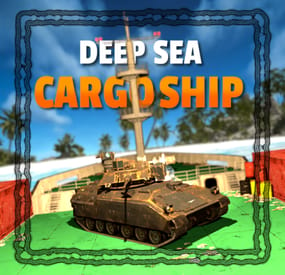
Deep Sea Cargo Ship Event
By The_Kiiiing in Plugins
Make the deep sea more interesting for your players with the Deep Sea Cargo Ship! Featuring a fully functional bradley tank that patrols the deck of the ship, this plugin transforms the classic cargo ship into a high-risk, high-reward ocean battle. Tougher NPCs, red keycard-protected loot, and fully configurable tank health and rewards, the Deep Sea Cargo Ship delivers an intense endgame experience your players won’t forget.
Features
Bradley tank drives on the cargo ship Cargo ship drives through the deep sea Increased NPC count Loot is protected by red key card Configurable tank health & loot Configurable NPCs Fully customizable loot
Commands
All command require the admin permission
dcargo start - Start the event dcargo stop - Stop the event
Permission
deepseacargo.admin
For developers
(void) OnDeepSeaCargoStart() // Called when the event starts (void) OnDeepSeaCargoEnd() // Called when the event is over
Default Configuration
{ "Start delay after deep sea opens (minutes)": 10, "Event duration (minutes)": 60, "Time before radiation starts after the event is over (seconds)": 20, "Tank configuration": { "Health": 1200.0, "Crate count": 4, "Remove server gibs after tank is destroyed (saves performance)": false }, "Cargo ship NPC configuration (Normal)": { "Health": 200.0, "Clothing items": [ { "shortName": "hazmatsuit_scientist_naval", "amount": 1, "skinId": 0 } ], "Belt items": [ { "shortName": "smg.mp5", "amount": 1, "skinId": 0 }, { "shortName": "grenade.f1", "amount": 10, "skinId": 0 } ], "Remove corpse on death": true }, "Cargo ship NPC configuration (Turret)": { "Health": 250.0, "Clothing items": [ { "shortName": "hazmatsuit_scientist_naval", "amount": 1, "skinId": 0 } ], "Belt items": [ { "shortName": "rifle.lr300", "amount": 1, "skinId": 0 } ], "Remove corpse on death": true }, "Cargo ship NPC configuration (Captain)": { "Health": 400.0, "Clothing items": [ { "shortName": "hazmatsuit_scientist_naval", "amount": 1, "skinId": 0 } ], "Belt items": [ { "shortName": "shotgun.m4", "amount": 1, "skinId": 0 }, { "shortName": "grenade.f1", "amount": 10, "skinId": 0 } ], "Remove corpse on death": true }, "Loot configuration": { "IMPORTANT NOTICE": "The maximum total crate count is 21. If the crate count in the config is higher, excess crates will be ignored, starting at the lowest tier", "Locked crate count (total crate count must be less than or equal to 21)": 3, "Elite crate count (total crate count must be less than or equal to 21)": 4, "Military crate count (total crate count must be less than or equal to 21)": 8, "Normal crate count (total crate count must be less than or equal to 21)": 6, "Locked crate loot table": { "Enabled": true, "Item list": [ { "Short name": "scrap", "Min amount": 10, "Max amount": 100, "Chance (1 = 100%)": 1.0, "Skin id": 0, "Custom name": "" }, { "Short name": "metal.refined", "Min amount": 10, "Max amount": 25, "Chance (1 = 100%)": 0.6, "Skin id": 0, "Custom name": "" }, { "Short name": "lmg.m249", "Min amount": 1, "Max amount": 1, "Chance (1 = 100%)": 0.05, "Skin id": 0, "Custom name": "" }, { "Short name": "rifle.l96", "Min amount": 1, "Max amount": 1, "Chance (1 = 100%)": 0.1, "Skin id": 0, "Custom name": "" }, { "Short name": "rifle.ak.ice", "Min amount": 1, "Max amount": 1, "Chance (1 = 100%)": 0.2, "Skin id": 0, "Custom name": "" }, { "Short name": "rifle.bolt", "Min amount": 1, "Max amount": 1, "Chance (1 = 100%)": 0.2, "Skin id": 0, "Custom name": "" }, { "Short name": "smg.mp5", "Min amount": 1, "Max amount": 1, "Chance (1 = 100%)": 0.3, "Skin id": 0, "Custom name": "" }, { "Short name": "smg.thompson", "Min amount": 1, "Max amount": 1, "Chance (1 = 100%)": 0.3, "Skin id": 0, "Custom name": "" }, { "Short name": "pistol.prototype17", "Min amount": 1, "Max amount": 1, "Chance (1 = 100%)": 0.4, "Skin id": 0, "Custom name": "" }, { "Short name": "metal.facemask.icemask", "Min amount": 1, "Max amount": 1, "Chance (1 = 100%)": 0.15, "Skin id": 0, "Custom name": "" }, { "Short name": "metal.plate.torso.icevest", "Min amount": 1, "Max amount": 1, "Chance (1 = 100%)": 0.15, "Skin id": 0, "Custom name": "" }, { "Short name": "explosives", "Min amount": 10, "Max amount": 20, "Chance (1 = 100%)": 0.2, "Skin id": 0, "Custom name": "" }, { "Short name": "explosive.timed", "Min amount": 1, "Max amount": 2, "Chance (1 = 100%)": 0.1, "Skin id": 0, "Custom name": "" }, { "Short name": "ammo.rocket.basic", "Min amount": 1, "Max amount": 3, "Chance (1 = 100%)": 0.1, "Skin id": 0, "Custom name": "" }, { "Short name": "ammo.rocket.seeker", "Min amount": 1, "Max amount": 3, "Chance (1 = 100%)": 0.1, "Skin id": 0, "Custom name": "" }, { "Short name": "ammo.rocket.mlrs", "Min amount": 1, "Max amount": 2, "Chance (1 = 100%)": 0.1, "Skin id": 0, "Custom name": "" }, { "Short name": "aiming.module.mlrs", "Min amount": 1, "Max amount": 2, "Chance (1 = 100%)": 0.6, "Skin id": 0, "Custom name": "" }, { "Short name": "rocket.launcher", "Min amount": 1, "Max amount": 1, "Chance (1 = 100%)": 0.15, "Skin id": 0, "Custom name": "" }, { "Short name": "homingmissile.launcher", "Min amount": 1, "Max amount": 1, "Chance (1 = 100%)": 0.15, "Skin id": 0, "Custom name": "" } ] }, "Bradley crate loot table": { "Enabled": false, "Item list": [] }, "Elite crate loot table": { "Enabled": false, "Item list": [] }, "Military crate loot table": { "Enabled": false, "Item list": [] }, "Normal crate loot table": { "Enabled": false, "Item list": [] }, "NPC loot table": { "Enabled": true, "Item list": [ { "Short name": "parachute", "Min amount": 1, "Max amount": 1, "Chance (1 = 100%)": 0.3, "Skin id": 0, "Custom name": "" }, { "Short name": "ammo.shotgun", "Min amount": 4, "Max amount": 8, "Chance (1 = 100%)": 0.2, "Skin id": 0, "Custom name": "" }, { "Short name": "ammo.shotgun.fire", "Min amount": 4, "Max amount": 8, "Chance (1 = 100%)": 0.2, "Skin id": 0, "Custom name": "" }, { "Short name": "ammo.shotgun.slug", "Min amount": 4, "Max amount": 8, "Chance (1 = 100%)": 0.2, "Skin id": 0, "Custom name": "" }, { "Short name": "ammo.pistol", "Min amount": 15, "Max amount": 30, "Chance (1 = 100%)": 0.2, "Skin id": 0, "Custom name": "" }, { "Short name": "ammo.pistol.hv", "Min amount": 15, "Max amount": 30, "Chance (1 = 100%)": 0.2, "Skin id": 0, "Custom name": "" }, { "Short name": "ammo.pistol.fire", "Min amount": 15, "Max amount": 30, "Chance (1 = 100%)": 0.2, "Skin id": 0, "Custom name": "" }, { "Short name": "ammo.rifle", "Min amount": 12, "Max amount": 24, "Chance (1 = 100%)": 0.2, "Skin id": 0, "Custom name": "" }, { "Short name": "ammo.rifle.hv", "Min amount": 12, "Max amount": 24, "Chance (1 = 100%)": 0.2, "Skin id": 0, "Custom name": "" }, { "Short name": "ammo.rifle.incendiary", "Min amount": 12, "Max amount": 24, "Chance (1 = 100%)": 0.2, "Skin id": 0, "Custom name": "" }, { "Short name": "syringe.medical", "Min amount": 1, "Max amount": 2, "Chance (1 = 100%)": 0.2, "Skin id": 0, "Custom name": "" }, { "Short name": "bandage", "Min amount": 1, "Max amount": 3, "Chance (1 = 100%)": 0.3, "Skin id": 0, "Custom name": "" }, { "Short name": "largemedkit", "Min amount": 2, "Max amount": 6, "Chance (1 = 100%)": 0.1, "Skin id": 0, "Custom name": "" }, { "Short name": "riflebody", "Min amount": 1, "Max amount": 1, "Chance (1 = 100%)": 0.1, "Skin id": 0, "Custom name": "" }, { "Short name": "smgbody", "Min amount": 1, "Max amount": 2, "Chance (1 = 100%)": 0.1, "Skin id": 0, "Custom name": "" }, { "Short name": "metalspring", "Min amount": 1, "Max amount": 3, "Chance (1 = 100%)": 0.1, "Skin id": 0, "Custom name": "" }, { "Short name": "sewingkit", "Min amount": 1, "Max amount": 2, "Chance (1 = 100%)": 0.1, "Skin id": 0, "Custom name": "" } ] }, "Captain NPC loot table (leave at null to use NPC loot table from above)": null } }
- #cargo
- #cargo ship
- (and 12 more)
-
$17.00
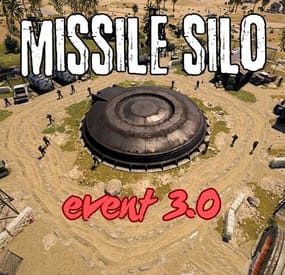
Missile Silo Event
This plugin spawns a tank, lots of turrets, lots of NPCs, and locked crates on the Missile Silo monument
Supports the PveMode plugin!
Chat and console commands:
- siloeventstart
- siloeventstop
Before you upgrade from 2.1.5 to 3.0, delete the old config file!!
Contact:
Discord: https://discord.gg/C5CehdJMdK
Test Rust server: 213.181.206.21:27194
Hooks:
void OnMissileSiloEventStart();
void OnMissileSiloEventStop();
Config:
{ "Version": { "Major": 3, "Minor": 0, "Patch": 0 }, "Automatic event start": true, "Minimum time for event start": 3600.0, "Maximum time for event start": 7200.0, "Duration of the event": 2800.0, "Warning messages before event start": 300.0, "Warning messages before event end": 300.0, "Chat icon": 0, "Locked crate hack time": 900.0, "Disable BetterNpc plugin npc's for the duration of the event?": false, "Spawn NpcSpawn Scientist?(Required: NpcSpawn plugin!)": true, "Spawn BotReSpawn Scientist?(Required: BotReSpawn plugin!)": false, "BotReSpawn profil name:": "", "BotReSpawn Npc's number": 10, "Spawn the helicopter?": true, "Messages setting": { "Message before the event starts.": "Everyone be careful, the <color=#ff0000>Missile Silo Event</color> is about to start.", "Warning message before the event stop.": "The <color=#ff0000>Missile Silo Event</color> will end soon!!", "Message when someone event owner": "Someone has become the owner of <color=#ff0000>Missile Silo Event</color>.", "Start message": "<color=#ff0000>Missile Silo Event</color> has started!!", "Stop message": "<color=#ff0000>Missile Silo Event</color> end!", "Map marker name": "Missile Silo Event", "Map marker radius": 0.6, "Color": { "r": 1.0, "g": 0.0, "b": 0.0 } }, "Bradley setting": { "Bradley health": 1000.0, "Number of crate to spawn when the bradley dies": 3, "Number of Npc spawning from Bradely": 3 }, "AutoTurret setting": { "Health": 300.0, "Weapon ShortName": "rifle.ak", "Ammo ShortName": "ammo.rifle", "Number of ammo": 5000 }, "List of lootable crates": [ { "Prefab": "assets/bundled/prefabs/radtown/crate_elite.prefab", "Position": "(-18.234, 0.775, -17.476)", "Rotation": "(0, 0, 0)", "Use custom loot?": false, "CustomLoot": { "Minimum items": 1, "Maximum items": 1, "Use minimum - maxium?": false, "List of items": [ { "ShortName": "xmas.present.small", "Minimum": 3, "Maximum": 6, "Chance": 100.0, "Give blueprint?": false, "SkinID": 0, "Displayname": "" } ] } }, { "Prefab": "assets/prefabs/npc/patrol helicopter/heli_crate.prefab", "Position": "(-21.696, 0.775, -17.690)", "Rotation": "(0, 90, 0)", "Use custom loot?": false, "CustomLoot": { "Minimum items": 1, "Maximum items": 1, "Use minimum - maxium?": false, "List of items": [ { "ShortName": "xmas.present.small", "Minimum": 3, "Maximum": 6, "Chance": 100.0, "Give blueprint?": false, "SkinID": 0, "Displayname": "" } ] } }, { "Prefab": "assets/prefabs/npc/m2bradley/bradley_crate.prefab", "Position": "(13.769, 0.775, 24.758)", "Rotation": "(0, 90, 0)", "Use custom loot?": false, "CustomLoot": { "Minimum items": 1, "Maximum items": 1, "Use minimum - maxium?": false, "List of items": [ { "ShortName": "xmas.present.small", "Minimum": 3, "Maximum": 6, "Chance": 100.0, "Give blueprint?": false, "SkinID": 0, "Displayname": "" } ] } }, { "Prefab": "assets/bundled/prefabs/radtown/crate_elite.prefab", "Position": "(10.544, 0.775, 33.744)", "Rotation": "(0, 0, 0)", "Use custom loot?": false, "CustomLoot": { "Minimum items": 1, "Maximum items": 1, "Use minimum - maxium?": false, "List of items": [ { "ShortName": "xmas.present.small", "Minimum": 3, "Maximum": 6, "Chance": 100.0, "Give blueprint?": false, "SkinID": 0, "Displayname": "" } ] } }, { "Prefab": "assets/prefabs/deployable/chinooklockedcrate/codelockedhackablecrate.prefab", "Position": "(-19.577, 0.775, -24.315)", "Rotation": "(0, 0, 0)", "Use custom loot?": false, "CustomLoot": { "Minimum items": 1, "Maximum items": 1, "Use minimum - maxium?": false, "List of items": [ { "ShortName": "xmas.present.small", "Minimum": 3, "Maximum": 6, "Chance": 100.0, "Give blueprint?": false, "SkinID": 0, "Displayname": "" } ] } }, { "Prefab": "assets/prefabs/deployable/chinooklockedcrate/codelockedhackablecrate.prefab", "Position": "(11.290, 0.775, 27.339)", "Rotation": "(0, 180, 0)", "Use custom loot?": false, "CustomLoot": { "Minimum items": 1, "Maximum items": 1, "Use minimum - maxium?": false, "List of items": [ { "ShortName": "xmas.present.small", "Minimum": 3, "Maximum": 6, "Chance": 100.0, "Give blueprint?": false, "SkinID": 0, "Displayname": "" } ] } }, { "Prefab": "assets/prefabs/deployable/chinooklockedcrate/codelockedhackablecrate.prefab", "Position": "(-23.975, 0.775, -26.082)", "Rotation": "(0, 270, 0)", "Use custom loot?": false, "CustomLoot": { "Minimum items": 1, "Maximum items": 1, "Use minimum - maxium?": false, "List of items": [ { "ShortName": "xmas.present.small", "Minimum": 3, "Maximum": 6, "Chance": 100.0, "Give blueprint?": false, "SkinID": 0, "Displayname": "" } ] } }, { "Prefab": "assets/prefabs/deployable/chinooklockedcrate/codelockedhackablecrate.prefab", "Position": "(16.124, 0.775, 33.195)", "Rotation": "(0, 270, 0)", "Use custom loot?": false, "CustomLoot": { "Minimum items": 1, "Maximum items": 1, "Use minimum - maxium?": false, "List of items": [ { "ShortName": "xmas.present.small", "Minimum": 3, "Maximum": 6, "Chance": 100.0, "Give blueprint?": false, "SkinID": 0, "Displayname": "" } ] } } ], "Ground Npcs settings outside": { "Minimum": 12, "Maximum": 15, "List of position": [ "(-12.489, 0.355, 6.207)", "(-13.954, 0.355, -5.113)", "(-11.014, 0.355, -12.386)", "(6.459, 0.252, -13.555)", "(16.419, 0.355, -4.378)", "(14.382, 0.264, 7.947)", "(4.066, 0.355, 14.653)" ], "NPCs setting": { "Name": "Silo Guard", "Health": 250.0, "Roam Range": 30.0, "Chase Range": 30.0, "Attack Range Multiplier": 1.5, "Sense Range": 60.0, "Target Memory Duration [sec.]": 60.0, "Scale damage": 0.8, "Aim Cone Scale": 1.5, "Detect the target only in the NPC's viewing vision cone? [true/false]": false, "Vision Cone": 135.0, "Speed": 7.5, "Disable radio effects? [true/false]": false, "Is this a stationary NPC? [true/false]": false, "Use custom loot?": false, "CustomLoot": { "Minimum items": 1, "Maximum items": 1, "Use minimum - maxium?": false, "List of items": [ { "ShortName": "xmas.present.small", "Minimum": 3, "Maximum": 6, "Chance": 100.0, "Give blueprint?": false, "SkinID": 0, "Displayname": "" } ] }, "Wear items": [ { "ShortName": "hazmatsuit_scientist_nvgm", "SkinID (0 - default)": 0 } ], "Belt items": [ { "ShortName": "rifle.lr300", "Amount": 1, "SkinID (0 - default)": 0, "Mods": [ "weapon.mod.flashlight" ], "Ammo": "" }, { "ShortName": "syringe.medical", "Amount": 2, "SkinID (0 - default)": 0, "Mods": [], "Ammo": "" } ] } }, "PVE Mode Setting (only for users PveMode plugin)": { "Use PveMode plugin?": false, "Required damage to the event owner": 500.0, "The event is a right of ownership, to obtain it you need damage multiplier.": { "Npc": 1.0, "Bradley": 1.0 }, "Non owner can loot the crates?": false, "Non owner can loot the Npc's?": false, "Non owner can damage Npc's?": false, "Non owner can be attacked by Npc's?": false, "Non owner, can you enter the event zone?": false, "Allow a player who has an active cooldown of the Event Owner to enter the event zone?": true, "The time that the Event Owner may not be inside the event zone.": 300, "The time until the event owner can return to the event zone.": 60, "Block the RestoreUponDeath plugin in the event zone.": true, "After all this time, an event owner can be an event owner again.": 86400.0, "Darkening the sphere.": 15 } }
-
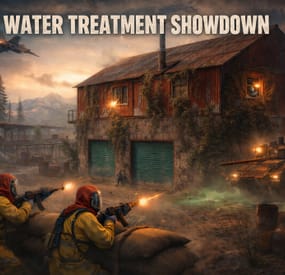
$20.00$15.00Water Treatment Showdown Event
By Yac Vaguer in Plugins
Water Treatment Showdown Event
Operation Cobalt Siege. A timed fight over the Water Treatment Plant that ends with the monument getting nuked, whether your players got out or not.
Runs on Oxide and Carbon.
What actually happens on your server
Every two hours by default, the plugin announces unusual activity at Water Treatment. Two minutes later the monument turns hostile.
Cobalt guards take up positions across the yard. Snipers with scoped M39s hold the high ground. A Bradley APC starts its patrol route. Zombies fill the main building, and if you leave the setting on, the building takes a visible explosion on spawn and the sprinklers kick in. SAM sites cover the airspace so nobody solves this from a minicopter.
The loot is military crates, elite crates and one hackable crate. Starting the hack is the point of no return: the noise calls in a patrol helicopter, and now your players are fighting a Bradley, a heli and whatever NPCs are left, all at once, on a clock.
Four minutes after somebody loots the hackable crate, an F15 comes in and drops the nuke. If nobody finishes in time, the event's own timer does it instead. Either way the monument gets hit with an MLRS barrage and then sits irradiated for five minutes. Anyone still inside picking up loose loot takes rads for it.
That last part is the reason I keep the event on my own server. The evacuation window turns a won fight into a decision, and players get greedy.
Difficulty tiers
One config field, four presets: Easy, Normal, Hard, Nightmare.
The tier multiplies NPC count, NPC health, NPC damage, Bradley HP and every reward payout by the same number (0.75, 1.0, 1.35, 1.75). Normal is 1.0, so an existing config behaves exactly as it did before tiers existed.
The tier is frozen when an event starts. If you reload config mid-event to change it, the running event finishes on the numbers it spawned with, and the new tier applies to the next one.
PVE support
Two options, and you pick one. Never both.
PveMode by KpucTaJl is the fuller integration (Recommended).
SimplePVESphere is the lighter option. A sphere, an owner, done.
If both are configured, PveMode wins and SimplePVESphere is ignored. The plugin logs which one it picked.
Leave both off and the event is straight PvP over a shared monument, which is what most vanilla-ish servers want.
Rewards
Economics, ServerRewards RP and SkillTree XP. You can run all three at once if that's your setup.
Each backend gets its own payout table with four entries: looting the hackable crate, destroying the Bradley, downing the patrol helicopter, killing an NPC. The difficulty tier scales all of them. Everything is disabled by default, so installing the plugin does not quietly start printing currency.
Loot control
Works with AlphaLoot and CustomLoot. Pick one.
AlphaLoot needs nothing configured on this side. Leave every "Use Custom loot plugin?" key false and it fills the event's crates from the profile matching each crate prefab, exactly as it does everywhere else on your map. One gotcha worth knowing: the elite crate's prefab lives under underwater_labs/, so its AlphaLoot profile is underwater_labs/crate_elite, not crate_elite. Edit the wrong one and you'll swear the event is ignoring you.
If you want the event paying differently from the rest of the world, point a crate at a prefab nothing else on your map spawns and give that prefab its own AlphaLoot profile. AlphaLoot matches on prefab, so sharing one means sharing the table.
Turning CustomLoot on while AlphaLoot is installed does not blend the two. CustomLoot wins and AlphaLoot's work is discarded with no error in the log.
Every crate type and every NPC type takes a CustomLoot profile name if you want your own tables. Guards, snipers, zombies, military crates, elite crates and the hackable crate each have their own slot, so you can hand-tune the hackable crate and leave the rest on Rust defaults.
The hackable crate also takes an optional bonus item: a shortname, an amount, a skin ID, a display name and a drop chance. Added on top of whatever table produced the rest of the crate. This is how you seed a custom skin or a server-specific item as the reward for finishing the event.
NPC tuning
Guards and snipers each have a full settings block: name, health, roam range, chase range, sense range, attack range multiplier, target memory duration, damage scale, aim cone scale, vision cone and whether it's checked at all, movement speed, radio chatter on or off, stationary or roaming, and corpse removal.
Loadouts are explicit. Clothing and belt items by shortname, with skin IDs, weapon mods and ammo type. Defaults ship the guards in road sign armour with a flashlight LR300 and an F1, and the snipers with a 16x scoped M39. Kit plugin support is there too, though it costs performance and the config says so.
Zombies get a count and a loot profile.
Bradley and the helicopter
The Bradley has its own health, the number of crates it drops, whether the crate fire keeps burning, whether gibs stick around, and its coax bullet damage. It patrols a waypoint route rather than sitting still.
The patrol helicopter is the newest addition. It spawns when the hackable crate hack starts, not on a timer, so it always lands on top of the fight rather than in a quiet moment. Count, health and crate drops are configurable, and you can turn it off entirely if your player base is small.
Notifications
Chat or GUIAnnouncements, chosen in config. Chat messages take a prefix, prefix colour and size, body colour and size, and a Steam icon ID.
There's also a Discord webhook for the event log, off by default.
Commands
Chat, requires watertreatmentevent.admin:
/wtestart starts the event now /wtestop stops a running event and re-arms the automatic schedule /wte.admin opens the admin panel Console, requires the permission or server admin:
wtestart [steamID] starts the event. The optional Steam ID pre-assigns event ownership to an online player, which is useful for testing PVE rules without having to shoot your way to ownership first wtestop wte.admin wte.nuke skips straight to the finale on a running event. This is the fastest way to check that your radiation and cleanup settings behave, without waiting out a full forty minute cycle wte.selfcheck Permission
watertreatmentevent.admin
For plugin developers
Two hooks fire:
void OnWaterTreatmentEventStart(Vector3 center, float radius) void OnWaterTreatmentEventEnded(Vector3 center, float radius) Both carry the event centre and the configured zone radius, so a leaderboard or a zone plugin can react without having to guess where the monument is.
Two API methods:
bool IsWaterTreatmentEventActive() void ResetWaterTreatmentEventInterval() ResetWaterTreatmentEventInterval restarts the countdown to the next automatic event, which event manager plugins use to stagger events so two don't fire at once.
Configuration you'll probably touch first
"Event Start every [sec]": 7200.0, "Duration of the event [sec]": 2400.0, "Run the event ONLY manually with the commands": false, "Warning time before the Event Spawn [sec]": 120.0, "Time after player loot the hackable crate to end the event and drop the nukes [sec]": 240.0, "Difficulty Tier (Easy, Normal, Hard, Nightmare)": "Normal", "Radius of the event zone in meters (PVE sphere and map marker)": 120.0, "Add Radiation when the F15 drop the nuke": true, "How long the radiation stays in the event area after the nuke [sec]": 300.0, "Clean the area of other NPCs before the event starts": false That last one is worth knowing about if you run BotReSpawn or BetterNpc. Turn it on and anything inside the event zone that this plugin did not spawn gets removed just before the event's own NPCs arrive, along with leftover NPC corpses and loot bags. Player corpses and player backpacks are never touched. It's off by default because most servers don't need it.