
AlaEddineYahia's Wishlist
-
$5.00
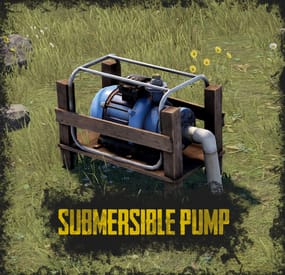
Submersible Pump
By ThePitereq in Plugins
RUST Plugin Test Server
TEST MY PLUGINS THERE!
connect play.thepitereq.ovh:28050
Submersible Pump plugin helps manage river resources on your server.
It allows players to place a water pump with fresh water anywhere on the map.
The water output can be adjusted using the WaterWorks plugin by nivex.
You can build your farm anywhere on the map. Customizable pump crafting and allows you to place pumps on foundations. Configurable height limits. Can be set to work on WaterBases.
/pump - Plugin help command. /pump craft - Crafting submersible pump. givepump - Gives submersible pump to your inventory. (Console Command)
submersiblepump.use – Allows you to craft and place submersible pump. (Needs to be enabled in config) submersiblepump.give – Allows you using givepump command.
{ "Misc - Require Permission": false, "Misc - Pump Item Name": "Submersible Pump", "Misc - Pump Ground Check": true, "Misc - Allow Placing On Water Level": false, "Misc - Allow Hammer Hit Pickup": true, "Limit - Default Pump Limit (0, to disable)": 0, "Limit - Permission Limits": { "submersiblepump.admin": 100, "submersiblepump.vip": 5 }, "Craft - Enable Pump Craft": true, "Craft - Chat Command": "pump", "Craft - Require Blueprint For Pump": true, "Craft - Required Workbench Level (0-3)": 2, "Craft - Pump Craft Cost": [ { "Item Shortname": "metal.fragments", "Item Amount": 1000, "Item Skin": 0 }, { "Item Shortname": "gears", "Item Amount": 10, "Item Skin": 0 }, { "Item Shortname": "metalpipe", "Item Amount": 20, "Item Skin": 0 } ] } -
$10.00
Portals Plus
PortalsPlus adds the ability to have portal for player to monuments or teammates
Permissions
PortalsPlus.admin - needed to get portal placements when creating new portals at monuments with command /makeportal PortalsPlus.monumentuse - needed to alow monument to monument portal
Commands
giveportal <playername/ID> - console command to give players portal makeportal - spawn portal to get position and rotation relative to monument to add to config (this is not a spawn for portal use command)) Videos
Config
{ "Use Teamate Portals": true, "Use LastDeath Portals": true, "Use Monument Portals": true, "Monument To Monument Cooldown time (Seconds)": 30.0, "Use Monument to Monument Portals": true, "Monument Portals": { "Launch Site": { "Monument Portal Active?": true, "Position Corrected": { "x": 211.0, "y": 9.2, "z": 97.1 }, "Rotation Corrected": 89.77 }, "Airfield": { "Monument Portal Active?": true, "Position Corrected": { "x": -142.3, "y": 0.2, "z": -112.0 }, "Rotation Corrected": 89.49 }, "The Dome": { "Monument Portal Active?": true, "Position Corrected": { "x": -1.05, "y": 19.83, "z": -5.2 }, "Rotation Corrected": 197.38 }, "Junkyard": { "Monument Portal Active?": true, "Position Corrected": { "x": -46.5, "y": 11.32, "z": 11.7 }, "Rotation Corrected": 195.0 }, "Radtown": { "Monument Portal Active?": true, "Position Corrected": { "x": 34.3, "y": 1.0, "z": -17.6 }, "Rotation Corrected": 181.0 }, "Water Treatment Plant": { "Monument Portal Active?": true, "Position Corrected": { "x": -4.35, "y": 60.35, "z": 69.1 }, "Rotation Corrected": 0.321 }, "Bandit Camp": { "Monument Portal Active?": true, "Position Corrected": { "x": 44.0, "y": 7.0, "z": -31.7 }, "Rotation Corrected": 135.34 }, "Power Plant": { "Monument Portal Active?": true, "Position Corrected": { "x": -74.5, "y": 18.25, "z": 15.4 }, "Rotation Corrected": -90.0 }, "Outpost": { "Monument Portal Active?": true, "Position Corrected": { "x": -24.4, "y": 0.12, "z": -29.9 }, "Rotation Corrected": 90.0 }, "Military Tunnel": { "Monument Portal Active?": true, "Position Corrected": { "x": -53.96, "y": 8.9, "z": -6.2 }, "Rotation Corrected": 180.0 }, "Missile Silo": { "Monument Portal Active?": true, "Position Corrected": { "x": 62.142, "y": 39.996, "z": -16.69 }, "Rotation Corrected": 99.037 }, "Large Fishing Village": { "Monument Portal Active?": true, "Position Corrected": { "x": -26.926, "y": 2.065, "z": -20.859 }, "Rotation Corrected": 358.677 }, "Sewer Branch": { "Monument Portal Active?": true, "Position Corrected": { "x": -35.453, "y": 19.747, "z": -37.653 }, "Rotation Corrected": 73.628 }, "Ferry Terminal": { "Monument Portal Active?": true, "Position Corrected": { "x": -3.0, "y": 10.874, "z": -61.2 }, "Rotation Corrected": 180.0 }, "Arctic Research Base": { "Monument Portal Active?": true, "Position Corrected": { "x": 2.45, "y": 5.4, "z": 6.2 }, "Rotation Corrected": 357.405 }, "Ranch": { "Monument Portal Active?": true, "Position Corrected": { "x": 4.2, "y": 3.037, "z": 24.0 }, "Rotation Corrected": 179.0 }, "Large Barn": { "Monument Portal Active?": true, "Position Corrected": { "x": 3.872, "y": 9.022, "z": -3.73 }, "Rotation Corrected": 359.736 }, "Satellite Dish": { "Monument Portal Active?": true, "Position Corrected": { "x": 10.615, "y": 0.2, "z": -0.979 }, "Rotation Corrected": 90.741 }, "Giant Excavator Pit": { "Monument Portal Active?": true, "Position Corrected": { "x": -92.618, "y": 1.165, "z": -48.787 }, "Rotation Corrected": 316.17 } }, "Max Monument Portal Rows (6 max)": 6, "Enable PortalItem world spawns?": true, "Drop Settings": [ { "Object Short prefab name": "crate_elite", "Minimum item to drop": 1, "Maximum item to drop": 1, "Item Drop Chance": 7.0 }, { "Object Short prefab name": "codelockedhackablecrate", "Minimum item to drop": 1, "Maximum item to drop": 1, "Item Drop Chance": 9.0 }, { "Object Short prefab name": "crate_ammunition", "Minimum item to drop": 1, "Maximum item to drop": 1, "Item Drop Chance": 5.0 } ] }
Lang File
{ "NoPerm": "You dont have the Perms to use this", "NoAdminPerm": "Admin Permission needed for this command", "Rejectbutton": "Reject", "Acceptbutton": "Accept", "RejectMessage": "{playername} Rejected your Request", "RaycastFail": "Target Has something in the way for portal to spawn", "ActivePortalMessage": "There is a active portal for you already", "NoMon": "Monument to Monument is turned of in config , Sorry." }
Example of console output
[Portals Plus] Outpost : Position Correction = X: -19.588f, Y: 0.141f, Z: 30.933f : Rotation Correction = X: 0.000f, Y: 267.224f, Z: 0.000f
Future Plans
more portal aplications -

Free
Servycore – Rust Server Management, In-game UI, Website Builder & Linking System
Start free on servycore.io · Live demo · Discord
Servycore is the all-in-one platform for game server owners. Run your Rust servers from one panel, build your community website with drag and drop, and reward the players who link Discord, Steam or Twitch. Start on the Free plan.
See Servycore in action (73 s)
Rust Control Center. Your whole network live in one place: web RCON console, in-game chat, player profiles, bans enforced before connection, F7 reports, combat log, Discord alerts and a kill feed. Your moderators get the tools, never the RCON password.
Wipe day on autopilot. The Auto-wipe system follows Facepunch's forced wipe, warns your players in game and on Discord, sets the new map and restarts the server. Automations handle restarts, the chat filter, VIP trials and vote rewards, and your uMod and Codefling plugins install and update in one click.
In-game UI. Your players type /info, /store or /kit and your server opens in game: wipes, account linking, rules, your servers, your Tebex or PayNow store, kits with cooldowns, the leaderboard and your own pages, in your colours with your logo. You design it in your browser and publish it live; it runs with the free Servycore In-game UI plugin on Oxide or Carbon. In every plan, the Free one too.
AI Connector (MCP). Connect Claude, ChatGPT, Cursor or any MCP assistant and manage your servers by talking to it, with your rights and nothing more. It asks before anything your players can see. How it works
Your community website. A drag-and-drop page builder with 15+ content blocks and 3 themes (Outpost looks like the Rust menus), custom pages, a blog, support tickets, the Rust leaderboard and your Tebex or PayNow integration. Custom domain and custom CSS from Basic. See the live demo
Linking system. Players link Discord, Steam and Twitch once, and your linking commands reward them in game on every server. Missed rewards are given when they join, and regular verification unlinks inactive members.
Everything included. Almost every feature is in every plan, the Free one too. No add-ons to buy.
Made for Rust, ready for your other games. ARK, Counter-Strike, Garry's Mod, 7 Days to Die and Pterodactyl servers get the website, the linking system and server commands.
Pricing. Free, Basic (€5/month) and Pro (€10/month): plans differ mostly by their limits. The In-game UI is in every plan. Need more than Pro? Contact us on Discord.
Trusted by Rust communities for 5+ years. Servycore is the new name of Social Link: same team, same support, many more tools.
Everything Servycore does for your Rust server
Rust admin panel: Web RCON console, live player list and in-game chat, player profiles with linked accounts, Steam account and VAC bans, network bans enforced before connection, F7 reports, combat log and a live staff map. Auto wipe: Wipe schedules that follow Facepunch's forced wipe, map or full wipes, a new map seed, an in-game countdown, the restart and the Discord wipe announcement, all automatic. In-game UI: A /info welcome panel and server info menu, a kits menu with cooldowns, your store, rules, wipe calendar, account linking and leaderboard pages, designed in your browser and published live. Plugins and permissions: uMod and Codefling plugin installs and updates, a config editor, Oxide and Carbon groups and permissions, timed VIP and in-game staff roles. Community website: A drag and drop website builder with themes, custom pages, a blog, support tickets, your Tebex or PayNow store integration and a custom domain. Linking system: Discord, Steam and Twitch account linking with Discord roles, Steam group and Twitch follower or subscriber checks, and in-game rewards on every server. Rust leaderboard: Kills, K/D, raids, resources, playtime and a heatmap for every wipe, on your website. Integrations: Discord notifications and kill feed, a REST API, signed webhooks, the AI Connector (MCP), and Pterodactyl, Pelican, WISP and AMP host access.
Website: servycore.io
Live demo: demo.slink.gg
Discord: discord.servycore.io
Documentation: servycore.io/knowledgebase
-
$7.95$5.95MultiEvents (Pack 3) - Plugin sold separately. Bundle available.
MultiEvents Expansion Pack 3 adds 5 more events: rare items, a helicopter fight, a battle in the underwater lab and resource gathering. Requires the base MultiEvents plugin.
🏆 Included Events
The pack includes 5 events, each with its own mechanics:
Corn Collector: gather as much corn as you can. A peaceful farming event for a break from the combat ones. Gold Rush: gather ores and trees for a chance to get rare items. Mushroom Madness: collect as many mushrooms as you can before time runs out. Race across the map to find mushroom spawns. NPC Underwater Lab: kill scientists in the underwater lab monument, fighting through its flooded areas. Patrol Helicopter Hit: deal damage to the Patrol Helicopter. Points depend on the damage dealt.
🔧 Requirements
Requires the base MultiEvents plugin Copy files to MultiEvents directory and reload the plugin Comes with rare item tables already set up
📚 FAQ
Q: Do I need the base MultiEvents plugin?
A: Yes, this expansion pack requires the base MultiEvents plugin.
Q: How do rare items work?
A: Players have a configurable chance to receive rare items when gathering ores and wood in Gold Rush event.
Q: Can I customize rare item drop rates?
A: Yes, you set every rare item chance and type in the visual editor.
🧪 TEST SERVER
Join our test server to try these events!
connect 155.103.86.38:28015
- #multievents
- #expansion
- (and 10 more)
-
$19.99$15.99Cargo Plane Crash
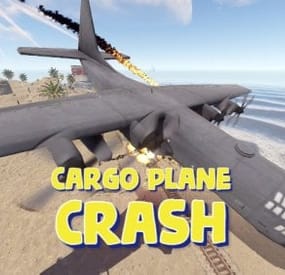
Adds a cargo plane crash event to your server. The crash site is guarded by NPCs that patrol the area and can chase players.
You can also set up custom loot using the Loot Table & Stacksize GUI, SimpleLootTable plugins.
Features:
Support for third-party plugins Great customization options in the config
Console commands:
callcargoplane - force the event to start callcargoplane {steamID/name} - the event will be reserved for one player crashcargoplane - force a cargo plane to crash cpc_stop - force the event to end
Chat commands(need admin privileges):
showcrashzone - displays the crash area setcrashzonecenter - set the center of the crash zone to where the player is callcargoplane - force the event to start callcargoplane {steamID/name} - the event will be reserved for one player crashcargoplane - force a cargo plane to crash cpc_calltome - force an event to start (the cargo plane will go to the player's coordinates) cpc_stop - force the event to end cpc_add_crashzone - adds a new zone at the location where the player is, can be used if you use multiple zones(you can set the name and radius - /cpc_add_crashzone "name" "radius") Hooks:
void CargoPlaneCrashStarted() // called when the event starts
void CargoPlaneCrashCrashed() // called when a cargo plane crashes
void CargoPlaneCrashEnded() // called when the event ends
CargoPlaneCrashEventWinner(BasePlayer player) // called at the end of the event, returns the event winner
CargoPlaneCrashPlayerEnteredDome(BasePlayer player) // triggered when a player enters the event dome
CargoPlaneCrashPlayerExitedDome(BasePlayer player) // triggered when a player exits the event dome
CargoPlaneCrash config:
{ "PVE mode (crates can only be looted by the player who first dealt damage to the NPC)": false, "Give event ownership to the owner's teammates if he is no longer the owner. Only if teammates are within the event radius (for PVE mode)": true, "Radius for event(for PVE mode)": 380, "Create a dome for PVE mode": false, "Dome transparency (the higher the value, the darker the dome, recommended 4)": 4, "Time after which the owner of the event will be deleted if he left the dome or left the server (for PVE mode)": 300, "Message when a player enters the event dome(only for PVE mode if there is a dome)": "You have entered the Cargo Plane Crash Event", "Message when the event owner leaves the event dome (only for PVE mode if there is a dome)": "Return to the event dome, otherwise after 300 seconds you will no longer be the owner of this event", "Do not allow other players into the event(only for PVE mode if there is a dome) Be careful, if the crash site is near the player's base and the player is not the owner of the event, he will be ejected from his base outside the dome": false, "Message when a player is ejected from the event dome(only for PVE mode if there is a dome)": "You cannot be here, you are not the owner of this event", "Allow admin to be in event dome (only for PVE mode if there is a dome)": true, "Triggering an event by timer (disable if you want to trigger the event only manually)": true, "Time to event start(in seconds)": 3600.0, "Random time to event start": false, "Minimum time to event start(in seconds)": 600, "Maximum time to event start(in seconds)": 10800, "CargoPlane speed(recommended 4 to 6)": 5.0, "Minimum amount of online players to trigger the event": 1, "Minimum crates amount(spawn after crash)": 1, "Maximum crates amount(spawn after crash)": 1, "Crate simple loot table name(plugin SimpleLootTable is required)": "", "Minimum number of items in a crate(plugin SimpleLootTable is required)": 0, "Maximum number of items in a crate(plugin SimpleLootTable is required)": 0, "Crates lifetime(in seconds). The crate will not be destroyed if it has been activated": 3600, "Crates timer(in seconds)": 900, "Remove crates after being looted by a player(in seconds)": 300, "Minimum airdrops amount(spawn after crash)": 1, "Maximum airdrops amount(spawn after crash)": 1, "Airdrop simple loot table name(plugin SimpleLootTable is required)": "", "Minimum number of items in an airdrop(plugin SimpleLootTable is required)": 0, "Maximum number of items in an airdrop(plugin SimpleLootTable is required)": 0, "Airdrops lifetime(in seconds)": 3600, "Fireballs amount(spawn after crash)": 5, "Passengers amount(spawn after crash)": 2, "Explosion marker on the map(spawn after crash)": true, "Explosion marker lifetime(in seconds)": 300, "Enable signal smoke(spawn after crash)": true, "Signal smoke lifetime(in seconds, max 214)": 214, "Map size(crash zone size), you can see the zone, use the chat command /showcrashzone": 4500.0, "Starting altitude, defaults to map size, can be increased if cargo plane hits high ground(no more than 10000 recommended)": 4500.0, "Crash zone center. Use chat command /setcrashzonecenter to set to player position. You can check crash zone center, use the chat command /showcrashzone": { "x": 0.0, "y": 0.0, "z": 0.0 }, "Use multiple zones": false, "Select a zone from the list sequentially(if false, then the crash zone will be chosen randomly)": false, "Zones list": [ { "name": "0", "radius": 300, "center": { "x": -300.0, "y": 0.0, "z": 0.0 } }, { "name": "1", "radius": 200, "center": { "x": 100.0, "y": 0.0, "z": 0.0 } } ], "Event message(if empty, no message will be displayed)": "CargoPlane event started", "Crash message(if empty, no message will be displayed)": "Cargo plane crashed", "Event end message(if empty, no message will be displayed)": "CargoPlaneCrash event ended", "Message about coordinates(will display the coordinates of the crash site. If empty, no message will be displayed)": "", "Kit name(you can use kits for passengers if you have Kits plugin)": "", "Passenger name": "Mister bot", "Use NPC prefab for passengers": false, "Minimum NPCs amount(spawn after crash)": 2, "Maximum NPCs amount(spawn after crash)": 2, "NPCs lifetime(in seconds)": 3600, "NPCs type(NPCs prefab, experimental setting, it is not known how the NPCs will behave) 0 - tunneldweller; 1 - underwaterdweller; 2 - excavator; 3 - full_any; 4 - lr300; 5 - mp5; 6 - pistol; 7 - shotgun; 8 - heavy; 9 - junkpile_pistol; 10 - oilrig; 11 - patrol; 12 - peacekeeper; 13 - roam; 14 - roamtethered; 15 - bandit_guard; 16 - cargo; 17 - cargo_turret_any; 18 - cargo_turret_lr300; 19 - ch47_gunner": 8, "NPCs health(0 - default)": 0, "NPCs damage multiplier": 1.0, "NPCs accuracy(the lower the value, the more accurate, 0 - maximum accuracy)": 2.0, "NPCs attack range": 75.0, "Radius of chasing the player(NPCs will chase the player as soon as he comes closer than the specified radius, must be no greater than the attack range)": 60.0, "Minimum distance to NPC damage": 75.0, "Message if the player attacks far away NPCs": "NPC is too far away, he doesn't take damage", "Kit for NPCs. The NPC will use the weapon that is in the first slot of the belt(requires Kits plugin)": "", "Default displayName for NPC(for SimpleKillFeed/DeathNotes plugin)": "Crashsite NPC", "List of displayNames for each NPC(for SimpleKillFeed/DeathNotes plugin)": [ "Crashsite NPC1", "Crashsite NPC2", "Crashsite NPC3" ], "Will NPCs attack zombies": true, "Remove NPC corpses": false, "Prohibit building near the crash site": false, "Building prohibition radius": 20.0, "How long construction is prohibited near the crash site(in seconds)": 1800, "Event marker on the map(spawn an event marker at the crash site)": false, "Display approximate end time of event on marker": false, "Event marker name": "Cargo plane crash site", "Event marker lifetime(in seconds)": 3600, "Event marker transparency(0-1)": 0.75, "Event marker radius": 0.5, "Event marker color.R(0-1)": 1.0, "Event marker color.G(0-1)": 0.0, "Event marker color.B(0-1)": 0.0, "Do not spawn crates and NPCs when a cargo plane falls under water (if the water depth is greater than)": 0.5, "Do not choose a crash site near monuments": false, "If possible, the crash site will not be chosen near player bases": true, "SteamID for chat message icon": 0, "Complete the event if all crates were destroyed after looting": false, "Use Notify plugin for messages": false, "Notify message type": 0 }- #event
- #cargoplane
- (and 18 more)