beee
-
Posts
635 -
Joined
-
Days Won
7
Content Type
Profiles
Warranty Claims
Downloads
Forums
Store
Services
Downloads Plus Support
DOWNLOADS EXTRA
Reels
Support Center
Everything posted by beee
-
Changed Fixed In to 1.7.8
-
Great thanks for confirming
-
 Hey, will check what could be causing it soon. If you can open a ticket so I won't forget.
- 27 comments
-
- 1
-

-
- #headlight
- #rust
- (and 6 more)
-
Alright will have to look into that in the morning. Thanks for the info.
-
mmm, is v1.7.0 working for you?
-
That's a .NET 6 version till i have time to look into this. RustRBLootEditor-v1.7.1-NET6.zip
-
maybe try x86 version https://dotnet.microsoft.com/en-us/download/dotnet/thank-you/runtime-desktop-9.0.11-windows-x86-installer
-
Applied a change that might fix this issue, but not sure as I couldn't replicate the error on my end.
-
Will resolve soon thanks.
-
Changed Status from Pending to Closed Changed Fixed In to 1.7.7
-
Changed Status from Pending to Closed
-
in config "Notification area settings", increase "X Axis" if you just need to slightly move it but keep it docked top right. To change docking, change position in same section.
-
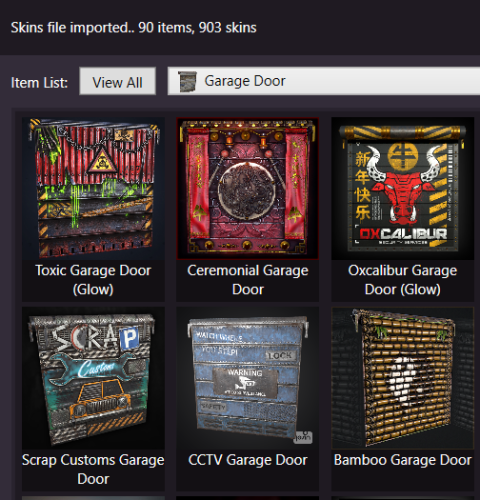 @jordo2k25 Added them to a prerelease version 1.7.7. To download go to Updates section, pick v1.7.7 from the changelog dropdown, then click Download Before Release. As mentioned in the update notes, plugin you're using might have not added support for the items yet, if you can't skin them in game then ask the dev to add them.
 -
Posted fix, thanks for reporting again .
-
Probably all Krieg base items because they keep messing up the shortname in the API when they add stuff
-
Also this version caches images to disk in ..\Assets\Cache, browsing through items should be a lot quicker now.
-
Can you try out attached? Takes a few seconds (depending on number of skins) till it fetches all steam data to detect broken ones, then deletes them all. Also now you will see a BROKEN label on bad skins when browsing. RustSkinsEditor-v1.7.7.zip
-
Probably can detect that, only issue might be steam rate limiting my requests but will see how it goes. Was meaning to add image caching for that tool anyway so will look into that too.
-
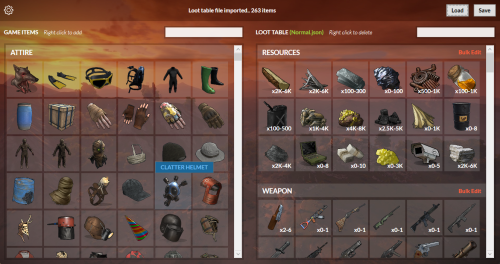 @bidi1252 This topic came up before and while i agree it would be great but nivex often changes loot populating logic, and i would have to copy it and regularly keep up with it,, which i try to avoid. IIRC the plugin has the command rbe generateloot [mode] which prints to console, maybe could help. As for text property, we discussed it a while back and nivex suggested it would be excluded from the editor as it can easily break items stacking if misused, but i guess i can add it in the model but not the UI next update.
 -
Already notified rusthelp.com to update DLC API, but it might not be added before next forced.
-
Changed Status from Pending to Fixed Changed Fixed In to 1.6.6
-
Looks like false positive from rusthelp.com API due to the upcoming RPG entry not added with correct shortname. I manually excluded it in 1.6.6. Thanks.
-
Changed Status from Pending to Not a Bug