

Flint Monkey
-
Posts
292 -
Joined
-
Last visited
Content Type
Profiles
Warranty Claims
Downloads
Forums
Store
Services
Downloads Plus Support
DOWNLOADS EXTRA
Everything posted by Flint Monkey
-
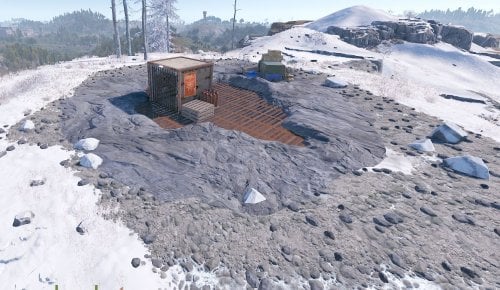 Thanks for responding, @jakman76. I have not updated the map since I started it and _think_ the RustEdit.dll is up-to-date. I am dependent on my host provider for that one, but they pull it directly from GitHub. I have the elevator installed in 2 locations on the map and both have the same issue. It's a bit troublesome as I actually built my own base in one of them. ATM I am getting by with noclip. Should I try reloading the map?
 -
@jakman76 - it appears that the Halloween update broke this prefab. The elevator car disappeared and can no longer be called. It's unfortunate, as I love this prefab.
-
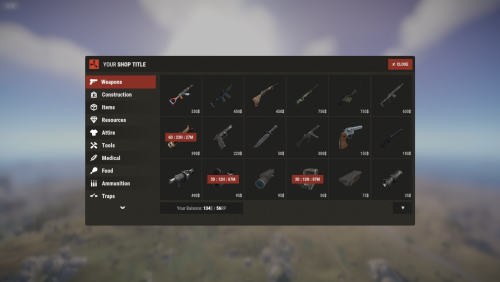 @David - I am trying to add the ability for players to purchase heli calls to the store and am getting the following error in the console: I have the following in Commands.json: and the following in Categories.json: Am I missing something?
 -
I'm likely not the first person to ask this... is it possible to add an option for labels to the shop items? For example, if I want to give players the ability to purchase the blue and the orange jumpsuit, both look the same in shop and it's hard to tell them apart (unless I go hunting for custom images).
-
 Yes, please! Also, is it possible to add a list of "works with.../dependent on..." to the documentation on the Description page? For example, I want to use Server Rewards for my currency and am wondering, "does this replace the ServerRewards plugin on uMod or do I need both?"
 -
@Steenamaroo - any suggestions on how to push/report rewards granted to a Discord channel?
-
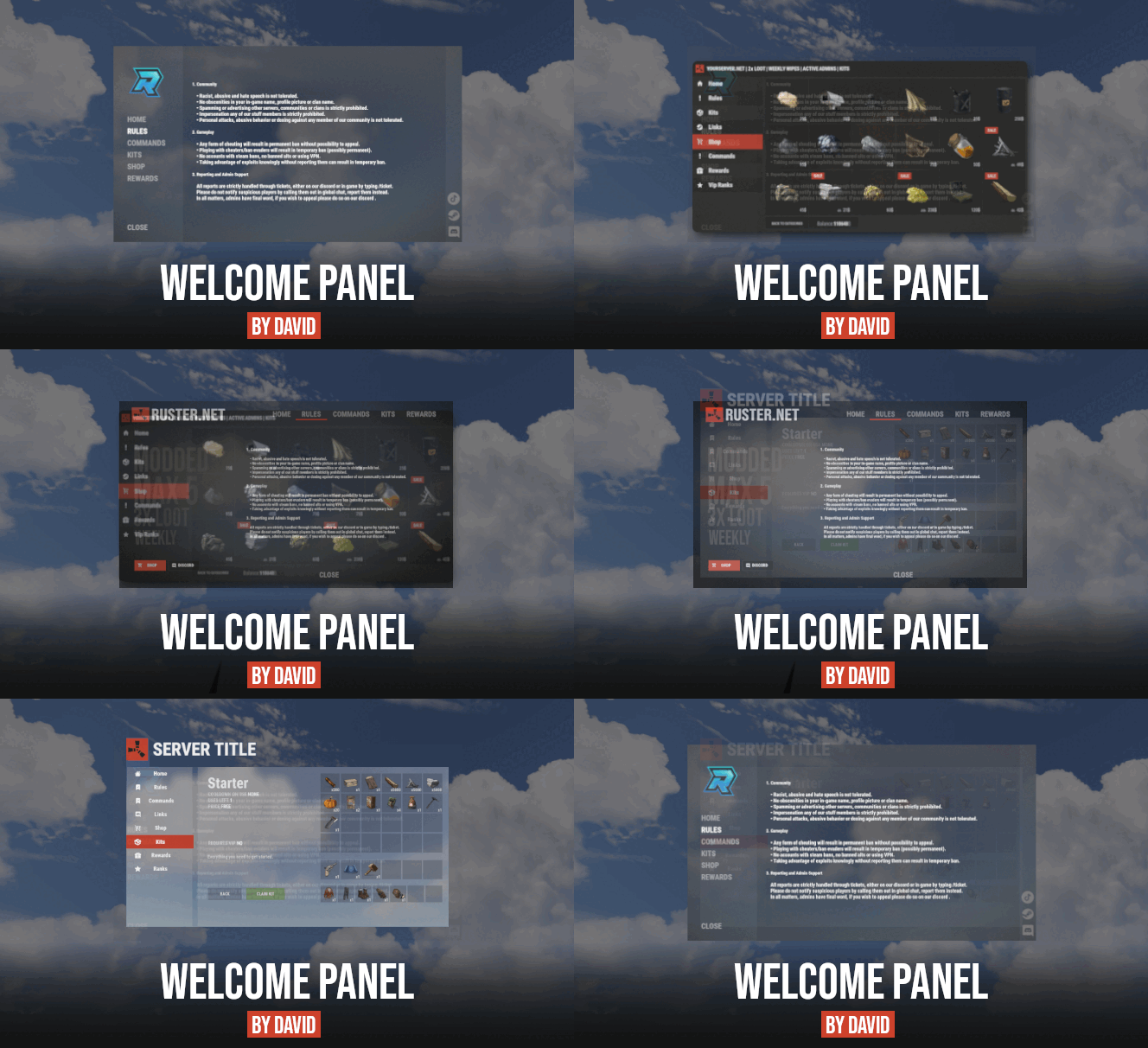 No worries - I'm already more than 1/2 way through migrating the data. It never hurts to ask.
 -
Hey @David, I just purchased the bundle (Welcome Info + Addons + Shop UI) and I'll be migrating from the. uMod Server Info plugin. Is there a quick/easy way to migrate my content in the config files? Thanks! Flint
-
 Is there a way to remove mormon_tea_c once it's been placed? I cannot seem to hit it with the hammer...
 -
 It does not increase Armor if - for example - you’re standing under a bear rug head and comfort level is maxed. Why would candles have this effect and not other comfort items?
 -
Looks like it's NOT the eggs... it's the candles that cause Armor to increase.
-
@MACHIN3 - you're going to think I am crazy with this issue, We're finding that if you move into a space where there's 100% comfort AND eggs, the Armor stat maxes out once a player has full health. Here are steps to reproduce and screenshots to document: 0) Create an area in your base where comfort is 100% and egg(s) are present. 1) Make sure Armor stat is _not_ at 100% (in my case, less than 10/10 here): 2) Enter base and place self in comfort zone: 3) Allow health to reach full level: 4) Wait... you will see Armor increase (above it's already ticking up) to full:
-
 I'm seeing the following in the console when a player triggers Monument Lock (on version 1.3.1):
 -
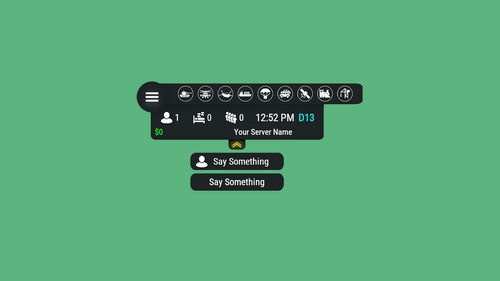 I've used the Land Flood plugin [1] and plan to add it back next month. The plugin allows you to either flood your map slowly over the time to wipe, or create a storm event and flood the land. I intend to do the second one and players will need to get above a flood level when the storm comes. It'd be helpful for them to have the ability to see what their altitude is above the standard water level (500). My current workaround: I could use Magic Panel for this with the Magic Coordinates Panel [2] , suppressing the x and y coordinates, but it's not as clean. Thanks for considering! [1] https://www.myvector.xyz/index.php?resources/land-flood.3/ [2] https://umod.org/plugins/magic-coordinates-panel
 -
@AhigaO - love the changes you've made to the plugin. Is it possible to add an indicator for altitude/height in game?
-
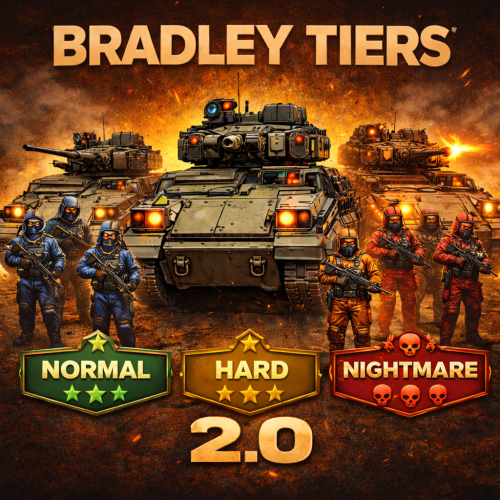 My players are talking about this new plugin in discord and looking for ways to work together to take down the harder tiers. Any plugin that makes players connect is a win. Thanks for putting this together, @Sabby, and for continuing to improve it over time!
- 223 comments
-
- 1
-

-
- #bradley
- #krunghcrow
- (and 4 more)
-
I came her to ask for this and am glad 1) others are asking for it and 2) you're looking into it. Rather than tone down the tiers you put in place, I'd love to reduce the frequency/likelihood of the Nightmare tier, especially early on in the wipe. It'd also be great if there were a way to specify what tiers are available at what locations. For example, I use convoy and might not want a Nightmare roaming the map on roads.
-
I reloaded all my plugins and this fixed the issue. It could have been imagelibrary.
- 604 comments
-
- 2
-

-
- #hud
- #interface
- (and 6 more)
-
Since the update, images in the Hud are no longer loading:
- 604 comments
-
- 1
-
-
- #hud
- #interface
- (and 6 more)
-
 This worked - I cannote believe I missed that as it's not set for any of the other monuments. Thanks!
 -
Hi @Steenamaroo, The kits are marked with a 1 in the BotReSpawn GUI, and they are generated by BotReSpawn. I had to set up a hotkey, but I eventually was able to do a '/botrespawn info' to get info on the NPC. I am attaching screenshots here. Any other ideas on what might be going on? This is the only monument I've seen an issue at. Thanks, Flint
-
Since the last update, I am having an issue where my bots at Ranch 0 are loading up as scientists (not pulling in their kits). Other monuments seem to be loading correctly. I looked through the config in the GUI as well as in the code and I'm not seeing any issues. Names are loading up correctly... it's just the skins. And the skins/kits are able to load at other monuments where they are selected using BotReSpawn. Any idea why this might be? Here's my code for Ranch 0: "Ranch 0": { "type": 0, "Spawn": { "AutoSpawn": true, "Radius": 60, "BotNames": [ "Ozzy Omlette", "Sparkplug Witwicky", "Cooter", "Buford T. Justice", "Angry Beaver", "Foghorn Leghorn", "Clarabelle" ], "BotNamePrefix": "Ranch", "Keep_Default_Loadout": true, "Kit": [ "npc-egghead", "npc-mechanic2", "npc-mechanic1", "npc-sheriff", "npc-beaver", "npc-chicken", "npc-cow" ], "Day_Time_Spawn_Amount": 3, "Night_Time_Spawn_Amount": 2, "Announce_Spawn": false, "Announcement_Text": "", "BotHealth": 150, "Stationary": false, "UseCustomSpawns": false, "ChangeCustomSpawnOnDeath": false }, "Behaviour": { "Roam_Range": 60, "Aggro_Range": 30, "DeAggro_Range": 40, "Peace_Keeper": true, "Bot_Accuracy_Percent": 25, "Bot_Damage_Percent": 50, "Running_Speed_Booster": 10, "AlwaysUseLights": false, "Ignore_Sleepers": true, "Target_Noobs": true, "Melee_DamageScale": 1.0, "RangeWeapon_DamageScale": 1.0, "Target_ZombieHorde": 0, "Target_HumanNPC": 0, "Target_Other_Npcs": 0, "Respect_Safe_Zones": true, "Faction": 0, "SubFaction": 0 }, "Death": { "Spawn_Hackable_Death_Crate_Percent": 0, "Death_Crate_CustomLoot_Profile": "", "Death_Crate_LockDuration": 5, "Corpse_Duration": 10, "Weapon_Drop_Percent": 5, "Min_Weapon_Drop_Condition_Percent": 50, "Max_Weapon_Drop_Condition_Percent": 100, "Wipe_Main_Percent": 80, "Wipe_Belt_Percent": 80, "Wipe_Clothing_Percent": 80, "Allow_Rust_Loot_Percent": 100, "Rust_Loot_Source": "foodbox", "Respawn_Timer": 10, "RustRewardsValue": 0.0 }, "Other": { "Chute": false, "Suicide_Timer": 10, "Die_Instantly_From_Headshot": true, "Instant_Death_From_Headshot_Allowed_Weapons": [], "Disable_Radio": true, "Use_Map_Marker": false, "Always_Show_Map_Marker": false, "MurdererSound": true } },
-
@AhigaO - I love how clean this panel looks. Thanks for making something that's been complex so simple. There are a couple of magic panel plugins that my players use frequently that are missing: Is it possible to include the grid position in the UI? Many players use that to communicate where they are (rather than using coordinates) for general grouping/planning. Another player already asked this... is there a way to add a radiation level indicator? The best option is amount of rad protection / amount of rad present, but even a yes/no would be appreciated. In addition, I'm having an issue where I cannot get the dropdown button list to execute chat commands. I've created a simple one for /info. Perhaps I don't have the syntax right. I've tried including it with and without the '/'.
- 604 comments
-
- 2
-
-
- #hud
- #interface
- (and 6 more)
-
It'd be great if there were a way to see the most recent update date in the Purchases list.
- 1 reply
-
- 1
-
-
Great - I will try this later today. Thanks again!