

Code Brothers
-
Posts
101 -
Joined
-
Last visited
Content Type
Profiles
Warranty Claims
Downloads
Forums
Store
Services
Downloads Plus Support
DOWNLOADS EXTRA
Reels
Support Center
Everything posted by Code Brothers
-
 I will definitely look into these things, thank you!
 -
Version 1.5.2
142 downloads
Transform the Giant Excavator monument into a high-risk, high-reward dynamic hotspot, without replacing or disrupting vanilla gameplay. When the excavator is fueled or activated, resource-rich ore nodes spawn around the monument and hostile scientists roam the area to secure it. Players must push through NPC resistance while competing with others, naturally encouraging PvP, counter-play, and contested control of the site. Rather than turning Excavator into a scripted event, this plugin reacts directly to existing excavator usage, making the monument feel alive, volatile, and worth fighting over. Designed to feel fully integrated with Rust’s systems, Excavator Event automatically starts and stops with the excavator itself and cleans up when activity ends. Features • Automatic activation when the excavator starts • Enhances (does not replace) vanilla excavator behavior • Resource-rich ore node spawns (metal, sulfur, stone) • Hostile scientist NPCs with controlled roaming • Configurable spawn radius and density • Periodic node respawning while active • Clean despawn when the excavator shuts down • Modern in-game admin control panel • Server-wide event alerts and UI notifications • Performance-aware spawning logic • Fully configurable values Chat Commands (Admin Only) /excavator Opens the Excavator Event control panel Permissions excavatorevent.admin Required to start, stop, or configure the Excavator Event Configuration { "NodeCount": 30, "NPCCount": 50, "EventRadius": 80, "MinNodeDistance": 5, "NodeRespawnTime": 300, "NodeSpawnDelay": 0.15, "NodeRiseTime": 1.5, "NPCSpawnDelay": 0.2, "NPCRiseTime": 2 } Default values are tuned for balanced risk, server performance, and rewarding gameplay. Notes Excavator Event is built to enhance vanilla Rust, not override it. The monument functions exactly as expected — this plugin simply raises the tension, increases contesting, and makes excavator runs more meaningful. Ideal for PvP-focused servers, progression-based gameplay loops, and servers looking to make monuments feel more alive without immersion-breaking mechanics. Created by CodeBrothers Check out our other work on Codefling$19.99 -

No map marker for event and not spawning
Code Brothers replied to SlayersRust's Support Report in Support
Changed Status from Pending to Fixed Changed Fixed In to 1.4.0 -
No map marker for event and not spawning
Code Brothers replied to SlayersRust's Support Report in Support
Just put the correct version in. -
No map marker for event and not spawning
Code Brothers replied to SlayersRust's Support Report in Support
Also the choice of a banner or message will be in 1.4.0, along with discord webhook support, and loot table configuration, which I am working on now, -
No map marker for event and not spawning
Code Brothers replied to SlayersRust's Support Report in Support
Ah, I think I made a mistake with the version I put in for update, might have been a broken one. I just uploaded the exact version I just tested, try that and let me know! -
No map marker for event and not spawning
Code Brothers replied to SlayersRust's Support Report in Support
Are you able to get it to spawn at all? (just took these now) -
No map marker for event and not spawning
Code Brothers replied to SlayersRust's Support Report in Support
Really weird, I am looking into that now, just woke up. -
 Definitely something I will work on, thank you!
 -
The default config is in the description.
-
Just added Carbon support!
-
Yes, it can be set to spawn automatically every 1 hour, and it is fully configurable.
-
Version 2.0.2
133 downloads
Bring Rust monuments to life with cinematic, high-intensity combat events. Armed Deployment dynamically delivers a Bradley APC, heavy scientists, and a hackable locked crate to any location you choose, all inserted by an immersive Chinook deployment sequence. Watch as a Chinook approaches the target zone, descends, deploys hostile forces, and extracts — creating a truly memorable server event that feels built into the game rather than scripted. Players must eliminate all threats and destroy the Bradley APC before they can claim the locked crate and its rewards. Features • Spawn deployments anywhere on the map • Cinematic Chinook delivery and extraction • Heavy Scientists with controlled roaming • Bradley APC with movement blocking • Hackable Locked Crate rewards • Dynamic deployment radius and map marker • Server-side UI progress tracking • Automatic cleanup and despawn timers • Admin-controlled start and cancellation • Automated deployments with configurable intervals • Fully configurable values Chat Commands (Admin Only) /adpanel Toggles the Armed Deployment admin UI panel Permissions ArmedDeployment.admin Required to start, cancel, or automate Armed Deployments Configuration { "Auto": false, "AutoMin": 60, "RandMon": true, "ManLoc": { "X": 0, "Y": 0, "Z": 0 }, "Mons": { "airfield": true, "trainyard": true, "powerplant": true, "military_tunnel": true, "launch_site": true, "water_treatment": true, "dome": true, "satellite": true, "junkyard": true, "excavator": false, "harbor": true, "arctic_base": true, "lighthouse": false, "gas_station": false, "supermarket": false, "mining_outpost": false, "sewer_branch": false, "oil_rig_small": false, "oil_rig_large": false }, "SciCnt": 12, "BradCnt": 1, "EvtRad": 150, "MaxAttempts": 10, "ChApproachH": 80, "ChApproachD": 400, "ChSpeed": 25, "ChHoverH": 15, "ChDescentH": 50, "ChExitD": 500, "MinClearH": 40, "ObstacleRad": 30, "MonSearchRad": 80 } Default values are optimized for performance and cinematic impact. Notes This plugin is designed to feel vanilla-friendly, cinematic, and performance-aware. It works especially well on servers that want high-risk, high-reward PvP encounters without relying on random world events. Feedback, suggestions, and feature requests are always welcome. Created by CodeBrothers Check out our other work on Codefling$29.99 -

Version 1.0.0
5 downloads
An icy arena where players can fight it out.$1.99 -

Version 1.0.0
9 downloads
A simple helipad with a safe zone that can be placed anywhere, allowing players to purchase helicopters directly from it.$1.99 -

Version 1.0.0
13 downloads
Better Fishing Villages enhances all fishing villages by adding helipads and recyclers to Tier A, B, and C locations.$3.99 -
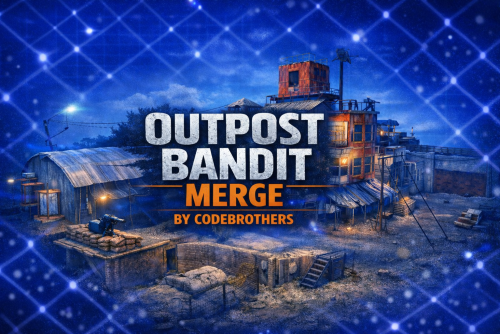
Version 1.0.0
28 downloads
Simple, clean, outpost bandit merge.$3.99 -
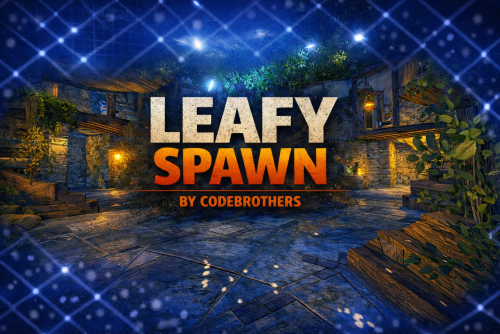
Version 1.0.0
8 downloads
Simple, small, leafy, spawn lobby.$1.99 -

Version 1.0.0
14 downloads
RoamZone allows server owners to instantly create fully customizable event zones anywhere in the world. Designed for PvP events, aim arenas, warmups, and competitive challenges, RoamZone provides a clean UI, live stat tracking, and a highly visible zone so players always know where the action is. Command: /roamzone <radius> <duration> "Event Title" "#HEXCOLOR" Example: /roamzone 50 300 "Roam PvP" "#00FFFF" Permission: roamzone.admin RoamZone tracks stats only inside the event zone: Kills Deaths Headshots Damage dealt Stats are grouped automatically by Rust’s built-in team system. Solo players are supported without any setup. Automatic Winner Announcement When the event ends: The winning team is calculated automatically Team leader is displayed Combined team stats are shown Individual stats for the winning team are listed Perfect for competitive events and server announcements.$4.99 -
Everything will be displayed in game.
-
Hey, there is no fix to this unfortunately, I literally had to make it like that. It is very time consuming, It's just rustedit.
-

Version 1.0.0
10 downloads
Hexagon style maze, with no walls or rocks.$1.99 -

Version 1.0.0
23 downloads
This is a 2.4km map with launch.$1.99 -

Version 1.0.0
2 downloads
Snowy king of the hill, with many different angles.$1.99