


Code Brothers
-
Posts
101 -
Joined
-
Last visited
Content Type
Profiles
Warranty Claims
Downloads
Forums
Store
Services
Downloads Plus Support
DOWNLOADS EXTRA
Reels
Support Center
Everything posted by Code Brothers
-
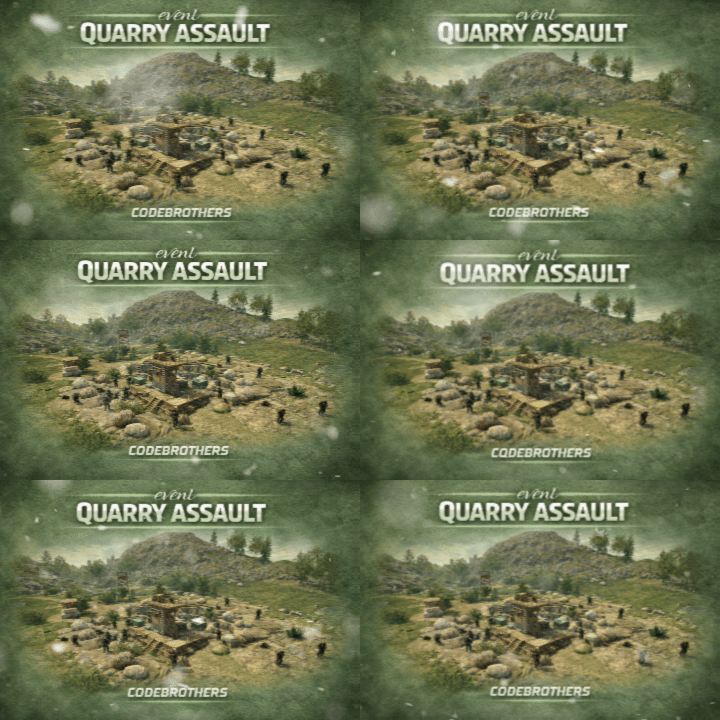
Version 1.1.3
57 downloads
Transform quarry monuments into contested PvP hotspots with dynamic resource spawns and hostile defenders, without disrupting vanilla quarry functionality. When a quarry is activated, resource-rich ore nodes emerge around the monument while scientists and guard dogs materialize to defend it. Players must fight through NPC resistance while competing with rivals, naturally creating intense PvP encounters and contested monument control. Rather than creating a separate event system, Quarry Assault reacts directly to quarry activation, making these monuments feel dangerous, alive, and worth fighting over. Designed to feel fully integrated with Rust’s mechanics, Quarry Assault automatically starts when quarries turn on, respawns resources periodically, and cleans up when the quarry shuts down or all defenders are eliminated. Features • Automatic activation when any quarry starts running • Enhances (does not replace) vanilla quarry behavior • Resource-rich ore node spawns (metal, sulfur, stone) • Hostile scientist NPCs with AK-47s and hazmat suits • Guard dog patrols for additional defensive layers • Intelligent quarry type detection (Stone, Sulfur, HQM) • Cinematic spawn animations — nodes and NPCs rise from the ground • Configurable spawn radius and density • Periodic node respawning while the quarry is active • Clean despawn when quarry stops or defenders are eliminated • Modern in-game admin control panel • Server-wide event alerts and UI notifications • Performance-aware spawning logic with staggered delays • Fully configurable spawn counts, timings, and distances Chat Commands (Admin Only) /quarry Opens the Quarry Assault control panel to view active events and adjust settings Permissions quarryassault.admin Required to start, stop, or configure Quarry Assault events Configuration { "NodeCount": 25, "NPCCount": 30, "DogCount": 10, "EventRadius": 50, "MinNodeDistance": 5, "MinNPCDistance": 3, "MinNodeToNPCDistance": 4, "NodeRespawnTime": 300, "NodeSpawnDelay": 0.15, "NodeRiseTime": 1.5, "NPCSpawnDelay": 0.2, "NPCRiseTime": 1.0, "DogSpawnDelay": 0.15 } Default values are tuned for balanced risk, server performance, and rewarding PvP encounters. How It Works When a quarry activates: • The plugin detects the quarry type (Stone, Sulfur, or HQM) • Resource nodes spawn in a radius around the quarry with rising animations • Scientists materialize to defend the resources • Guard dogs patrol the perimeter • Server-wide alerts notify all players During the event: • Nodes respawn periodically (configurable) • NPCs roam within the event radius and engage players • The event continues as long as the quarry is powered When the event ends: • If defenders are eliminated: NPCs despawn, nodes remain • If manually stopped: All entities are removed cleanly • The quarry returns to vanilla behavior Notes Quarry Assault is built to enhance vanilla Rust, not override it. Quarries function exactly as expected , this plugin simply raises the stakes and increases monument contestation. Ideal for PvP-focused servers, progression-based gameplay loops, and servers looking to make monuments feel more alive. Multi-quarry support: Stone Quarry, Sulfur Quarry, and HQM Quarry supported simultaneously. Performance optimized: Staggered spawning prevents server lag even with large entity counts. Created by CodeBrothers Check out our other work on Codefling$19.99 -

On Plugin Unload nothing gets despawned
Code Brothers replied to SlayersRust's Support Report in Support
Changed Status from Pending to Fixed Changed Fixed In to 1.5.0 -
Interesting, I will look into this and see how it will work in game!
-
Oh why thank you! Really quick, would you happen to have any other event ideas that you would think would be a nice addition, currently on a underwater lab event.
-
Nice to hear, also I will prevent scientists from spawning in rock piles, thanks for bringing that to my attention!
-
Changed Status from Work in Progress to Fixed
-
Haha, good to hear man, hope you enjoy it!
-
Dude, I am honestly stumped here, are you on oxide or carbon?
-
Try unloading all other plugins, and try just the excavator event.
-
I honestly do not know what could be wrong, all my plugins load fine, as far as my knowledge other buyers haven't encountered this problem. It also could be interacting with other plugins running on your server.
-
Changed Status from Pending to Work in Progress Changed Fixed In to 1.2.0
-
In game currently, everything seems to be working fine, make sure you're using it correctly.
-
On Plugin Unload nothing gets despawned
Code Brothers replied to SlayersRust's Support Report in Support
Unloaded plugin ArmedDeployment v4.1.1 by CodeBrothers Loaded plugin ArmedDeployment v4.1.1 by CodeBrothers now to get the cleanup working better. -
try o.grant group admin excavatorevent.admin
-
I am confused, did it ever compile?
-
It's all lowercase, most likely why it never worked.
-
Alright, try downloading 1.2.0 again, I have added permissions, before it used admin check, also make sure you're on the newest version of oxide/carbon.
-
I guess I will have to add permissions then, it should just work if you're admin/owner on the server, we just were using the plugin today with no problems.
-
Pretty sure you need auth level two, but I will check once I am at my computer later.
-
Once the plugin is loaded, simply start excavator and fight!
-
Auto, but in addition there is the option to manually do so.
-
Good to hear, let me know what happens. Also you're able to configure the plugin through the /excavator command, it is a full admin panel.
-
Must be, we never had any structure damage upon loading the plugin. Also don't use excavator.spawn in console, just use the /excavator panel and the auto trigger via starting the excavator. (Just released a new version with the *.json file generation. )
-
Ah, I know exactly why the *.json file isn't being generated, and I will get this fixed immediately, but I am confused on what you mean by player structures being destroyed?
-
On Plugin Unload nothing gets despawned
Code Brothers replied to SlayersRust's Support Report in Support
Fixing, for now end the event before unloading, thank you.