Madstayen
-
Posts
106 -
Joined
-
Last visited
Content Type
Profiles
Warranty Claims
Downloads
Forums
Store
Services
Downloads Plus Support
DOWNLOADS EXTRA
Reels
Everything posted by Madstayen
-
Okay, so I got it to work. I reloaded all my plugins. NPCs are showing in game, but they all have the same name: Player, and then a number. But that's okay, I can change it in the config. Thanks for the assistance man, I appreciate it.
-
If I run the c.plugins command it does show up in console as loaded, but in game none of the commands work, none of the NPCs spawns, and RoamingNPCs does not show in my in game plugins list in my carbon panel.
-
Okay I checked, and the plugin fails to load because of the NavMesh err
-
Notes: I deleted the old Bots.json file. I created the following files: carbon/data/NPCsController/MonumentNavMeshes and carbon/data/NPCsController/PrefabNavMeshes
-
It causes the plugin to not load at all it seems
-
I get the following error: Failed to create agent because there is no valid NavMesh
-
I'm not sure to be honest
-
Thanks man, appreciate it. Also, is it possible to add DigitalMarketPlay to your plugin? https://digitalmarketplay.com/ Thanks
-
I was wondering, with MyVector chanfing to RogueDepot, and ChaosCode changing to RustHQ, will UpdateChecker still be able to check if any of the plugins are out of date? I've noticed it does not seem to notify me of any outdated plugins on these "new" sites.
-
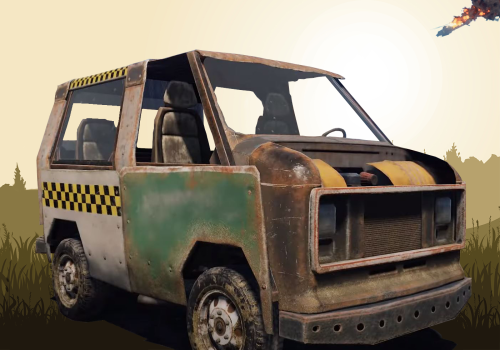 This plugin is working as expected, which is good and deserves 5 stars. However, on the plugin page you are greeted with images of the plugin and a nice garage background image (part of the reason to download and install the plugin, I think), yet when you install the plugin, your background looks like you're about to attend a kindergarten session. Most players I know isn't coming straight out of the womb . This forces you to immediately unload the plugin and create your own custom garage background so that people won't think you're connected to Epstein's island . But overall, it's a good plugin and works perfectly, except for the punch in the balls when you open the GUI. There is also an option to disable the background, which was helpful, so I could run the plugin with no background until I designed my own, which is the only reason that I give this a 3 star rating.
 -
 Will this work plugin for certain violations like Not Using English In Global Chat?
- 4 comments
-
- 1
-

-
- #chat
- #moderator
- (and 6 more)
-
The plugin is working
-
Loaded plugin PortableRecycler v1.2.9 by Raul-Sorin Sorban [199ms] [PortableRecycler] Broken configuration: Error converting value 0.5 to type 'RecyclerConfig+RecyclerType'. Path 'GroupQuality.default', line 25, position 18.
-
Failed compiling 'PortableRecycler.cs': 1. 'Recycler' does not contain a definition for 'recycleEfficiency' and no accessible extension method 'recycleEfficiency' accepting a first argument of type 'Recycler' could be found (are you missing a using directive or an assembly reference?) [CS1061] (PortableRecycler 13 line 184)
-
 Is it possible to have this plugin compatible with Carbon?
 -
Where's the dev?
-
Hud: FAILED to load – Object reference not set to an instance of an object (line 703). Plugin was unloaded. I get this error in console. What does it mean?
-
Hey man. Just letting you know I figured it out. Thanks
-
Thank you, I will. I'm on a business trip and will return tomorrow evening. I will send it then.
-
Sorry for the late response, I was on a business trip. Yes, no lock appears on the furnace itself.
-
It's still not locking
-
The industrial furnace does not lock at all
-
.thumb.gif.5b7a21f32bdf3a3f4a2215e39136d274.gif) Thanks for this plugin. After the FP update all players had access to my hidden kits of my old RustKits plugin. Not sure why, but no one could assist me, so I bought this, and I'm more than happy with it. However, I would love to know how to add my custom images. What is the maximum size that can be uploaded? All my images are .png on imgur, but it does not load any of them at all. So I think it might be a size issue. Maybe I'm completely wrong, but if anyone can assist me it would be great. Also, the "/kit autokit" is non functional in chat
Thanks for this plugin. After the FP update all players had access to my hidden kits of my old RustKits plugin. Not sure why, but no one could assist me, so I bought this, and I'm more than happy with it. However, I would love to know how to add my custom images. What is the maximum size that can be uploaded? All my images are .png on imgur, but it does not load any of them at all. So I think it might be a size issue. Maybe I'm completely wrong, but if anyone can assist me it would be great. Also, the "/kit autokit" is non functional in chat -
I have the same issue. Some even spawn without clothes, yet in the config they do have clothes
-
 Thank you. Yes, I figured out how to adjust the values. Great addition to my server