-
Posts
407 -
Joined
-
Last visited
-
Days Won
6
Content Type
Profiles
Warranty Claims
Downloads
Forums
Store
Services
Downloads Plus Support
DOWNLOADS EXTRA
Everything posted by Bad Cop
-
 Compatibility added to
 -
 Hi tikomatura, I hope you are well This was written independently of any other plugin. It may or may not have the same or similar functionality, i've not seen the plugin so cannot confirm what/if there is a difference. This one's been around for some time now even before listing on CF. I can only say it works and like my other plugins still actively supported and improved where possible.
 -
Version 1.0.6
21 downloads
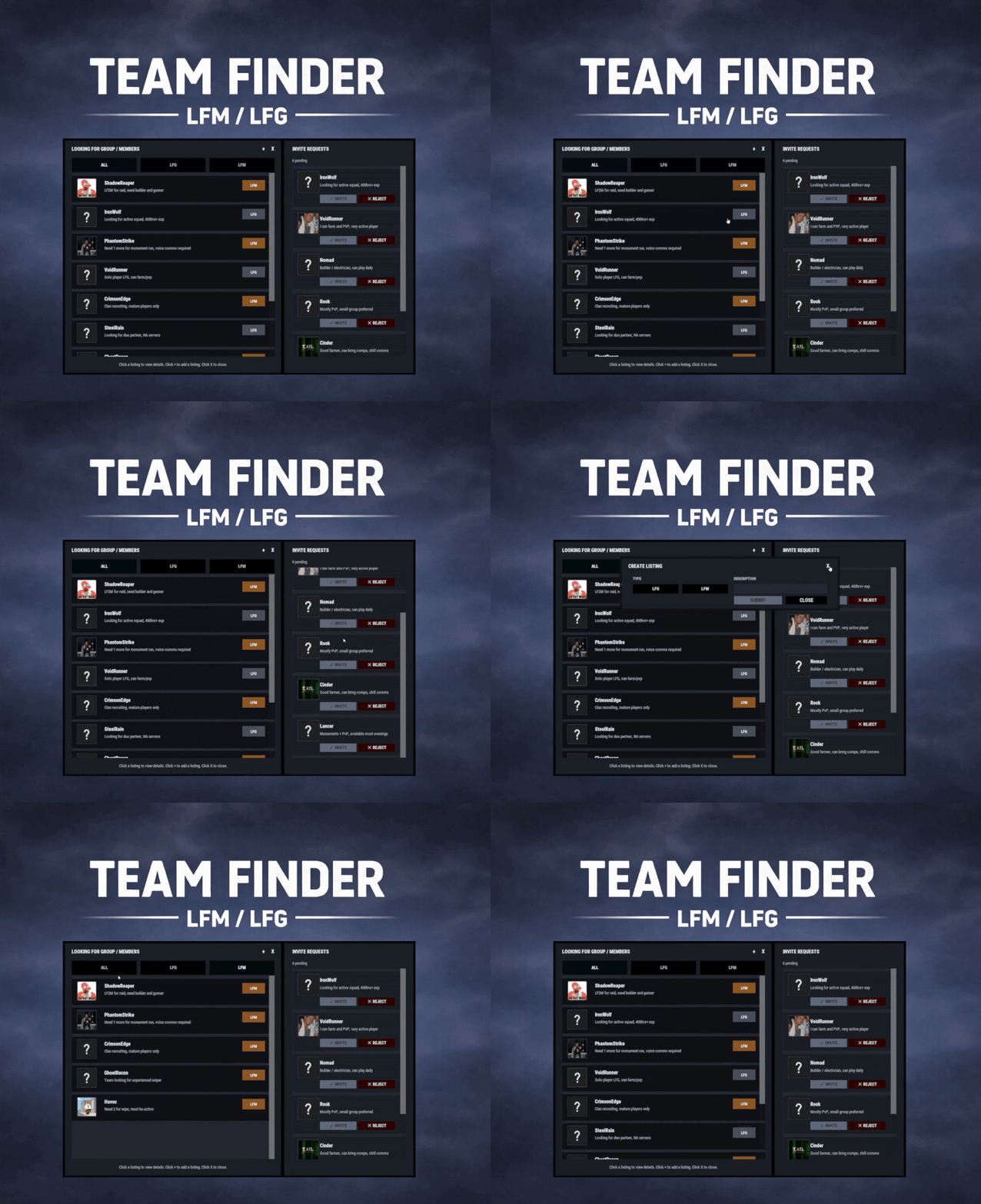
TeamFinder adds a clean, in-game Looking For Group / Looking For Members system to your Rust server. Players can post LFG listings when they’re solo, and team leaders can post LFM listings to recruit. Everything runs through an intuitive UI: browse listings, open player request details, invite, request to join, and manage incoming requests, all without needing repetitive lfg chat spam. Key Features LFG + LFM Listings LFG (Looking for Group): solo players post a listing with a description. These listings are public and team leaders can easily invite players. LFM (Looking for Members): team leaders post a listing tied to their current team. Solo players can submit an invite request along with a short description. Simple UI Workflow Full UI with a main listings panel + side panel for invite request management. Filters: All / LFG / LFM Click a listing to view: Player name + avatar Listing type tag (LFG/LFM) Full description Invite & Request System LFG listings: team leaders can directly send a team invite. LFM listings: solo players can request an invite to join that team. Optional request note (short message) included with join requests. Built-In Safety Rules / Cleanups Players can’t request invites if they’re already in a team. Players can’t be invited/request if they already have a pending Rust team invite. If a player joins a team, their other pending join requests are cleaned up automatically Invalid LFM listings (disbanded teams) are auto-removed when detected. When team leader changes, the listing ownership is moved to new leader. Reminders & Notifications Audible invites reminders for: Players with pending team invites Leaders with pending join requests Configurable reminder interval. Chat message when a LFG/LFM request is posted. Editable UI customize colors for: panels frames row borders buttons tags (LFG/LFM) input fields scrollbar elements and more via the config Localization All UI content neatly arranged in the lang file, allowing for easy translation. ________________________________________________________________ Permissions teamfinder.admin - Required to run clear commands and remove other player's listings. Chat Commands /lfg - Opens the Party Finder. This command can be changed, and multiple commands added within the config file. /lfg.clear - Admin command to clear ALL LFG listings /lfm.clear - Admin command to clear ALL LFMlistings ________________________________________________________________ Default config is created and should meet the needs of most servers.$14.99 -
 Man of culture
 -
Hi @moulinch, Of course, message me on discord when you have time to try it, i will let you know the IP and give you the perms to see it in action Can also find me in this discord channel if you have trouble sending friend request https://discord.gg/jxwVpn9mEq
-
Version 1.2.3
45 downloads
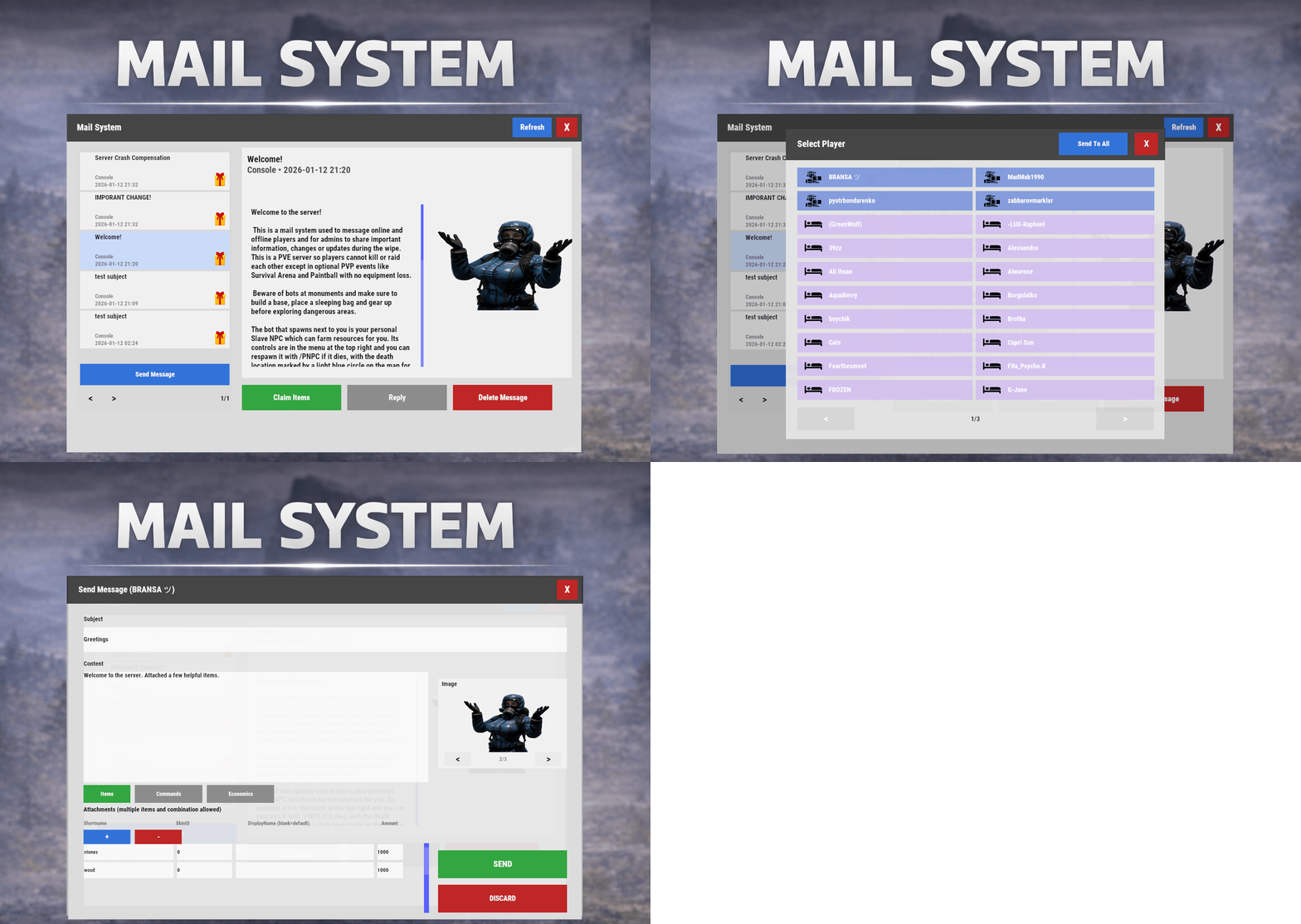
Mail System is an in-game mail and notification system for Rust servers, allowing players to send “emails” to online and offline players. Admins will also benefit from being able to include attachments such as items, commands, and economy rewards, and players can now open support tickets for staff assistance directly in-game. Designed for wipes, announcements, rewards, crash compensation, support, and direct communication, Mail System ensures both online and sleeping players receive admin messages, while also providing threaded conversations—replies are appended to the original message—so players can follow the full back-and-forth anytime via a simple UI they can access at any time. Perfect For Admin announcements Server rules and new player welcome messages Compensations Reward delivery Event prizes Player to Player communication Core Features Persistent inbox per player Messages are delivered even when players are currently offline Configurable inbox limits per player - oldest message deleted if limit exceeded. Optional wipe-based inbox clearing Simple message creation Ability to input subject and message content Recipient can be easily selected via a player picker UI, with unique colors and icons for Online/Sleeper/Staff Optional image per message via ImageLibrary. Available Image URLs (recommend square images eg 512x512) can be configured. Default/Example images have been included. Clean scrollable UI and configurable max length for long messages. Admins can easily include a combination of items, economies, or commands ran against the recipient. Messages and attachments can also be created via console commands, perfect for use in other plugins. Known Limitation: Rust does not currently have a functional multi-line support (as in, hitting enter to create a line break won't create a line break for the recipient). However. when typing message content, entering \n will create a new line in the resulting message as shown in attached screenshots. Facepunch is aware of this and UI input functionality will be updated accordingly. Unread notifications Notification sound upon receiving new message Visual indicator for unread messages and attachments Customizable position and size of on-screen notification bell Support Tickets (In-Game Helpdesk) Create new tickets with subject + message Staff groups can view/respond to all tickets (permission group based, configurable) Open & Closed ticket views (toggle), with close/reopen controls Threaded ticket history: every reply is stored and displayed as a conversation Attachments & Rewards Each message can include any combination of: Item rewards Multiple items per message Custom display names Optional skin IDs Inventory-safe claiming Command rewards Ability to run server commands on claim Supports placeholders to ensure command is run against the recipient (%steamid%) Repeatable command execution via amount entry Economy rewards Economics ServerRewards TCBank each handled independently, with clear failure feedback if unavailable or failed Players claim attachments directly from the inbox with a single click and receive a clear summary of what was successfully claimed and what failed, if anything. 🛠 Admin & Console Tools Send messages with attachments: Using In-game UI Using Console commands Attach rewards and images using simple flag-based commands Ability to include attachments is admin permission based Target: Individual players All players (Online and Sleepers) Customization Customize HUD icon and unread indicators Customize online/sleeper/staff icons Built-in notification HUD position & size editor (no config guessing) Customize available images which can be included in messages. Adjust HUD colors Configure subject/message max lengths and inbox size. Localization via lang files Timestamp +/- offset Chat Commands: /inbox - Opens the Inbox UI where players can view and send/reply messages /tickets - opens the Tickets UI /sendmail "PlayerName" - optional chat command to send message to specific player without going through inbox/player picker /inbox_top - Admin command to view players with largest inbox sizes /inbox_clear "PlayerName" - Admin command to clear a specific player's inbox /notif_iconpos - Admin command to reposition and resize the notification icon (auto saves) Permissions: mailsystem.send - required to be able to send messages mailsystem.admin - required to add attachments via UI and run admin commands mailsystem.ticketopen - allows opening/using the Tickets UI mailsystem.ticketstaff - marks a player as ticket staff (can view/respond to all tickets) mailsystem.ticketmanage - allows managing tickets (e.g., close/reopen regardless of creator) Console command functionality Console commands can be used for both messaging and attachment delivery using flags, with included option to select which image will appear in the message Basic command structure is as follows: mail.send <playername OR SteamID> "<subject>" "<content>" [flags] mail.sendall "<subject>" "<content>" [flags] Available flags are desribed below and may be used multiple times and in any order: Image Flag: -img <number> Sets the message image. Uses the image list from the config Index starts at 0 0 = first image, 1 = second, etc. _______________________________ Item Flag: -item <shortname> <amount> <skinId> optional:"displayName" Adds an item attachment. skinId may be 0 Custom name is optional If omitted, the item’s default name is used _______________________________ Commands Flag: -cmd "<name>" "<command>" <amount> Runs a server command when claimed. amount specified how many time to run the command. It defaults to 1 Supports %steamid% and %name% wildcards - useful when sending to all players or via other plugins. "name" is what the player will see as the attachment name (instead of seeing the command itself) _______________________________ Economy Flag: -eco <type> <amount> Adds a currency attachment. Supported types: Economics ServerRewards TCBank _______________________________ Example Console Commands: Below are some example console commands. Note you can use \n\n for following text to start as a new paragraph Simple message only to single player(with image) mail.send PlayerName "Welcome!" "Welcome to the server. Enjoy your stay!" -img 0 Simple message only to all players (with image) mail.sendall "Server Notice" "Welcome to the server everyone!" -img 0 Single item attachment (with image) mail.send PlayerName "Resource Gift" "Here are some materials to get you started." -img 1 -item wood 2000 0 Item attachment with custom display name and specific skinID (with image) mail.send PlayerName "Special AK" "You have received skinned HV pistol ammo." -img 2 -item rifle.ak 1 987654321 "Very Cool AK" Multiple items (with image) mail.send PlayerName "Supply Drop" "A mix of useful resources." -img 0 -item wood 3000 0 -item stones 2000 0 -item metal.fragments 500 0 Command attachment (with image) mail.send PlayerName "Starter Kit" "Claim this message to receive your starter kit." -img 1 -cmd "Starter Kit" "kit give %steamid% starter" Economy reward (Economics) (with image) mail.send PlayerName "Welcome Bonus" "You have received a currency reward." -img 0 -eco Economics 1000 Mix of Items + Economics (with image) mail.send PlayerName "Builder Pack" "Resources and money to help you build." -img 2 -item wood 4000 0 -item stones 4000 0 -eco Economics 2500 Mix of Items and Command (TWO vip kits) (with image) mail.send PlayerName "VIP Trial" "Enjoy a one time VIP kit." -img 1 -item scrap 250 0 -cmd "VIP Kit" "kit give %steamid% VIP" 2 Full mixed attachments (items + command + economy) (with image) mail.send PlayerName "Welcome Package" "Everything you need to get started." -img 0 -item wood 3000 0 -item ammo.pistol.hv 100 0 -cmd "Starter Kit" "kit give %steamid% starter" -eco Economics 1500 Full mixed attachments to all players (note using \n\n to create a new paragraph within message content) (with image) mail.sendall "Attention Citizens!" "Thank you for being awesome.\n\nAttached some gifts." -img 0 -item wood 3000 0 -item ammo.pistol.hv 100 0 -cmd "Starter Kit" "kit give %steamid% starter" -eco Economics 1500 If using the commands within a JSON (config) file, you will need to ensure you escape the quotes with a backslash (place a backslash before any quote sign), for example: mail.send %SteamID% \"Welcome!\" \"Welcome to the server!\n\n This is a mail system used to message online and offline players and for admins to share important information, changes or updates during the wipe\n\nWe hope you have a great time\" -item ammo.pistol.hv 100 0 \"\" -img 1 If you’re looking for a modern replacement for chat spam, manual kit commands, or unreliable reward delivery, Mail System provides a polished, user-friendly solution that players will instantly understand and appreciate. I have done my best to document the full functionality, but if any doubt do not hesitate to open a support request.$22.99 -
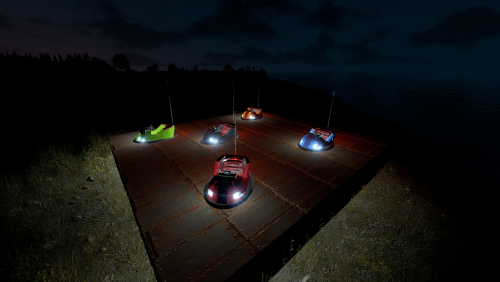 These prefabs are just for decoration, the mounting won't really work (its too tight around the seating area). I should really remove the mount points to not confuse. But i think you might be looking for the moving/mountable ones in which case they're here - https://karuza.dev/store/product/5fa495d7-f1ed-4320-bcb6-f59398743590
 -
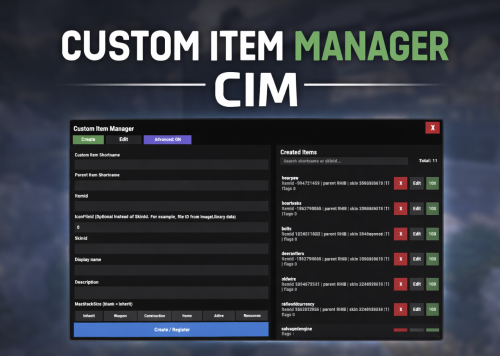 Hey @ChardaZAR Not difficult at all. If you have all your custom SkinIDs to hand, maybe 1 minute to add each item. tl;dr for a basic item: open the item manager, input a shortname you would like that item to have input the parent item it will be based on (for non usable items, recommend shortname RHIB) Populate the SkinID, Displayname, Description If you use these items in any lootables (e.g. loot from events), you'd need to update it there to use the new simpler format (only shortname). Example from a loot table: Loot format before changing to your new custom items: "List of items": [ { "ShortName": "sticks", "Minimum": 1, "Maximum": 2, "Chance [0.0-100.0]": 5.0, "Is this a blueprint? [true/false]": false, "SkinID (0 - default)": 4535234653, "Name (empty - default)": "Screwdriver" }, { "ShortName": "sticks", "Minimum": 1, "Maximum": 2, "Chance [0.0-100.0]": 5.0, "Is this a blueprint? [true/false]": false, "SkinID (0 - default)": 453342345, "Name (empty - default)": "Screws" }, ] Loot format after changing to your new custom items: (now only need to put in the shortname which you've configured) "List of items": [ { "ShortName": "screwdriver", "Minimum": 1, "Maximum": 2, "Chance [0.0-100.0]": 5.0, "Is this a blueprint? [true/false]": false, "SkinID (0 - default)": 0, "Name (empty - default)": "" }, { "ShortName": "screws", "Minimum": 1, "Maximum": 2, "Chance [0.0-100.0]": 5.0, "Is this a blueprint? [true/false]": false, "SkinID (0 - default)": 0, "Name (empty - default)": "" }, ]
 -
Version 1.0.2
74 downloads
Custom Item Manager is an in-game admin UI for creating true custom Rust items by registering brand-new ItemDefinitions, leveraging the CustomItemDefinitions* framework. Unlike traditional “skinned item” approaches, this plugin adds items directly into the game’s item manifest, allowing them to be spawned, stored, traded, and in many cases interacted with exactly like vanilla items. Because these items exist as real ItemDefinitions, they can have their own unique itemID, shortname, display names, meaningful descriptions, icons, categories, flags, and blueprint rules**. This solves one of the biggest limitations of skin-based custom items: skinned items can only reuse the original item’s shortname, description and behavior, while CustomItemManager allows you to define entirely new identity and metadata for each item. All item creation and editing is done through an in-game UI. Items can be created, edited, unregistered, and re-registered instantly without editing code or restarting the server. Created items are stored persistently and automatically re-registered on server start. A searchable list andone-click give buttons makes testing fast and convenient. In short, CustomItemManager provides a clean workflow for adding more vanilla-like custom items to Rust servers, not just reskinned vanilla items. Why use this instead of skinned existing items? Skinned vanilla items: Share the original item’s behavior Cannot change the description meaningfully Are limited to cosmetic differences Custom Item Manager items: Exist as unique ItemDefinitions Have their own display name and custom description, in place of the ownership label, as well as additional customizable labels. Can have different rules, eg can/can't be dropped, configurable category (e.g. for sorting). Integrate cleanly with most Rust plugins that give or require specific item shortnames. RECYCLABLE - setting the Craftable value to True, and setting Blueprint Ingredients, will allow the item to be recycled. CRAFTABLE- by giving players a blueprint for the custom item, it can be crafted using the industrial workbench If you want items to feel like true, purpose-built content instead of cosmetic overrides, this plugin is the better approach, and will save you a lot of time chasing down skinIDs when configuring other plugins. Data and Persistence All created items are stored in the plugin data file Items are automatically re-registered on server start and plugin reload It is safe to reload the plugin without losing definitions On unload, all existing items will appear as a fallback item, and be restored to their original condition upon plugin load. Permissions customitemmanager.admin - required to use the utility Commands /cim - opens the CIM UI Recommendations Ensure you have the latest version of Custom Item Definitions framework For non-usable items (eg custom craft components, quest items), use RHIB as the parent item. It has a blank description to avoid confusion. When using the items in other plugins, you do not need to specify the SkinID again, only the shortname (skinID should be 0) If the items are already in player containers, prefer editing and re-registering over deleting. Text of the first, Green label on the item is configured in the lang file for Custom Item Definitions. All Display Names and Descriptions will be available in the lang file for Custom Item Manager, allowing you to easily translate the items. Custom Labels Example: The green label text is configured in the Custom Item Definitions lang file. The text when hovering over it, is the item description configured via my plugin. The blue and orange labels, can also be created via my plugin, with or without additional text when hovering over it. SPECIAL ITEM=|QUEST ITEM= After = you would enter the text you wish to display when hovering over the additional label. It's up to you to experiment and adapt it for your own needs. * This plugin is a UI utility to easily create and manage custom items, based on the required dependency - Custom Item Definitions framework developed by 0xF ** The plugin allows specifying whether the item can have a blueprint as well as the required components to craft, which allows the custom item to be recycled. The blueprint itself can be given to players and learned, however it will not appear in the vanilla crafting menu. It can however be crafted with an industrial crafter,$8.99 -
command is scan then run the command removeleak
-
try this tool by nivex tl;dr: Make a full backup just in case. run scan in console to get an idea of how many leaked items there are run removeleak to clear them Restart server ItemLeak.cs
-
 Yup,. thats would be the way will look into that, you dont really get a big angle to look up, and while using the boomboxes as part of plugins is not against TOS, some people seem to be spooked The TOS only covers the DLC items. The static boombox is not part of the DLC pack - it's the same boombox you drop onto monuments in RustEdit, also used in other plugins you definitely have
 -
The boombox you can hold is a DLC item. This plugin uses static/prefab version of the boombox. There is no boombox item given to the player.
-
Hi covfefe Ive stripped collisions from the boombox so it ghosts through walls/rocks/terrain etc. Regarding on by default, I'll consider it for next update
-
Version 1.1.2
24 downloads
This plugin was made to allow players to have a boombox following them around, blasting tunes anytime, without having to physically hold it all the time. Whether you're farming ores, trees, bots or other players, take the music with you anywhere. Features: Tested on both Oxide and Carbon frameworks. A small boombox will appear to the right of the player. Players can interact with it by turning their head towards it. BoomBox is attached to the player's body, following them wherever they go Simple to use toggle command to spawn/despawn the boombox Collisions with other objects are disabled, boombox will phase through walls, rocks etc, helping prevent getting stuck. Permissions: ezboombox.use - required to use the chat command Commands: /boombox - spawns/despawns the boombox$2.99 -
 Cool addition to any server Can easily customize drop rates and chance for both cracked open and traded geodes. In my scenario, i made the reward for cracking open very rare and not fantastic, then boosted rewards for traded geodes to entice players to find and keep them. We'll see how it goes, there's always room for me to make changes, and can even add additional types of geodes. Good work from wrecks as always
 -
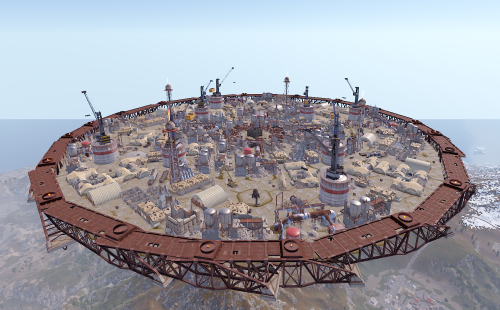 ye the prefab itself had the tower removed for some reason, both in edit and game. sadly without adding stuff to newguy's plugin there is a limit to which prefabs can be used for the arena so no alternative at the moment ;-; otherwise i'd be making vehicle combat arenas
 -
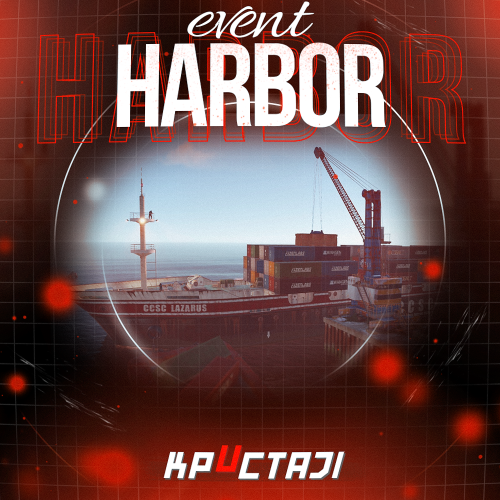 This event has been a lot of fun. Can be made very challenging for more geared players. They still panic as the helicopter spawns when hacking a crate :] Typically, lots of customization for loot/npcs etc is available.
 -
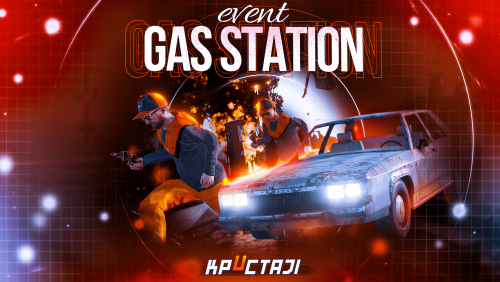 Good plugin to get some early game action in the gas station in PVE servers. Works very well and offers some customization for the loot/npcs/messages, but it is a little old/repetitive now and i feel like you can do much better in 2026. The plugin could do with a "reforged" style update. It's just getting a little old and boring these days. The scenario doesnt really make any sense. There is no benefit to killing just one gang. Why kill only 4 bots and get half the loot when you can kill all of them and take all the loot? Some example suggestions: - Ability to customize the vehicles used. For example with karuza's custom vehicles. - Extra storyline when killing only 1 gang - for example you get in a car with them and they drive you to their hideout. You find it is under revenge attack, take part in defending the hideout for extra reward. Maybe they need help solving an electrical puzzle to improve their defenses (plus unlock another loot room for you)? - Perhaps killing both gangs makes them create an alliance, and send a large reinforcment force of both gangs? Anything to stop the endless kill bots/get loot cycle that is very common in event plugins.
 -
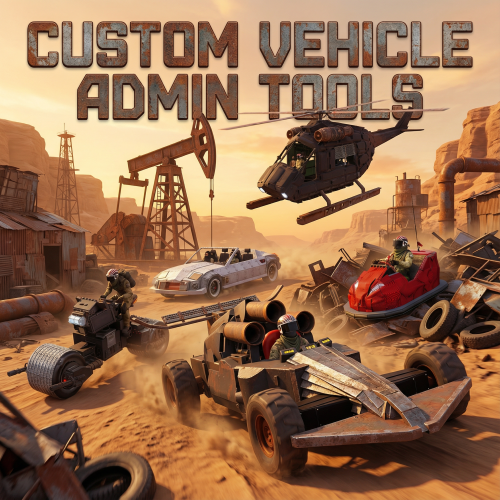
Version 1.1.0
36 downloads
Custom Vehicle Admin Tools CustomVehicleAdminTools is a collection of admin utilities designed specifically for Karuza Custom Vehicles in Rust. It gives server admins additonal features such as visibility of player owned vehicled, access and recovery tools for custom vehicles. Built for real moderation needs: ownership checks, vehicle relocation and recovery, repairs and drowned vehicle detection. CustomVehicleAdminTools is built with safety and compatibility in mind: it only targets Karuza Custom Vehicles, never interfering with vanilla Rust vehicles, and all admin actions are non-destructive to prevent accidental damage or permanent changes. Every feature is fully permission-based, allowing precise control over who can use each tool, and all visual debugging elements automatically expire after a short duration to avoid client clutter or long-term visual noise. Features: Vehicle Ownership & Inspection Lock Bypass Vehicle Move/Relocate Tool Instant Vehicle Repair Underwater Vehicle Detection List Vehicles Owned by a Player List all vehicles Separate permission for each function Commands: /kowner Shows the owner (name and SteamID) of the Karuza custom vehicle you are looking at. /klockbypass Bypass the codelock on the vehicle you are looking at. This authorises you on the vehicle. Run command again to de-authorise yourself. /kmove Moves a Karuza custom vehicle in two steps: Look at a vehicle and run /kmove to select it. Look at a destination point and run /kmove again to move the vehicle there. /krepair Instantly repairs the Karuza custom vehicle you are looking at to full health /kunderwater Detects Karuza custom vehicles that are underwater, draws visual markers (sphere, arrow, and label) showing their location and prints their positions to chat. /kplayerveh <player name or SteamID> (OPTIONAL: radius) Lists and visually marks all Karuza custom vehicles owned by a specific player. Optionally limits results to a radius around the admin. Each matching vehicle is highlighted with a temporary sphere and label. /kvehall (OPTIONAL: radius) Lists and visually marks all Karuza custom vehicles owned by a specific player. Optionally limits results to a radius around the admin. Each matching vehicle is highlighted with a temporary sphere and label. Permissions: customvehicleadmintools.owner - required for /kowner customvehicleadmintools.bypass - required for /klockbypass customvehicleadmintools.move - required for /kmove customvehicleadmintools.repair - required for /krepair customvehicleadmintools.underwater - required for /kunderwater customvehicleadmintools.listbyowner - required for /kplayerveh customvehicleadmintools.listall - required for /kvehall$6.99 -
Christmas is all about REDACTED
-
.thumb.jpg.e9d17b75aae5d2248cd203bab27522eb.jpg) This should 100% be optional. For now, im going back to old version of event without lootmanager.
This should 100% be optional. For now, im going back to old version of event without lootmanager.- 78 comments
-
- 4
-

-
- #loot
- #lootmanager
- (and 2 more)
-
II find it was easier to manage the loot from config than with this tool
- 78 comments
-
- 4
-
-
- #loot
- #lootmanager
- (and 2 more)