

HunterZ
-
Posts
299 -
Joined
-
Last visited
-
Days Won
3
Content Type
Profiles
Warranty Claims
Downloads
Forums
Store
Services
Downloads Plus Support
DOWNLOADS EXTRA
Everything posted by HunterZ
-
 I've noticed that Raidable Bases consistently pushes plastic chairs off of zip lines onto the ground when configured to eject deployables. I was told that it excludes non-player deployables, but this is clearly not the case.
 -
 I think you misunderstand: Your code is using local time, because it's calling `DateTime.Now`. This returns local time: https://learn.microsoft.com/en-us/dotnet/api/system.datetime.now?view=net-8.0#system-datetime-now If your intention is for UpdateChecker to use UTC, then your code needs to be changed to instead call `DateTime.UtcNow`: https://learn.microsoft.com/en-us/dotnet/api/system.datetime.utcnow?view=net-8.0
- 285 comments
-
- 1
-

-
- #updates checker
- #plugin
- (and 5 more)
-
FYI, the time offset stuff doesn't really work as intended. It seems this mod uses `DateTime.Now`, which returns server local time. If UTC is intended as the time basis in this plugin, then `DateTime.UtcNow` should be used instead for getting current UTC time.
-
Upgraded from 4.1.7 to 4.1.13, and it now just writes a timestamp to the log and discord instead of saying "all plugins up to date" - is this expected?
-
 Heads up: Carbon is making an API change that breaks ORP. If a fix isn't out yet, here's guidance from the author of Carbon:
 -
You mean you can't see the times? This is due to Facepunch changes. Facepunch may have a fix coming.
-
Compared old and new versions, and it looks like the `#endif` at the end of the file got lost. It should be safe to just add that back manually for now.
-
FYI Ian from Facepunch replied to me on the Rust Discord with this: https://discord.com/channels/560127830160048128/807653522861457448/1220077192898412606
-
 According to the Raidable Bases author, this is something Facepunch broke in the latest update. I don't think there's anything mod authors can do about it at the moment.
 -
No, he said that mounts always get ejected but deployables are checked for a steamid owner. Based on that, horses being displaced from Ranch makes sense, but chairs and toilets from Oxum's does not.
-
This must be broken or missing a corner case then, because it ejected a toilet and two chairs from Oxum's!
-
So I accidentally spawned a base on top of an Oxum's, and it permanently pushed a bunch of non-player deployables out of the monument (chairs, toilet, etc.). I also accidentally did this once at Ranch on a previous wipe, and ejected all the horses out lol. Questions: Is there some way to revert them to their original positions, or are they stuck like this until the next map wipe? Is there a way to configure RB so that it ejects player deployables only, and not default ones - or a possible code fix? I noticed that player deployables all seem to have an owner while default ones don't, so it seems like maybe checking for that might work.
-
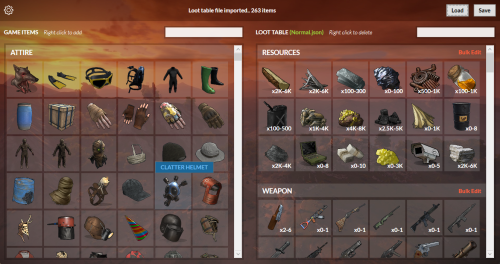 FYI, Microsoft has declared war on this app and puts up a big, scary red malware screen when I try to view any of the RBLTE pages here on CodeFling using Edge. VirusTotal doesn't detect any issues with the .zip, so I'm not sure what their deal is.
 -
 (duplicate comment)
 -
(moved to support requests)
-
How do "time to wait between spawns" and "every min/max seconds" interact? Is "time to wait between spawns" really just meant to apply when spawning multiple bases at once?
-
Maintained and scheduled events have a "Time To Wait Between Spawns" setting. Scheduled events also have "Every Min Seconds" and "Every Max Seconds" settings, and I'd like to know how those all interact with each other because it's not obvious. Edit: It's also not obvious what the time unit is for "Time To Wait Between Spawns". Minutes?
-
Thanks. I ended up adding this logic, and it does end up triggering quite a lot during Raidable Bases raids (I know this because the log shows a completed raid within a couple minutes of the log message below being spammed): foreach (var id in authorizedPlayers) { if (!id.IsSteamId()) { PrintWarning("OnStructureAttack(): Aborting due to non-player owner"); return null; } break; }
-
First I'll mention that the typical hook time has dramatically reduced (from 30s to <1s) since I turned off "protect all prefabs", so I guess maybe it was animals trying to kill each other forever that was causing a lot of it lol. Regarding your suggested logic: This will only ever run one iteration of the loop, because it will either break out of the loop, or bail out of the entire method. Is this intentional?
-
Ah, okay thanks. I guess I'll have to trust that the included list is comprehensive enough. I checked ownership on an RB TC, and it says: (2) Authorized Unknown: 4890063 - 4890063 Unknown: 6485344 - 6485344 I'm not sure if these correspond to the NPCs that RB spawned outside, or if they're arbitrary, but in any case they're not players.
-
Another funny data point: For some reason, animals keep congregating on my base. Another player saw this while I was offline and said they were unable to kill them - and the animals were unable to kill each other - because of ORP lmao. I'm not sure what would cause this. I just tried turning off vehicle protection in case it's that, but unfortunately the user had already logged off and wasn't able to try again.
-
Thanks, I'll try that! I wasn't sure what "float" meant, since we're talking about bases that spawn on the ground that's slightly below water level.
-
No, spawning the base higher in the air over water won't help, because molotov cocktail fire will still just fall in the water.
-
Any idea why I get "WorkcartSpawner - not found" for https://lone.design/product/work-cart-spawner/ ? The URL is correctly added to the config file, but it doesn't seem to be able to detect the plugin's version there for some reason.
-
I recently make a bunch of flame-raidable base designs to comprise a new Easy tier for my server, but they often seem to spawn in the water, which makes them a lot more expensive than intended. Other than tweaking the base designs, is there a way for me to tell the plugin to only spawn bases from a given list on dry land?
