

aimacak
-
Posts
1,311 -
Joined
-
Last visited
-
Days Won
9
Content Type
Profiles
Warranty Claims
Downloads
Forums
Store
Services
Downloads Plus Support
DOWNLOADS EXTRA
Everything posted by aimacak
-
 I can't say for sure about adding this prefab to the NPC, it's unlikely, but I'll ask about it, but I need to know what your main goal is to support it? If you wanted to specify this prefab to get the behavior of new NPCs, then their behavior would not have changed, but you can use it for loot now. Check the UpdaterNpcSpawn.cs and UpdaterBetterNpc.cs files in the plugins folder, they should not be there.
 -
Hello, sorry for long answer, the custom spawn coordinates may help you, move to the place where you want to add the boat spawn and enter the printpos command in the F1 console, it will display your global coordinates on the map, they need to be added to the Water Patrol configuration file using this example, note that the default configuration file has 3 presets. "List of positions for spawn on the map": [ "(0.00, 0.00, 0.00)", "(0.00, 0.00, 0.00)" ] and keep in mind that the maximum number of boats must be less than or equal to the number of custom coordinates you added: "Minimum": 6, "Maximum": 6,
-
Добрый Прошу прощения, ответ возможно был неоднозначным. Да, вы можете создать один пресет и использовать его на всех монументах, но не во всех локациях конкретного монумента этот пресет будет полностью корректно себя вести, т.к. навигационная сетка устанавливается в пресете, как это было и раньше, но раньше пресеты находились в файлах BetterNpc. Соответственно, если взять, например, Train Yard и Oil Rig, то НПЦ с навигационной сеткой 0 на Oil Rig не смогут двигаться, а НПЦ с навигационной сеткой 1 на Train Yard, около Small Oil Refinery, около мешков с песком, будут ходить под текстурами. Поэтому на мой взгляд всё равно нужно иметь 2 пресета с разными навигационными сетками, либо тщательно выбирать их местоположение, тестировать их поведение, и отказываться от некоторых монументов, которым явно необходима другая навигационная сетка. Повторюсь, эта же логика была и раньше, просто пресеты находились внутри файлов BetterNpc, и тип навигационной сетки всегда относился к параметрам пресета. Не путайте стационарных НПЦ и НПЦ, у которых неправильная навигационная сетка, т.к. первые изначально созданы с целью находиться на этом месте, а вторые просто не могут найти точку для движения на навигационной сетке и спамят в консоль этим сообщением при попытке совершить движение: Failed to create agent because it is not close enough to the NavMesh Если вам потребуется помощь с чем-то конкретным, я так же могу вам с этим помочь.
-
 Hello, sorry for the long answer, yes, it may be related to them. There are no such NPCs in the default configuration, maybe they were NPCs with bradley or patrolheli?
 -
I tried to get the NPC to freeze with your files in various ways, but it didn't work out. Try to find out some additional details, you can also add me to the discord and write immediately as you repeat this situation. @shrpndfcsd
-
 Like many other suggestions and wishes, your wish has been added to the planner, but I cannot promise any deadlines, because in any case it adds KpucTaJI.
 -
Hello, that's great, but are you completely sure about it? If you need any clarification, I'm here to help
-
Hello, I'm sorry, I forgot whether we connected on Discord or not? Did you solve your problem?
-
Hello, I don't quite understand what you mean. In the screenshot, I made a base for Easy Defense of 9 foundations and 9 turrets, all I changed in the default configuration is the maximum number of turrets in Easy Defense from 3 to 9. All turrets always work for me, I also tried to change convar - sentry.maxinterference from 12 to 3, but this is not it affected their work. Try to test the plugin with a minimum number of plugins, i.e. load only NpcSpawn and Defendable Homes to the server, or attach a video or instructions on how I could repeat the behavior that you receive. But it seems to me that you have a conflict with some other plugin.
-
Hello, sorry for long answer, please, send your files and tell me which monument it is on, I'll try to check it myself. But you say everything is fixed.. config/NpcSpawn/ config/BetterNpc/ data/BetterNpc/ data/NpcSpawn/Preset/
-
Hello, I attached a screenshot and logs from my server when o.reload NpcSpawn on procedural map with worldsize 5000, FPS dropped to 40, but I don't see any problem with this, because it happens 1 time when loading the plugin. Can you send me your logs when you restart the plugin? Also specify whether you use a procedural or custom map, specify worldsize, seed or Map Name, if custom. If you can somehow clarify what exactly you are talking about, it would be great, thank you. (13:26:16) | [NpcSpawn] List of biome positions: Arid = 1231, Temperate = 1208, Tundra = 481, Arctic = 929, Jungle = 752 (13:26:16) | [NpcSpawn] List of road positions: ExtraWide = 1908, Standard = 1735, ExtraNarrow = 2138 (13:26:16) | [NpcSpawn] 3017 railway positions found
-
Hello, I can't guarantee you that it's related specifically to NpcSpawn, but it's related to the NPC on the server. If you use BetterNpc, you can write the ShowFailedNavMesh command to the chat or console and try to fix the problems that you will receive messages about in the console. If there are a lot of them, you can use the default coordinates from BetterNpc. This message means that some NPC wants to move, but cannot find the coordinates where to go, and stands still or is in the air. This is usually due to incorrect coordinates or the wrong type of navigation grid, which is configured in NpcSpawn presets.
-
@r0gi Hello again, additional information has appeared. If you have both BetterNpc and GasStationEvent installed (or any other event that has the function of removing BetterNpc on the monument at the start of the event), and this monument is disabled in BetterNpc, this error occurs, just change the parameter in the GasStationEvent (or any other) configuration. Change this: "Disable NPCs from the BetterNpc plugin on the monument while the event is on? [true/false]": true, to this: "Disable NPCs from the BetterNpc plugin on the monument while the event is on? [true/false]": false,
-
If you have both BetterNpc and GasStationEvent installed (or any other event that has the function of removing BetterNpc on the monument at the start of the event), and this monument is disabled in BetterNpc, this error occurs, just change the parameter in the GasStationEvent configuration. Change this: "Disable NPCs from the BetterNpc plugin on the monument while the event is on? [true/false]": true, to this: "Disable NPCs from the BetterNpc plugin on the monument while the event is on? [true/false]": false,
-
Hello, all the necessary startup files are included with the plugin, there are 12 configured Bosses, just carefully transfer all the files from the archive with the plugin that you download from the site. If you were interested in something else, please specify more specifically. What do you want to get, what do you do, and what problem do you face after that?
-
Hello, please send these files: config/NpcSpawn/ config/BetterNpc/ data/BetterNpc/ data/NpcSpawn/Preset/
-
 @nivex @TheOneWhoWipes @Kk This started after Deep Sea was added. It's a rare bug and can be fixed by restarting the server. I had the same issue. Players get kicked out when pressing the voice button, even if they're an admin, anywhere on the map
 -
Yes, that's right, but there are 15 pictures in the screenshot, and there are 23 pictures in the archive with the NpcSpawn plugin. Perhaps you have scrolled through the contents of the folder and there are also 23 of them, if so, then I have no ideas, as I said in one of the first posts, all requests for unloaded images were solved by uploading images. I'll ask KpucTaJI if he has any ideas, but I doubt it..
-
Hello, I'm sorry, I don't understand what you mean, could you tell me more or attach a video/screenshots?
-
 @athlonclub So, it turns out that the Custom files for DefendableBases are also attached to some maps, I thought that only BetterNpc was there. You can check if your map is available in the GoogleDrive of KpucTaJI and download the files for it. Then you can move on to more specific questions. Because the description of the plugin contains information about the ID in sufficient detail, I need to understand exactly what point requires clarification, thank you. BlueTears_DefendableBases.json
 -
Okay, please take a screenshot of the directory where these pictures are located on your server.
-
I have not encountered this, can you send your data/Images/ folder?
-
To be honest, I didn't understand it myself, there is an "ID" parameter in BossMonster, but I didn't find it anywhere here.. I will clarify this with KpucTaJI.
- 116 comments
-
- 1
-

-
- #barricade
- #ch47
- (and 27 more)
-
@DrayTemplar@Pepuni.@Deisel Hello, sorry for the long answer, it's probably not relevant anymore, but I'll clarify if you're using all Carbon and if it's fixed with version 2.2.0? Thank you.
-
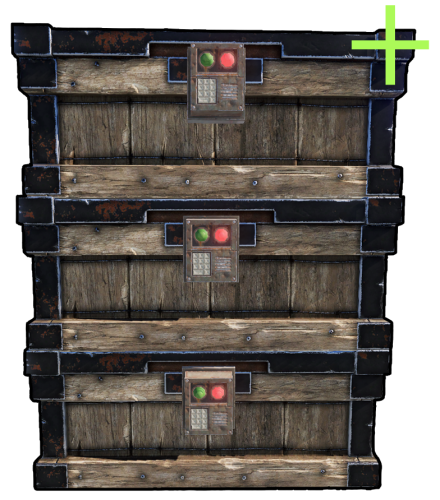 @supreme Thanks again for the update What about changing the crates skins that are installed on a different crate? I guess there's a lot of work involved, but can we hope to add that?
