
-
Posts
1,091 -
Joined
-
Days Won
19
Content Type
Profiles
Warranty Claims
Downloads
Forums
Store
Services
Downloads Plus Support
DOWNLOADS EXTRA
Reels
Everything posted by Raul-Sorin Sorban
-
Changed Status from Work in Progress to Closed Changed Fixed In to Next Version
-
Changed Status from Work in Progress to Closed Changed Fixed In to Next Version
-
Changed Status from Work in Progress to Can't Reproduce
-
Changed Status from Pending to Work in Progress
-
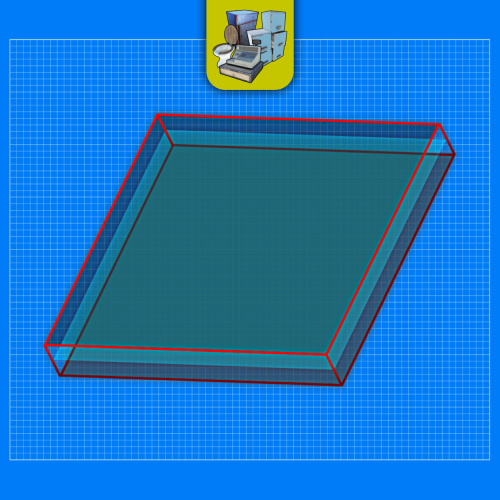 I can add a system where it clears the prefabs for you on map change but that can create accidental deletions. I'd rather avoid that and have the owners do manage that themselves.
 -
It never gets deleted if you don’t remove it.
-
.thumb.png.a167af6d204c8731865ddb8c7651fe66.png) Hey, sorry bout that Just plenty to ensure that everything's working right.
Hey, sorry bout that Just plenty to ensure that everything's working right. -
Version 2.11.2
1,352 downloads
Prefab creator that directly works with Static Lootables in order to create custom lootable definitions for your servers! This plugin provides more than there already is. [!] Known Issue When placing points that are (almost) perfectly vertical in all points (bottom points align with the top ones), the prefab gets applied flipped in the horizontal axis. Currently investigating this. Watch the tutorial down below to get an insight of how this works! It's simple, follow the instructions in chat designed to quickly help you integrate it in your server. Open the editor; Press [Reload] while looking at an object; If Lootables.Ext is loaded, the [PRO] section will show up, click on "Create Prefab"; Follow the instructions in chat & go wild; Press [Use] while looking at your newly created prefab; Set it up as a regular prefab; Voila!$5.26 -
That's because of the latest update, basically pressing E would trigger multiple times on the same button press. Button swallowing ensures that it's pressed just once.
-
Changed Status from Pending to Not a Bug
-
Changed Status from Pending to Closed
-
That's because Linux disables GDI / graphics rendering as it's a server machine, hence my plugin trying to process images and it fails on your machine. At the moment that's not something I'm able to get working right, although I'm looking for alternatives.
-
Changed Status from Pending to Closed
-
 Do you mean separate to the one that's in the config? Because that config command is the chat and console command. I replied to this on Discord, although I don't plan on having UI on this plugin.
 -
Would you please privately send me that config that was invalid if you still have it?
-
Version 1.1.0
477 downloads
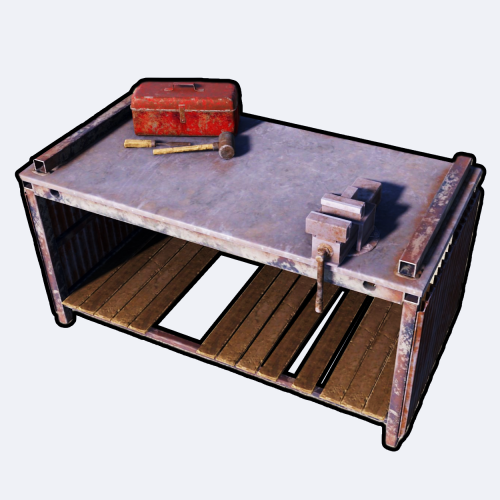
Portable Repair Bench provides you and your servers' population cool-down-based Repair Benches accessible from anywhere in the world. FEATURES Use /rbench (by default, can modify in the config) to open up your private repair bench. Group-based cooldown support in the config. Friendly integration with NoEscape by Calytic with configurable rules of behavior. Chat message custom icon Steam ID. Phrase support. ROADMAP All done. If you have any suggestions, please let me know in the Discussions tab or interact with me directly on my Discord server: PERMISSIONS PortableRepairBench.use: To allow anyone to open up their repair bench. COMMANDS (CONFIGURABLE) Following commands are chat and console commands. rbench: Opens up your own personal portable repair bench. CONFIG DISCLAIMER The yellow and green buttons while using the Repair Bench in the GIF, does not come with the plugin. That's another plugin called Quick Sort by MONaH.$4.99 -
.thumb.gif.dace9cf8da786b850716fa7ea62e5a83.gif) It seems like you modified the Oxide root path my plugin is using. I'll have to check what's that about.
It seems like you modified the Oxide root path my plugin is using. I'll have to check what's that about.- 37 comments
-
- 1
-

-
- #raulssorban
- #raul sorban
- (and 7 more)
-
Adding this in the next update!
-
Hey there. Not sure I fully understand the suggestion. Are you saying that you'd like to be able to switch between loot table sets of configs on the fly? Like set #1 has an array of prefab definitions, set #2 would have a different array, and so on; and you'd be able to modify it on the fly from the main config?
-
 Not yet. But that's coming soon!
 -
(1).thumb.png.808a3fccbcd4a28de5d7f511832a1442.png) Currently investigating.
Currently investigating. -
Hey there. Please submit a support ticket onto the site specifiying what file's been removed without your knowledge. https://codefling.com/support
-
No, you won't lose anything if you don't delete the config. If you got persistent containers though, they get reset on map wipe. Aka the Data file clears itself automatically.
-
In the editor you got the Save and Close button, which do what you expect them to do. Save actually saves changes done to the lootable preset, Close reverts / does not apply any of the changes done so far to said lootable preset. You could try that yourself by starting to edit something, changing stuff around, press Close, then come back to the lootable editor. At the moment you cannot see what changes you've done, no. I'm just assuming you rememeber what you've modified previously, while editing lootable presets. config/StaticLootables.json is the place where everything's defined for all lootables. If you haven't found any blue keycard in the whole file, that means it's never defined as a lootable prefab. If you ever find it in a static lootable in-game, that's 100% a different plugin overriding the loot in that instanced item container, OR if it's a persistent container, other players might've added the blue keycard in there as it accepts player item input. Hope that helped.
-
To modify things in mass like that you gotta modify the config, and use tools like Find & Replace in text editors like Notepad++. At the moment you gotta go up close to them to start editing.