Works with
Optional integrations and compatible files.




[ ✓ ] Works on any host. [ ✓ ]
The plugin needs the free CrashExtensions library. Can't upload DLLs on your host? No problem: the zip includes a small installer plugin. Drop it in your plugins folder, run crashext.install, restart once, and you're done.
Pathways gives your players a reason to keep playing: every rock they hit, crate they open, animal they hunt, base they breach and minute they drive earns XP. Each level brings a skill point, and the points go into nine skill trees, Gathering, Survival, Combat, Vehicles, Crafting, Team, Demolition, Homestead and Explorer, where each skill makes a real difference in game, from more ore and shared team heals to faster fuses, longer breath underwater and vehicles that save fuel.
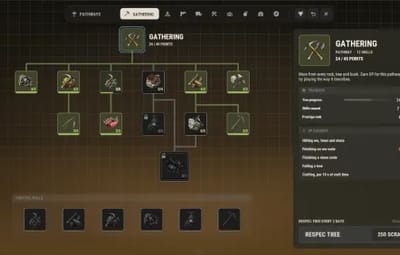
Each tree has 11 skills and a capstone, 108 skills in all, each with its own icon in the style of Rust's own items. Every tree reads top-down like Rust's tech tree: the tree slot at the top, square skill slots joined by right-angle links that light up as skills are bought, the capstone at the bottom, on a canvas the player can drag. Click a skill and a vanilla-style panel shows what every rank gives and what it needs before a point is spent; click the tree slot for its progress, the XP it earns and its respec. Home shows every tree as a card with its points and progress. The max level is 200, so players pick a path: about five trees out of nine, saved as presets they can switch between.
Spend every point of a tree and it can be prestiged up to rank 6, right from the tree: the tree resets, the points come back, and each prestige earns a point for that tree's six prestige skills, which sit in a prestige box under the tree, each with its own icon, and are kept for good. One tree can be respecced on its own, a leaderboard ranks everyone by level or prestige with their Steam avatar, admins can build their own trees in game, and a map wipe reset is there if you want it, off by default, with a backup made before anything changes.

| Works on Oxide and Carbon | Needs CrashExtensions (included) |
|---|---|
| 9 trees, 108 skills, 54 prestige skills | Leaderboard, presets and an in-game tree editor |
Jump to: Features · Screenshots · How progression works · Commands · Permissions · Works with · Install · Configuration · Test server · FAQ
 Features
For players
- Nine trees, one level. Gathering, Survival, Combat, Vehicles, Crafting, Team, Demolition, Homestead and Explorer share one level and one pool of skill points, so a player builds the mix that fits how they play.
- Trees like Rust's tech tree. Each tree reads top-down: the tree slot at the top, square skill slots joined by right-angle links that light up as skills are bought, the capstone at the bottom and a background glow in the tree's color. Drag the canvas in any direction with smooth inertia.
- 108 skills with their own icons. 11 skills and a capstone per tree, each icon built from Rust's own items, greyed out and locked until it is in reach.
- Know before you click. The vanilla-style skill panel shows the skill's rank, what it gives now, what the next rank adds, every rank's value and what it still needs. The tree panel shows your progress, the XP this tree earns you and its respec.
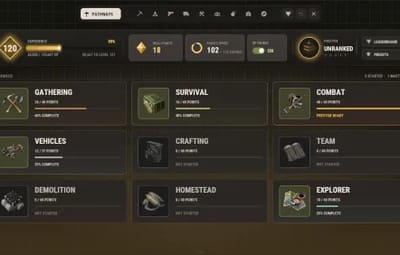
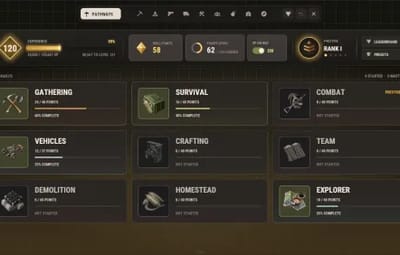
- Home at a glance. Your level, XP, skill points, points spent and prestige rank on top, and a card per tree with its points, progress and prestige status.
- Skills you feel. More ore, wood, food and crops, extra stacks, weak-spot hits, smelted ore, slower tool wear, faster and cheaper crafting, free upgrades and repairs, bigger magazines, crits and lifesteal, harder headshots and explosives, less damage taken, vehicles that save fuel and shrug off damage, XP and heals shared with your team, faster fuses and rockets, longer breath underwater, faster crate hacks, keycards that last, and more.
- Nine capstones. Motherlode (bonus high quality metal ore every 10th ore node, and a felled tree brings down the ones around it), Second Wind (a killing blow leaves you at 15 health, once every 10 minutes), Warbound (less damage taken at low health), Overdrive (fuel saving and tougher vehicles), Salvage Run (barrel loot straight to your inventory, its components already recycled), Rallying Cry (going down heals and shields your team), Breach (blowing up an enemy base part toughens you up), Trophy Hunt (a boost for each animal you kill) and Master Key (a keycard opens the reader one level up).
- Team play. The Team tree works with Rust's own teams: share XP, heals, food and tea boosts with teammates nearby, and get bonuses while you stick together.
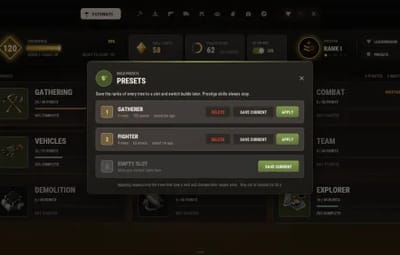
- Build presets. Save your whole build in a slot and apply it later in one click. Trees that lose ranks are respecced at the normal price, and you see the total before you pay.
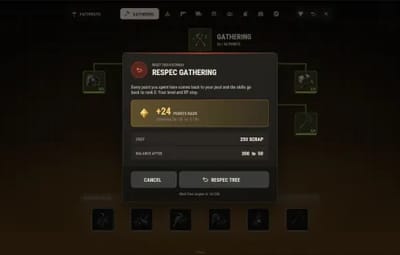
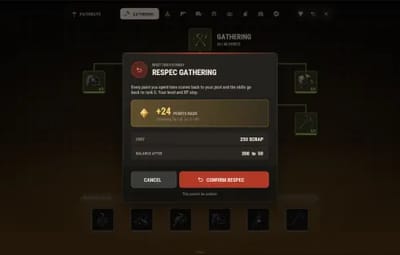
- Respec one tree. Get a tree's points back without touching the others, with a two-step confirm that shows the points you get back, the cost and your balance after.
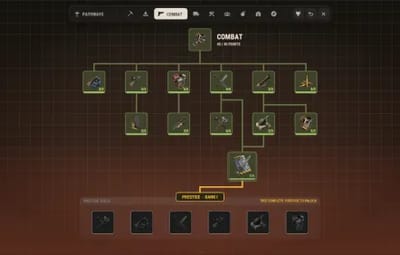
- Prestige from the tree. A maxed tree shows a PRESTIGE pill under its capstone and can be prestiged up to rank 6. Its skills start over, the points come back, and each prestige earns a point for that tree's six prestige skills, each with its own icon in the prestige box under the tree, kept through later prestiges.
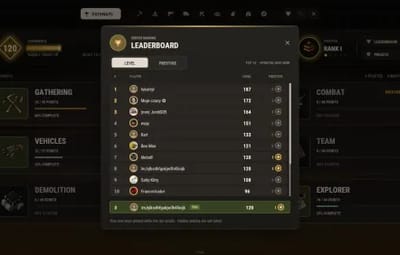
- Leaderboard. The top 100 by level or by prestige, each row with the player's Steam avatar, and your own rank pinned at the bottom.
- Always at hand. An XP row in the vanilla vitals and a small skill point button next to them that shows your unspent points and opens the window.
- Smooth from open to close. The window fades in, a tree unfolds from its tree slot, an upgrade flashes and counts up, a maxed skill bursts in gold, and a prestige gets its own full moment.
For server owners
- XP from real play. Gather hits, finished nodes and trees, skinning, pickups, player, NPC and animal kills, Bradley and the patrol heli, barrels, crates, hackable crates, supply drops, missions, raids, keycard swipes, sunken crates, crafting, building, fishing and minutes spent driving. Every amount is in the config, crates and animals can pay by size, and 0 turns a source off.
- Kill XP that can't be farmed. No XP for killing a teammate, a sleeper, a player who respawned less than 60 seconds ago, or the same player twice inside 10 minutes. Raid XP never pays on your own or your team's base.
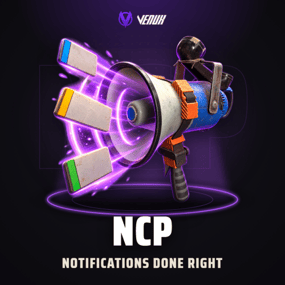
- NCP toasts. With the free NCP plugin loaded, level ups, max level, prestige, tree resets, XP lost, rested XP and capstone abilities pop up as NCP toasts, each with its own type and icon in the config. Without NCP they go to chat.
- Raiding stays fair. The three raid skills and the vehicle speed skill ship switched off. Turned on, the raid skills only work inside RaidableBases raids unless you say otherwise.
- Your pace. The XP curve, max level (200 by default), points per level, prestige ranks, the levels needed between prestiges and the highest any reduction can reach are all yours to set.
- Optional systems. BetterChat level titles, an XP loss on death and rested XP for time offline, all off by default. Open Pathways from your own NPCs (vanilla or HumanNPC).
- Make it yours in game. The editor builds your own trees (up to 12, with up to 40 skills each, any effect, any icon, level or permission gates, even a permission granted at max rank) and changes the numbers of the built-in ones. It saves with backups and applies live, no reload.
- Rewards. Run console commands once when a player reaches a level or a prestige rank.
- VIP XP. XP multipliers by permission (pathways.vip gives 1.5x out of the box), plus a global multiplier for double XP weekends.
- Every number in the config. The value of every skill per rank, the nine capstones, the respec cost and currency, the free respec timer, the loot tables, each tree on or off.
- Opt-in wipe reset. Off by default. Turned on, a map wipe resets levels, XP and skills (prestige kept if you want), copies the players folder aside first, and finishes safely even after a crash or a missed wipe.
- Admin commands. Give XP, set a level, give or take skill points and reset a player or a single tree, from the server console, RCON or in game.
- Light on the server. The gameplay hooks are subscribed only while someone online owns a skill that needs them, effects read a per-player cache rebuilt only when skills change, the leaderboard ranks in memory, and profiles load over several frames on a reload.
- Safe with your files. A config with a typo is never overwritten: it is copied aside and the plugin waits for a fix. A profile that can't be read is never saved over.
For developers
-
API.
GetLevel,GetXp,GetNodeRank,IsNodeActive,GetTreePrestige,GetPlayerPrestige,GetLeaderboardRankandAddXp, plus timed effects (PathwaysAddTempEffect,PathwaysRemoveTempEffect,PathwaysClearTempEffects) and pauses (PathwaysSuspend,PathwaysResume,PathwaysIsSuspended) for events and arenas. -
Hooks.
CanPathwaysGainXp,CanPathwaysLoseXp,CanPathwaysAreaFell,OnPathwaysLevelUp,OnPathwaysPrestige,OnPathwaysNodeUpgradedandOnPathwaysPresetApplied. See API / Hooks.
 Screenshots
Every screen below is Pathways running in Rust.

|
|---|
| Home: your level, XP, skill points, prestige and a card for each of the nine trees |

|

|
|---|---|
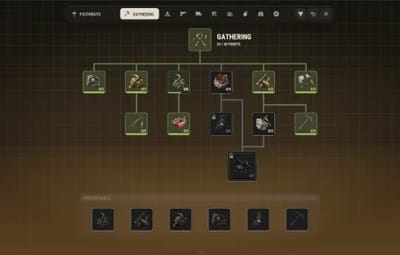
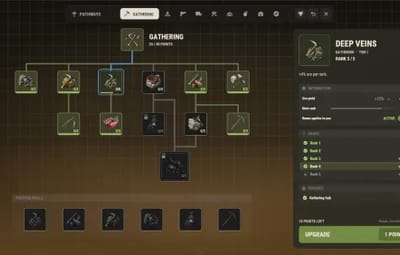
| The Gathering tree: square skill slots, right-angle links, the capstone at the bottom | The skill panel: its value now and at the next rank, every rank and what it needs |

|

|
|---|---|
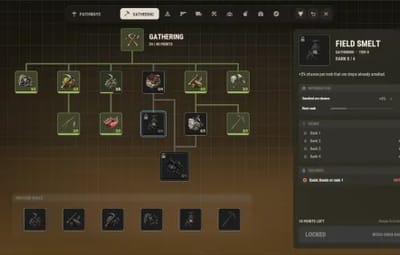
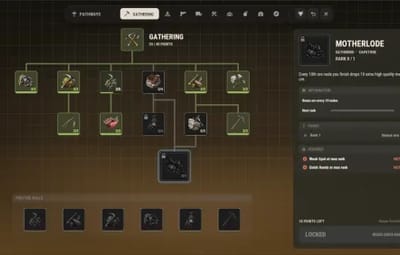
| A locked skill names the skill it needs first | Motherlode, the Gathering capstone, and its requirements |

|

|
|---|---|
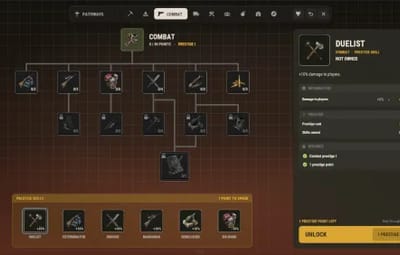
| The tree panel: progress, the XP this tree earns and its respec | Combat mastered at 40 of 40, the PRESTIGE pill under its capstone |

|

|
|---|---|
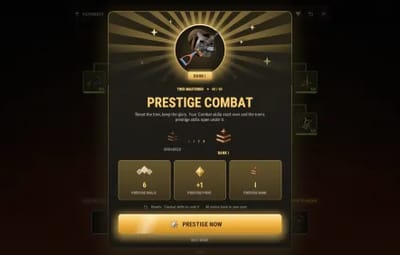
| Prestige: the rank the tree reaches and what it gives | Prestige skills unlocked: spend a prestige point on one of six |

|

|
|---|---|
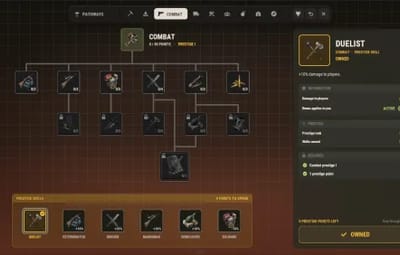
| An owned prestige skill in the gold prestige box | Home with a rank III prestige emblem |

|

|
|---|---|
| Respec one tree: points back, the cost and the next free respec | A respec asks for a second click |

|

|
|---|---|
| The leaderboard by level, with Steam avatars and your row pinned | Build presets: save a build and apply it in one click |

|
|---|
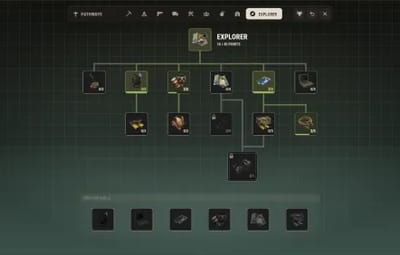
| The Explorer tree and its Master Key capstone |
 How progression works
- Earn XP. Everything in the XP sources list pays into one pool. Level L+1 costs 120 x (L+1)^1.34 XP by default, so the first levels come fast and the late ones take real playtime.
- Spend points. Each level gives one skill point, 200 by the max level. The skills in a tree's first row, right under the tree slot, can be bought right away; the others need the skill above them at rank 1 first. Skills have 3 to 5 ranks.
- Pick your path. The skills that are on by default add up to 347 points, so a maxed player fills about five of the nine trees. Presets make switching easy.
- Max a tree. Most trees take 40 points (Vehicles 37 and Demolition 30 while their off-by-default skills stay off). The capstone needs both of its branches at max rank and costs 3 points.
- Respec. Gives one tree's points back to the pool. It costs 250 scrap by default and is free once every 2 days; players with pathways.freerespec never pay.
- Prestige. With every point of a tree spent, a PRESTIGE pill appears under the tree's capstone. The tree resets, its points come back, the tree's prestige rank goes up (max 6) and you get a prestige point. Players need to gain 5 levels between prestiges of any tree (at max level their XP still counts), so one set of points can't prestige every tree in an afternoon.
- Prestige skills. Each tree has six prestige skills in the prestige box under it, each with its own icon, that open once the tree has been prestiged. They cost one prestige point each and are kept forever. 9 trees x 6 ranks = 54 prestige points for 54 prestige skills.
 Commands
- /pathways - open Pathways. You can add more names for it in the config.
-
/pathways top - the leaderboard (
/pathways top prestigefor the prestige tab). - /pathways presets - your build presets.
- /pathways hud - turn your XP row on or off.
-
pathways.openandpathways.close- the same from the F1 console, or for a bind. -
pathways.board <level|prestige>- the leaderboard (as text from the server console). -
pathways.preset <save|apply|delete> <slot> [name]- presets from the F1 console.
Admin
From the server console, RCON or a player with pathways.admin. <player> is a Steam ID (online or offline) or a name:
-
pathways.givexp <player> <amount>- give XP (it levels the player up as usual). -
pathways.setlevel <player> <level>- set the level, XP back to the start of it. -
pathways.givepoints <player> <points>- give bonus skill points, or take them with a negative number. -
pathways.reset <player> [tree]- reset everything of a player, or only one tree's skills for free.
 Permissions
- pathways.use - open Pathways and earn XP.
- pathways.admin - the admin console commands and the pathway editor in game.
-
pathways.admin.grants - together with
pathways.admin, lets the editor save a node that grants a permission no node grants yet. Nobody has it by default. -
pathways.admin.urls - together with
pathways.admin, lets the editor take a new https image URL as an icon (your server downloads it). URLs already in the config keep working. Nobody has it by default. - pathways.freerespec - respec any tree for free, any time (presets too).
- pathways.nopenalty - never lose XP on death (when the death penalty is on).
- pathways.board.hide - stay off the leaderboard.
-
A permission you add to the XP multipliers (for example
pathways.vip) - more XP. A permission that starts withpathways.is registered for you.
A typical setup:
oxide.grant group default pathways.use
oxide.grant group vip pathways.vip
oxide.grant user YOUR_STEAM_ID pathways.admin
 Works with
- NCP: free, optional: level ups, max level, prestige, tree resets, XP lost, rested XP and capstone abilities show as NCP toasts instead of chat lines
- Economics / ServerRewards: optional respec and preset currency, scrap by default
- Raidable Bases: the raid skills (off by default) only work inside its raids
- BetterChat: optional level titles in chat, off by default
- HumanNPC: open Pathways by talking to one of your NPCs, off by default
- Carbon: same code path as Oxide
- ImageLibrary: not needed, images run on our own CrashExtensions library
 Install
-
Install the extension, once per server. Stop the server, copy
Oxide.Ext.CrashExtensions.dllintoRustDedicated_Data/Managed(Carbon:carbon/extensions) and start it again. The console printsLoaded extension CrashExtensionswith its version. An older copy of the DLL is simply overwritten: it is one shared file for all our plugins. -
Install the plugin. Copy
Pathways.csintooxide/plugins(Carbon:carbon/plugins). It compiles on its own and creates its config. -
Grant
pathways.useto your players (the setup above) and type/pathwaysin game.
Plugin does not compile? The extension is missing or too old: check the folder and restart again. On a hosting panel, upload the DLL with the file manager or SFTP, and keep a copy in case the panel resets that folder on an update.
Host doesn't allow DLL uploads? Put
CrashExtInstaller.csfrom the zip in your plugins folder and runcrashext.installonce in the server console: it downloads the extension from GitHub, checks it and puts it in place. Restart once and Pathways loads.
Optional plugins (none is needed): Economics or ServerRewards for the respec cost, RaidableBases for the raid skills, BetterChat for chat titles, HumanNPC to open Pathways from an NPC.
 Configuration
Everything lives in oxide/config/Pathways.json. Player profiles are stored in oxide/data/Pathways/players.
Config sections (click to expand)
- General - the chat commands, the global XP multiplier, XP multipliers by permission, level up messages in chat, the kill XP respawn window (60 seconds) and the longest timed effect another plugin can give
- Progression - XP base (120) and exponent (1.34), max level (200), skill points per level (1), max prestige rank per tree (6), prestige skill cost (1), levels required between prestiges (5, 0 = off) and the highest percent a reduction or chance can reach (90)
- Respec - currency (Item, Economics or ServerRewards), the item (scrap), the cost (250) and the free respec timer in days (2, 0 = never free)
- Map wipe - reset level, XP and skills on a map wipe (off), and keep prestige ranks and prestige skills when it does (on)
- Trees enabled - each of the nine trees on or off
- Disabled effect types - effect types switched off server-wide (vehicle speed and the three raid effects by default)
- Node requirements - a min level or permission to buy a given skill
- Capstones - the numbers of all nine capstones, Motherlode's area felling and Trophy Hunt's animal buffs included
- Effects - caps and lists for the newer skills: team range, Drum Mag weapon blacklist, barrel and sunken crate prefabs, items that are never duplicated, refunded or returned, and the RaidableBases-only switch for raid effects (on)
- Luck table and Bonus loot - what Lucky Strike, Scavenger and Crate Hound can give
- XP sources - the XP for every source, 0 turns it off; Crate XP by prefab and Animal XP by prefab pay crates and animals by size
- Node values - the percent per rank of every skill and prestige skill, by its id
- Custom trees - your own trees (the in-game editor writes them; a disabled example is included)
- Level rewards and Prestige rewards - console commands run once per level or prestige rank
- XP row (HUD) - on by default, and its place in the vitals stack
- Death penalty - off; percent of the level's XP, player kills only, grace after respawn, safe zones, max per death
- Rested XP - off; percent per offline hour, pool size, bonus and minimum time away
- Leaderboard - on, rows (100), drop players not seen for N days (30)
- Chat title (BetterChat) - off; format, prestige format, colour and starting level
- Open from - the HUD button (on, position and size), vanilla NPC prefabs and HumanNPC ids
- Presets - on, slots (3) and seconds out of combat to apply (30)
- Interface - animations on or off, pushing the art to players when they connect, and the sound of each kind of click
 Test server
Available on our test server. Try Pathways before you buy: join and type /pathways in chat.
client.connect 91.229.114.54:28015
 FAQ
Q: Is XP per tree or shared?
A: Shared. One level and one pool of skill points for all nine trees, so players choose where the points go.
Q: Can a player max every tree?
A: Not with the defaults, on purpose: 200 points against 347 in skills, so a maxed player fills about five trees. Presets let them switch builds. Raise "Max level" or "Skill points per level" if you want more.
Q: Can I turn a tree off?
A: Yes. Set it to false under "Trees enabled". Its tree slot shows TURNED OFF and its skills stop working; points already spent there stay spent until an admin resets that tree.
Q: Will the raid skills wreck my server's raiding?
A: They ship switched off. Turned on, they only work inside RaidableBases raids while "Raid effects only inside RaidableBases raids" is on (the default), never on player bases.
Q: Does progress reset on a wipe?
A: Only if you turn it on. With "Reset level, XP and skills on a map wipe" on, the plugin copies oxide/data/Pathways/players aside before it changes anything, then resets every profile. Prestige ranks and prestige skills are kept unless you say otherwise.
Q: Do I need Economics, ServerRewards, RaidableBases, BetterChat or HumanNPC?
A: No. Respecs cost scrap by default, and every one of those plugins only adds an optional feature when it is installed.
Q: Can players farm kills for XP?
A: Not cheaply. Teammates, sleepers, a player killed within 60 seconds of respawning and the same pair of players inside 10 minutes all give no kill XP.
Q: Can I make my own trees?
A: Yes, in game. Admins get NEW PATHWAY on the Home screen and EDIT PATHWAY on every tree, or DUPLICATE to start from a built-in one. Up to 12 custom trees with up to 40 skills each.
Q: How do I run a double XP weekend?
A: Set "Global XP multiplier" to 2 and reload the plugin. Permission multipliers stack on top of it.
Q: Does it work on Carbon?
A: Yes. The extension goes into carbon/extensions instead of RustDedicated_Data/Managed, and the plugin into carbon/plugins.
Q: How do I translate it?
A: English is built in. Edit oxide/lang/en/Pathways.json, or copy it into another language folder and translate its values: each player reads their own game language.
Q: Does it contact any outside service?
A: It downloads its art (the skill icons, frames and backgrounds) once from the Venux CDN, rust-cui.crashplugins.space, which your server then keeps. For the leaderboard avatars it reads the public Steam profile of the players on screen from steamcommunity.com. Nothing about your server or your players is sent anywhere. You do not need ImageLibrary.
 API / Hooks
Read progress or pay XP from your own plugin:
[PluginReference] private Plugin Pathways;

int level = Pathways?.Call<int>("GetLevel", (ulong)player.userID) ?? 0;
Pathways?.Call("AddXp", (ulong)player.userID, 250d, "MyEvent");
-
int GetLevel(ulong playerId),double GetXp(ulong playerId)(XP into the current level) -
int GetNodeRank(ulong playerId, string nodeId)(a custom node isx.<tree id>.<node id>),bool IsNodeActive(ulong playerId, string nodeId)(owned and giving its effect or permission now; an offline id reads the profile from disk, so not for every tick),int GetTreePrestige(ulong playerId, string treeId),int GetPlayerPrestige(ulong playerId)(the highest tree prestige, 0 to 6),int GetLeaderboardRank(ulong playerId, string board)(levelorprestige, 0 = not on the board) -
void AddXp(ulong playerId, double amount, string source)- follows the same rules as gameplay XP:pathways.use, the multipliers andCanPathwaysGainXp. -
bool PathwaysAddTempEffect(ulong playerId, string source, string effect, string filter, float percent, float seconds),bool PathwaysRemoveTempEffect(ulong playerId, string source, string effect = null),int PathwaysClearTempEffects(string source)- timed effects by name (GatherYield,Ore...); the same source, effect and filter refresh the entry. -
void PathwaysSuspend(ulong playerId, string source, bool effects, bool xp),void PathwaysResume(ulong playerId, string source),bool PathwaysIsSuspended(ulong playerId)- pause a player's skills and / or XP during your event. Pauses never save: they end on disconnect and on a Pathways reload.
Hooks Pathways calls:
-
object CanPathwaysGainXp(BasePlayer player, float amount, string source)- returnfalseto block the gain, or a number to replace the amount. -
object CanPathwaysLoseXp(BasePlayer player, double amount)- the death penalty:falseskips it, a number replaces it. -
object CanPathwaysAreaFell(BasePlayer player, int count)- Motherlode's area felling: anything non-null cancels it. -
void OnPathwaysLevelUp(BasePlayer player, int level)- once per level gained;playercan be null for an offline grant. -
void OnPathwaysPrestige(BasePlayer player, string treeId, int rank)- after a tree is prestiged. -
void OnPathwaysNodeUpgraded(BasePlayer player, string nodeId, string treeId, int rank)- after each buy. A notice only: a respec does not undo what you did with it, so anything that must be taken back belongs on a permission node. -
void OnPathwaysPresetApplied(BasePlayer player, int slot)- after a preset is applied.

Questions, ideas or bug reports? Use the Support tab of this file or join our Discord.