Works with
Optional integrations and compatible files.
About CrashAlertSystem
[ ! ] The zip contains a DLL extension that goes into RustDedicated_Data/Managed. Some hosts do not allow uploading DLLs - check with your host before buying. [ ! ]
Crash Alert System tells you when your server crashed or froze, what it cost, and makes it up to the players who lost something. A heartbeat every 30 seconds records players, FPS, memory and entities, so after a crash the report says how long the server was down and how much progress was lost, measured, not guessed. A watchdog thread notices a server that stopped ticking and posts to Discord while it is still frozen, because a hung server cannot send anything itself.
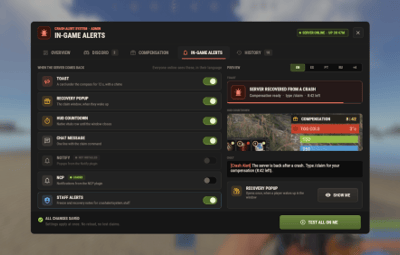
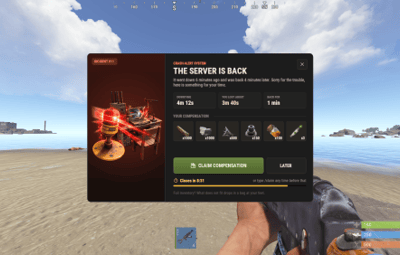
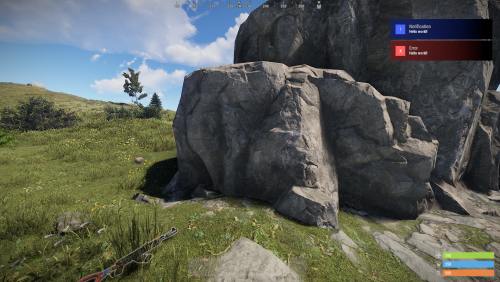
Each Discord webhook gets its own messages: a public channel can announce "back online, claim your compensation" while the staff channel gets the forensics, each with its own mention. Players get a recovery popup when they wake up, a toast under the compass, a chat line and a native COMPENSATION countdown above the health bar, in their own language.
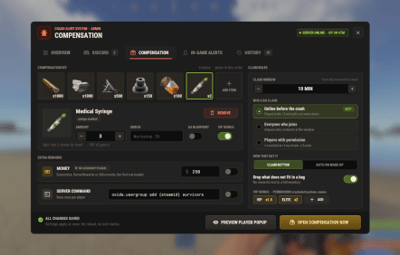
Compensation goes only to the players who were online before the crash, as a kit, money and a console command, with VIP multipliers and a bag for whatever does not fit. Everything is set up in one admin panel, /cas, and saves at once: no reloads, no double claims.

 Features of Crash Alert System
- Crash detection with numbers: how long the server was down and how much progress was lost, from a heartbeat every 30 seconds
- A freeze watchdog that alerts Discord while the server is still frozen (45 seconds without a tick by default) and logs shorter freezes
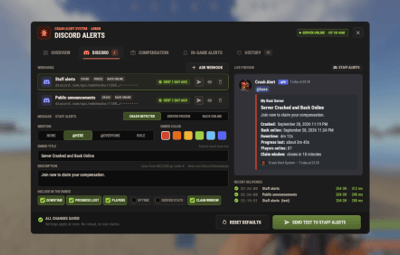
- Several Discord webhooks, each with its own events (crash, freeze, back online) and its own messages: title, text, colour, mention (none, @here, @everyone or a role) and the lines it includes
- A live preview of exactly what Discord will get, a test button per webhook and a delivery log with Discord's answer
- Compensation only for the players who lost progress: online in the 15 minutes before the crash by default, or everyone who joins, or a permission
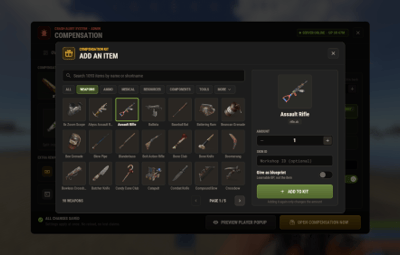
- A kit of up to 14 items with an item picker of every game item, money through Economics, ServerRewards or IQEconomic, a console command per player and VIP multipliers
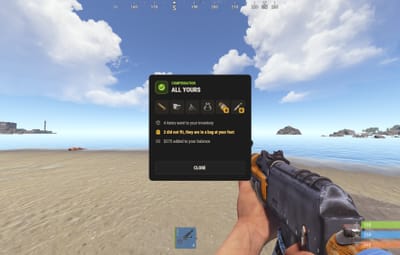
- Claim with a button or /claim, or automatically on wake-up; what does not fit drops in a bag at the player's feet
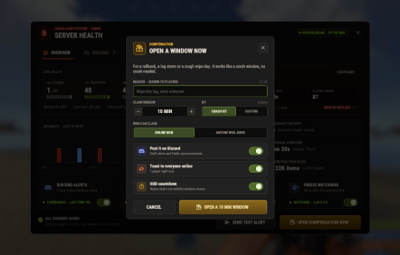
- Open a compensation window by hand for a rollback, a lag storm or a rough wipe day, with a reason and the crash kit or a custom kit for that window
- A recovery popup, a toast, a chat line, a native HUD countdown, Notify and NCP, and freeze notes for your staff
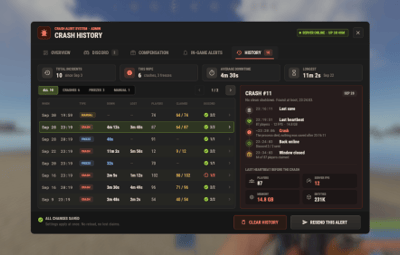
- An incident history with a 30-day chart, a timeline per crash and the server's last heartbeat before it went down
- English, Spanish, Portuguese, Russian, Ukrainian, German, French and Italian inside the plugin, each player in their own language
- Built for high population servers: the panel only sends what changed, the countdowns tick on the client, and the clocks run on the game loop
 Commands
- /claim - claim the compensation while a window is open
Admin
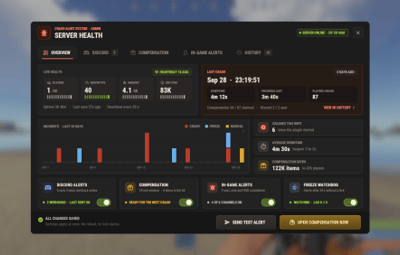
- /cas - the admin panel: server health, Discord, compensation, in-game alerts and history
- cas.simulate crash [steamid] and cas.simulate freeze [steamid] - server console only: a test crash (history entry, Discord alerts, compensation window) or a test freeze. With a Steam ID only that player is included, so you can test on a live server
Both chat commands can be renamed in the config.
 Permissions
- crashalertsystem.admin - the admin panel, for staff who are not server admins
- crashalertsystem.staff - freeze and recovery notes in game (server admins get them too)
- crashalertsystem.claim - who can claim, when "Who can claim" is set to permission
- crashalertsystem.<tier> - VIP bonus tiers, created in the panel (vip x1.5 and elite x2 by default)
The server command of the compensation can only be edited by the server owner (auth level 2), because it runs as the server console.
 Showcase
Every screen below is the plugin running in game
Server health

Discord alerts with a live preview

The compensation kit and claim rules

Every game item in the picker

In-game alerts, previewed in every language

The crash history

A compensation window opened by hand

What players see when the server is back

After the claim

 Video
Video
The trailer, recorded in game (click to play)

 Configuration
Everything is editable in the panel, and lives in oxide/config/CrashAlertSystem.json:
- Discord - server name, bot name and avatar, and the webhooks: URL, name, events, role ID and the messages each one posts
- Discord messages - the messages a new webhook starts with
- Heartbeat interval and Freeze watchdog - how often the heartbeat is written, the seconds without a tick before the freeze alert, and the shortest freeze kept in the history
- Compensation - the claim window, who can claim, button or automatic, the bag for overflow, the kit (amount, skin, blueprint, VIP bonus per item), money, the console command and the VIP tiers
- In-game alerts - toast, popup, HUD countdown, chat, Notify, NCP, staff notes, sounds and the Discord invite shown when a window closes
- History size, Popup art URL and both chat commands
 FAQ
FAQ
Q: How does it know the server crashed?
A: Every 30 seconds it writes a heartbeat, and a clean shutdown or restart marks it closed. If the next boot finds it still open, the process died. Downtime is the last heartbeat to the boot; lost progress is the last world save to the last heartbeat. A new map save never opens a compensation window.
Q: Can players farm the compensation?
A: No. A window opens only after a real crash or when you open one by hand, each player claims once per window, and by default only the players who were online in the 15 minutes before the crash can claim. Reloading the plugin or the config never reopens anything.
Q: Will it ping @everyone on every restart?
A: No. Mentions are off by default and you pick them per webhook and per event. A clean restart only posts if you tick "back online" for that webhook, and tests never ping anyone.
Q: Do I need an economy plugin?
A: No. The kit and the console command work on their own. Money uses Economics, ServerRewards or IQEconomic, whichever is loaded first.
Q: I run 2.1.0. What changes when I update?
A: Install the extension and replace the .cs. Your webhook (with its mention), bot name and avatar, crash message, reward kit and window, and the Notify, chat and NCP settings move to the new config on the first load, and the old file is kept as a backup. A crash that happened right before the update is still reported.
Q: How heavy is it?
A: Built for high population servers. The heartbeat is a few numbers every 30 seconds, the countdowns tick on the players' clients, the panel only sends what changed, and the watchdog is one small background thread.
Q: Can I translate it?
A: It already speaks eight languages, and each player sees the language their game runs in. For another one, copy oxide/lang/en/CrashAlertSystem.json to oxide/lang/<code>/CrashAlertSystem.json and translate it.
Q: Does it work on Carbon?
A: Yes. The extension goes into carbon/extensions instead of RustDedicated_Data/Managed, and everything else is the same.
 API / Hooks
// Hooks
void OnCrashDetected(Dictionary<string, object> incident)
void OnServerFreezeRecovered(int seconds)
void OnCompensationClaimed(BasePlayer player)

// API: CrashAlertSystem?.Call<T>("Method")
bool API_IsCompensationOpen()
Dictionary<string, object> API_GetLastIncident()   // id, kind, start, end, downtime, lost, players, fps, memoryMb, entities, uptime, reason, openedBy, claimed, windowClose

Questions, ideas or bug reports? Join our Discord.