Works with
Optional integrations and compatible files.



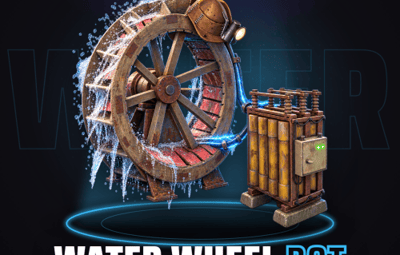
About Water Wheel Bot
[ ! ] The zip contains a DLL extension that goes into RustDedicated_Data/Managed. Some hosts do not allow uploading DLLs - check with your host before buying. [ ! ]
Water Wheel Bot lets your players hire an NPC worker who climbs into their water wheel and turns it for a paid shift, so the base keeps its power while they farm, raid or log off for the night. They pick a tier, walk or run and a shift length, and pay with scrap or your server's economy.
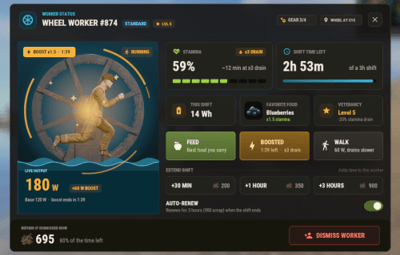
Workers get tired as they work: feed them, let them eat from the boxes next to the wheel, boost them for extra power, extend the shift or let it renew on its own, and every few hires they level up and drain slower. Gear found in crates goes on the wheel itself, worker contracts pay for a hire, and in a river the worker's power adds to the current instead of replacing it.
Everything happens in game: a hire window and a status window with the real water wheel turning inside them, a HUD next to your wheels with a tab for each one, a row in the vitals stack, and /worker for one window with your workers, your lifetime stats, a real map and the gear workshop. Eight languages are built in.

 Features of Water Wheel Bot
- An NPC worker who mounts the water wheel and powers it by hand for the whole shift, on dry land or in a river
- Three worker tiers (Novice, Standard and Veteran by default) with their own price, power, stamina drain and outfit, all editable
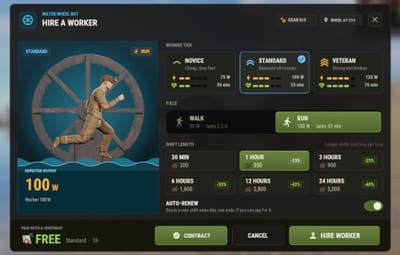
- Walk or Run: more power costs more and drains faster, and a worker hired to run can switch pace mid-shift
- Shift lengths from 30 minutes to 24 hours by default, each button showing what the longer shift saves
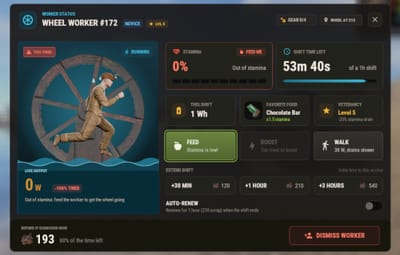
- Stamina: power drops when the worker is hungry and stops at zero. Feed the worker from your inventory in one click, or let them eat from your boxes near the wheel, with a favorite food that fills them up more
- Boost for extra power over a short time, with its own drain and cooldown, and extend a shift or let it renew itself when it ends
- Veterancy: every few hires your workers level up and drain slower
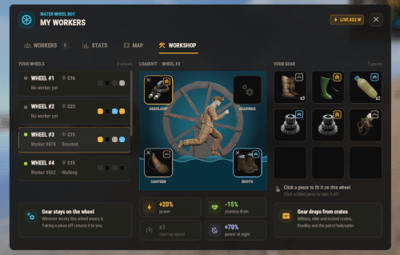
- Worker gear on each wheel: boots, bearings, a canteen and a headlamp in three tiers, found in crates and fitted with one click. The worker wears the boots and the headlamp
- Worker contracts: items that pay for a hire at their tier and shift length, found in crates, given by admins or sold in shops
- The river keeps working: in a river the worker's power is added to the current's, and the hire window shows both. Plugins that upgrade a water wheel, like Water Wheel Upgrades, make the worker stronger too
- A HUD next to your wheels in full or compact size. With several of your wheels close together it gets a tab for each one, a pager and a ping only you can see, and you can bind a key to flip through them. Each player can drag it anywhere on their own screen (/worker hud move)
- One row in the vitals stack for all your workers, which turns red when one runs low
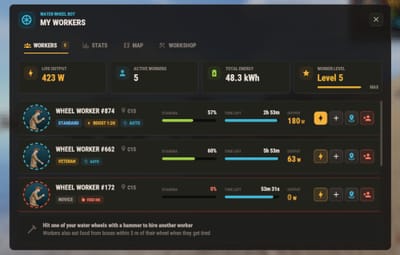
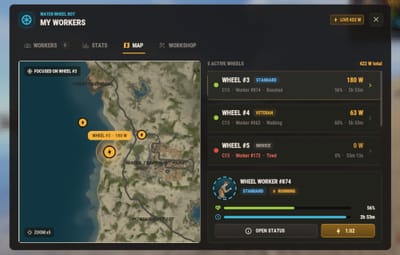
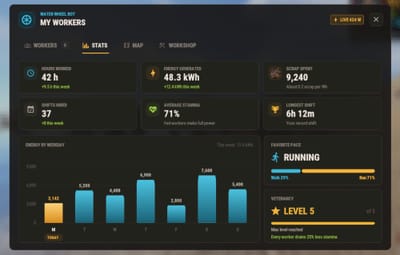
- /worker opens one window with four tabs: WORKERS with quick actions, STATS with your lifetime numbers, MAP with your workers on the real world map, and WORKSHOP with the gear on each wheel
- Prorated refunds when you dismiss a worker early (two clicks, with the refund shown before you confirm) or when the wheel is destroyed
- Only the wheel's owner, their team and players authorized on its tool cupboard can hire on it or change its gear, so nobody can lock your wheel
- Scrap works out of the box, and six economy plugins are supported
- A VIP price, a free permission, a night power multiplier, map markers, worker chatter and a warning before the shift ends, each on its own switch
- The wheel turns and the water flows inside the windows, buttons light up on hover, and UI sounds are optional
- Rentals, stamina, gear and stats survive restarts
- Eight languages built in: English, Spanish, Brazilian Portuguese, Russian, Ukrainian, French, Italian and German, each player in their own
 Commands
- Hammer a water wheel - open the hire window, or the status window of its worker (a damaged wheel is repaired first, as usual)
- Talk to the worker - the status window
- /worker - the workers window
- /worker stats, /worker map, /worker workshop - open it on that tab
- /worker hud - switch the HUD between full and compact
- /worker hud move - drag the HUD anywhere on your screen, then press DONE (RESET puts it back in the corner). Each player's place is saved
- /worker list - your workers in chat
- /worker renew, /worker boost, /worker extend <n> - the same actions from chat; with several workers, /worker 2 boost
-
wwb.hud.next, wwb.hud.prev - flip the HUD through your nearby wheels. Bind them in the F1 console with
bind k wwb.hud.next
Admin
- /worker give <player> <id | all> [amount] - give gear or contracts. Ids: boots1-3, bearings1-3, canteen1-3, lamp1-3, contract1-3
- wwb.give <player> <id | all> [amount] - the same from the server console or RCON
- wwb.reimages - download the interface artwork again
The chat command name is set in the config.
 Permissions
- waterwheelbot.use - hire workers and use /worker. Required: grant it to your default group
- waterwheelbot.free - hire, extend and renew at no cost
- waterwheelbot.vip - the VIP price (20% off by default)
- waterwheelbot.admin - control any worker, hire and fit gear on any water wheel, and give gear and contracts
 Included Currencies
- Scrap - works out of the box, taken from and paid into the player's inventory
- Economics - the Economics balance
- ServerRewards - reward points
- IQEconomic - the IQEconomic balance
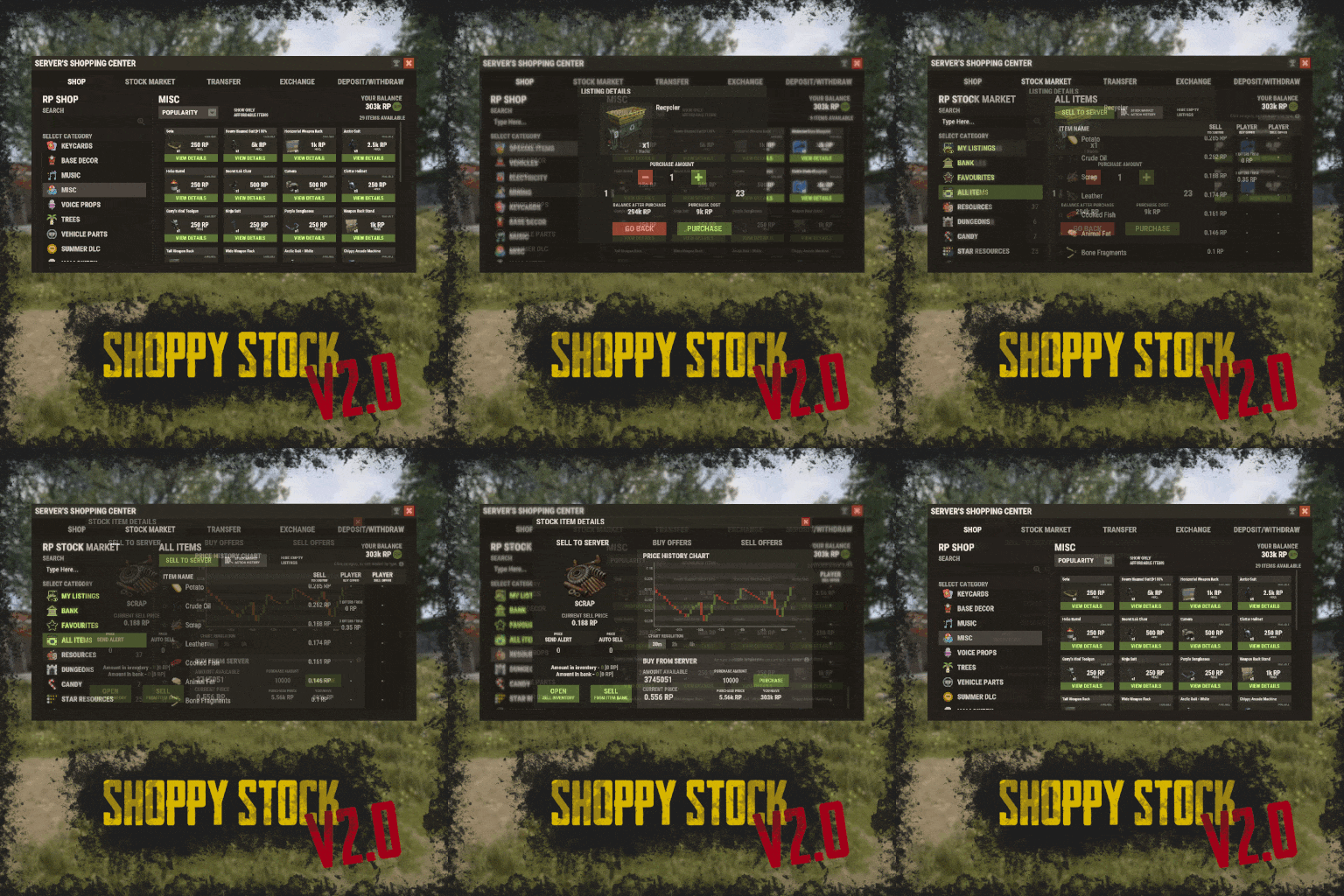
- ShoppyStock - any shop currency, picked with ShoppyStock Shop Name
- BankSystem - the BankSystem balance
- MBCoins - the MBCoins balance
You pick one in the config. Refunds and auto-renew go through the same wallet, and a failed payment never hires a worker.
 Worker Gear and Contracts
Gear goes on a wheel, not on a player: four slots with three tiers each, and whoever works that wheel gets the bonus. The defaults:
- Work Boots - +10%, +20% and +35% power, worn by the worker
- Bearings - +5%, +10% and +15% power, and the wheel reaches full speed faster
- Canteen - 15%, 25% and 40% less stamina drain
- Headlamp - +20%, +40% and +70% power at night, worn by the worker
A worker contract pays for one hire: Novice for 30 minutes, Standard for 1 hour or Veteran for 3 hours by default. Players find gear and contracts in crates (normal, tool and elite crates, supply drops, Bradley and patrol helicopter crates, and the locked crates of Chinook drops, oil rigs and ghost ships), each with a chance per tier you set per crate. Both are real items with their own name, skin and icon, so they stack, trade, fit in boxes and sell in shops like any other item.
 Showcase
Every screen below is the plugin running in game
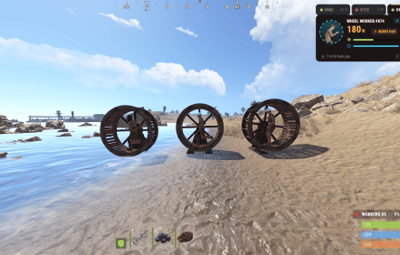
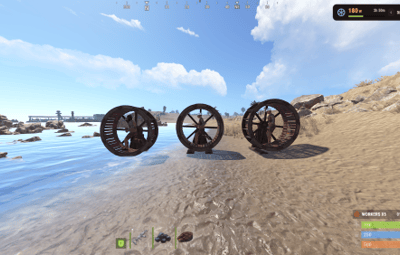
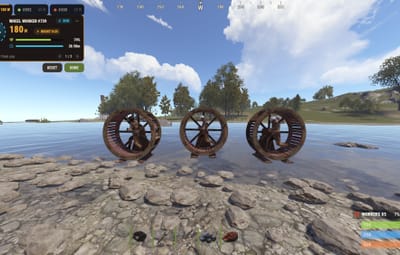
Your workers on their wheels, and the HUD with a tab for each one

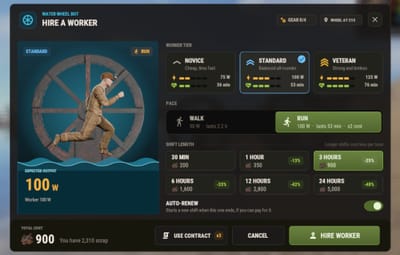
Hire a worker: tier, pace, shift length and auto-renew

The status window during a boost

WORKERS: every worker you own, with quick actions

WORKSHOP: the gear on each wheel

MAP: your workers on the real world map

STATS: your lifetime numbers

A worker contract pays for the hire

Out of stamina: feed the worker to get the wheel going

The compact HUD

Move the HUD anywhere on your screen with /worker hud move

 Video
Video
The trailer, recorded in game (click to play)

 Configuration
Everything lives in oxide/config/WaterWheelBot.json:
- Economy - Scrap or the economy plugin, the currency symbol and the ShoppyStock shop name
- Power and stamina - power for Walk and Run, whether the river current adds to the worker, stamina drain, the low stamina threshold, the night power multiplier and pausing the timer while the worker starves
- Prices - the shift lengths (label, minutes, cost), the Run and VIP multipliers and the refund rate on dismissal
- Worker tiers - name, tagline, price, power, drain and outfit per tier, and the default tier
- Veterancy - hires per level, max level and the drain reduction per level
- Food - stamina per food item, the favorite food bonus, and auto-feed from boxes near the wheel
- Boost - power and drain multipliers, duration and cooldown
- Worker Gear and Worker Contracts - on or off, the base item, and every piece and contract with its name, skin, icon and stats
- Loot - on or off, and the chance per crate
- Rules - auto-renew, team control, who can hire on a wheel and the HUD radius
- Extras - the vitals row, map markers, chatter and gestures, UI sounds, the animated scenes, the personal ping, the expiry warning and the map zoom
- Look - the worker's name and clothing
 FAQ
FAQ
Q: Do I need an economy plugin?
A: No. Scrap works out of the box. Economics, ServerRewards, IQEconomic, ShoppyStock, BankSystem and MBCoins work when they are installed and picked in the config.
Q: Does the wheel need to be in water?
A: No. The worker turns it by hand, like a player would. In a river the wheel keeps its water power and the worker's is added on top, and the hire window shows both.
Q: Can someone hire a worker on my wheel and block it?
A: No. By default only the wheel's owner, their team and players authorized on its tool cupboard can hire on it or change its gear. Admins can switch that off.
Q: What happens on a restart, or if the wheel is destroyed?
A: Rentals, stamina, gear and stats are saved and come back after a restart. The shift clock is real time, so it keeps running while the server is down. If the wheel is destroyed, the worker leaves, the owner gets the prorated refund and the gear drops on the ground.
Q: Does it contact any external service?
A: Only our image server. On its first start the plugin downloads its interface artwork, about 170 PNG images, from rust-cui.crashplugins.space and caches it, so later starts load it from disk. These are plain image downloads: nothing about your server or your players is sent. The world map in the MAP tab is rendered on your own server. No update check, no analytics, no license check.
Q: I run 1.1.0. What changes when I update?
A: Install the DLL from the zip, restart once and replace WaterWheelBot.cs. Your config migrates on load and keeps your prices, durations, power, stamina, food and clothing; gear, contracts and crate loot are added with their defaults, and workers on shift keep working. 3.0.0 no longer uses Oxide.Ext.AnimEngine.dll, so delete it unless another plugin needs it. The changelog and the README inside the zip have the details.
Q: Can I translate it?
A: Yes. Eight languages are built in and each player sees their own. For another one, copy oxide/lang/en/WaterWheelBot.json to oxide/lang/<code>/WaterWheelBot.json and translate it: every player facing text is there.
Q: Does it work on Carbon?
A: Yes. The extension goes into carbon/extensions instead of RustDedicated_Data/Managed, and everything else is the same.
 API / Hooks
// API: WaterWheelBot?.Call<T>("Method", ...)
// wheelNetId is the wheel's net.ID.Value, ownerId a SteamID64, both as ulong
object API_HireBot(BasePlayer player, ulong wheelNetId, int durationIndex, bool isRunning, int tierIndex = -1, bool charge = true)   // true, or an error string
bool   API_DismissBot(ulong wheelNetId, bool refund = true)
Dictionary<string, object> API_GetBotInfo(ulong wheelNetId)   // owner, mode, stamina, time left, power, energy, auto-renew, tier
double API_GetTotalEnergyWh(ulong ownerId)
int    API_GetTotalHires(ulong ownerId)
int    API_GetVeterancyLevel(ulong ownerId)
Item   API_CreateGearItem(string id, int amount = 1)   // a gear piece or a contract (boots1, contract2, ...), null if the id is unknown

Questions, ideas or bug reports? Join our Discord.