Works with
Compatible add-ons, packages, or tools that pair well with this resource.
-
 Player DLCAPI Optional
 -
 No Escape Optional
 -
 Economics Optional
 -
 Server Rewards Optional
 -
 Notify Optional
About Kits
[ ! ] The zip contains a DLL extension that goes into RustDedicated_Data/Managed. Some hosts do not allow uploading DLLs - check with your host before buying. [ ! ]

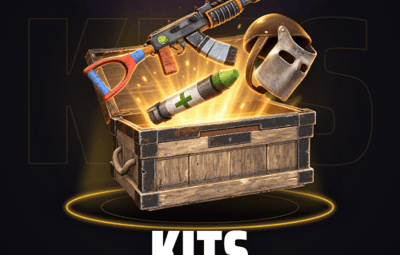
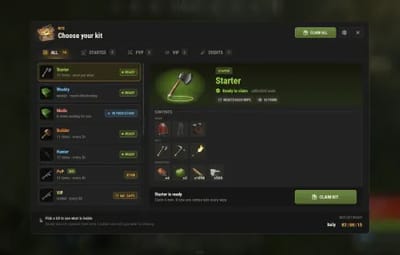
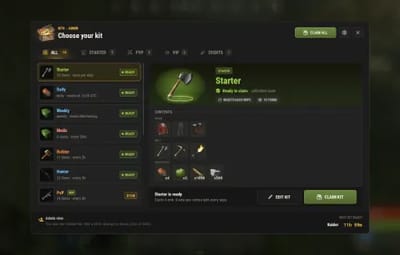
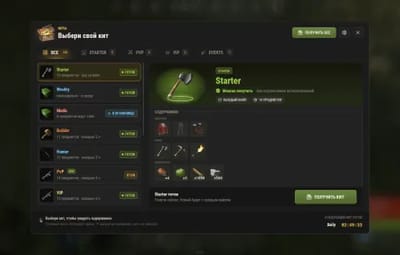
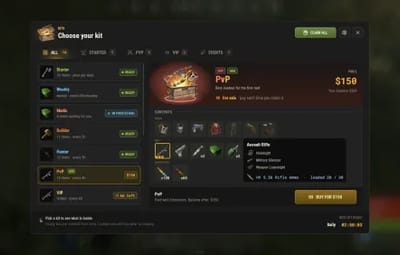
Kits puts every kit of your server in one window. Players pick a kit on the left and see what is inside, what it costs and, when they cannot claim it, exactly why: the cooldown with its clock, the price and their balance, a block, a missing permission with your own message, the requirements they still have to meet, or not enough room. One button does what the state allows.
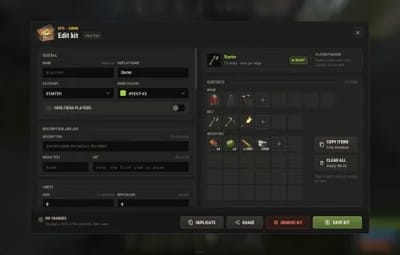
Admins build every kit in game, without touching a file. An editor of cards sets the schedule (cooldown, daily, weekly or once per wipe), requirements, price, autokit trigger, a structure and commands, and the item window puts attachments, ammo, backpack contents, amount ranges and loot pools on any line. Sell kits for money, points, items or your own currency, rent them for a week with one console command, and see what sells in a statistics tab.
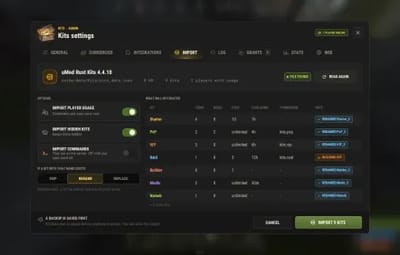
Coming from uMod Rust Kits? One tab reads its files, shows what will be created and imports them with a backup and an UNDO. Your 4.x config, kits, claim counts and cooldowns load as they are, and eight languages are built in.
| Works on Oxide and Carbon | Needs CrashExtensions 1.12.6+ (included) |
|---|---|
| 8 languages built in | Free, timed, rented, paid and auto kits |
Jump to: Features · Screenshots · Why a kit is locked · Commands · Permissions · Install · Configuration · FAQ · API
 Features
For players
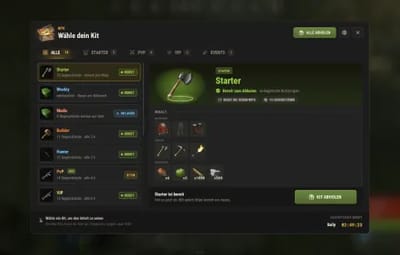
- One window. The kits on the left (the ones you can claim first), category tabs with a count each, and the selected kit on the right with its contents in wear, belt and inventory rows.
- Every lock says why. The button never offers something the claim would refuse, and the line above it says what is missing and for how long.
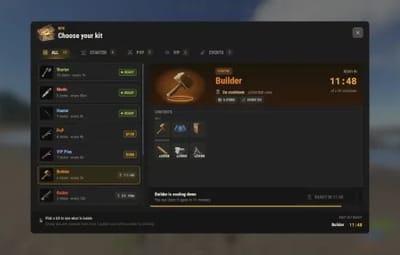
- Live clocks. Cooldowns and wipe waits tick in the list and the detail. A daily or weekly kit counts down to its fixed reset time (UTC), the same for everyone, and a rented kit shows "6d left" and locks again by itself.
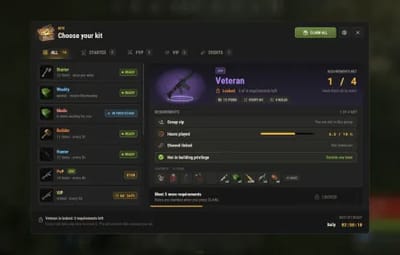
- Requirements with progress. A bar for hours, kills or level, a tick for each rule met and, for each one that is not, how to meet it.
- Art, description and badge. A picture on the pedestal, one line under the name and a tag such as NEW or -30%. A VIP sees the price they pay and what it was.
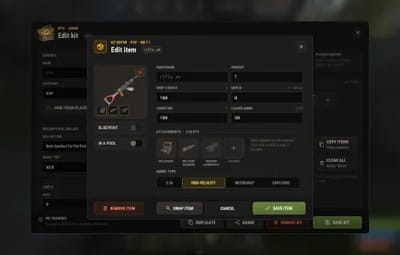
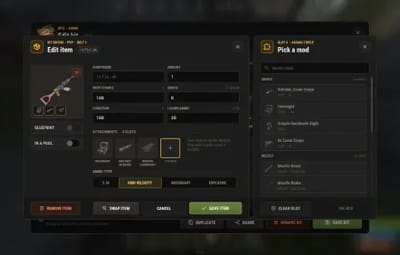
- See what is on the weapon. A dot for each attachment, and a card with the mods, the ammo type and the loaded rounds. A backpack shows what is inside.
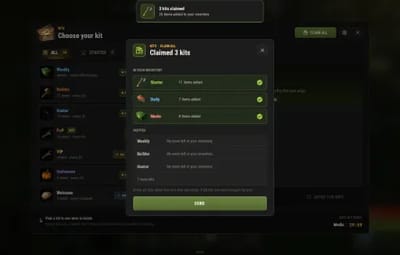
- CLAIM ALL. Every free kit that is ready; a kit that does not fit is skipped and the smaller ones after it still come. A dialog lists what came in and why the rest did not. Paid kits are never bought for you.
-
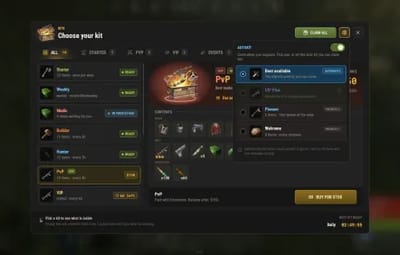
Alerts and autokits. A KIT READY row and toast for the players who switch them on. Autokits are given on respawn, and with
kits.autokita player picks which one or turns them off. Both live behind one settings gear in the header, next to New kit and Server settings for admins. - Nothing is lost. What does not fit drops at the player's feet, waits in a stash or refuses the claim: you choose.
- It moves. Tabs and kits cascade in, the kit's item pops onto its pedestal, a claim makes it hop and its row glide to its new place, lists and dialogs slide in. Played by the client, one switch turns it off.
-
Chat.
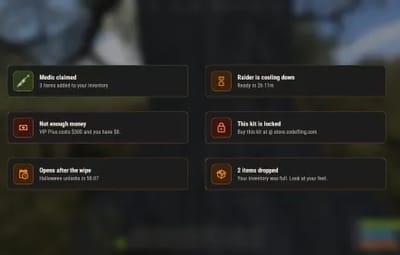
/kit pvpclaims a kit without opening the window. Notices under the compass tell every result, and NCP and Notify work too.
For server owners
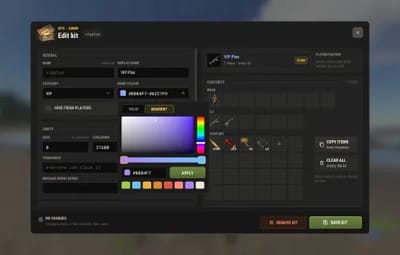
- Editor in game. NEW KIT, EDIT KIT, COPY ITEMS (from your own inventory, attachments and backpack contents included), DUPLICATE, REMOVE KIT, with a confirmation before anything is lost.
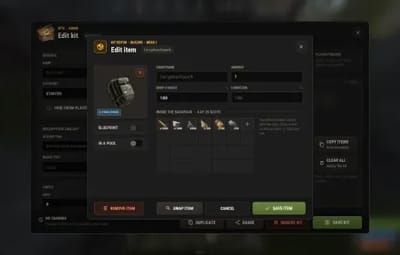
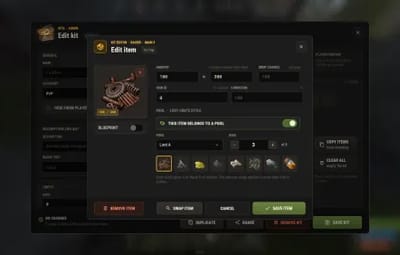
- Every item in detail. Amount or a random range, drop chance, skin (given only to players who own it), condition, loaded rounds, ammo type, attachments picked from what the weapon accepts, backpack contents, blueprints and loot pools ("give 3 of these 8").
- Schedules and limits. Cooldown, daily, weekly or once per wipe, uses per player, a wipe block, a permission with the message players see without it, and hidden kits that only admins see in the lists.
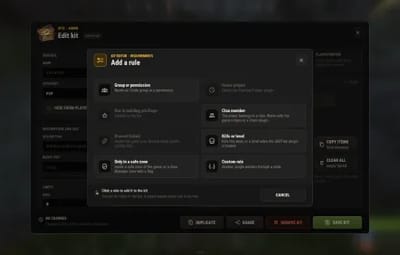
- Requirements. Group or permission, hours played, clan, Discord linked, kills, level, not inside a base, a safe zone, or a rule another plugin decides.
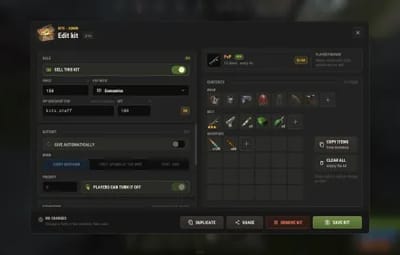
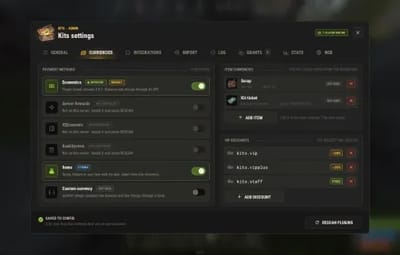
- Selling. Economics, ServerRewards, IQEconomic, BankSystem, any item (scrap, tokens, with a skin) or a currency another plugin answers. VIP discounts by permission: the biggest one wins. A claim that fails halfway gives the money back.
-
Rentals.
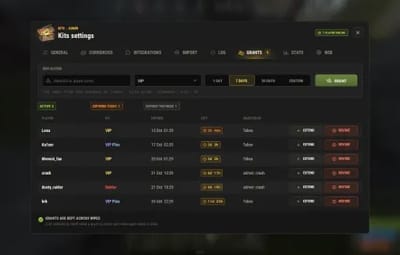
kits.grant <steamid> <kit> 7dfrom the console, RCON or Tebex, or the GRANTS tab: the kit unlocks for that time and locks again. - Autokits. Every respawn, the first spawn of the wipe or the first join, by priority. Players may turn them off unless you say no, and an autokit with a cooldown or a use limit can be claimed by hand too.
- Structures. A kit can paste a CopyPaste building when claimed: never inside another player's tool cupboard area, optionally checked for terrain, removed again after a time, with the claimer on its cupboard and locks if you want. A structure that stays needs a use limit, a cooldown or a schedule on its kit.
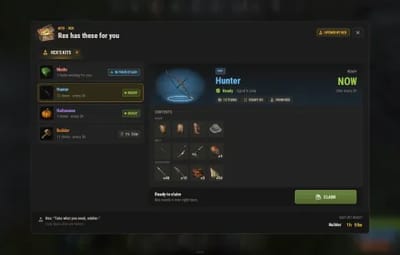
- NPCs. A HumanNPC opens the window on its own short list of kits.
- Settings window. Eight tabs that cover most of the config, so no file editing: GENERAL, CURRENCIES, INTEGRATIONS, IMPORT, LOG, GRANTS, STATS and WEB.
- Import from uMod Rust Kits. Kits, items, attachments, uses and cooldowns, with a backup first and an UNDO. Imported kits never bring commands.
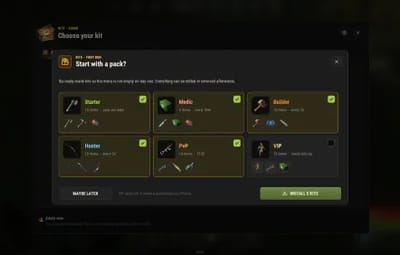
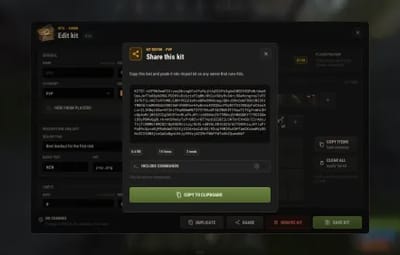
- Share and starter pack. Copy a kit as text and paste it on another server. A fresh server is offered six ready-made kits.
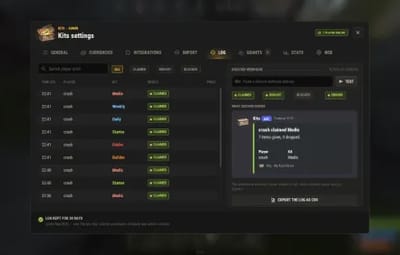
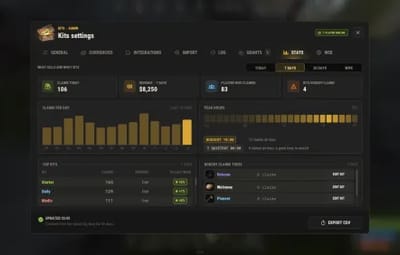
- Claim log, Discord and statistics. One log file per day, a CSV export, an optional webhook for claims and purchases, and a STATS tab with claims, revenue, peak hours, the top kits and the kits nobody claims.
-
Your file, your editor. Edit
KitsData.jsonoutside the game and load it back withkits.reloador the WEB tab: it shows what changes, asks, and saves the kits in use first. - Web designer. The Kits designer on the Venux web editor (editor.venuxplugins.com/kits) edits that file in your browser with the same cards and item picker. The file is not uploaded.
- NoEscape, wipes and safe data. Optional raid and combat blocks, claims forgotten on wipe if you want, and files written to a temporary copy and swapped in with a backup.
- Small updates. An open window redraws only when something on it changed. A clock that counts seconds is such a change, and the redraw then sends only the difference, a few hundred bytes.
For developers
-
uMod-compatible API.
isKit,GiveKit,GetKitNames,GetKitObject,CreateKitItemsand the per-player uses and cooldown calls answer under the names uMod's Rust Kits uses.OpenKitsMenuopens the window on a list of kits. See the API. -
Hooks.
CanRedeemKit,CanRedeemAutoKitandOnKitRedeemedas in uMod, plusCanClaimKit,OnKitPurchased,OnKitsOpened, and hooks for your own requirement and your own currency. - Console and RCON. Give, reset, grant, revoke, reload and import run from the server console, which is where your shop, Tebex and cron point.
 Screenshots
Every screen below is Kits running in Rust.

|
|---|
| Choose your kit: the list, the contents and the claim button |

|

|
|---|---|
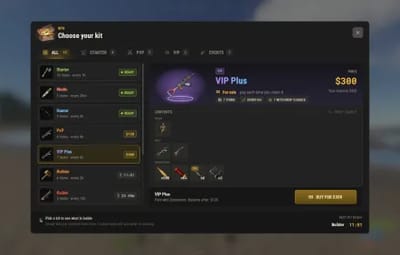
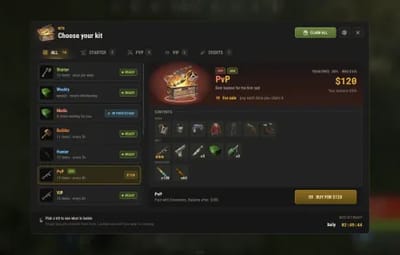
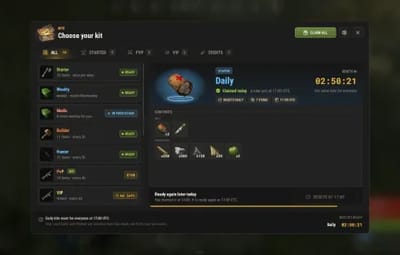
| For sale: the price and the balance | On cooldown: the time left |

|

|
|---|---|
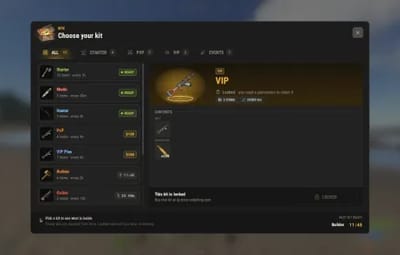
| Locked, with your own message | Admin view: EDIT KIT and NEW KIT |

|

|
|---|---|
| Art, a description, a badge and the VIP price | Rented, daily, requirement, stash and autokit states at a glance |

|

|
|---|---|
| A locked kit: every requirement with its progress | Mods on a weapon: a dot per attachment and a card with the ammo |

|

|
|---|---|
| CLAIM ALL: what went in and why the rest was skipped | The autokit chooser, from the settings gear |

|

|
|---|---|
| A HumanNPC hands out its kits | First run: start with a pack of six kits |

|

|
|---|---|
| Kit editor | Sale, autokit and commands |

|

|
|---|---|
| Pick a mod: only what the weapon accepts | Backpack contents inside a kit |

|

|
|---|---|
| Amount ranges and loot pools | Requirements: add a rule |

|

|
|---|---|
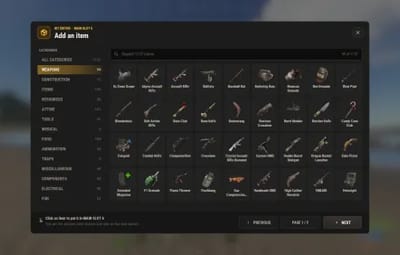
| Item selector | Item window |

|

|
|---|---|
| Share a kit as text | Currencies and VIP discounts |

|

|
|---|---|
| Import from uMod Rust Kits: what will be created | The claim log and the Discord webhook |

|

|
|---|---|
| Grants: rent a kit for a week | Statistics: what sells and what sits |

|

|
|---|---|
| Colour picker with gradients | Notices under the compass |

|

|
|---|---|
| In Russian | In German |
 Why a kit is locked
The window checks these in this order and shows the first one that applies, on the kit's line and above the button:
- Waiting in the stash. Items that did not fit are held for the player: CLAIM STASH gives them when there is room.
- No permission. LOCKED with the message you wrote for that kit, or the default one from the config: a store or VIP rank advertised from the window itself. A rental that ended says so.
- Requirements. "2 of 4 met", with every rule, its progress and how to meet it.
- Automatic kit. An autokit with no limit of its own comes by itself when the player respawns, not by hand.
- Raid or combat block. With NoEscape loaded and enabled.
- Wipe block. The kit opens a set time after the wipe, with a countdown.
- Uses spent. The uses left, then USED UP.
- Cooldown or reset time. The time left until the next claim, or until the daily or weekly reset.
- No room. When you ask for free space first, the number of slots missing.
- Price. BUY and the price, the player's balance and the discount they get, and how much is missing when they cannot pay.
 Commands
- /kit, /kits, /kitmenu - open or close the window. The names are configurable. With unsaved changes in the editor it asks first.
- /kit <name> - claim a kit without opening the window. /kit list says which kits are ready.
Admin
From the server console, RCON, Tebex or a player with kits.admin:
-
kit list,kit give <player> <kit>,kit resetuses <steamid> <kit>,kit reset- list the kits, give the items of one (no cooldown, no price, no commands), forget one player's uses of a kit, forget everyone's. -
kits.grant <steamid> <kit> <7d | 12h | 30m>andkits.revoke <steamid> <kit>- rent a kit for a time, or end it. -
kits.reload [confirm]- readKitsData.jsonagain after you edited it outside the game. -
kits.import umod [confirm]andkits.import undo [confirm]- import from uMod Rust Kits, or put everything back. -
kits.npc bind | unbind | list- HumanNPC bindings. -
kits.reset data <steamid | all>andkits.reloadimages- forget claims, fetch the pictures again.
 Permissions
- kits.admin - the editor, the settings window, NEW KIT and the hidden kits. Staff only: a kit's commands run with the server's authority.
- kits.ignorecd - claims without a cooldown, a reset time or a use limit.
- kits.autokit - Autokit in the gear menu: turn autokits off or pick which one.
-
A permission you type on a kit (for example
kits.vip) - who may claim that kit. The plugin registers it for you, and a VIP discount works the same way.
A typical setup:
oxide.grant user YOUR_STEAM_ID kits.admin
oxide.grant group vip kits.vip
oxide.grant group default kits.autokit
 Install
-
Install the extension, once per server. Stop the server, copy
Oxide.Ext.CrashExtensions.dllintoRustDedicated_Data/Managed(Carbon:carbon/extensions) and start it again. The console printsLoaded extension CrashExtensionswith its version. An older copy of the DLL is simply overwritten: it is one shared file for all our plugins. -
Install the plugin. Copy
Kits.csintooxide/plugins(Carbon:carbon/plugins). It compiles on its own and creates its config, data and language files. -
Grant the permissions above, give yourself
kits.admin, type/kitand press NEW KIT. On a server with no kits you are offered a starter pack of six.
Plugin does not compile? The extension is missing or too old: check the folder and restart again. On a hosting panel, upload the DLL with the file manager or SFTP, and keep a copy in case the panel resets that folder on an update.
Coming from uMod Rust Kits? Both plugins are called Kits, so this one replaces it: same
Kits.cs, same config name. Your uMod kits stay inoxide/data/Kitsand are imported from there.
- Back up
oxide/config/Kits.json, theoxide/data/Kitsfolder andoxide/lang/*/Kits.json, then move uMod's language files aside.- Install the extension and restart, then replace
Kits.cswith this one. On first load it keeps uMod's config asKits.json.umod-backupand writes its own.- Type
/kit, press the gear in the header, then Server settings, then IMPORT. Read the preview: every kit, what it will become and why one is renamed, skipped or hidden.- Pick the options (keep cooldowns and uses, hidden kits, what to do with a name that already exists) and press IMPORT. A backup is taken first; UNDO puts everything back.
- Check the kits that came in hidden (unknown currency, auth level, CopyPaste building) and add commands where you want them: none are imported. Permissions keep their names, so your groups keep their kits.
Moving from another server? Copy its
kits_data.jsonandplayer_data.jsonintooxide/data/Kitsfirst, then steps 3 to 5.
Updating from 4.x? Install the extension and restart once, then replace
Kits.cs. Your config, kits, claim counts and cooldowns load as they are, and the keys the new window no longer uses (menu style, the old colours) disappear on the first save. Two behaviours changed: a weapon line with Loaded 0 now gives an EMPTY weapon (set the loaded count if you want it loaded), and an autokit with a cooldown, uses or a schedule can now also be claimed by hand (one with none still comes by itself only). Back upoxide/config/Kits.jsonand the Kits files inoxide/datafirst.
 Video
Video
 Configuration
Everything lives in oxide/config/Kits.json, and the settings window changes most of it in game. The kits you build are stored in oxide/data/KitsData.json, what players claimed in oxide/data/Kits_PlayerData.data, rentals in KitsGrants.json, statistics in KitsStats.json and the claim log in oxide/logs/Kits.
Config sections (click to expand)
-
General Settings - the chat commands (
kit,kitsandkitmenuby default), the default message for a kit without permission and what a full inventory does - Wipe Settings - forget everyone's claims when the server wipes
- NoEscape Settings - use NoEscape or not, raid block on or off, combat block on or off, and their messages
- UI Settings - an optional window title and the category tabs (STARTER, PVP, VIP and EVENTS by default)
- Sound Settings - one switch and the effect for each action: claim, delete, copy, save, toggle, error and click
- Notification Settings - toasts on or off, how long they stay, NCP, Notify, chat, and the type of each notice
- Animation Settings - the window entrance, the tab glow, the toast slide and the menu motion (cascades, pops, claim and save moments, fade out), each on or off
- Currency Settings - which payment methods are on, the items that count as money and the VIP discounts
- Log Settings - the claim log, how long it is kept, refused claims, and the Discord webhook with what it posts
- Integration Settings - the uMod-compatible API names, and the group your Discord linker grants
- Alert Settings - the kit-ready alerts: the vitals row, the toast and how long the row stays
- Npc Settings - the HumanNPCs bound to kits and how far a player may walk before the window closes
 FAQ
FAQ
Q: I run Kits 4.x. What changes when I update?
A: Install the included extension and restart once, then replace Kits.cs. Your config, kits, claim counts and cooldowns load as they are, in one new window. A weapon line with Loaded 0 now gives an empty weapon (4.x gave it the rounds its prefab starts with), an autokit with a cooldown, uses or a schedule can also be claimed by hand, plugins that refuse kits through the CanRedeemKit hook are obeyed, and Oxide rewrites your lang files on the first load because the text keys are new. Back up your config and data first.
Q: Do I need Economics or ServerRewards?
A: Only to sell kits for money or points. Free kits need neither, and a kit can be sold for an item such as scrap, or for IQEconomic, BankSystem or a currency another plugin answers. The plugin you chose on a priced kit must be loaded.
Q: Which other plugins does it use?
A: All optional: NoEscape (raid and combat blocks), NCP and Notify (notices), PlayerDLCAPI (skin ownership), CopyPaste (structures), PlaytimeTracker (hours played), Statistics DB, Ultimate Leaderboard or Kill Records (kills, optional), Clans, a Discord linker (Discord Linker, Discord Link, Discord Core, DiscordAuth, through the group it grants), SkillTree, XLevels or ZLevels Remastered and ZoneManager (their requirements) and HumanNPC (NPC windows).
Q: What happens when the inventory is full?
A: You choose in the GENERAL tab. The rest drops at the player's feet and the notice says how many items fell (the default), or the claim is refused and says how many slots are missing, or the rest waits in a stash and the player presses CLAIM STASH when there is room.
Q: Can I move from uMod Rust Kits?
A: Yes, step by step under Install. On the same server its files are already in oxide/data/Kits: replace Kits.cs, then the gear, Server settings, IMPORT, and read what will be created. A backup is saved first and UNDO puts everything back. Cooldowns and uses carry over, so nobody gets a free reset. Imported kits never carry commands.
Q: Do other plugins that use the uMod Kits API still work?
A: The calls and hooks they use have the same names: isKit, GiveKit, GetKitNames, GetKitObject, CanRedeemKit, OnKitRedeemed and the rest. GiveKit hands over the items and nothing else: no use is counted and there is no cooldown, price, permission, requirement, command or structure, so the plugin that calls it decides.
Q: Can I use a skin in a kit?
A: Yes. The skin is given only to a player who owns it (PlayerDLCAPI is used when it is loaded, otherwise the game's own ownership check), and anyone else receives the plain item.
Q: Can I rent a VIP kit for a month through Tebex?
A: Yes. Run kits.grant <steamid> <kit> 30d as the package command. The kit unlocks for that time, shows the time left to the player and locks again by itself. Grants survive wipes.
Q: Can I edit my kits in a browser?
A: Yes. The Kits designer on the Venux web editor (editor.venuxplugins.com/kits) opens your KitsData.json, lets you edit the kits with the same cards and item picker, and downloads the file. Put it back in oxide/data and run kits.reload: the server shows what changes and asks first. The file is not uploaded anywhere.
Q: Does it contact any outside service?
A: Only to download its pictures (about 125 small images, icons and buttons) once from cdn.crashplugins.space, which your server then caches. Nothing about your server or your players is sent. The Discord webhook, if you set one, and the https pictures you give to kits are the only other places it talks to.
Q: Does it work on Carbon?
A: Yes. The extension goes into carbon/extensions instead of RustDedicated_Data/Managed, and everything else is the same.
Q: How do I translate it?
A: Eight languages are built in. Edit oxide/lang/<language>/Kits.json, or copy the English file to a new language folder and translate its values. Oxide never overwrites a line that is already in that file, so delete a line to get the new text back after an update.
 API / Hooks
// Hooks other plugins implement (return anything but null from the first three to refuse)
object CanRedeemKit(BasePlayer player)                 // before a claim and at every respawn; a string is shown to the player
object CanClaimKit(BasePlayer player, string kitName)  // before a claim and before an autokit, with the kit
object CanRedeemAutoKit(BasePlayer player)             // at every respawn, after CanRedeemKit
void   OnKitRedeemed(BasePlayer player, string kitName)
void   OnKitPurchased(BasePlayer player, string kitName, double price)
void   OnKitsOpened(BasePlayer player)
bool   OnKitsRule(BasePlayer player, string ruleName)  // your own requirement: true when the player meets it
double OnKitsCurrencyBalance(BasePlayer player, string currency)             // your own currency
bool   OnKitsCurrencyCharge(BasePlayer player, string currency, double amount)
bool   OnKitsCurrencyRefund(BasePlayer player, string currency, double amount)

// API: Kits?.Call<T>("Method", ...)  (ids as ulong: (ulong)player.userID, seconds as double)
bool   IsKit(string kitName)
void   GetKitNames(List<string> list)
object GiveKit(BasePlayer player, string kitName)      // true, or the reason as text; the items only
bool   OpenKitsMenu(BasePlayer player, object kits, string from = null, string line = null)
int    GetPlayerKitUses(ulong id, string kitName)
double GetPlayerKitCooldown(ulong id, string kitName)  // seconds left
void   SetPlayerKitUses(ulong id, string kitName, int uses)
void   SetPlayerKitCooldown(ulong id, string kitName, double seconds)
JObject GetKitObject(string kitName)                   // MainItems, WearItems, BeltItems in uMod's shape
IEnumerable<Item> CreateKitItems(string kitName)       // made, not placed: the caller places or removes every one
// also: GetKitImage, GetKitDescription, GetKitMaxUses, GetKitCooldown and, with the uMod names switch on,
// isKit, GetAllKits, KitImage, KitDescription, KitMax, KitCooldown, PlayerKitMax, PlayerKitCooldown, GetKitContents, GetKitInfo

Questions, ideas or bug reports? Use the Support tab of this file or join our Discord.