Jump to content
Message added by KpucTaJl,

⚠️ IMPORTANT: Major Update!
Before installing, carefully read the update instructions included inside the archive

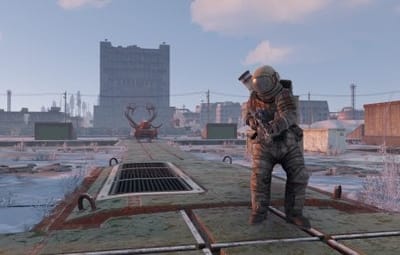
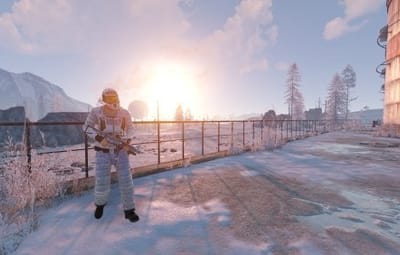
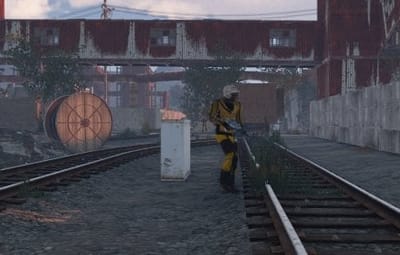
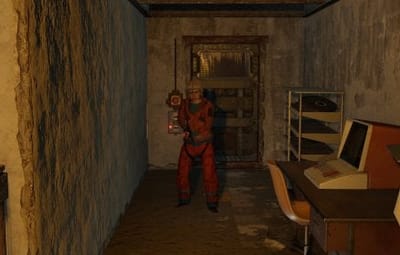
40 Screenshots
  • 244.9k
  • 10.7k
  • 403.55 kB

This area is for discussion and questions. Please use the support area for reporting issues or getting help.

Recommended Comments


aimacak

Posted

17 minutes ago, santigusa said:
Hola. Para actualizar el plugin BetterNPC he cargado el plugin UpdaterBetterNpc en mi servidor y me aparece este error en la consola:

(20:25:18) | UpdaterBetterNpc was compiled successfully in 1609ms

(20:25:18) | Failed to call hook 'OnServerInitialized' on plugin 'UpdaterBetterNpc v1.1.1' (IOException: Cannot create a file when that file already exists.)

at System.IO.FileSystem.MoveDirectory (System.String sourceFullPath, System.String destFullPath) [0x00040] in <f98723dd4586469db5213ec59da723ca>:0

at System.IO.Directory.Move (System.String sourceDirName, System.String destDirName) [0x000ed] in <f98723dd4586469db5213ec59da723ca>:0

at Oxide.Plugins.UpdaterBetterNpc.ReadAndRenameConfigOldNpcSpawn () [0x0092d] in <1078196c99084347ac538ef772decdb1>:0

at Oxide.Plugins.UpdaterBetterNpc.OnServerInitialized () [0x00014] in <1078196c99084347ac538ef772decdb1>:0

at Oxide.Plugins.UpdaterBetterNpc.DirectCallHook (System.String name, System.Object& ret, System.Object[] args) [0x0148c] in <1078196c99084347ac538ef772decdb1>:0

at Oxide.Plugins.CSharpPlugin.InvokeMethod (Oxide.Core.Plugins.HookMethod method, System.Object[] args) [0x00079] in <42f9bedc659b4f4786eb778d3cd58968>:0

at Oxide.Core.Plugins.CSPlugin.OnCallHook (System.String name, System.Object[] args) [0x000de] in <15f61ddda771464d8246ebdce8ff4811>:0

at Oxide.Core.Plugins.Plugin.CallHook (System.String hook, System.Object[] args) [0x00060] in <15f61ddda771464d8246ebdce8ff4811>:0

(20:25:18) | Loaded plugin UpdaterBetterNpc v1.1.1 by KpucTaJl

El plugin UpdaterBetterNpc no desaparece solo de la carpeta Plugins del servidor.

¿Qué es lo que puede estar ocurriendo?

Hello, please create a ticket in the Support section.

SlayersRust

Posted

LMFAO! There are flying scientist at Oil Rigs LOL. The only thing I changed was most recent facepunch update after server restart and also updated the betternpc plugin. I wonder what is the cause of this.

HolyMoly

Posted

11 hours ago, aimacak said:

Only if you save all the presets on your computer, specify this folder in Notepad++ and use a simple formula to change the health parameter from any value to 100

i see, thanks

  • Like 1
rex

Posted

Failed to call hook 'OnPluginUnloaded' on plugin 'ChaosNPC v3.0.37' (MissingMethodException: Method not found: void .BaseNetworkable.Kill(BaseNetworkable/DestroyMode))
at Oxide.Core.Plugins.CSPlugin.OnCallHook (System.String name, System.Object[] args) [0x00107] in <15f61ddda771464d8246ebdce8ff4811>:0
at Oxide.Core.Plugins.Plugin.CallHook (System.String hook, System.Object[] args) [0x00060] in <15f61ddda771464d8246ebdce8ff4811>:0

aimacak

Posted

12 minutes ago, rex said:

Failed to call hook 'OnPluginUnloaded' on plugin 'ChaosNPC v3.0.37' (MissingMethodException: Method not found: void .BaseNetworkable.Kill(BaseNetworkable/DestroyMode))
at Oxide.Core.Plugins.CSPlugin.OnCallHook (System.String name, System.Object[] args) [0x00107] in <15f61ddda771464d8246ebdce8ff4811>:0
at Oxide.Core.Plugins.Plugin.CallHook (System.String hook, System.Object[] args) [0x00060] in <15f61ddda771464d8246ebdce8ff4811>:0

Hello, how is this related to BetterNpc?

aimacak

Posted

3 minutes ago, N7ws2aseRtohbXXKkG said:

Damn these updates coming in hot

If you have updated and everything is working for you, check the notes for each update, some updates are made for a certain circle of people to solve any rare problems, if the situation indicated in the notes does not bother you at the moment, you can postpone the next update until it is convenient for you.

Veeblefetzer

Posted

If we have already done the migration, do we need to go through the whole thing again, or just update the NPCSpawn & BetterNPC plugins?

Seems like none of the files have changed dates, only the folders with today's date.

aimacak

Posted (edited)

8 minutes ago, Veeblefetzer said:

If we have already done the migration, do we need to go through the whole thing again, or just update the NPCSpawn & BetterNPC plugins?

Seems like none of the files have changed dates, only the folders with today's date.

If you have completed the migration process, then now you can update only *.cs files, I have not heard about any changes in data files 🙂

Edited by aimacak
  • Like 1
Et3rn47

Posted

I'm hoping it's something small, I'm continuing to get: 

Fail at 30% every time. I've resorted to full reinstallation at this point as well

2026-02-12 14_41_34-.png

aimacak

Posted (edited)

31 minutes ago, Et3rn47 said:

I'm hoping it's something small, I'm continuing to get: 

Fail at 30% every time. I've resorted to full reinstallation at this point as well

2026-02-12 14_41_34-.png

If you have already tried to do clear install, here is a list of everything you need to do before trying again. If you have a backup and want to keep your old settings, create a ticket in the support section and attach all files related to NpcSpawn and BetterNpc, config and data.  For a clean installation, delete the following files in the oxide/plugins folder: BetterNpc.cs, NpcSpawn.cs, UpdaterNpcSpawn.cs, UpdaterBetterNpc.cs, in the oxide/data folder: BetterNpc and BetterNpc_old, and in the config folder: NpcSpawn.json, NpcSpawn_old.json, BetterNpc.json and BetterNpc_old.json. Next, move the data folder from the archive with the NpcSpawn plugin, downloaded from codefling, to the oxide/ folder, confirm the replacement of files, then move the data folder from the archive with the BetterNpc plugin, downloaded from codefling, to the oxide/ folder, then move NpcSpawn.cs from the archive with NpcSpawn to the oxide/plugins folder. After successful loading, move BetterNpc.cs from the archive to the oxide/plugins folder, everything should work.  If you move *.cs plugins to the oxide/plugins folder and they don't load automatically, you'll need to manually load the *.cs file after moving it using the o.load {PluginName} command.

Edited by aimacak
Et3rn47

Posted

11 minutes ago, aimacak said:

If you have already tried to do clear install, here is a list of everything you need to do before trying again. If you have a backup and want to keep your old settings, create a ticket in the support section and attach all files related to NpcSpawn and BetterNpc, config and data.  For a clean installation, delete the following files in the oxide/plugins folder: BetterNpc.cs, NpcSpawn.cs, UpdaterNpcSpawn.cs, UpdaterBetterNpc.cs, in the oxide/data folder: BetterNpc and BetterNpc_old.cs, and in the config folder: NpcSpawn.json, NpcSpawn_old.json, BetterNpc.json and BetterNpc_old.json. Next, move the data folder from the archive with the NpcSpawn plugin, downloaded from codefling, to the oxide/ folder, confirm the replacement of files, then move the data folder from the archive with the BetterNpc plugin, downloaded from codefling, to the oxide/ folder, then move NpcSpawn.cs from the archive with NpcSpawn to the oxide/plugins folder. After successful loading, move BetterNpc.cs from the archive to the oxide/plugins folder, everything should work.  If you move *.cs plugins to the oxide/plugins folder and they don't load automatically, you'll need to manually load the *.cs file after moving it using the o.load {PluginName} command.

I've done this, and am getting the same error. You're welcome to look and or try. I'm continuing to get the error null at 30%

aimacak

Posted

4 minutes ago, Et3rn47 said:

I've done this, and am getting the same error. You're welcome to look and or try. I'm continuing to get the error null at 30%

Write o.reload NpcSpawn and show messages from console

aimacak

Posted

On 2/9/2026 at 7:49 AM, SlayersRust said:

LMFAO! There are flying scientist at Oil Rigs LOL. The only thing I changed was most recent facepunch update after server restart and also updated the betternpc plugin. I wonder what is the cause of this.

Are you sure you're using NPCs from BetterNpc on your Oil Rigs? I know that flying heavy NPCs appearing on CH47s with small Oil Rigs has been a common occurrence for a long time now, and it's not related to plugins.

Et3rn47

Posted

37 minutes ago, aimacak said:

Write o.reload NpcSpawn and show messages from console


npcspawnreload.png

  • Like 1
aimacak

Posted

8 minutes ago, Et3rn47 said:


npcspawnreload.png

Send config please ( oxide/config/BetterNpc.json )

Et3rn47

Posted

1 minute ago, aimacak said:

Send config please ( oxide/config/BetterNpc.json )


BetterNpc.json

aimacak

Posted

2 minutes ago, Et3rn47 said:

its broken, delete it and o.reload BetterNpc
 

{
  "Start time of day": null,
  "Start time of night": null,
  "Use the plugin's PVE mode? (only if you use the PveMode plugin)": false,
  "Distance from the center of the safe zone to the nearest NPC spawn point [m]": 0.0,
  "List of NPC types that should not be deleted (can use class name, NPC name, SkinID, or ShortPrefabName)": null,
  "Run the debug.puzzlereset command when the plugin loads or reloads to refresh puzzles, IO, and NPCs at Facepunch monuments [true/false]": false,
  "Refresh NPCs and crates at monuments when the plugin loads or reloads? [true/false]": false,
  "Enable simplified loading logs in the server console? (intended for advanced users who want fewer loading messages) [true/false]": false,
  "Configuration version": {
    "Major": 2,
    "Minor": 1,
    "Patch": 5
  }
}
Et3rn47

Posted

1 minute ago, aimacak said:

its broken, delete it and o.reload BetterNpc
 

{
  "Start time of day": null,
  "Start time of night": null,
  "Use the plugin's PVE mode? (only if you use the PveMode plugin)": false,
  "Distance from the center of the safe zone to the nearest NPC spawn point [m]": 0.0,
  "List of NPC types that should not be deleted (can use class name, NPC name, SkinID, or ShortPrefabName)": null,
  "Run the debug.puzzlereset command when the plugin loads or reloads to refresh puzzles, IO, and NPCs at Facepunch monuments [true/false]": false,
  "Refresh NPCs and crates at monuments when the plugin loads or reloads? [true/false]": false,
  "Enable simplified loading logs in the server console? (intended for advanced users who want fewer loading messages) [true/false]": false,
  "Configuration version": {
    "Major": 2,
    "Minor": 1,
    "Patch": 5
  }
}

beautiful, the issue is resolved! thank you

  • Like 1
lokisoteg

Posted

(21:21:55) | [BetterNpc] File straight-sn-3 has been loaded successfully!

(21:21:55) | [BetterNpc] File straight-sn-4 has been loaded successfully!

(21:21:55) | [BetterNpc] File straight-sn-5 has been loaded successfully!

(21:21:56) | [BetterNpc] File straight-we-0 has been loaded successfully!

(21:21:56) | [BetterNpc] File straight-we-1 has been loaded successfully!

(21:21:56) | [BetterNpc] File straight-we-2 has been loaded successfully!

(21:21:56) | [BetterNpc] File straight-we-3 has been loaded successfully!

(21:21:56) | [BetterNpc] File straight-we-4 has been loaded successfully!

(21:21:56) | [BetterNpc] File straight-we-5 has been loaded successfully!

(21:21:56) | [BetterNpc] Plugin loading progress at 23%

(21:21:56) | IOException: Permission denied

What could cause this as this is a fresh install?

aimacak

Posted

4 minutes ago, lokisoteg said:

(21:21:55) | [BetterNpc] File straight-sn-3 has been loaded successfully!

(21:21:55) | [BetterNpc] File straight-sn-4 has been loaded successfully!

(21:21:55) | [BetterNpc] File straight-sn-5 has been loaded successfully!

(21:21:56) | [BetterNpc] File straight-we-0 has been loaded successfully!

(21:21:56) | [BetterNpc] File straight-we-1 has been loaded successfully!

(21:21:56) | [BetterNpc] File straight-we-2 has been loaded successfully!

(21:21:56) | [BetterNpc] File straight-we-3 has been loaded successfully!

(21:21:56) | [BetterNpc] File straight-we-4 has been loaded successfully!

(21:21:56) | [BetterNpc] File straight-we-5 has been loaded successfully!

(21:21:56) | [BetterNpc] Plugin loading progress at 23%

(21:21:56) | IOException: Permission denied

What could cause this as this is a fresh install?

send the full error information from the server logs file, and I'm also interested in the messages when NpcSpawn is reloaded (o.reload NpcSpawn)

aimacak

Posted (edited)

2 minutes ago, lokisoteg said:

these are the logs of the oxide, not the server, look for the server logs, you can make sure that you have found the right file by searching for your error - IOException

Edited by aimacak
aimacak

Posted

@lokisoteg
Hmm, I'm sorry, it looks like these are the correct logs.

Create an account or sign in to comment

You need to be a member in order to leave a comment

Create an account

Sign up for a new account in our community. It's easy!

Register a new account

Sign in

Already have an account? Sign in here.

Sign In Now
  • Like 10
  • Love 6

User Feedback

2.2m

Downloads

Total number of downloads.

10.3k

Customers

Total customers served.

149.3k

Files Sold

Total number of files sold.

3.2m

Payments Processed

Total payments processed.

×
×
  • Create New...

Important Information

We have placed cookies on your device to help make this website better. You can adjust your cookie settings, otherwise we'll assume you're okay to continue.