Jump to content
$27.00
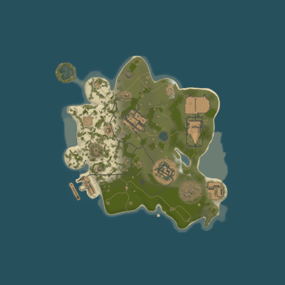
🗺️ Frightful BIKINI WEENY • high-performance 2K map • 11,000 prefabs An idea entry-level map into my 2K battle map range. Bikini Weeny is a compact, high-intensity area where roadside monuments ring the road and rail loops, connecting key points of interest. Quiet shorelines and rugged mountains open up a variety of building spots, while freshwater lakes, dense forests, rich ore veins and freezing mountain paths give players plenty to explore. This is part of the same island chain as the infamous Bwana Dik map, BIKINI WEENY brings the same chaotic energy in a tighter, more aggressive package. Bikini Weeny, where the air is clean, the people are friendly and everyone is in love. Custom monument the 'Deep Salt Mine' is a deadly high-risk blue/red card facility buried deep in the mountains. It’s designed to frustrate, incinerate, and thoroughly ruin your players’ day. Will they make it out with the loot… or just rage-quit after losing everything? Only time (and poor decision-making) will tell. ⚠ 100% FULLY TESTED on live humans Network of fast level roads for rapid vehicle travel. Handy zip-tower network to glide back to your body. 4 central established safe zones near the zipline network. Road & railways support Convoy & ArmoredTrain mods. Numerous buildable islands — for ocean bases to bridge to. ⚠ Required dependencies: Umod/Oxide and Rustedit DLL. Any problems? Please advise. -- Nomad 🌴LOST in RUST https://discord.gg/THf6dGN8eW
0.0
sale
$40.00 $31.95
ServerPanel adds a player information menu to your server, where you can both share important and useful information with your players and integrate your plugins into it!     🌟  Features User-Friendly Interface: Intuitive GUI for easy navigation and interaction. Economy Integration: Supports various economy plugins for seamless financial management. Dynamic Menu Categories: Organize functionalities into customizable categories for better user experience. Extensive Configuration Options: Almost every aspect of the plugin can be customized, including messages, colors, sizes, fonts, tion. Auto-Open Menu: Automatically displays the menu upon player connection, configurable per server settings. Block Settings: Control access to the menu during building, raiding, or combat situations to enhance gameplay balance. Multiple Economy Head Fields: Display various economic metrics such as balance, server rewards, and bank information. Permission Management: Fine-tune permissions for different user roles to control access to features. Localization Support: Easily translate and customize all messages for different languages. Performance Optimized: Designed to minimize server lag while providing rich functionality. Customizable Hooks: Integrate with existing economy systems using customizable hooks for adding, removing, and displaying balances. Editor Position Change: Admins can now change editor positions with a simple click, choosing between left, center, or right alignments. Command Enhancements: Commands are now processed with multiple arguments separated by "|", enabling bulk command processing.   🎮  Commands /info –  open menu /sp.install  (or) /welcome.install –  open installer menu sp.migrations –  console command for updating plugin data structure when upgrading to new versions. Automatically creates backups before making changes. sp.migrations list – shows available migrations and whether they need to run sp.migrations run <version> – runs specific migration (e.g., "1.3.0") sp.migrations run <version> force – forces migration even if not detected as needed   🛡️  Permissions serverpanel.edit – allows players to edit the plugin settings and open the edit menu serverpanelinstaller.admin - required to access the plugin installation functions   🎥  Video   🖼️  Showcase Templates Template V1 Template V2 Template V3 Template V5 Editor Installer   🧪  TEST SERVER Join our test server to view and experience all our unique features yourself! Copy the IP Address below to start playing! connect 155.103.86.38:28015   📊  Update Fields ServerPanel supports dynamic update fields that can be used in your templates to display real-time information. These fields are automatically updated and can be used in text components, headers, and other interface elements. Player Information {online_players} – Number of currently online players {sleeping_players} – Number of sleeping players {all_players} – Total number of players (online + sleeping) {max_players} – Maximum server capacity {player_kills} – Player's kill count (requires KillRecords, Statistics, or UltimateLeaderboard) {player_deaths} – Player's death count (requires KillRecords, Statistics, or UltimateLeaderboard) {player_username} – Player's display name {player_avatar} – Player's Steam ID for avatar display Economy {economy_economics} – Economics plugin balance {economy_server_rewards} – ServerRewards points {economy_bank_system} – BankSystem balance Note: Economy fields are fully customizable in "oxide/config/ServerPanel.json" under "Economy Header Fields". You can add support for any economy plugin by configuring the appropriate hooks (Add, Balance, Remove). Custom keys can be created and used in templates just like the default ones. Server Information {server_name} – Server hostname {server_description} – Server description {server_url} – Server website URL {server_headerimage} – Server header image URL {server_fps} – Current server FPS {server_entities} – Number of entities on server {seed} – World seed {worldsize} – World size {ip} – Server IP address {port} – Server port {server_time} – Current server time (YYYY-MM-DD HH:MM:SS) {tod_time} – Time of day (24-hour format) {realtime} – Server uptime in seconds {map_size} – Map size in meters {map_url} – Custom map URL {save_interval} – Auto-save interval {pve} – PvE mode status (true/false) Player Stats {player_health} – Current health {player_maxhealth} – Maximum health {player_calories} – Calorie level {player_hydration} – Hydration level {player_radiation} – Radiation poisoning level {player_comfort} – Comfort level {player_bleeding} – Bleeding amount {player_temperature} – Body temperature {player_wetness} – Wetness level {player_oxygen} – Oxygen level {player_poison} – Poison level {player_heartrate} – Heart rate Player Position {player_position_x} – X coordinate {player_position_y} – Y coordinate (height) {player_position_z} – Z coordinate {player_rotation} – Player rotation (degrees) Player Connection {player_ping} – Connection time in seconds {player_ip} – Player's IP address {player_auth_level} – Authorization level (0=Player, 1=Moderator, 2=Admin) {player_steam_id} – Steam ID {player_connected_time} – Connection start time {player_idle_time} – Idle time (HH:MM:SS) Player States {player_sleeping} – Is sleeping (true/false) {player_wounded} – Is wounded (true/false) {player_dead} – Is dead (true/false) {player_building_blocked} – Is building blocked (true/false) {player_safe_zone} – Is in safe zone (true/false) {player_swimming} – Is swimming (true/false) {player_on_ground} – Is on ground (true/false) {player_flying} – Is flying (true/false) {player_admin} – Is admin (true/false) {player_developer} – Is developer (true/false) Network & Performance {network_in} – Network input (currently shows 0) {network_out} – Network output (currently shows 0) {fps} – Server FPS {memory} – Memory allocations {collections} – Garbage collections count Usage Example: You can use these fields in any text component like: "Welcome {player_username}! Server has {online_players}/{max_players} players online."   🔧  API Documentation for Developers ServerPanel provides an API for plugin developers to integrate their plugins into the menu system. Required Methods API_OpenPlugin(BasePlayer player) - Main integration method that returns CuiElementContainer OnServerPanelClosed(BasePlayer player) - Called when panel closes (cleanup) OnServerPanelCategoryPage(BasePlayer player, int category, int page) - Called when category changes (cleanup) OnReceiveCategoryInfo(int categoryID) - Receives your category ID Integration Example [PluginReference] private Plugin ServerPanel; private int _serverPanelCategoryID = -1; private void OnServerInitialized() { ServerPanel?.Call("API_OnServerPanelProcessCategory", Name); } private void OnReceiveCategoryInfo(int categoryID) { _serverPanelCategoryID = categoryID; } private void OnServerPanelCategoryPage(BasePlayer player, int category, int page) { // Cleanup when player switches categories } private CuiElementContainer API_OpenPlugin(BasePlayer player) { var container = new CuiElementContainer(); // Create base panels (required structure) container.Add(new CuiPanel() { RectTransform = {AnchorMin = "0 0", AnchorMax = "1 1"}, Image = {Color = "0 0 0 0"} }, "UI.Server.Panel.Content", "UI.Server.Panel.Content.Plugin", "UI.Server.Panel.Content.Plugin"); container.Add(new CuiPanel() { RectTransform = {AnchorMin = "0 0", AnchorMax = "1 1"}, Image = {Color = "0 0 0 0"} }, "UI.Server.Panel.Content.Plugin", "YourPlugin.Background", "YourPlugin.Background"); // Add your plugin's UI elements here container.Add(new CuiLabel { RectTransform = {AnchorMin = "0.1 0.8", AnchorMax = "0.9 0.9"}, Text = {Text = "Your Plugin Interface", FontSize = 16, Align = TextAnchor.MiddleCenter, Color = "1 1 1 1"} }, "YourPlugin.Background", "YourPlugin.Title"); // Add buttons, panels, etc. using "YourPlugin.Background" as parent return container; } private void OnServerPanelClosed(BasePlayer player) { // Cleanup when panel closes } Header Update Fields API_OnServerPanelAddHeaderUpdateField(Plugin plugin, string updateKey, Func<BasePlayer, string> updateFunction) - Registers a per-player string provider for a header placeholder. Returns true on success. API_OnServerPanelRemoveHeaderUpdateField(Plugin plugin, string updateKey = null) - Unregisters a specific updateKey for your plugin, or all keys for your plugin when updateKey is null. Returns true on success. Usage Example [PluginReference] private Plugin ServerPanel; private void OnServerInitialized() { // Register a dynamic header field for each player ServerPanel?.Call("API_OnServerPanelAddHeaderUpdateField", this, "{player_kdr}", (Func<BasePlayer, string>)(player => GetKdr(player))); } private string GetKdr(BasePlayer player) { // Compute and return the value to display in the header for this player return "1.23"; } Using in UI: Place your key (e.g., {player_kdr}) directly in Header Field texts. The value will be updated per player using your function.   📚  FAQ Q: Why can't I open the menu? A:  Make sure that the plugin is installed and activated on your server. If the problem persists, contact the server administrator. Q: How do I enable Expert Mode? (disables automatic template updates) A: In the data file "Template.json", turn on the "Use an expert mod?" option: "Use an expert mod?": true, P.S.  "Template.json” is located in the "oxide/data/ServerPanel" directory (if you use Oxide) or in the "carbon/data/ServerPanel" directory (if you use Carbon) Q: I see black images with Rust logo or get error 429 when loading images. What should I do? A: These issues occur when there are problems downloading images from the internet. To fix this, enable Offline Image Mode which will use local images instead: Enable the mode in config: Open "oxide/config/ServerPanel.json" (or "carbon/config/ServerPanel.json" for Carbon) Set "Enable Offline Image Mode": true Set up the images: Create folder "TheMevent" in "oxide/data" (or "carbon/data" for Carbon) Download PluginsStorage (click "CODE" → "Download ZIP") Extract the ZIP and copy all contents to the "TheMevent" folder Reload the plugin: Type o.reload ServerPanel (Oxide) or c.reload ServerPanel (Carbon) Note: If using a hosting service, you may need to use their file manager or FTP to upload the files. Q: Does ServerPanel work only with Mevent's plugins? A: Currently, ServerPanel integrates seamlessly with Mevent's plugins (Shop, Kits, Daily Rewards, etc.). However, other developers can use the provided API to integrate their plugins into the menu system. The plugin system is designed to be extensible for third-party integrations. Q: Why do integrated plugins (Shop, Kits) have different window sizes? A: Different plugins may use different templates for integration. Make sure all your integrated plugins use the same template version (V1, V2, etc.) that matches your ServerPanel template. Update the template in each plugin to ensure consistent sizing. Q: The panel displays differently for different players. How can I make it show the same on everyone's screen? A: This issue occurs when players have different UI scale settings. To fix this and ensure consistent display for all players: Open the "Template.json" file located in "oxide/data/ServerPanel" (or "carbon/data/ServerPanel" for Carbon) Find the "Parent (Overlay/Hud)" setting in the "Background" section Change the value from "Overlay" to "OverlayNonScaled" Save the file and restart your server or reload the plugin Q: How can I change the video displayed in the ServerPanel interface to my own custom video? A: Yes, you can replace the default video with your own! You need to find and modify the command: serverpanel_broadcastvideo [your_video_url] Replace [your_video_url] with the direct link to your video. For best compatibility, we recommend hosting your video on imgur.com. Q: My custom images are not loading or show as blank/question marks. What image hosting should I use? A: For custom images, we recommend using imgbb.com for image hosting. Avoid Imgur and services without direct access to the image. For the most reliable experience, use Offline Image Mode with local images instead. Q: How can I make plugin UIs open outside of the ServerPanel menu instead of inside categories? A: You can configure buttons to execute chat commands that open plugin UIs independently. To do this: In your button configuration, set "Chat Button": true Set the "Commands" field to "chat.say /command" (replace "command" with the actual plugin command) Example: To open the Cases plugin outside the menu: "Chat Button": true "Commands": "chat.say /cases" This will execute the command as if the player typed it in chat, opening the plugin's interface independently rather than within the ServerPanel menu. Q: Text in V4 template is shifting or sliding out of place. How can I fix this? A: This issue occurs when text width isn't properly configured. ServerPanel provides "TITLE LOCALIZATION" settings to control text width for categories and pages: Open the ServerPanel editor (click the "ADMIN MODE" button to open the edit menu) Select the category or page you want to edit (click to "EDIT CATEGORY" or "EDIT PAGE" button) In the editor, find the "TITLE LOCALIZATION" section For each language (en, ru, etc.), you'll see three columns: LANGUAGE - The language code TEXT - The localized text content WIDTH (px) - The width setting in pixels Adjust the "WIDTH (px)" value to match your text length. Longer text requires larger width values Save your changes and test in-game Tip: Start with a width value around 100-150 pixels for short text, and increase it for longer titles. You can adjust this value until the text displays correctly without shifting.

5.0
$19.99
This plugin allows you to set how many times per day players can raid bases. It is a very straight forward plugin with lots of features to customize it for your server such as scheduled reset times, custom UI, and protection options.     Features: Limit number of raids that players can perform daily Scheduled reset times, even when server is offline Option for "free" raids against your attackers when defending your base Limit sync with teams and clans Assign bonus raid points to individuals Damage thresholds for raids Configurable messages Customizable UI Works with Simple Status Works with Clans Works with protection plugins (configurable) Documentation: A full readme including permissions, command, and config options is available in  this google doc link.   Disclaimer: Like all of my plugins - this plugin is sold as is. I will be happy to take feature requests into consideration but make no guarantees about which ones get implemented. Please refer to the feature list before you make your purchase  🙂
5.0
sale
FEATURES Map size: 4500; Prefab count: ~54k; A lot of attention was paid to nature, and each section of the map was designed in detail; Most of the rocks are hand-crafted, which makes them look much better. The custom config for the BetterNpc plugin is set up so that bots are present at all points of interest; Compatible with BetterNPC plugins (Config for bots in the file),  Train Homes and Raidable bases; Underground railway; A large number of small settlements/single buildings not marked on the road map by road; Double-track surface railway with 1 entrance to the metro with separate branches for spawn trains; Ring road (compatible with event plugins); There are custom trawlers; Evenly spaced monuments to spread the FPS load of client; A lot custom building places (X on the minimap); Custom places for building in the subway (XU on the minimap); Bridges are designed for easy tugboat access; A large number of points with access to fresh water for farms. ( Rivers inside the island work like regular game rivers ) CUSTOM MONUMENTS Oil Refinery; Destroyed satellite dishes; Heli towers (1-5); Construction Site; Abandoned Oil Tanks; Oil Tanks; Crash Site; Oil Platform; Deep Seeker ( Trawler ); Northwind ( Trawler ); Storm Trawler ( Trawler ); Sea Wolf ( Trawler ); Silver Catch ( Trawler ); Bering Beauty ( Trawler ); Underwater caves (x2 ) ( Zones for underwater farm ); Sunken Containers (x2 ) ( Zones for underwater farm ); A lots custom places to build a base. ( "X"/"XU"  on map  ); Train Station ( For Train homes plugin ) A lots unmarked buildings. FACEPUNCH MONUMENTS Combined Outpost; Apartment Complex; Launch Site; Military Tunnel; Harbor (2/2); Ziggurat; Ferry Terminal; Radtown; Abandoned Supermarket; Nuclear Missile Silo; Oxum's Gas Station; Airfield; Lighthouse; The Dome; Water treatment plant; Trainyard; Power Plant; Arctic Research Base; Desert Military Base; Giant Excavator Pit; Stone, Sulfur & HQM quarries; Satellite Dish; Small & Large Oil Rig; Large Underwater Lab. My Discord: shemov Discord Server: https://discord.gg/UpUXuxs4Vx A password is attached to the map.  You can edit it.  
5.0
Translate plugin files and global chat. Translate English plugin files for a multilingual server, and let players read global chat in their own language. Plugin files: choose several target languages per command, or translate loaded plugins in bulk. Global chat: translate messages for players with permission who have enabled translation. File checks and backups: JSON keys and recognized placeholders must be preserved; existing targets are backed up before replacement. Oxide + Carbon · BetterChat optional · Own OpenAI key required. The Pro purchase and API usage are separate costs. Illustrated chat example. Global chat only. Both players need chat permission and /ait.chat on. If translation fails, the original message is delivered. What will the API cost? Estimated API costs in USD. Usage GPT-5.6 Luna GPT-6 Luna 1 file → 1 language 0.0028 0.0012 10 files → 3 languages 0.084 0.036 30,000 chat translations / month 2.16 0.96 Open PimpMyRust to estimate file or chat costs → Files: 2,000 input + 2,000 output tokens per file and language. Chat: 120 input + 40 output tokens per translation, with 1,000 eligible messages/day × one target language × 30 days. For each chat message, players sharing a target language share one translation. Additional target languages add requests. Standard USD prices, 18 October 2026. Actual costs depend on token usage, model and retries; taxes and extra reasoning are excluded. No cache or Batch discount is assumed. Pricing: GPT-5.6 Luna · GPT-6 Luna. Configure and translate with PimpMyRust Illustrated overview based on the PimpMyRust interface. Visual configuration: edit settings in guided fields, import existing JSON and export your configuration. Server sync: load your server's configuration, edit it in the browser and apply changes to your connected server. File translation: open a plugin's language files from its configuration and translate its English messages into your chosen languages with Pro on your server. Cost estimates: estimate file translation before sending a request. Use the chat-cost simulator to compare message volume, length, target languages and time period. Configure AITranslation Pro → Server features require a signed-in account and a configured server connection. Translation requires Pro and your own OpenAI key with credit. Browser file translation requires Pro 1.1.3. Cost estimation also works with Pro 1.1.2. Which edition fits your server? You need… Free Pro Plugin language files One target per command Several targets per command Bulk loaded plugins — Yes Global player chat — Yes, after activation Oxide / Carbon Yes Yes Choose Pro for several languages, bulk work and chat. Only translating an occasional file? Free covers that workflow. Run one edition at a time. Start with one plugin Install AITranslationPro.cs and configure your OpenAI key, model and limits. Run from server console/RCON: aitpro.translateplugin MyPlugin fr de On Oxide, the English source is oxide/lang/en/MyPlugin.json; Carbon uses its own language directory. Check the French and German output files before using them with players. Enable global chat for a group From server console/RCON, grant chat permission to your group, for example default: oxide.grant group default aitranslationpro.chat.use Each player who wants to send and receive translated chat also runs this in game: /ait.chat on /ait.chat off disables it; /ait.chat status checks activation. The recipient's Oxide/Carbon language setting determines the translation language. Full guide · Support  
5.0
$29.99
Basements lets players build underground rooms beneath their bases. Place a hatch on your foundation and dig straight down into a hidden basement with walls, ceilings, and full building privileges. Great for stashing loot, setting up secret bunkers, or just adding extra space. Readme Link - Click Here for Instruction and Documentation 👆Highly recommend reading the FAQ section! BUILD Build basements easily from your tool cupboard. Just place an entrance to get started.  EXPAND Expand your basement by drilling underground. But don't forget to bring a headlamp - its dark down there! TRAVERSE Place multiple entryways, building out your labyrinth of tunnels beneath your base.  DECORATE All deployables, electricity, and storage items can be placed in your basement. Take advantage of your new space! RAID Nothing is safe in Rust, including your basement. If all the entrances are destroyed, then the basement is too. Any loot below will float to the surface. Protect the entrance at all costs! API METHODS (For Plugin Developers) // Returns true if the given entityId is part of a basement. bool IsBasementEntity(ulong entityId) // Returns the building ids of the basements connected to a given surface building id. uint[] GetBasementBuildingIds(uint surfaceBuildingId) // Returns the building ids of the surface buildings connected to a given basement building id. uint[] GetSurfaceBuildingIds(uint basementBuildingId) Extension Plugins These are free plugins that add additional functionality to Basements. BasementsManager Provides a UI for admins to view and manage the basements on the server. Useful for debugging & fixing issues. Use with the /bm command, requires the basements.admin permission to use. BasementsManager.cs
4.9
sale
$19.99 $14.99
SimplePVE is exactly what the name suggests: a simple and easy-to-use PVE plugin for Rust servers. It allows server owners to control and customize PVE rules individually, either through the config or with a clean in-game CUI. You can also create, edit, and manage PVE/PVP schedules directly, making it easy to run full PVE servers, purge events, or hybrid PVE/PVP setups. ⭐ Key Features Control PVE rules directly from in-game CUI or through the config Easy-to-understand rule system for managing damage, raiding, looting, and protection Enable or disable PVE/PVP manually with commands Create automatic PVP schedules for purge times Supports weekly schedules, such as Sunday to Friday or weekend-only PVP Supports date-specific schedules, such as January 1 to January 7, holiday events, wipe-weekend events, and custom purge periods Automatic PVE/PVP purge events based on your configured schedule Loot protection system to prevent unauthorized looting Zone Manager support for custom PVE/PVP zones Exclude specific zones from global PVE rules Supports many popular event plugins Works without using `server.pve true` In-game rule manager using `/sprules` Debug command to help check why damage is blocked or allowed Optional PVE/PVP status UI for players Customizable UI position, status text, icons, and colors Discord embed messages when PVP purge starts or ends Optional Discord warning messages before PVE/PVP schedule changes Run custom server commands when PVP purge starts or ends Admin bypass permissions for loot and damage control Supports PVP delay when leaving PVP zones Flexible config for server owners who want full control Designed for simple PVE servers, purge servers, hybrid PVE/PVP servers, and event-based servers NEW • CUSTOM STATUS  NEW • PVE/PVP HUD FOR DISPLAYING PURGE EVENTS 📌 Commands /simplepve - Use to enable or disable pve toggle (Chat & Console command) /simplepve on or off - Use to enable disable pve (Chat & Console command) /sprules - Use to Open a Cui to control PVE Rules & Creating Schedules   (Chat command) /spdebug - Use this for debuging rules /sp_change - Use this to change the SimplePVE hud from ingame (Chat command) /spve.langkeys - You can use this set the custom profile names in the lang file so you can use it for different languages 📜 Permissions simplepve.admin - Required to enable or disable SimplePVE simplepve.adminloot - Required to view Loots of other players simplepve.admindamage - Required for Admin damages to any entity                                                                                                                                                                                                     🎉 Game hosting perfected, that's Physgun Join the thousands of server owners using Physgun to take their game server communities to the top.   🎬 Video Showcase 🚀 API & Hooks void  OnSPVEPurgeStarted() void  OnSPVEPurgeEnded() TimeSpan  GetPVPStartTimeRemaining() TimeSpan  GetPVPEndTimeRemaining() ⚙️ Configurations 🗃️ Rules Data file in Oxide/data/SimplePVE 🗃️ Lang file En Located oxide/lang/en/SimplePVE 📜 FAQ Question: Does SimplePVE require server.pve to be set to false? Yes, it requires server.pve set to false. Question: Where can I change the rules for my PVE server? You can use the `/sprules` command to open the in-game CUI rule manager. You must have the `simplepve.admin` permission assigned to use this command. Question: PVE/PVP schedules times are not working properly, why is that happening? You may need to adjust the `UTC Time Difference` value in the config. Make sure the UTC offset matches your server’s intended timezone. For more details, please check the Info tab below. Question: How do I enable or disable PVE manually? You can use `/simplepve on` to enable PVE and `/simplepve off` to disable it. You need the `simplepve.admin` permission to use these commands. Question: Can I create automatic PVP purge schedules? Yes. SimplePVE supports scheduled PVP/PVE times, allowing you to automatically enable PVP during purge events and return to PVE when the schedule ends. Question: Can I do Weekly schedules like Sunday To Friday or specific date to another date? Yes. SimplePVE supports both option and you can only use one of them at once. Question: Can admins damage players or entities while PVE is enabled? Yes, but only if the admin damage settings and permissions allow it. The permission `simplepve.admindamage` is used for admin damage access. Question: Why is damage still happening during PVE mode? This usually means one of your rules allows that damage type, or another plugin is modifying damage before or after SimplePVE. Use `/spdebug` to help debug which rule is being applied. Question: What does `/spdebug` do? The `/spdebug` command helps you debug damage rules. It can be useful when you are trying to understand why damage is blocked or allowed. Question: How does loot protection work? Loot protection prevents players from looting protected entities or containers, depending on your config settings. Admins can be allowed to bypass this using the `simplepve.adminloot` permission. Question: Can I exclude specific entities from loot protection? Yes. You can add entity shortnames to the `Loot Protection Excluded Entitys` list in the config. Question: Does SimplePVE support zones? Yes. SimplePVE supports Zone Manager, allowing you to create different PVE/PVP behavior inside specific zones. Question: Can I exclude specific zones from SimplePVE rules? Yes. You can add zone IDs to the `Exclude Zone IDs From Rules` config option. Question: Can SimplePVE send Discord notifications? Yes. SimplePVE can send Discord embed messages when PVP purge starts, ends, or when a scheduled event is approaching, depending on your Discord config settings. Question: Can I run server commands when PVP purge starts or ends? Yes. You can add commands to the config options for commands that run when PVP purge starts or ends. ⚙️ Schedules Settings for your own timezone 🛠️ For Developers           💬 Support   Check Out My Other plugins as Well
4.9
$47.00
🗺️ BAM BRAWLIA • hi-performance 3.8K map • 22,000 prefabs Race the figure-8 super-track that cuts the entire map, corner to corner, train line locked in parallel for full Convoy & ArmoredTrain support. Raised highways meet above Bandit Camp and Outpost, elevated carparks ready for instant exit. A dense zip-tower grid stitches the terrain, complete with heli-panic rooms in each, while mountain ziplines drop you into through-tunnels that cross in three deep underground zones. Four of the zipline towers are safe zones, clustered around the center of the map. "Welcome to Bam Brawlia. Enjoy long figure-of-8 racing track with parallel trainline." Deep canyons, swamp marshes, freshwater lakes, island chains and wide sea rivers linked by multiple road bridges give you every kind of building spot – shoreline woodlands, inland lakes, steep hillsides and true mountain fortresses. Main monuments stay comfortably spaced behind FPS-friendly hills for clean performance. Along the great figure-8 you’ll find a spread of custom medium roadside buildings perfect for low-tier loot runs and quick cover when the Patrol Heli swings by. Recyclers are everywhere. • Raised roads feeding the massive figure-8 circuit • Zip-tower network with heli-panic rooms • Full road/rail support for Convoy & ArmoredTrain • High roadside recycler density of mini-monuments • Four ziptower safezones within central area • Straight, fast roads with sweeping bends for rapid transit ⚠ Required dependencies: Umod/Oxide + RustEdit DLL Any problems? Please advise. -- Nomad Rush 🌴 LOST in RUST https://discord.gg/THf6dGN8eW
0.0
Stop Scripting, Start Selling: The All-in-One Game Store That Works For You You built an amazing game world; now let it fund its own future. Stop wrestling with clunky donation plugins and manual payment tracking. TeamGames provides a powerful, professional, and fully automated web store solution designed to help you monetize your server effortlessly. Focus on your community, not on code. See It In Action: Watch the Video Tutorial Request a FREE installation on our Discord: https://discord.gg/rGN8zCV Launch Your Professional Store in Minutes Go from zero to a fully functional, revenue-generating webstore with a setup so simple, you'll be live before your next server restart. Create Your Account: Instantly access your dashboard at https://teamgames.io/. Link Your Server: Create a game server profile and grab your unique API key. Install the Plugin: Use our simple Oxide plugin. Just run one command: /tg.secret <your-api-key>. Done! Your store is live and ready to process payments and deliver packages automatically. Features That Put You in Control TeamGames isn't just a store; it's a complete monetization toolkit. All features are included with our single, transparent fee. Feature Category: What You Get Instant Storefront: A fully-hosted, customizable webstore that's live and ready from day one. No web design skills needed. Effortless Integration: A lightweight Oxide plugin that connects your server for automated command execution and purchase claims (/tg.claim). Powerful Payments: Accept payments globally with secure Stripe and PayPal integration. More are on the way. Dynamic Promotions: Drive sales with an advanced coupon and sale manager. Create percentage discounts, limited-time offers, and special promotions with ease. Total Brand Control: Match your store to your game's unique identity with full theme customization. Change colors, layouts, and logos to create a seamless player experience. Data-Driven Decisions: An in-depth analytics dashboard provides clear insights into sales, revenue, and top-performing items, helping you optimize your strategy. Why TeamGames is the Smarter Choice Choosing a monetization platform is a big decision. Here’s why we are the partner you need to succeed: One Simple Fee, All The Features: For a flat 2.5% platform fee, you unlock everything. No subscriptions, no tiers, no hidden costs. This is a significantly lower fee compared to competing platforms. Built for Game Developers, by Game Developers: We understand the grind. Our platform is designed to be user-friendly, powerful, and flexible, catering to the specific needs of server owners. Dedicated Support: You're not just a number. Get full installation and operational support directly from our team on the TeamGames Discord channel. Ready to build a self-sustaining server and reward your community? Join the growing family of developers who trust TeamGames to power their in-game economies. Take your server to the next level.   Simple & Powerful In-Game Commands Manage your store directly from the game with these simple commands. (Note: The names for the claim and secret commands can be changed to whatever you like using the /tgsetcmd command below!) Player Commands This is the command your players will use to receive their purchases. /tgclaim   Description: Allows a player to claim any pending purchases from the webstore. The plugin will automatically check for their transactions and deliver the items or run the commands associated with their purchase. Cooldown: There is a 10-second cooldown to prevent spam. Admin Commands These commands are for server owners and administrators to configure the plugin. Permission Required: teamgames.admin You must grant this permission to the admin group on your server. The  /tgsecret  command can also be run directly from RCON.   /tgsecret <your-api-key>   Description:This is the most important command for setup. It securely saves your TeamGames API key, linking your game server to your webstore. This must be set for the plugin to function. Example: /tgsecret <your_secret_key /tgsetcmd <type> <new_name>   Description: Customizes the command names to your liking. Arguments: type: The command you want to change (claim or secret). new_name: The new command you want to use (e.g., store, shop, redeem).
0.0
$27.00
🗺️ Brutal BATTLE PLANET • high-performance 3.8K map • 8,500 prefabs Hand-crafted, real-world Earth map featuring every major landmass and both polar regions. The entire globe is connected by a network of sea bridges and zip-towers, letting players travel between continents without boats or helis. Popular monuments placed in appropriate locations, leaving pristine shoreline, vast interiors, and remote wilderness for building. A continental ring road runs through Eurasia and into Africa, while a transcontinental railway loops across to the Americas and back - perfect for high-speed chases and train raids. "Practically a planet - any day now!"  Features infamous frozen red-card nightmare 'Ice Station Unicorn' buried deep under Greenland. Deep psychological fear, radiation, disorientation and maximum bi-polar bears. Bring friends along to help feed them. Low object count keeps map clean, giving you plenty of room to add your favorite custom prefabs. ⚠ 100% TESTED on live humans. • Handy global zip-tower network to glide about on.  • Four central safe zones on the friendly zipline route.  • Road/railway supports 'Convoy' & 'Armoured Train' mods.  • Many desirable buildable areas on the shore or inland.  ⚠ Required dependencies: Umod/Oxide and Rustedit DLL.  Any problems? Please advise.     -- Nomad        LOST in RUST https://discord.gg/THf6dGN8eW 
5.0
[UI] Custom Items Creator
0:13
379
1
[UI] Custom Items Creator
Kamycz3q
Blue Tears
0:16
287
5
Blue Tears
Kimmi
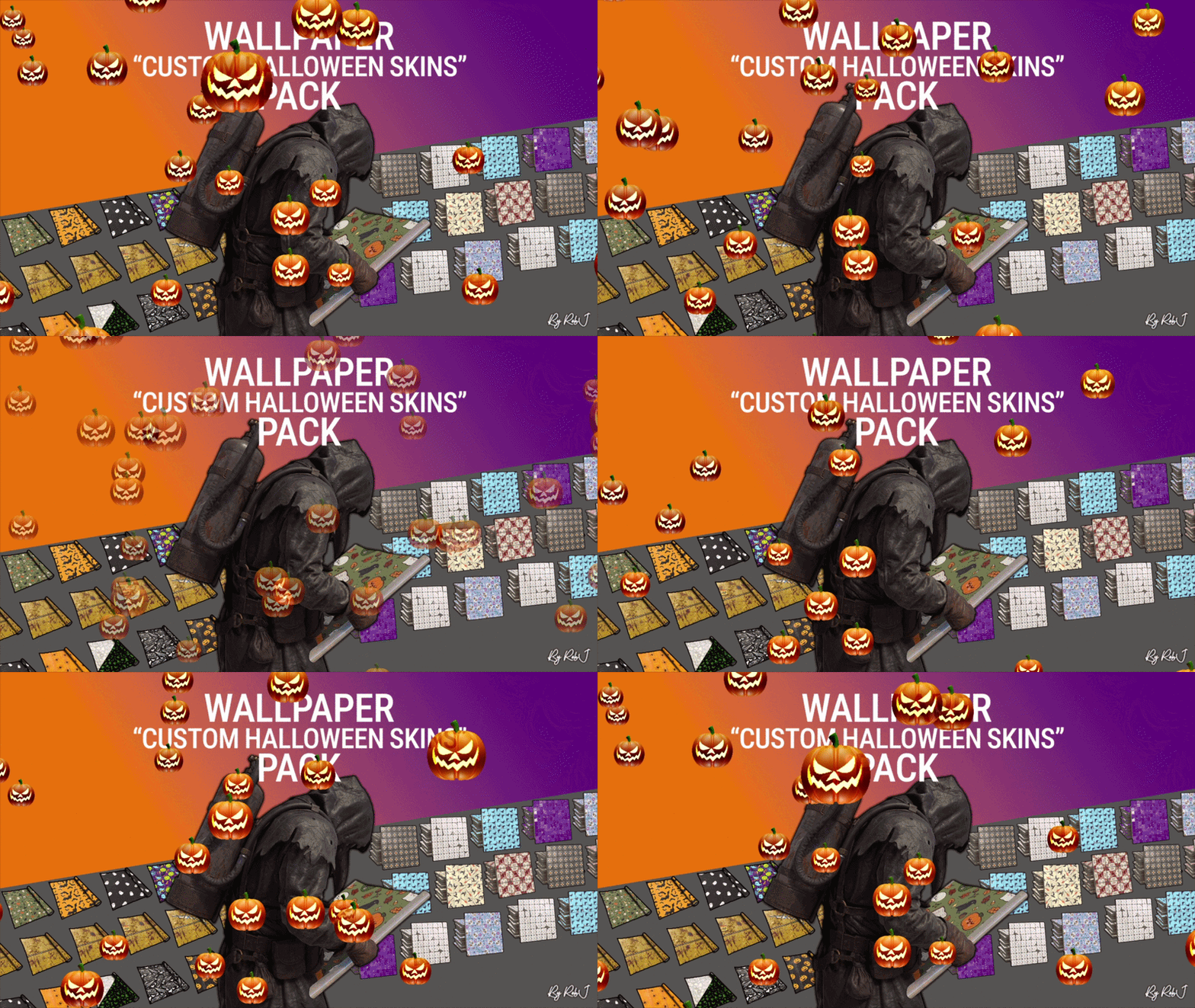
Wallpaper Halloween Booster Pack
0:20
168
2
Wallpaper Halloween Booster Pack
RobJ
Skill System
0:27
289
1
Skill System
xNullPointer95
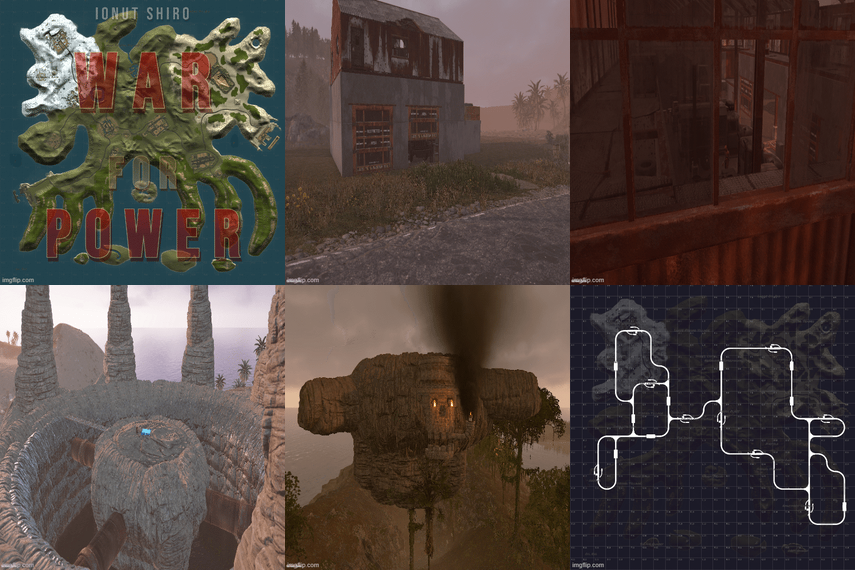
Nightmare In Rust 3K [Halloween Custom Map]
0:26
202
2
Nightmare In Rust 3K [Halloween Custom Map]
Ionut Shiro
Trending Files
Discover what files are trending right now.
Great Deals
Discounted picks, limited-time deals, and sale items worth grabbing now.
Recently Updated
Recently improved files with fresh updates, fixes, and new content.

About Us

Codefling is the largest marketplace for plugins, maps, tools, and more, making it easy for customers to discover new content and for creators to monetize their work.

Downloads
3.2m
Total downloads
Customers
12.3k
Customers served
Files Sold
173.9k
Total sales
Payments
3.8m
Processed total
×
×
  • Create New...

Important Information

We have placed cookies on your device to help make this website better. You can adjust your cookie settings, otherwise we'll assume you're okay to continue.