

Works with
Optional integrations and compatible files.

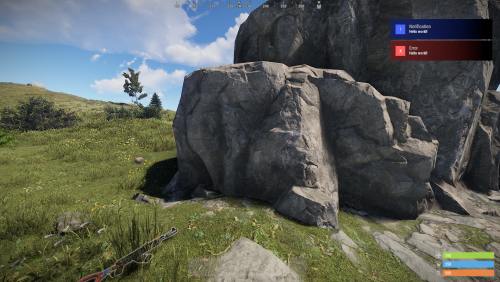


About Dungeon Events
Dungeon Events | Procedural Dungeons for Rust
Give your players somewhere new to take their best gear.
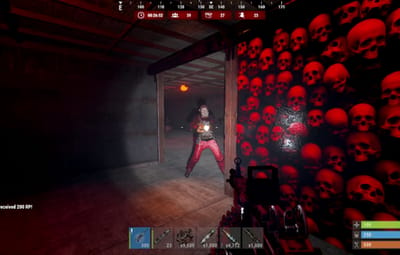
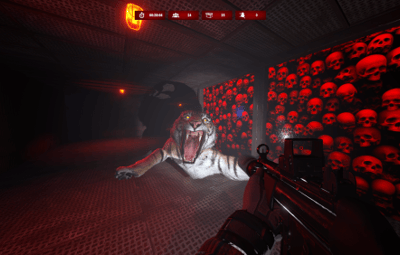
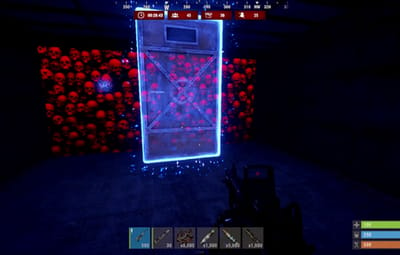
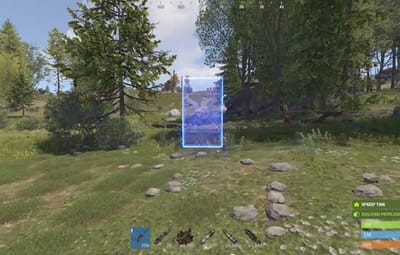
When a portal opens, players step through into a newly generated dungeon. Inside they fight NPCs, bosses, animals and auto turrets, then collect whatever loot you’ve set up. Dungeon Events adds repeatable PvE to your Rust server. The plugin generates every layout, and a dungeon can start automatically or when a player buys one.
Six difficulty presets come included for building your server’s dungeon progression, and you can customize the encounters and rewards. Players can take a dungeon on alone or bring their allies.
6 difficulty presets · 14 construction options · Classic stone dungeons · Private purchases · Custom loot · Optional economy and XP rewards
Watch Dungeon Events in action
Fresh layouts. Familiar controls.
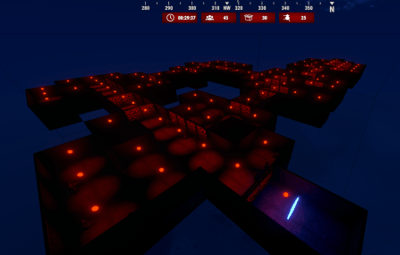
Every newly spawned dungeon gets a procedurally generated layout. Rooms and corridors are built by the plugin, giving players new spaces to explore while you control the difficulty, size and rewards.
You do not need to build dungeon layouts or supply CopyPaste files. Choose your settings and let Dungeon Events generate the environment.
Choose from 14 construction options: Wood, Legacy, Gingerbread, Stone, Adobe, Brick, Brutalist, Metal, Container, Armored, Jungle, Crypt, Space and Classic. Customize supported container colors, garage door skins, lighting and dungeon time of day to give different tiers their own identity.
Classic dungeons included
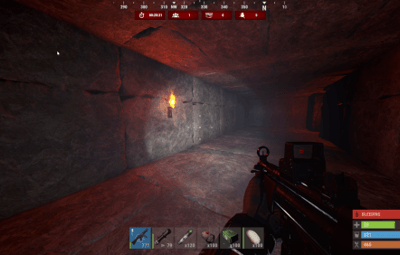
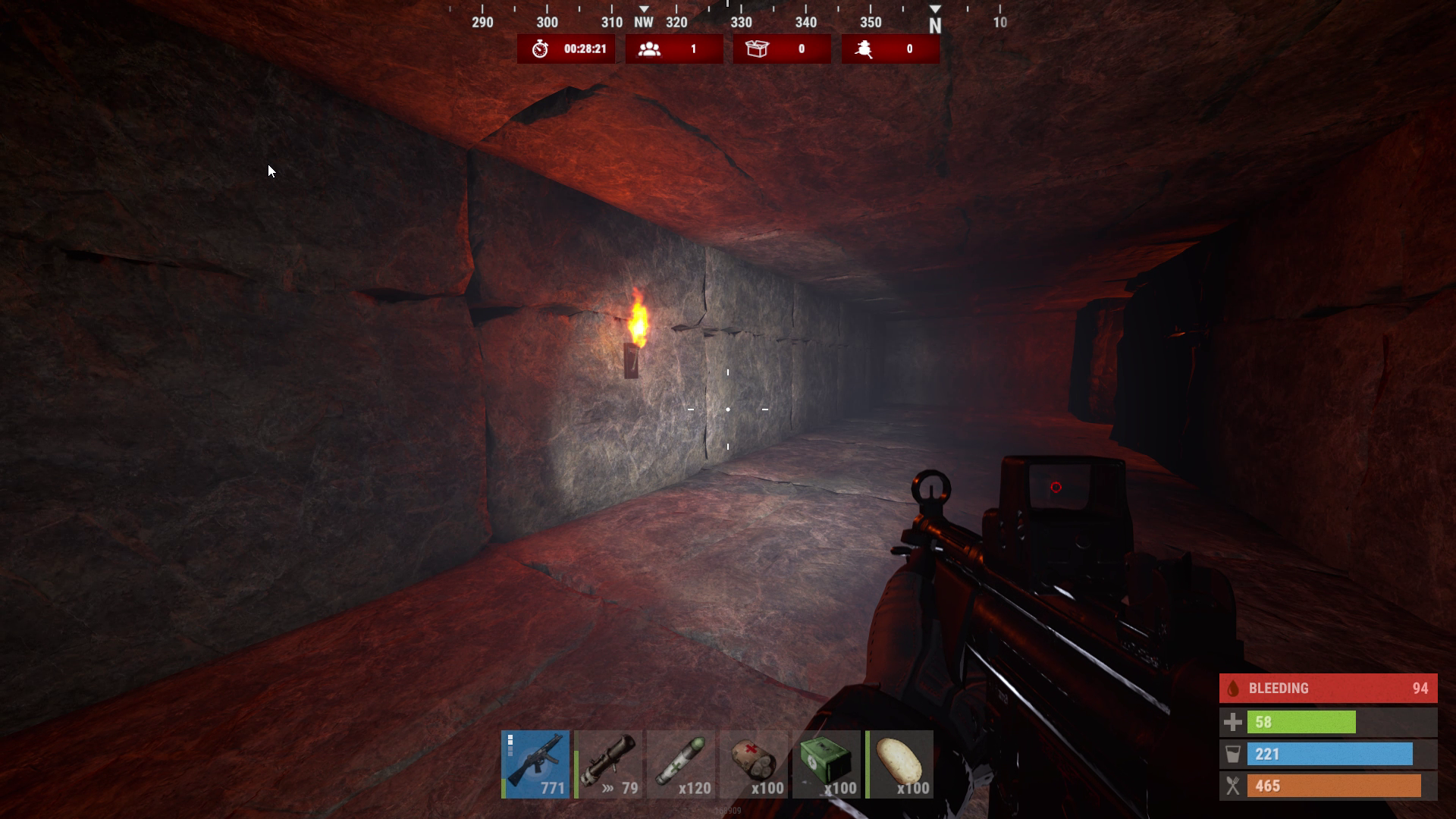
Turn a run into a torchlit expedition through stone chambers and branching corridors. Classic mode uses a separate layout generator, with stone floors, walls and roofs, and open passages without garage doors.
Let players choose their next challenge
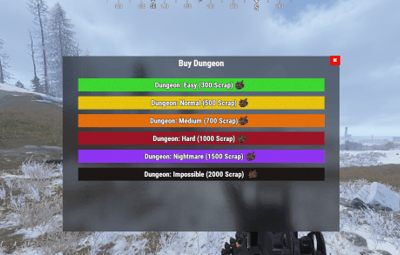
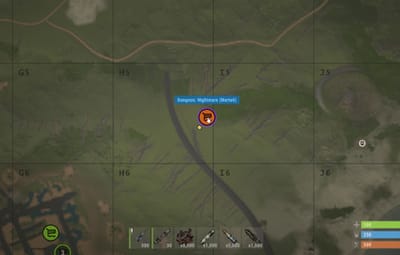
Players can open /buydungeon, choose an available tier and pay with your configured currency. Enable ownership locking to reserve the dungeon for its owner and permitted allies.
- Play solo or bring a team. Allow Rust teammates and, with the optional Friends plugin, friends to join.
- Give currency a purpose. Charge Scrap, another item, an item with a specific skin, Economics balance or ServerRewards points.
- Set the pace. Configure prices, purchase cooldowns and active dungeon limits for each tier.
- Control access. Use tier permissions and delays after a wipe to decide when harder content becomes available.
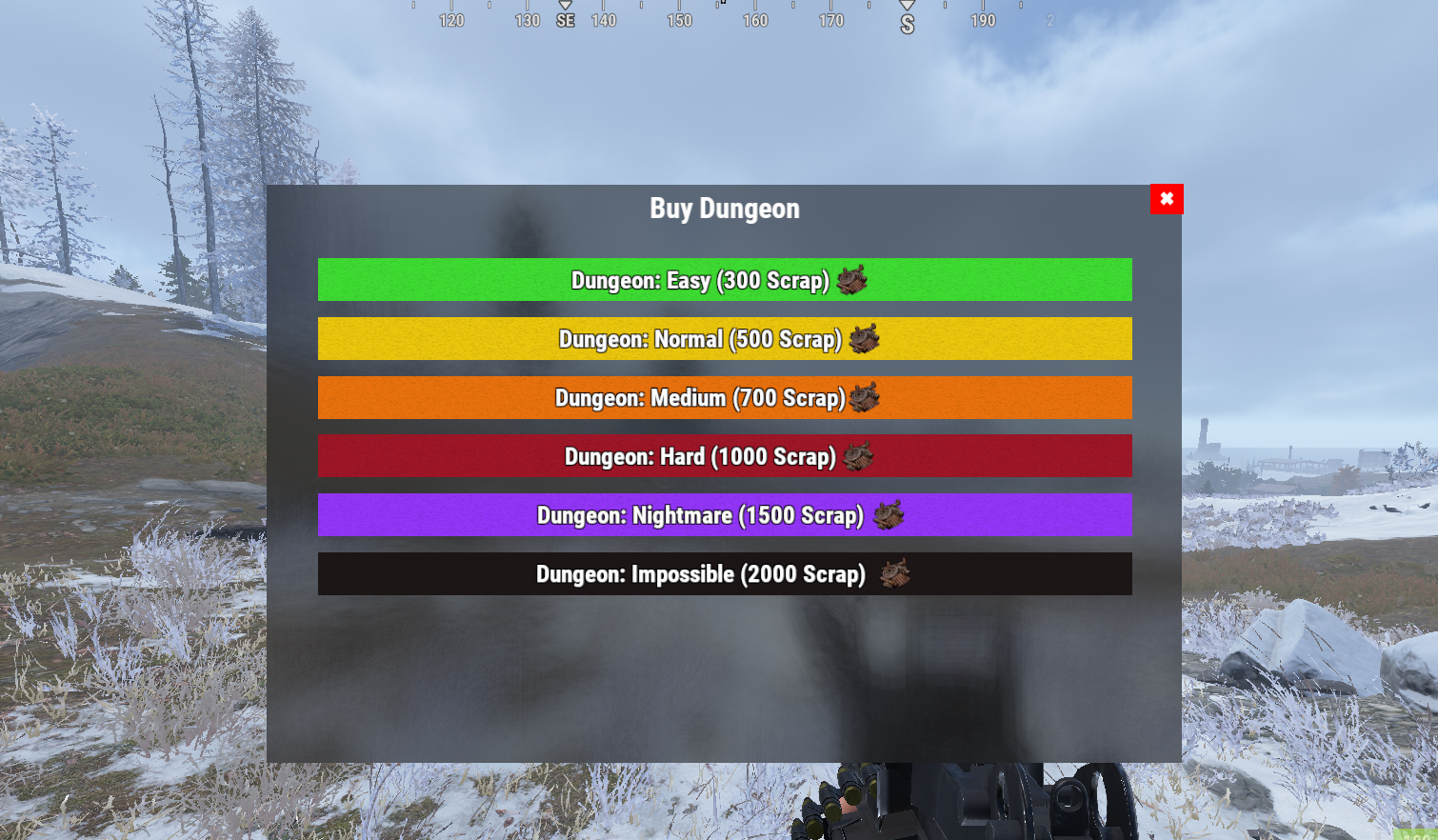
Prices and availability are configurable. The screenshot shows an example setup.
From Easy to Impossible, you set the difficulty
Start with Easy, Normal, Medium, Hard, Nightmare and Impossible, then adjust each tier for your community.
| Encounter | What you control |
|---|---|
| NPCs | Count, names, health, damage, clothing, weapons and weapon attachments |
| Boss NPCs | Separate combat settings, equipment and loot tables |
| Animals | Species, spawn weights, health, damage, movement and sensing settings |
| Auto turrets | Count, health and weapon |
| Dungeon layout | Construction style, room settings and lighting |
Mix armed defenders with threats such as wolves, bears, tigers, panthers and crocodiles. Enable the species you want and build an encounter that fits each tier.
An in-game event HUD shows the timer and remaining enemies, containers and turrets. Defeat the enemies and destroy the remaining loot containers and turrets to complete the dungeon.
Make the rewards fit your server
Give each difficulty its own reason to be played. Configure separate loot tables for regular NPCs, bosses and loot containers, with item chances, amount ranges, skins, custom names and item text.
Use the included default loot table to get started, then tune the rewards around your server's economy.
Optional integrations add more ways to reward a successful run:
- Economics and ServerRewards: configurable currency or point rewards for defeating enemies, destroying turrets and loot boxes, and completing the dungeon.
- SkillTree: dungeon completion XP, with options to split the reward between eligible players or give each eligible player the full amount.
Keep events running on your terms
Enable automatic spawning for recurring content, let players purchase their own runs, or create events through admin commands.
- Choose portal placement: automatic location searches or separate custom portal locations for automatic events and purchases.
- Manage the map: configurable marker names, colors, visibility and spawn announcements.
- Protect access: optional first-player ownership, ally access and portal protection rules for combat, building, deployables and vehicles.
- Control the event lifecycle: unentered and active lifetimes, cleanup conditions and removal delays.
- Shape the experience: dungeon height settings for terrain, elevated or underground placement; command restrictions; and an option to reset NPCs and animals when the last player leaves or dies.
- Tune server workload: adjustable batches for building, entity spawning, cleanup and location searches, plus global and per-tier event limits.
Before you buy
Does the basic dungeon system require other plugins?
No. Dungeon generation, NPCs, the purchase menu and item-based payments are built in. CopyPaste and NpcSpawn are not required. Install optional integrations only for the features you want to use.
Can I use it for solo players and groups?
Yes. Configure encounter difficulty for your players and enable the teammate or friend access options you want. Friend access requires Friends; Rust team access is built in.
Can I offer automatic events and private purchases together?
Yes. They have separate enable settings and limits. Keep ownership locking enabled when you want access reserved to owners and permitted allies.
Does returning through a portal generate another layout?
No. Layouts are generated when a new dungeon spawns. Returning to an existing active dungeon takes players back to that dungeon.
Are translations included?
Default messages are included in English, Brazilian Portuguese, German, Spanish and Russian.
Setup and reference
Getting started on Oxide
-
Place
DungeonEvents.csinoxide/pluginsand allow it to load. -
Review
oxide/config/DungeonEvents.jsonand the generated loot files underoxide/data/DungeonEvents. - Grant entry and purchase permissions to the groups that should use the plugin. For the default group, run these commands in the server console:
oxide.grant group default dungeonevents.enter
oxide.grant group default dungeonevents.buy
-
Choose your event settings. Global automatic spawning is disabled by default. Enable
Enable Auto SpawninsideDungeon Settingsif you want automatic events, and check the individual tier settings and limits. -
Reload the configuration with
de.reloadconfigin the server console. A Rust admin can create a test dungeon with/createdungeon Easyin chat.
Scrap is the default purchase currency. Economics, ServerRewards and SkillTree features require their respective plugins.
Player commands and permissions
The commands below use the default names. Command names can be changed in the configuration.
| Chat command | Action |
|---|---|
/buydungeon
|
Open the purchase menu |
/buydungeon Easy
|
Purchase the specified tier, subject to access, availability, cost and cooldown |
/removedungeon
|
Remove the active dungeon owned by the player |
| Permission | Purpose |
|---|---|
dungeonevents.buy
|
Allow dungeon purchases |
dungeonevents.enter
|
Allow entry under the ownership-locking access rules |
dungeonevents.easy
|
Access to Easy when that tier's Require Permission setting is enabled
|
dungeonevents.normal
|
Access to Normal when required |
dungeonevents.medium
|
Access to Medium when required |
dungeonevents.hard
|
Access to Hard when required |
dungeonevents.nightmare
|
Access to Nightmare when required |
dungeonevents.impossible
|
Access to Impossible when required |
dungeonevents.admin
|
Bypass selected entry and purchase permission checks; management commands still require Rust admin status |
Tier permissions are generated from the tier name, lowercased with non-alphanumeric characters removed. Custom tiers receive matching permissions.
Admin commands
Management commands require Rust admin status when issued by a player. Console commands can also be issued through the server console or RCON.
| Chat command | Action |
|---|---|
/createdungeon Easy
|
Create a dungeon using the selected tier |
/dungeons
|
List active dungeons and their current status |
/de.reloadconfig
|
Reload the configuration |
/de.toggle
|
Toggle purchases |
/de.addautospawn
|
Save the current position as an automatic-event portal location |
/de.addbuyspawn
|
Save the current position as a purchased-dungeon portal location |
/de.listspawns
|
List custom portal locations |
/de.removespawn auto 5
|
Remove the nearest automatic-event portal location within 5 meters; use buy for purchase locations
|
/de.removenearest
|
Remove the nearest dungeon when within 10 meters of its portal or dungeon position |
/removeinactivedungeons
|
Remove inactive dungeons |
/removealldungeons
|
Remove all active dungeons |
/forceremovealldungeons
|
Force cleanup of Dungeon Events entities |
| Console / RCON command | Action |
|---|---|
spawnrandomdungeon
|
Queue an available automatic-event tier |
spawnfixeddungeon Easy
|
Queue the specified automatic-event tier |
spawnfixeddungeon Easy STEAM_ID
|
Queue the specified automatic-event tier for a player |
buydungeon Easy STEAM_ID
|
Process a purchase for the specified player, including normal purchase checks and cost |
dungeons
|
List active dungeons |
de.reloadconfig
|
Reload the configuration |
Tier availability, wipe delays and applicable limits still matter when spawning events.
Loot files and optional integrations
Loot file locations on Oxide
| File | Purpose |
|---|---|
oxide/data/DungeonEvents/Default_Loot.json
|
Shared default loot table |
oxide/data/DungeonEvents/<TierName>/npc_loot.json
|
Regular NPC loot for the tier |
oxide/data/DungeonEvents/<TierName>/boss_loot.json
|
Boss loot for the tier |
oxide/data/DungeonEvents/<TierName>/lootbox.json
|
Container loot for the tier |
An empty tier loot table uses the default loot table. Tier folder names use the configured name with spaces replaced by underscores and invalid filename characters removed.
Optional integrations
| Plugin | Role |
|---|---|
| Economics | Balance-based purchases and currency rewards |
| ServerRewards | Point-based purchases and rewards |
| SkillTree | Dungeon completion XP and configurable sharing |
| Friends | Friend access to owned dungeons |
| Notify | Optional notification delivery |
| NightVision | Time-of-day handling when leaving a dungeon |
| ZoneManager | Avoid configured zones during location searches |
| Duelist | Avoid its territory during location searches |
| RaidableBases | Avoid its event territory during location searches |
| AbandonedBases | Avoid its event territory during location searches |
| RestoreUponDeath | Defers selected active-item and backpack drop restrictions when that plugin is loaded |
Developer hooks
| Hook | Arguments |
|---|---|
OnDungeonSpawn
|
ulong ownerID, Vector3 portalPosition, string grid, string tierName
|
OnDungeonDespawn
|
ulong ownerID, Vector3 portalPosition, string grid, string tierName
|
OnDungeonWin
|
ulong playerID, string mapName
|
OnDungeonWin passes the tier's configured Map Name as its second argument.
Add a dungeon adventure to your server's routine. Let players choose their challenge, put their gear to work and earn rewards worth preparing for.