

Translate your Rust plugin messages.

Translate a Rust plugin's English language file into the language your community uses.
- One file at a time: one plugin and one target language per command.
-
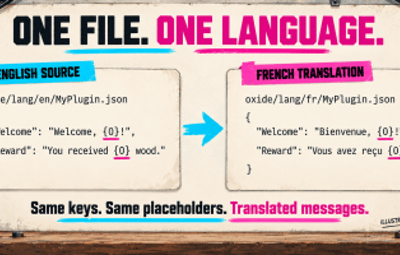
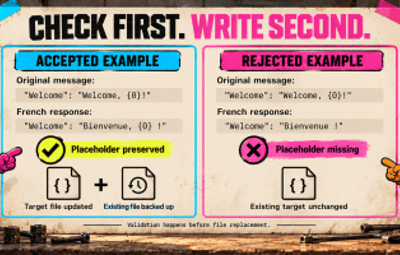
Checks before writing: JSON keys and recognized placeholders such as
{0}must be preserved. - Backups before replacement: existing target files are backed up before they are overwritten.
Free plugin · Oxide + Carbon · Own OpenAI key required. API usage is billed separately.
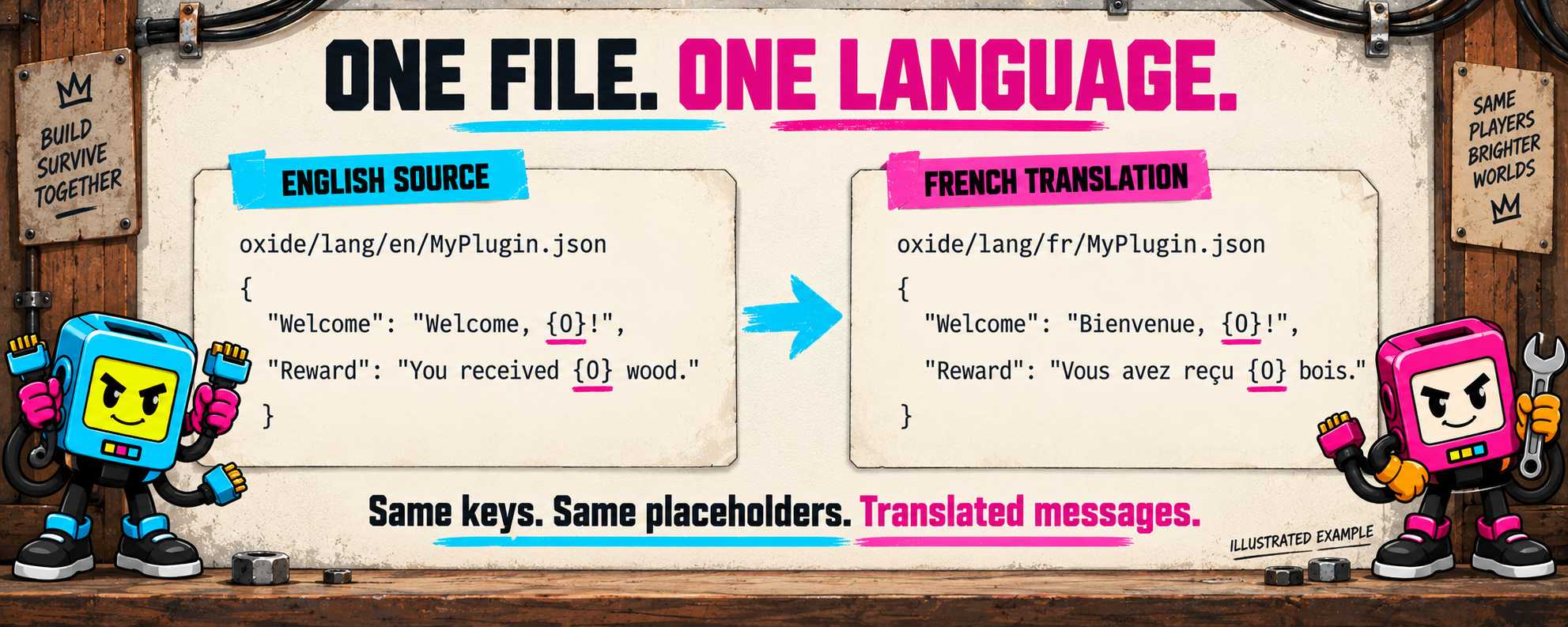
Illustrated file example. Review translated messages before using them with players.
What will the API cost?
Estimated API costs in USD.
| Usage | GPT-5.6 Luna | GPT-6 Luna |
|---|---|---|
| 1 file → 1 language | 0.0028 | 0.0012 |
| 10 files → 1 language | 0.028 | 0.012 |
Open PimpMyRust to estimate your file costs →
Based on 2,000 input + 2,000 output tokens per file and language. Free processes each file separately.
Standard USD prices, 18 October 2026. Actual costs depend on token usage, model and retries; taxes and extra reasoning are excluded. No cache or Batch discount is assumed. Pricing: GPT-5.6 Luna · GPT-6 Luna.
Configure and translate with PimpMyRust
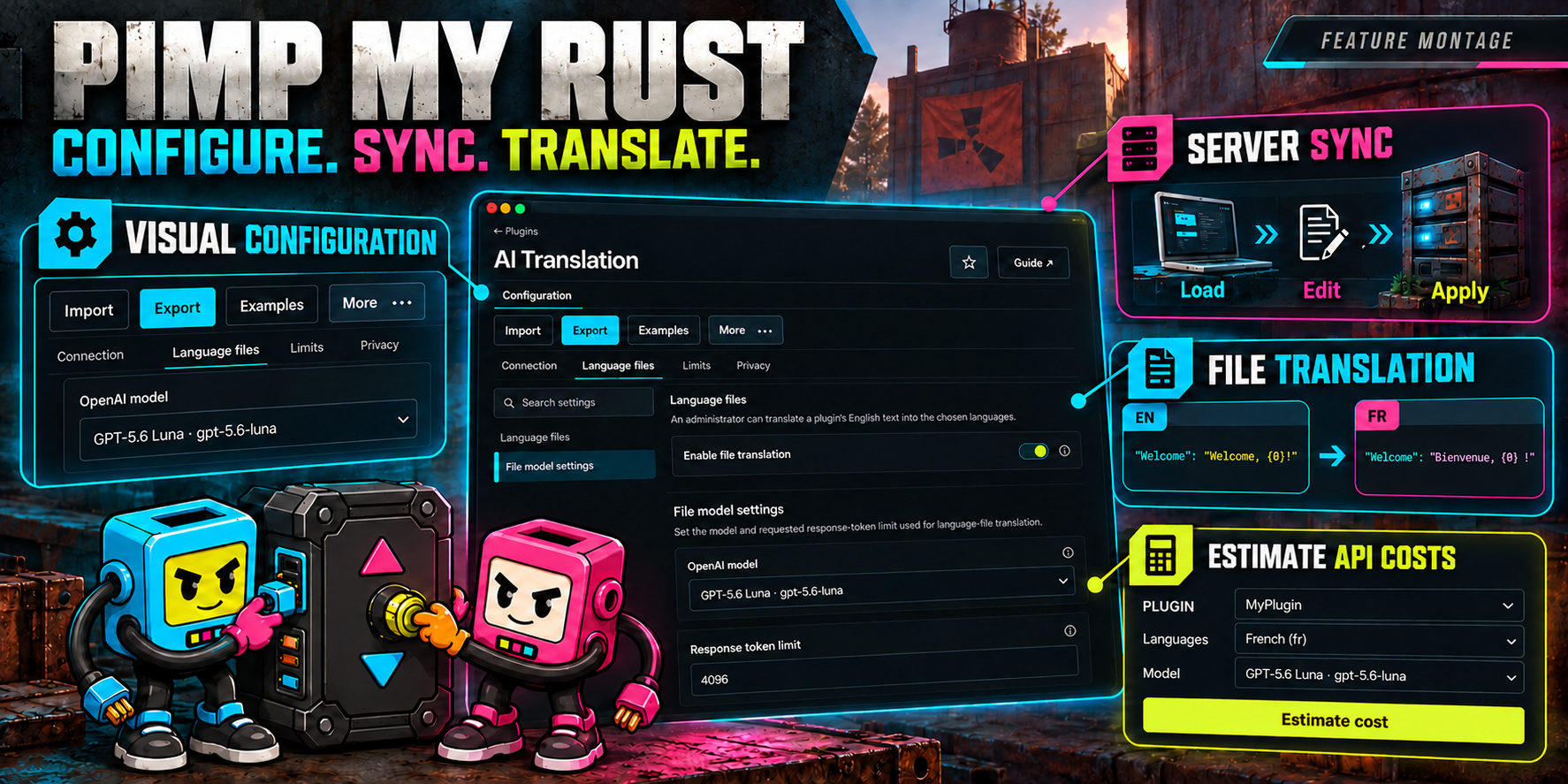
Illustrated overview based on the PimpMyRust interface.
- Visual configuration: edit settings in guided fields, import existing JSON and export your configuration.
- Server sync: load your server's configuration, edit it in the browser and apply changes to your connected server.
- File translation: open a plugin's language files from its configuration and translate its English messages with AITranslation on your server.
- Cost estimates: estimate a file translation for your target language and configured model before sending a request.
Configure AITranslation Free →
Server features require a signed-in account and a configured server connection. Translation requires AITranslation and your own OpenAI key with credit.
Browser translation requires Free 0.1.3. Cost estimation also works with Free 0.1.2.
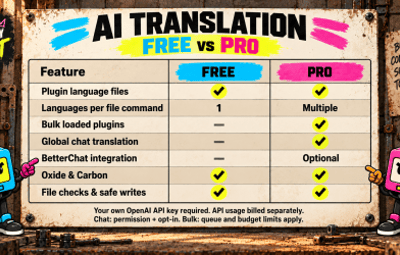
Which edition fits your server?
| You need… | Free | Pro |
|---|---|---|
| Plugin language files | One target per command | Several targets per command |
| Bulk loaded plugins | — | Yes |
| Global player chat | — | Yes, after activation |
| Oxide / Carbon | Yes | Yes |
Free suits occasional file translation. Choose Pro for several languages, bulk work and chat →
Start with one file
-
Install
AITranslation.cs; loading createsAITranslation.json. - Configure your OpenAI key, model and limits on your server.
- Run from server console/RCON:
aitfree.translateplugin MyPlugin fr
On Oxide, the source is oxide/lang/en/MyPlugin.json and successful output is oxide/lang/fr/MyPlugin.json. Carbon uses its own language directory.
Commands, access and limits
aitfree.translateplugin <PluginName> <locale> handles one file. The historical ait.translateplugin alias does the same operation; run either once.
File commands require server console, RCON, Rust administrator access or aitranslation.admin for a trusted operator.
Checks cover JSON structure, exact keys, string values, recognized placeholders, completion and size. Existing targets are backed up; unresolved recovery files can block replacement. Structural checks do not verify translation accuracy.
Local request/token limits control workload, not a currency spending cap. Selected English file contents are sent to OpenAI. API keys, file contents and provider response bodies are not written to plugin logs.
Free does not translate player chat. Run one edition at a time; Pro takes priority if both are installed.