
About Player Events Messages
Let players pick their Rust chat announcements

Players open /pevent and pick a message for when they join, leave, kill another player, or die. When that happens, the server posts their chosen message in chat.
Oxide and Carbon. The player menu is included. Version 0.1.3 does not currently support PimpMyCUI.
Open the PimpMyRust configurator →
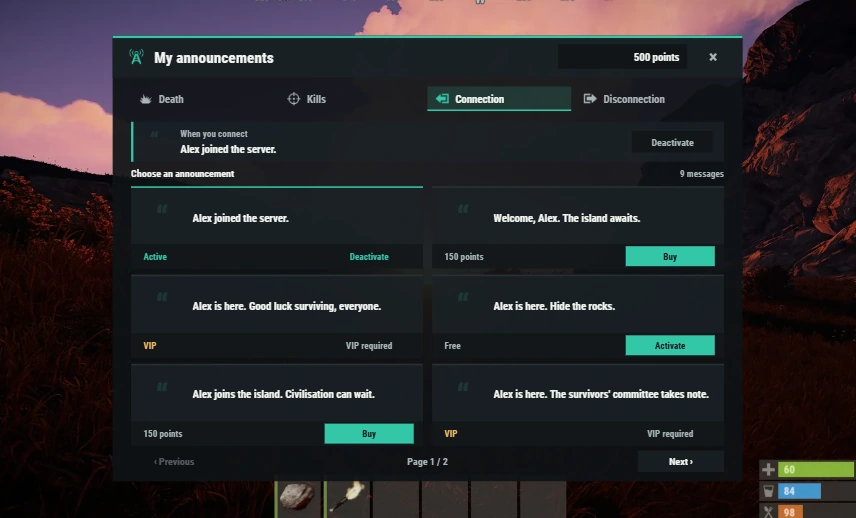
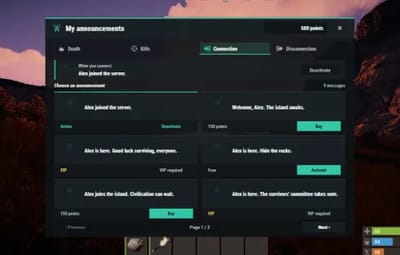
Cards menu · join announcements
Choose what appears in chat
Alex opens /pevent, picks the free “<owner_name> joined the server” message, and activates it. The next time Alex joins, online players see “Alex joined the server.”
Players can activate one message per event, switch it, or turn it off. Kill announcements can also include the other player’s name.
Free, VIP and paid announcements
A fresh install includes 36 announcements in English and French. You choose which ones players can use, who gets access, and what they cost.
- Free. Players with access can activate these without spending anything.
- VIP. Reserve free announcements for players who have the VIP permission.
- Paid. Players confirm the purchase with server currency, then choose when to activate the announcement. Purchases use Economics, ServerRewards, or a compatible currency plugin configured by the admin.
Set a minimum delay between a player’s announcements to prevent spam. You can also set a different delay for each event.
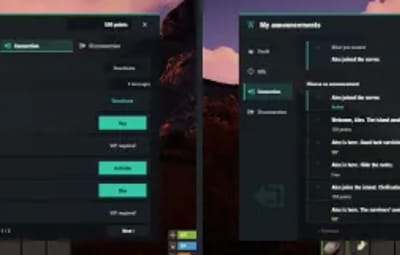
Three layouts for the player menu
Choose a compact list, two-column cards, or a terminal. In Appearance, adjust the colors, transparency, size, position, and text size.
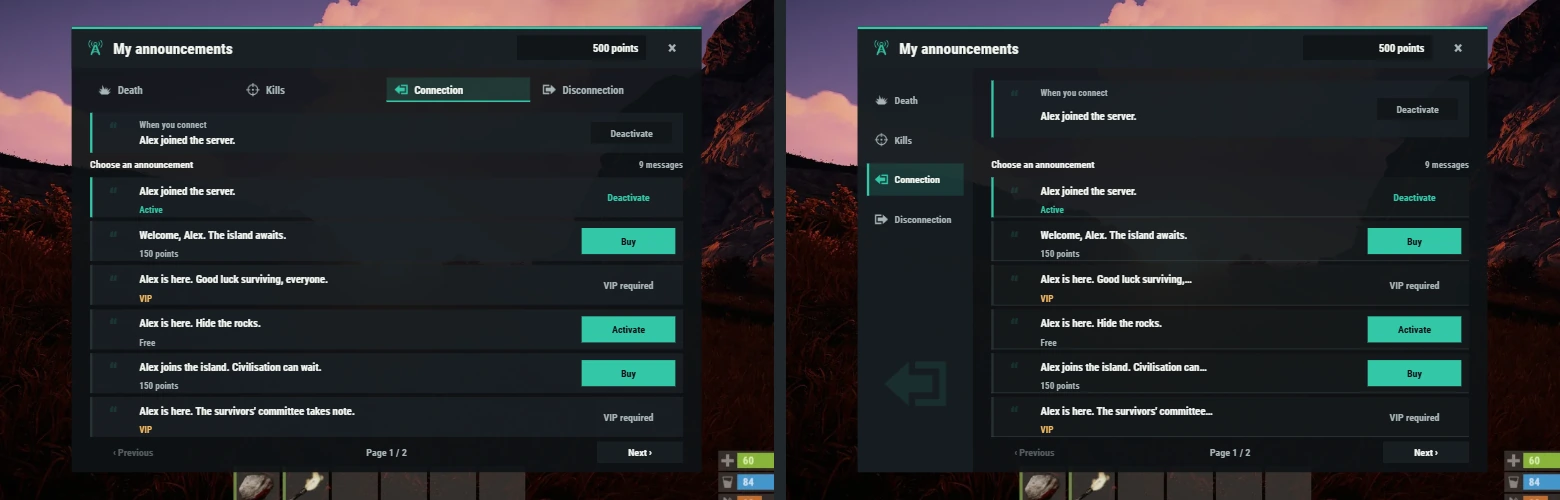
Compact on the left, Terminal on the right
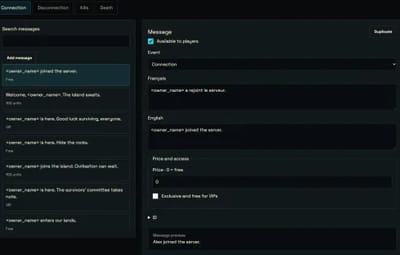
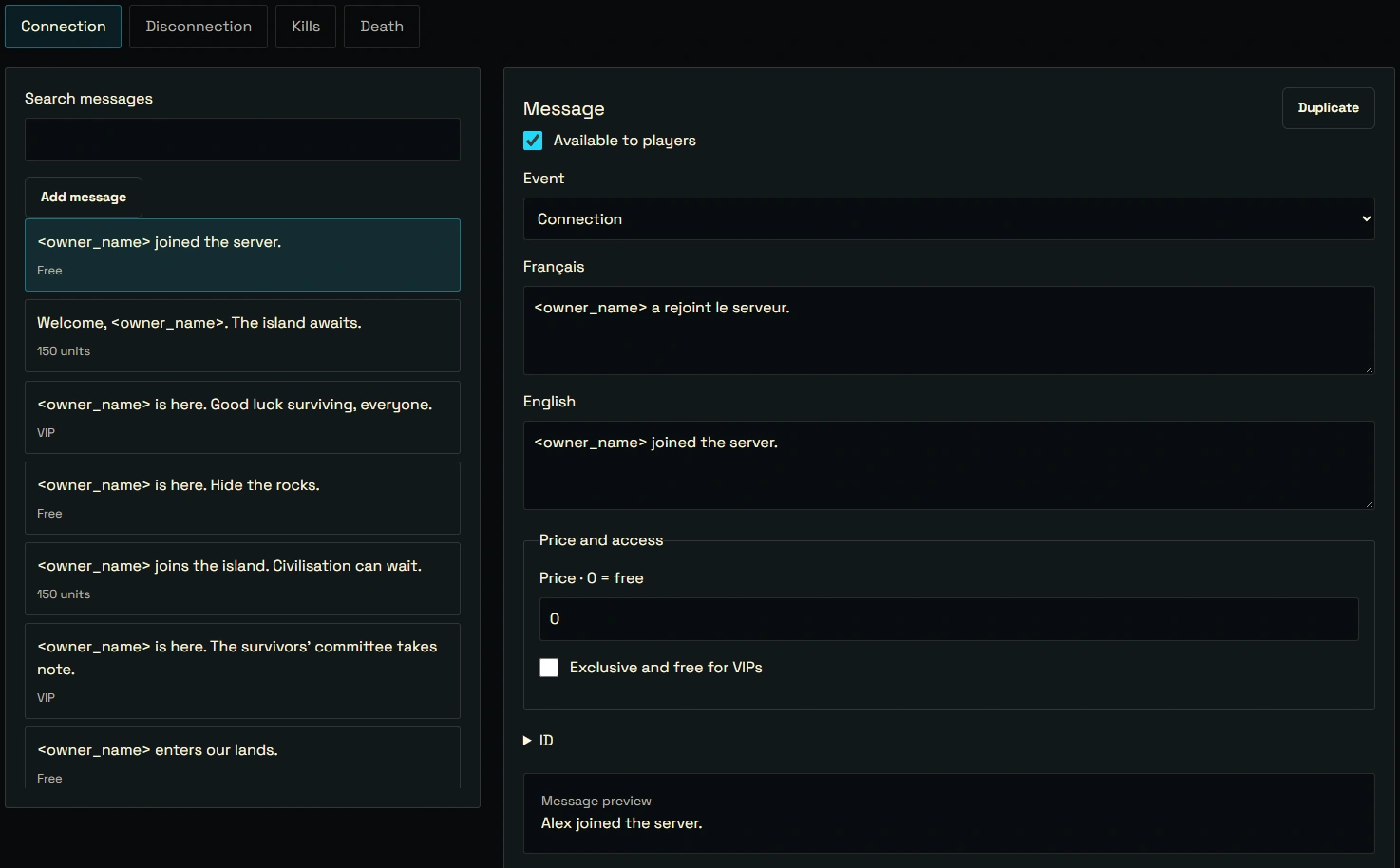
Set up your announcements in PimpMyRust

Choose an event, write the English and French text, then set a price or reserve it for VIPs. Preview the message with a sample player name. Download the settings and language files together or edit the JSON files directly.
Manual installation
-
Extract the ZIP and merge its folders into
oxide/orcarbon/. -
Load
plugins/PlayerEventChatMessages.csto create the defaults. Editconfig/PlayerEventChatMessages.jsonand the language files if needed, then reload. -
Grant
PlayerEventChatMessages.Defaultto the groups that can choose announcements and test/pevent.
You can edit the JSON directly or use the optional PimpMyRust configurator.
Upgrading from 0.1.2? Back up your files and replace the plugin. Keep your existing settings, language files and data.