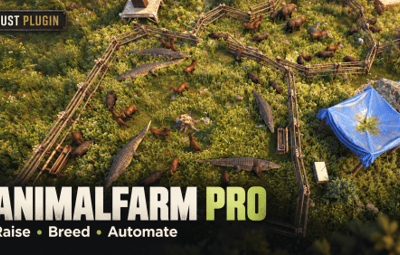
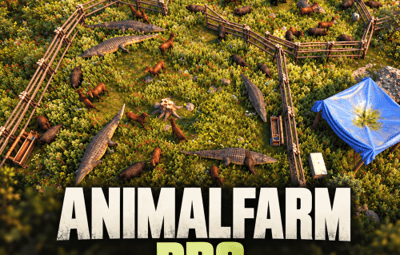
About Animal Farm Pro
Raise • Breed • Automate
Turn your Rust server’s animal pens and chicken coops into working farms. Raise animals, breed livestock, manage their needs, collect resources, and automate supplies with Rust’s industrial and water systems.
Animal Farms
Build an enclosure around a Hitch and Trough, then use Test Enclosure to establish your farm.
Supported animals:
- Cows and sheep
- Boars and stags
- Bears and polar bears
- Wolves
- Tigers and panthers
- Crocodiles
Animals roam inside their enclosure and depend on food, water, and personal space. Raise babies into adults, manage breeding pairs, and inspect each animal’s age, needs, sex, pregnancy, and genetics.
Genetics affect:
- Dung production
- Lifespan
- Harvest yield
- Fertility
- Hardiness
Server owners can configure growth, breeding, lifespan, and resource production for each species.
Farm Features
- Baby animal items that grow into farm animals.
- Capture dart support for bringing wild animals into your farming system.
- Flatbed transport support.
- Ranch selling support for additional animal species.
- Hopper collection for farm products.
- Optional automatic cow milking and sheep shearing.
- Separate trough storage sections for food, collected products, and babies.
- Industrial input and output support.
Multi-Animal Coops
Convert a normal Chicken Coop into a Multi-Animal Coop containing chickens, rabbits, squirrels, and snakes.
Keep Rust’s familiar food, water, hatching, and production interface, with animal cards displaying names and needs. Animals receive random names, can be renamed through their cards, and can be petted.
Coop Features
- Manual hatching and an Auto Hatch toggle.
- Animal images and names displayed during hatching while keeping the countdown visible.
- Rabbits produce baby rabbit items.
- Squirrels produce baby squirrel items.
- Snakes produce snake eggs.
- Products appear in the coop’s normal production slot.
- Production is skipped when the slot contains another item or cannot accept more.
- Stack limits respect the server’s item stack sizes.
- Configurable production intervals and amounts.
- A water hookup and industrial adapter on converted coops.
- Attached fittings protected against individual pickup.
Rabbit, squirrel, and snake production defaults to twice the chicken production interval.
Finding Coop Animal Items
Players can obtain coop animals through hunting:
- Baby Rabbits: Killing wild rabbits has a configurable chance to drop a baby rabbit item on the ground.
- Baby Squirrels: Killing wild squirrels has a configurable chance to drop a baby squirrel item on the ground.
- Snake Eggs: Harvesting wild snake corpses has a configurable chance to award a snake egg.
Rabbit and squirrel babies must be picked up from the ground. Their drops come from killing the wild animal rather than harvesting its body.
Raise these animals in a converted coop to produce more of their respective items.
How to Use
Start an Animal Farm
- Build a closed pen using supported fences and gates.
- Place an owned, unskinned Hitch and Trough inside.
- Open the trough and select Test Enclosure.
- Add food and supply water.
- Place baby animal items in the baby storage section, or bring supported animals into the pen.
- Keep the enclosure secure and maintain the animals’ needs.
- Inspect animals to monitor growth, breeding, and genetics.
- Collect products manually or connect industrial automation.
Additional troughs within the same pen can share its farm controller and supply food and water.
Start a Multi-Animal Coop
- Place and open a normal Chicken Coop.
- Select Convert to MultiCoop beneath the coop heading. The button shows your current coop count and limit.
- Supply food and fresh water.
- Place a chicken egg, snake egg, baby rabbit, or baby squirrel in the hatch slot.
- Press Hatch, or enable Auto Hatch.
- Keep your animals fed, watered, loved, and supplied with sunlight.
- Collect produced items through the normal production slot or industrial output.
A limit-reached message appears when the player cannot create another coop.
Name and Pet Coop Animals
- Edit an animal’s name on its card and press Enter to save.
- Look at a coop animal outside the loot interface and use the Pet prompt.
Administrator Command
Usage:
/animalfarmpro <animal> [amount]
Supported animal names:
cow, sheep, boar, stag, bear, polarbear, wolf, tiger, panther, crocodile, snake, rabbit, squirrel
Examples:
-
/animalfarmpro rabbit 2 -
/animalfarmpro squirrel 2 -
/animalfarmpro snake 1
Requires the animalfarmpro.admin permission.
Permissions
-
animalfarmpro.admin— Administrator command and elevated farm access. -
animalfarmpro.use— Farm access permission. -
animalfarmpro.vip— VIP placement limits. -
animalfarmpro.vip1— Additional VIP placement limits.
Farm and coop placement limits can be configured separately for default, VIP, and VIP1 players.
Configuration
Server owners can configure:
- Animal growth and breeding
- Lifespan
- Dung production
- Harvest yields
- Ranch sale multipliers
- Farm and coop placement limits
- Coop hatch times
- Wild animal item drop chances
- Coop production amounts and intervals
- Automatic cow milking and sheep shearing
Performance
Animal work is scheduled across queued tasks, heavier enclosure checks are spread across a coroutine, and movement pauses when no players are observing.